In this small comparison test we will compare the two 120 Hz monitors Asus VG236H and LG W2363D. We have already tested the two monitors in separate tests but here we’ll include some side-by-side comparisons.
Find the Asus VG236H review here.
Find the LG W2363D review here.
Asus VG236H vs. LG W2363D
Both monitors have a 120 Hz panel that is considered the next generation of gamer monitors because it provides smoother motion, faster response and less motion trailing and blurring. Asus VG236H is seen on the left and LG W2363D on the right.
Both monitors also incorporate a 23-inch 1920x1080 TN panel.
Color reproduction
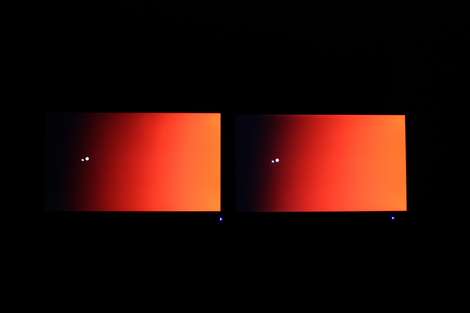
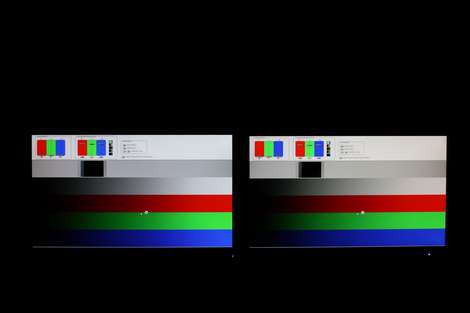
Asus VG236H proved to have better color accuracy in the out-of-box settings than most gamer monitors but color gradation and overall color reproduction is just as important. Asus VG236H is seen on the left and LG W2363D on the right.
Asus VG236H on the left vs. LG W2363D on the right
I have compared the two monitors in some gradient tests and VG236H definitely does a better job at distinguishing the different colors shades. The gradient is smoother and I see less bands. Both monitors have some issues with the darker colors, however.
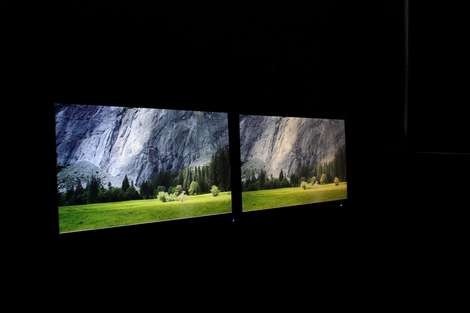
I also compared the viewing angles. In the picture below W2363D is photographed from a greater angle but in practice VG236H definitely had worse viewing angles. Especially from the top.
Asus VG236H on the left vs. LG W2363D on the right
Black levels, backlight bleeding and shadow detail
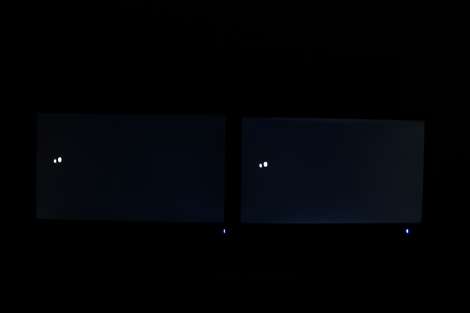
I compared the two monitors in a completely dark room to look for differences in black level and issues with backlight bleeding.
Asus VG236H on the left vs. LG W2363D on the right
As you can see in this shot W2363D clearly has more backlight bleeding form the edges of the panel compared to Asus VG236H. VG236H also has some minor bleeding from the edges but it’s far less critical. Black is deeper on VG236H.
Asus VG236H on the left vs. LG W2363D on the right
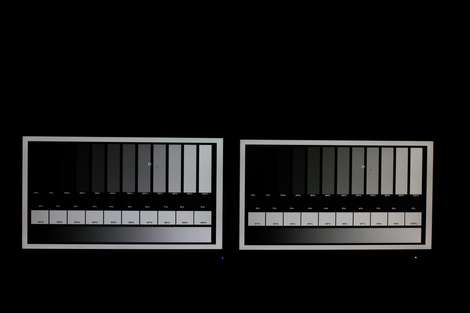
The shadow detailing is marginally better on W2363D and I can distinguish the very dark grey tones better. The difference is not huge, however, and not really important.
Response time and trailing
The response time, trailing and Overdrive trailing with our monitorTest software and some stress-testing.
Asus VG236H on the left vs. LG W2363D on the right
Here W2363D has the edge. It has less trailing and blurring on motion. The difference is not huge but it’s clear that W2363D is a bit faster than VG236H.
Also VG236D had some overdrive trailing in the dark color transitions. The trailing is very visible on VG236H but W2363D has no overdrive trailing whatsoever.
So, W2363D is a bit faster and has less blurring on fast motion compared to VG236H.
Inputlag testing
I also examined the input lag using our inputlagTest software, a DVI splitter and a Canon EOS camera set at a high shutter speed. I found that both monitors does a very good job and as you can see in my shots below neither of the two monitors had input lag. They are synchronized.
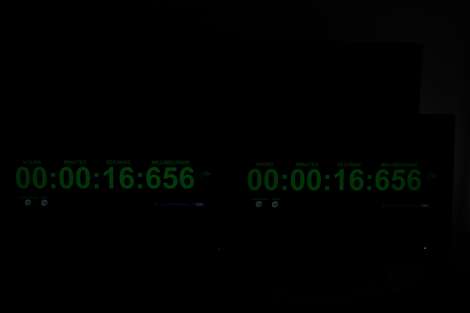
Asus VG236H on the left vs. LG W2363D on the right
We also did input lag testing in the separate reviews but here's another shot for you.
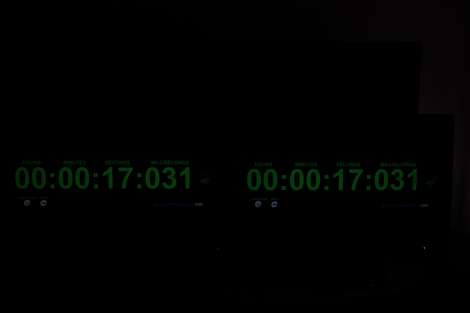
Asus VG236H on the left vs. LG W2363D on the right
Below you see a comparison where I turned off the Thru-mode on LG W2363D. Turning this off introduces some input lag. Therefore you should keep Thru-mode enabled on W2363D.
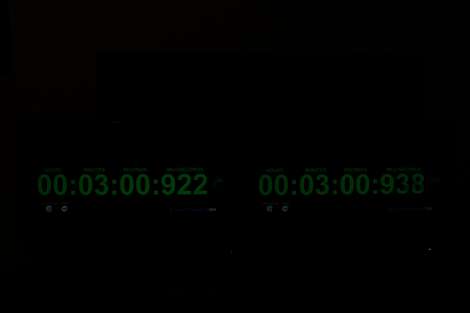
Asus VG236H on the left vs. LG W2363D on the right
Overall
I found no real winner in this comparison. Both have pros and cons and what is most important to you, only you can decide. I think both monitors are very suited for gaming, so take your pick.
Prices
Asus VG236H. US price and UK price
LG W2363D: US price and UK price
Also, head to the forums for questions.

 Asus VG236H vs. LG W2363D