Review: HP LP2475W
Introduction
This review has been translated from Danish and contains the introduction, measurements, pictures and a conclusion. Some sections have been excluded from the translation, however. Future reviews will be fully translated.

HP is a major global player and even though monitors is not their main marked, HP has some interesting models. The most appealing is the 75 range which includes LP2275W and LP2475W at respectively 22 and 24-inches.
The 75 series is aimed at photographers, graphic artists or demanding user because of its true 8-bit S-PVA and H-IPS panels.

The 24-inch LP2475W that we will review here has an H-IPS panel.
We have already tested the LP2275W with a S-PVA panel.

   Size: 24"     Resolution: 1920x1200     Response time: 6 ms (g2g)     Overdrive:      Contrast ratio: 1000:1     Brightness: 400 cd/m˛      Colours: 16.7 millions     Colour gamut: 72 % af NTSC     Signal processing:  8 bit for each colour      Viewing angles (H/V): 178°/178° (contrast 10:1)     Dot pitch: 0,270 mm     Panel (Type): H-IPS             Power consumption: 75 W     Wall mounting:      Dimensions (HxWxD):  32.8cm x 50.6cm x 25.3cm (with stand)     Weight: 9,1 kg             Ergonimcs        Tilt       Swivel      Height       Pivot              Built-in speakers:               Inputs       VGA       DVI       DisplayPort       Audio (type)       SCART      S-video      Composite       Component       HDMI      Other  2-port USB Hub             Guarantee: -    Pixel guarantee: -     Etc:
 Price and retailer:


| US retailer | UK retailer |
  |   |
Our first impressions
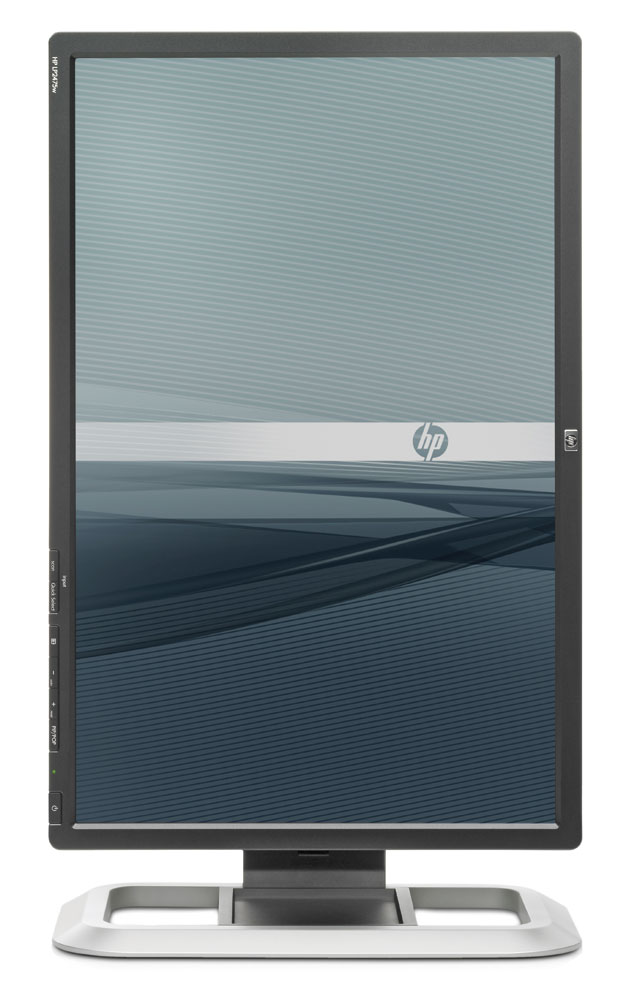
Design:



Test tools
We use the DVI input for testing. The graphic card is Geforce 7900GTO.
The monitor has been measured and calibrated with a LaCie Blue Eye Pro. We also examine the monitor with the help of our monitorTest. And finally we test the monitor in games, movies etc.
Picture quality
“Out-of-box” picture:

The graph says this:
The number on the left is the delta value. Delta is a difference between two factors; here it’s the difference between the measured colour on the panel and the actual colour that is our target.
After calibration:
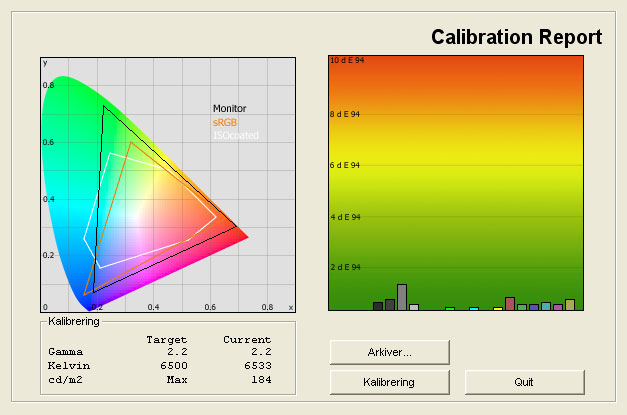
Settings after calibration:
| Efter kalibrering | Lysstyrke: | 45 |
| Kontrast: | 80 |
| RGB: | Manuel |
| • R: | 241 |
| • G: | 221 |
| • B: | 229 |
Black level and contrast:
| Out-of-Box | After calibration | |
| Black level | 0,43 cd/m2 | 0,37 cd/m2 |
| Brightness | 358 cd/m2 | 184 cd/m2 |
| Contrast ratio | 833:1 | 497:1 |
Contrast ratio +/- 50
Backlight bleeding check:

Viewing angles
Viewing angles below:


Conclusion
The HP LP2475W is a very good monitor. Colour reproduction is accurate and nuanced, and even though it has some colours deviations before calibration, LP2475W has better colours than the vast majority of monitors in the 24-inch segment –mainly due to the quality H-IPS panel. The large colour space might be a problem for very critical viewing, however.
Viewing angles are wide but the black level is not as deep as on the LP2275W with the S-PVA panel. I didn’t expect this either but it shows me that IPS panels still have trouble with deep blacks. Shadow detail on LP2475W is not perfect, either.
The ergonomics allow the user to adjust height, rotating, tilt and pivot. Functionality is good as well and LP2475W had comprehensive picture options settings and extra features such as PIP/POP. The user can also choose from a wide range of inputs such as D-SUB (VGA), DVI, HDMI and DisplayPort.
All in all, the HP LP2475W impresses me and I believe it’s an ideal companion for graphic artists, photographers, movie lovers or demanding users. The monitor is not aimed at gaming, though but if you’re into casual gaming it will suffice.
Due to the nice picture quality, ergonomics and comprehensive functionality, I award the HP LP2475W with our top-recommendation Award

Press the award logo to learn more.
| Pros | Cons | Target group |
| Picture quality | Black level | Graphics & photography |
| Viewing angles | Out-of-box settings | Movie editing |
| Ergonomics and functionality | Office / allround |
Price and retailer:
| US retailer | UK retailer |
| |
---
For questions and comments please visits this thread in our forums: http://www.flatpanelshd.com/flatforums/viewtopic.php?f=5&t=54