Your browser is not Javascript enable or you have turn it off. We recommend you to activate for better security reasonGuide: How to disable the Tizen start menu on Samsung Smart TVs - FlatpanelsHD

Guide: How to disable the Tizen start menu on Samsung Smart TVs

29 Jul 2024 | Rasmus Larsen |

Here is how to prevent the Tizen app menu from showing up automatically after you turn on your Samsung Smart TV. You can also disable Samsung's free TV Plus streaming service.

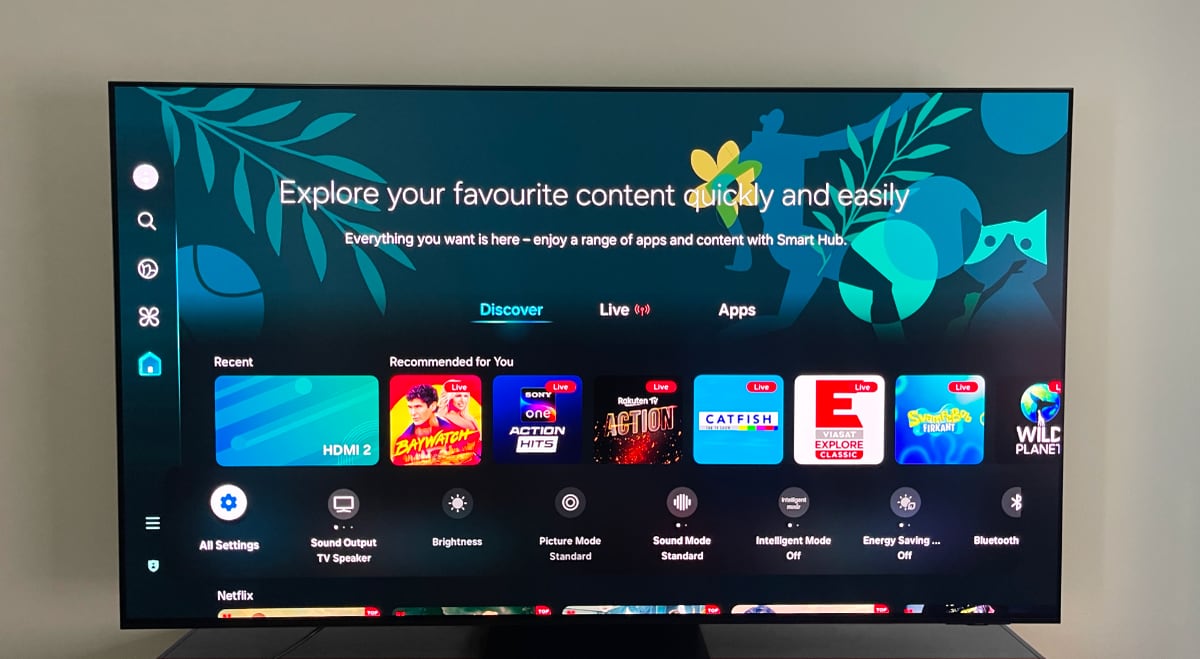
Since 2015, all Samsung Smart TVs have been powered by the company's own operating system known as Tizen, sometimes referred to as the Smart Hub.

Tizen has changed appearance many times over the years, but the Tizen menu has persistently appeared after you turn on your TV, even if you wake your TV over HDMI CEC via one of the HDMI inputs connected to devices like Apple TV 4K or PS5.

This behavior forces you to grab the Samsung remote to close the menu or wait for it to disappear after some time.


How to disable the auto-start menu

It is easy to prevent the menu from appearing after turning on your Samsung TV. The steps may differ slightly depending on the generation of your Samsung QD-OLED, OLED, "QLED" LCD, "Neo QLED" LCD or "Crystal UHD" LCD TV. Here's how:
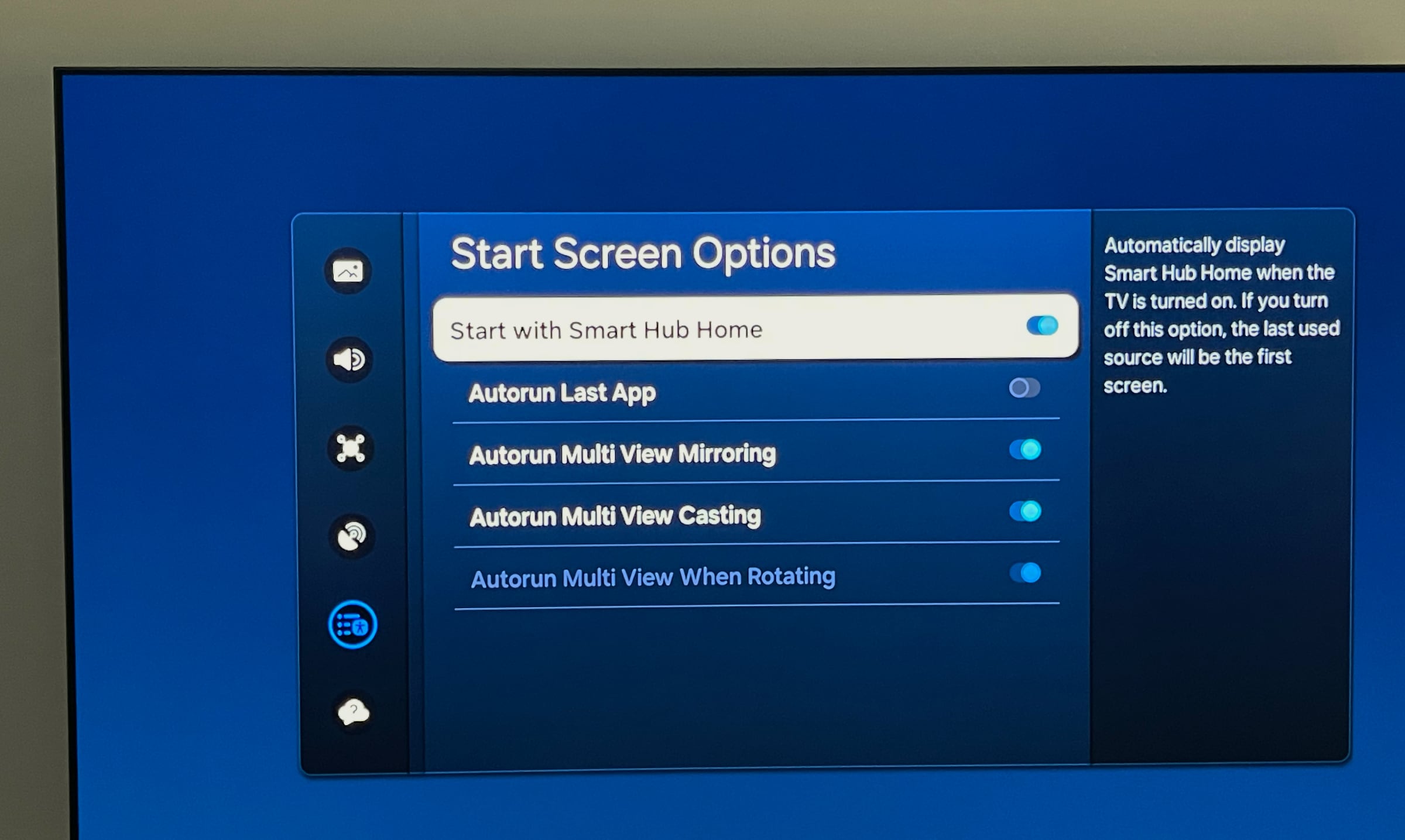
  • Settings -> General and Privacy -> Start Screen Options or Smart Features -> Disable 'Start with Smart Hub Home' (or disable 'Autorun Smart Hub' on older models) When you turn on your Samsung Smart TV after disabling this option, the last used input screen or the HDMI port that woke it will be displayed.

    Samsung Start with Smart Hub

    How the menu looks on a 2024 Samsung TV. Photo: FlatpanelsHD
    Disable Samsung TV Plus

    While you are there, you might also want to turn off 'Autorun Last App' to avoid Samsung's TV Plus service of free channels starting automatically with the TV. Alternatively, you can remove the Samsung TV Plus app by moving the cursor to the app icon, long-pressing the OK or down button, and selecting 'Remove'. You may need to restart your TV for this to take effect.
  • Sign up for FlatpanelsHD's newsletter

    The latest news, in-depth articles, reviews, and exclusives in your inbox.

    More guides
    Projectivy Launcher Google TV
    08 Aug 2025 | Rasmus Larsen |
    Apple TV Liquid Glass
    06 Aug 2025 | Rasmus Larsen |
    Apple TV
    01 Aug 2025 | Rasmus Larsen |
    HDMI CEC
    29 Jul 2025 | Rasmus Larsen |
    Apple TV restrictions
    25 Jul 2025 | Rasmus Larsen |
    HDMI 2.2
    26 Jun 2025 | Rasmus Larsen |
    Samsung 8K TV
    08 Nov 2024 | Rasmus Larsen |
    Google TV power on
    07 Nov 2024 | Rasmus Larsen |
    Old Chromecast
    06 Nov 2024 | Rasmus Larsen |
    PS5 Pro TV
    05 Nov 2024 | Rasmus Larsen |
    ALLM in TVs
    08 Aug 2024 | Rasmus Larsen |
    LG webOS startup
    30 Jul 2024 | Rasmus Larsen |