Your browser is not Javascript enable or you have turn it off. We recommend you to activate for better security reasonGuide: How to disable the webOS start menu on LG Smart TVs - FlatpanelsHD

Guide: How to disable the webOS start menu on LG Smart TVs

30 Jul 2024 | Rasmus Larsen |

If you find LG's webOS menu automatically appearing on your TV at startup annoying, or if you are using an external media player, here is how to disable it. You can also reduce promotional content.

For years, all LG Smart TVs have been powered by the company's own operating system, webOS.

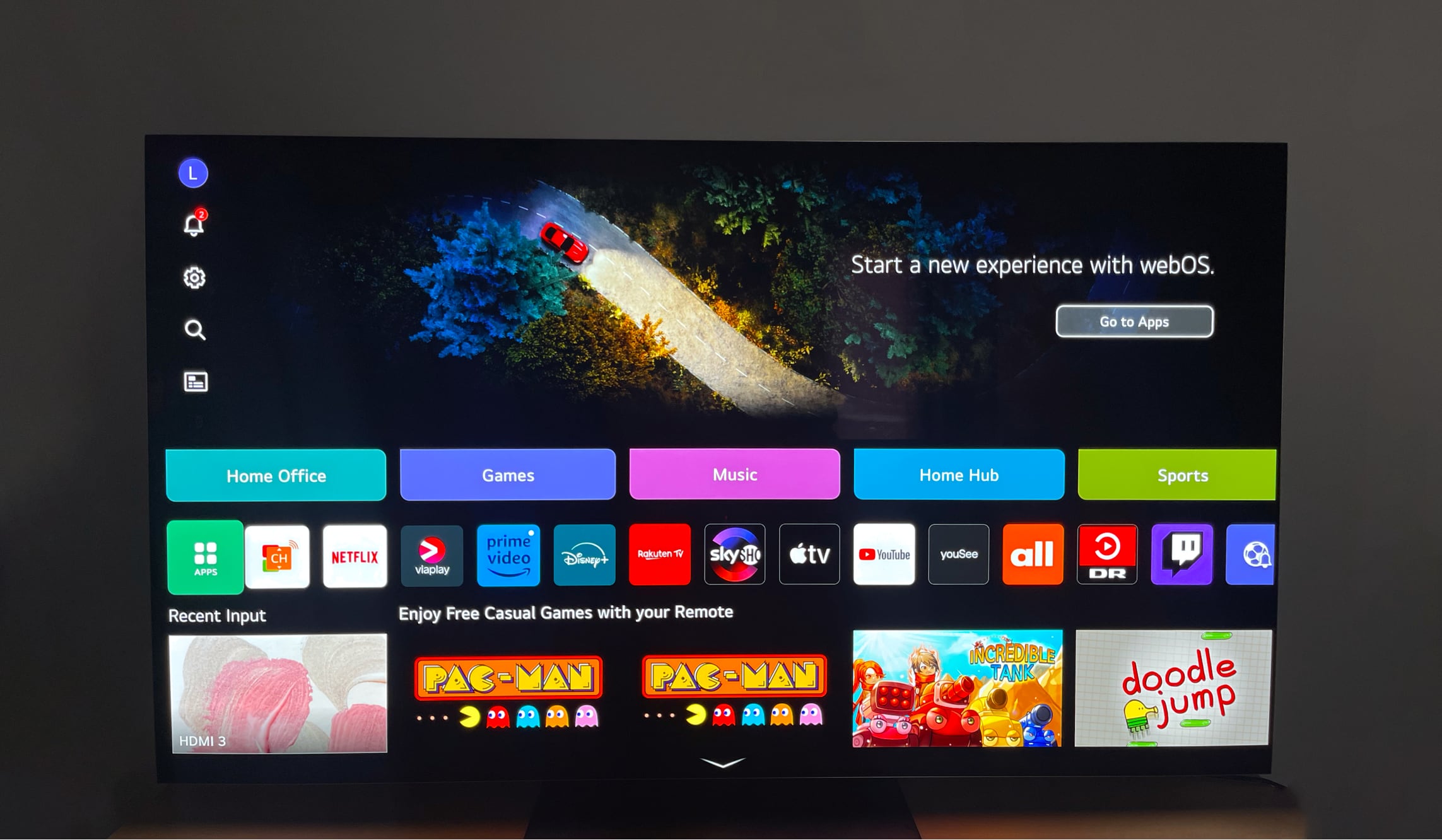
Despite major changes to the user interface over the years, LG has set up its TVs to persistently pull up the webOS menu upon starting up the TV, sometimes even if you wake the TV with HDMI CEC via one of the HDMI inputs connected to, for example, an Apple TV 4K or PS5.

You then have to either grab the LG remote to close the menu or wait for it to disappear after a while.


How to disable the auto-start menu

Luckily, it is easy to prevent the webOS menu from appearing after turning on the TV. The steps may differ slightly depending on the generation of your LG OLED, "NanoCell" LCD or "QNED" LCD TV. Here's how:
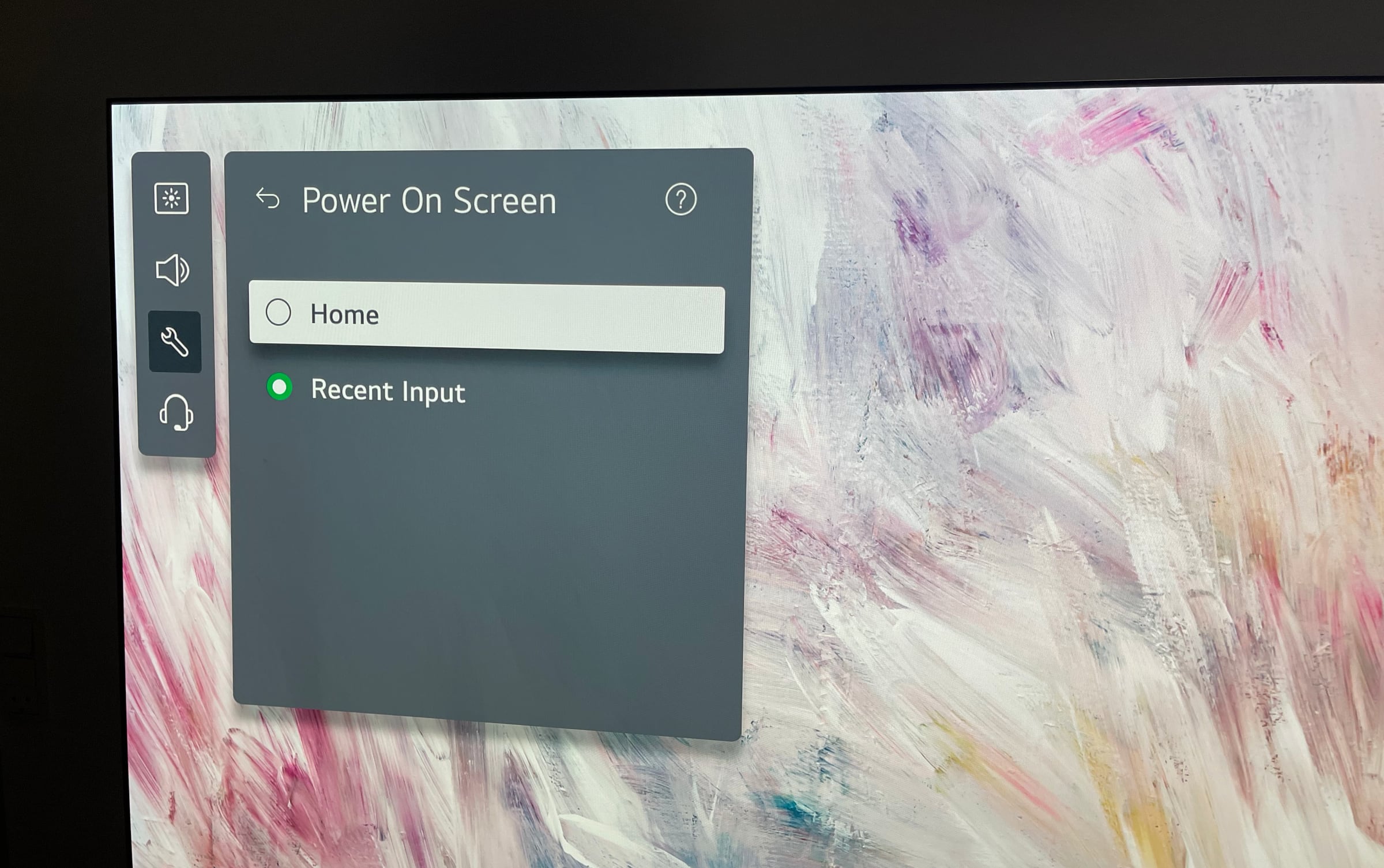
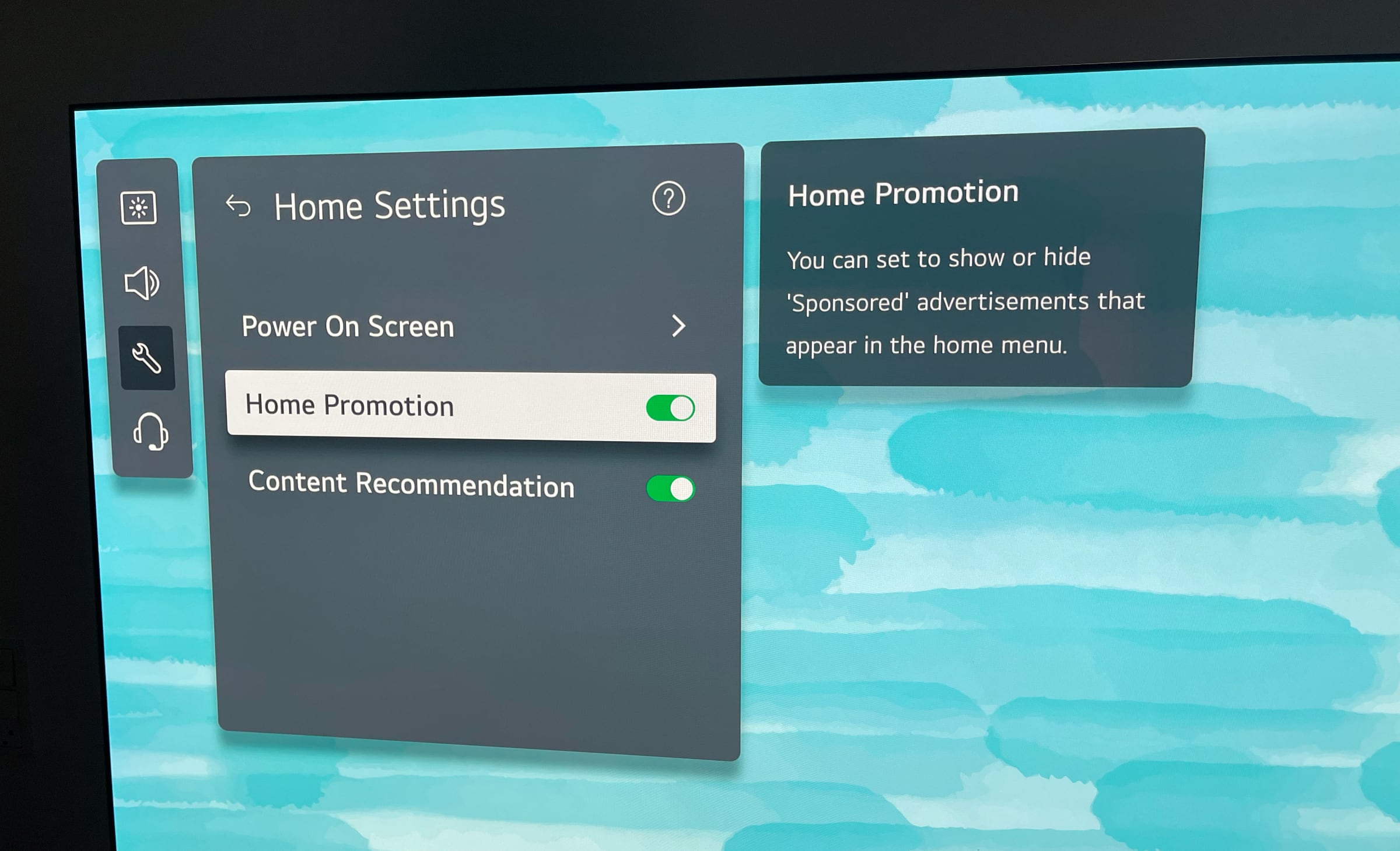
  • Go to Settings -> General -> System -> Additional Settings - > Home Settings -> Power On Screen -> Select 'Recent Input' (or disable 'Home Auto Launch' on older models) When you turn on your LG Smart TV after disabling this option, the last used input screen will now be displayed.

    LG TV Home Auto Launch

    How the menu looks on a 2024 LG TV. Photo: FlatpanelsHD

    Remove sponsored content

    While you are there, you might also want to turn off 'Home Promotion' to remove at least some of the sponsored content from the webOS homescreen. It is not possible to remove all ads from webOS, though.
    LG TV Home Auto Launch

    You might also want to disable these. Photo: FlatpanelsHD
  • Sign up for FlatpanelsHD's newsletter

    The latest news, in-depth articles, reviews, and exclusives in your inbox.

    More guides
    Projectivy Launcher Google TV
    08 Aug 2025 | Rasmus Larsen |
    Apple TV Liquid Glass
    06 Aug 2025 | Rasmus Larsen |
    Apple TV
    01 Aug 2025 | Rasmus Larsen |
    HDMI CEC
    29 Jul 2025 | Rasmus Larsen |
    Apple TV restrictions
    25 Jul 2025 | Rasmus Larsen |
    HDMI 2.2
    26 Jun 2025 | Rasmus Larsen |
    Samsung 8K TV
    08 Nov 2024 | Rasmus Larsen |
    Google TV power on
    07 Nov 2024 | Rasmus Larsen |
    Old Chromecast
    06 Nov 2024 | Rasmus Larsen |
    PS5 Pro TV
    05 Nov 2024 | Rasmus Larsen |
    ALLM in TVs
    08 Aug 2024 | Rasmus Larsen |
    Samsung Tizen TV
    29 Jul 2024 | Rasmus Larsen |