Your browser is not Javascript enable or you have turn it off. We recommend you to activate for better security reason<div class="billede"><img src="pictures/mini-samsungca750.jpg" alt="Samsung CA750"></div>Samsung CA750 ditches cables, goes wireless - FlatpanelsHD Samsung CA750Samsung CA750 ditches cables, goes wireless">

Samsung CA750
Samsung CA750 ditches cables, goes wireless

01 Apr 2011 | Rasmus Larsen |

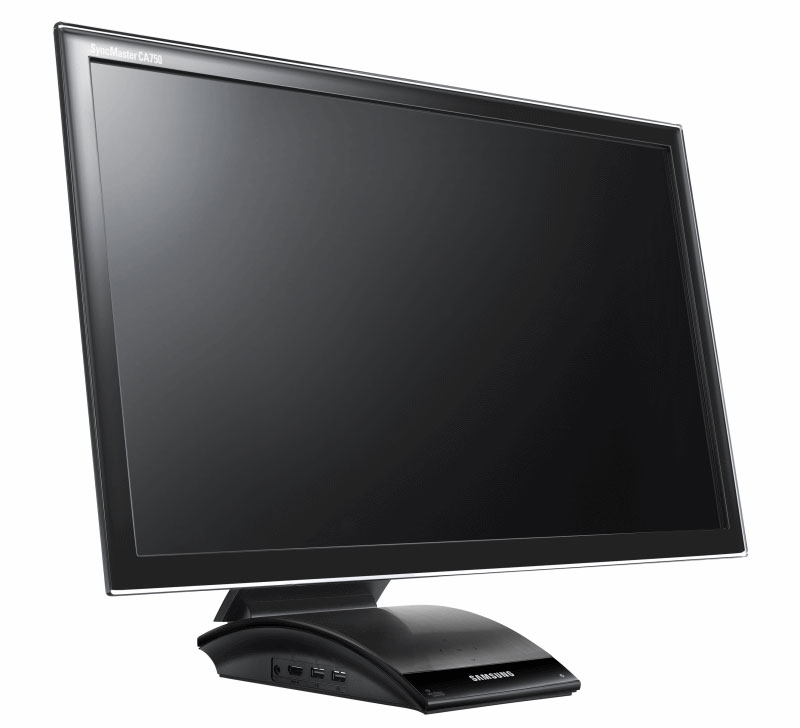
Samsung’s new CA750 Hub monitors only need a power cable. Video signals are transmitted wirelessly to the monitor from a PC or laptop.

Samsung CA750 Hub monitor

Are you tired of docking stations? Then Samsung CA750 can help you ditch the cables. With a Wi-Fi USB dongle connected to your PC or laptop you can transmit video signals to the CA750 monitor wirelessly.
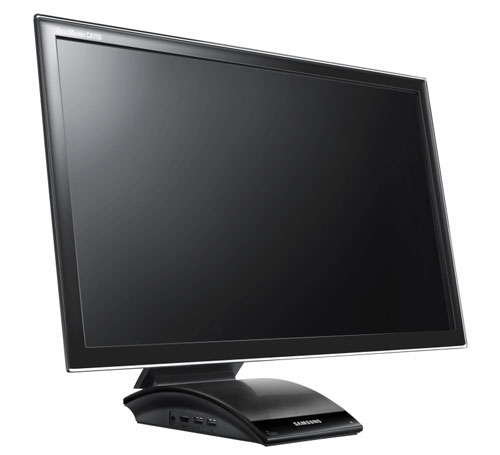
Samsung CA750
Samsung CA750


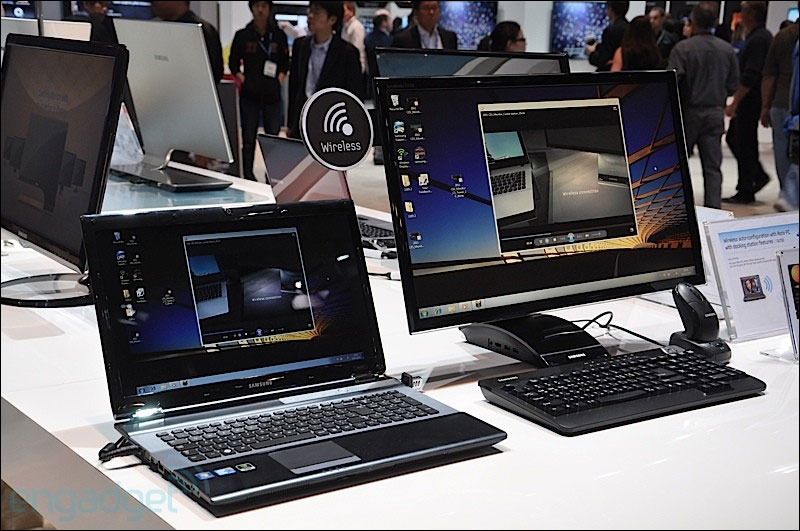
Samsung recommends a distance of 1 meter or less for a perfect experience. Another cool feature is the automatic connect function, which means that any laptop paired with the monitor automatically connects when it’s closer than 1 meter to the monitor. If you need keyboard and mouse you can also connect this directly to the monitor.
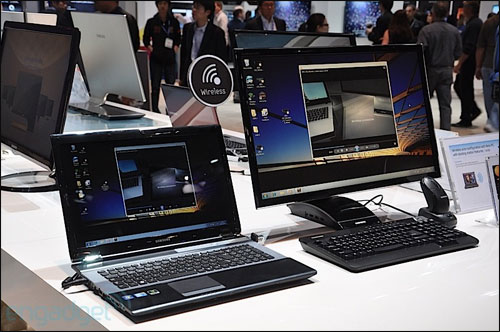
Samsung CA750
Samsung CA750, source: Engadget


Samsung CA750 is available in 23 and 27-inches very soon. No prices have been released.

Source: Samsung / Engadget

Sign up for FlatpanelsHD's newsletter

The latest news, in-depth articles, reviews, and exclusives in your inbox.

Latest news
Lionsgate
03 Jun 2026 | Rasmus Larsen |
OLED Computex 2026
03 Jun 2026 | Rasmus Larsen |
Roku new homescreen
03 Jun 2026 | Rasmus Larsen |
Eclipsa Video
02 Jun 2026 | Rasmus Larsen |
Asus XG259QWPG
01 Jun 2026 | Rasmus Larsen |
MSI 322URDX36
01 Jun 2026 | Rasmus Larsen |
Dell RGB-stripe OLED
01 Jun 2026 | Rasmus Larsen |
RGB-stripe OLED
30 May 2026 | Rasmus Larsen |
4K QD-OLED 360Hz
30 May 2026 | Rasmus Larsen |
SQD-miniLED vs RGB LED
29 May 2026 | Rasmus Larsen |
Canvas L
29 May 2026 | Rasmus Larsen |
Super Mario Galaxy
29 May 2026 | Flatpanels |