At WWDC 25 today, Apple unveiled tvOS 26 for Apple TV. The main news is a refreshed user interface, but there are also new features such as AirPlay speaker pairing.
Updated: Apple has released the first public beta of tvOS 26. It can be installed on any Apple TV by first enrolling your Apple ID at
beta.apple.com. After, go to Settings -> System -> Software Updates -> enable 'Beta Updates'. Our original article on tvOS 26 follows below. Not all planned features are available in the first tvOS 26 public beta. New betas will be released later and you can install them directly from the settings menu on Apple TV. The final version of tvOS 26 will install as usual on your box – no changes required.
Updated June 19, 2025: Apple is introducing
its own Spatial Audio format and both APAC decoding and encoding will be supported on Apple TV 4K with tvOS 26.
Updated June 13, 2025: tvOS 26 enables Dolby Atmos mapping for speaker configurations larger than 7.1.4, for example 9.1.6 (front wide and two additional height channels). This may be related to audio passthrough.
Updated June 12, 2025: Apple TV will reportedly gain support for
audio passthrough in tvOS 26. The old Apple Home architecture is being phased out, so you will need to upgrade to the new one. iOS 26 and tvOS 26 also upgrade Matter to Thread 1.4. More in the table at the bottom.
The new version of tvOS is called tvOS 26 even though it is the successor to tvOS 18.
This is because Apple is renaming all its operating systems to follow the calendar year. tvOS 26 (along with iOS 26 etc.) is being presented now, but will not launch until late 2025, after which it will be the software of 2026 – 26 refers to the year.
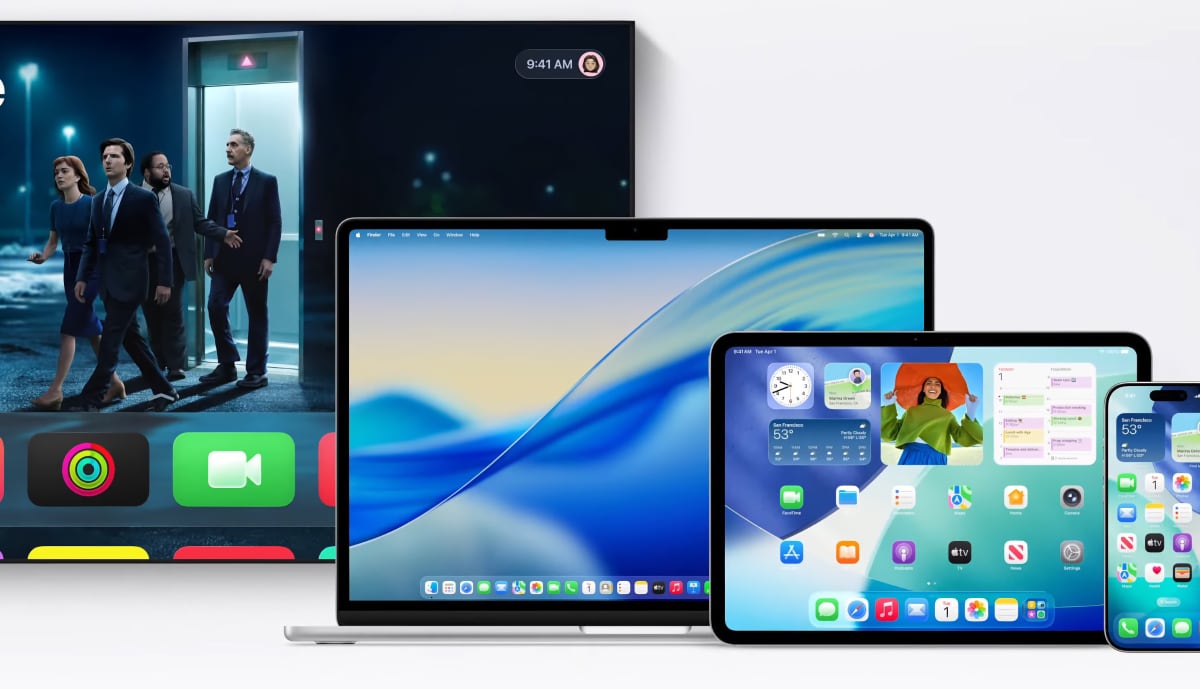
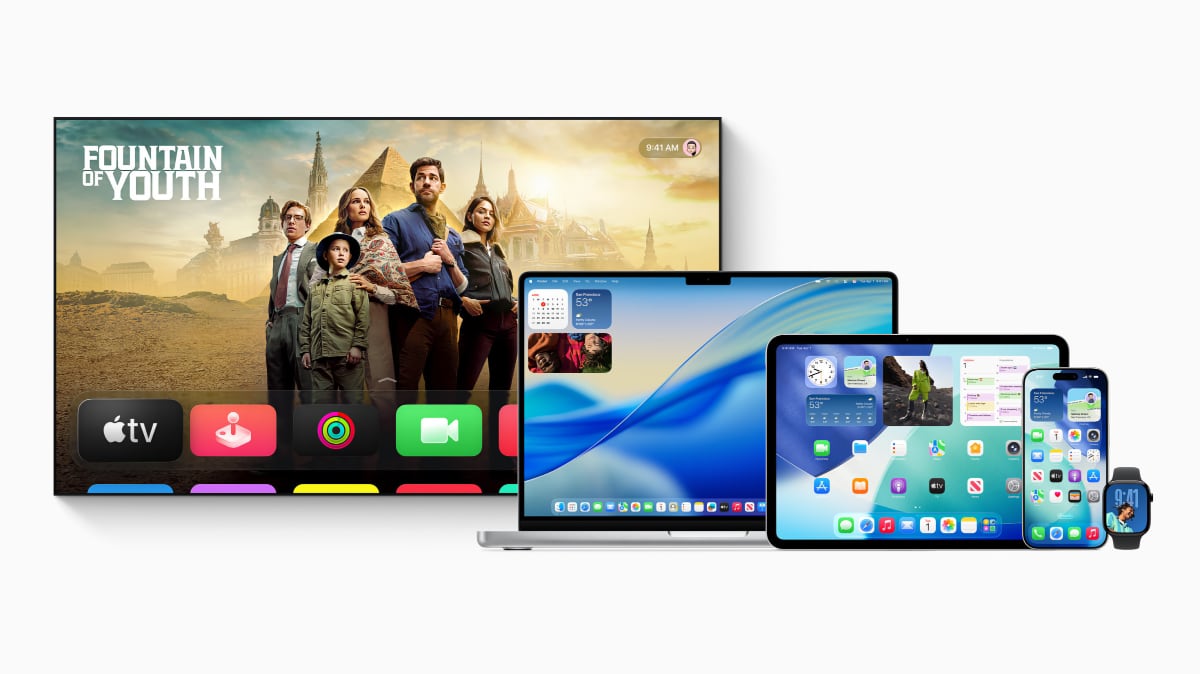
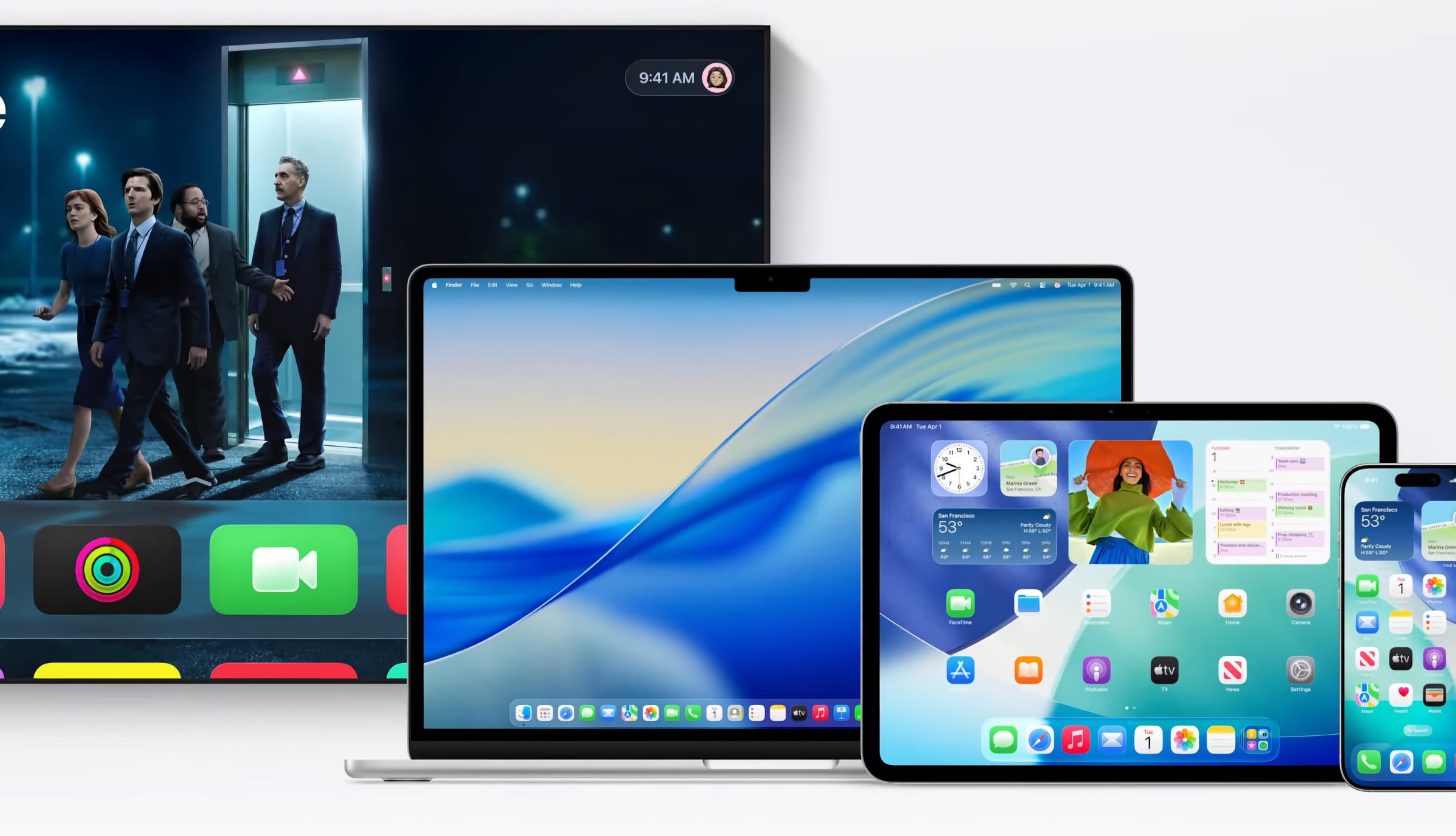
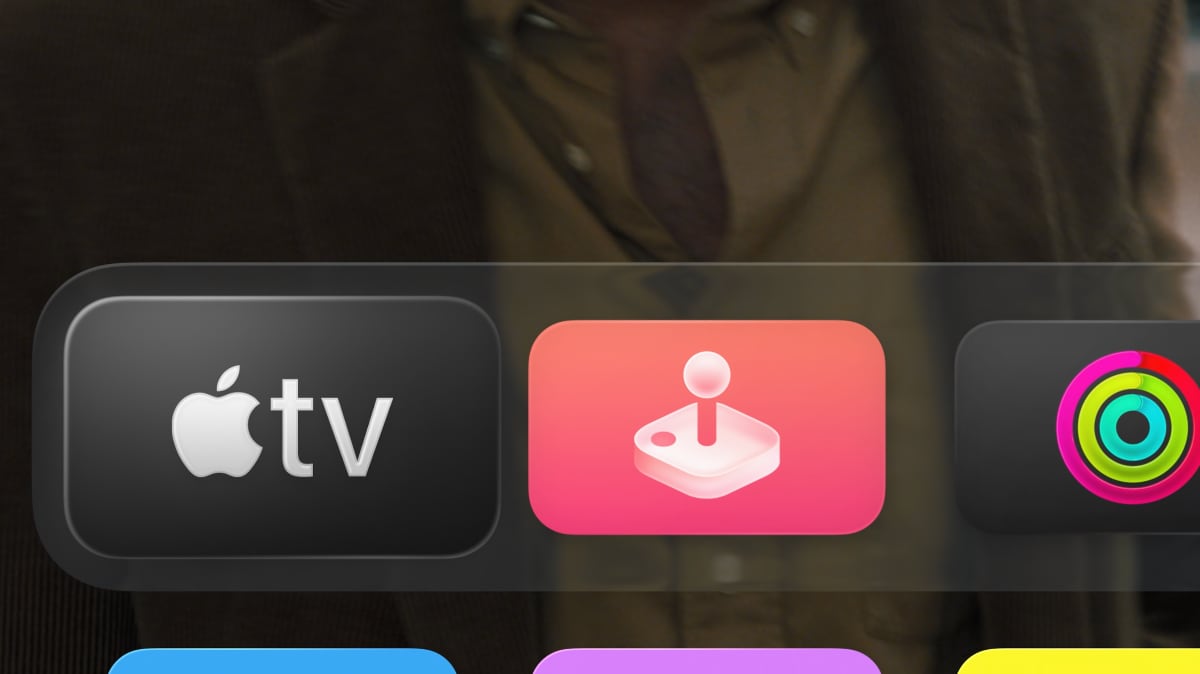
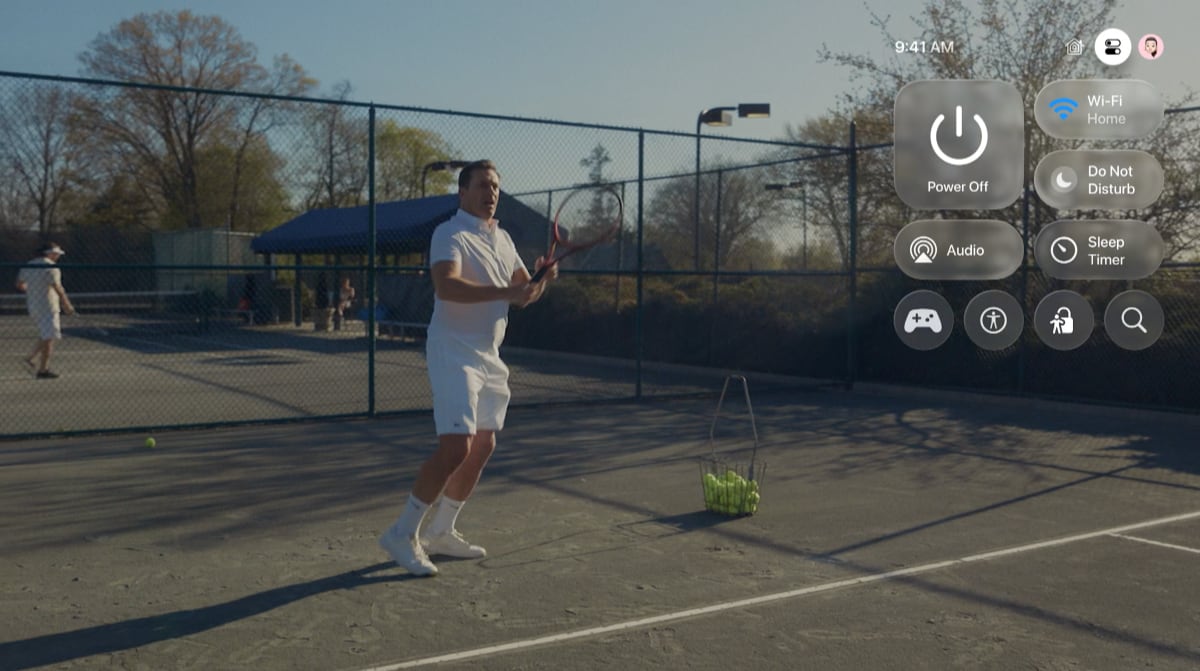
tvOS 26 gets a new user interface. Here’s a first glimpse – more to come
New user interface in tvOS 26
First and foremost, a new user interface is coming. The interface is inspired by visionOS (for the Apple Vision Pro headset) and makes greater use of transparency and glass-like elements.
- "The new design introduces a new material called Liquid Glass. It brings a vibrant look to Apple TV, delivering a fresh and expressive design that beautifully reflects and refracts its surroundings using real-time rendering," said Apple.
Apple confirmed that the Liquid Glass user interface is compatible with Apple TV 4K (2nd Gen) and newer only. tvOS 26 will also be compatible with the first generation of Apple TV 4K and Apple TV HD but just not bring the new Liquid Glass interface. The Apple TV HD was launched in 2015, so tvOS 26 marks 10 years of support.
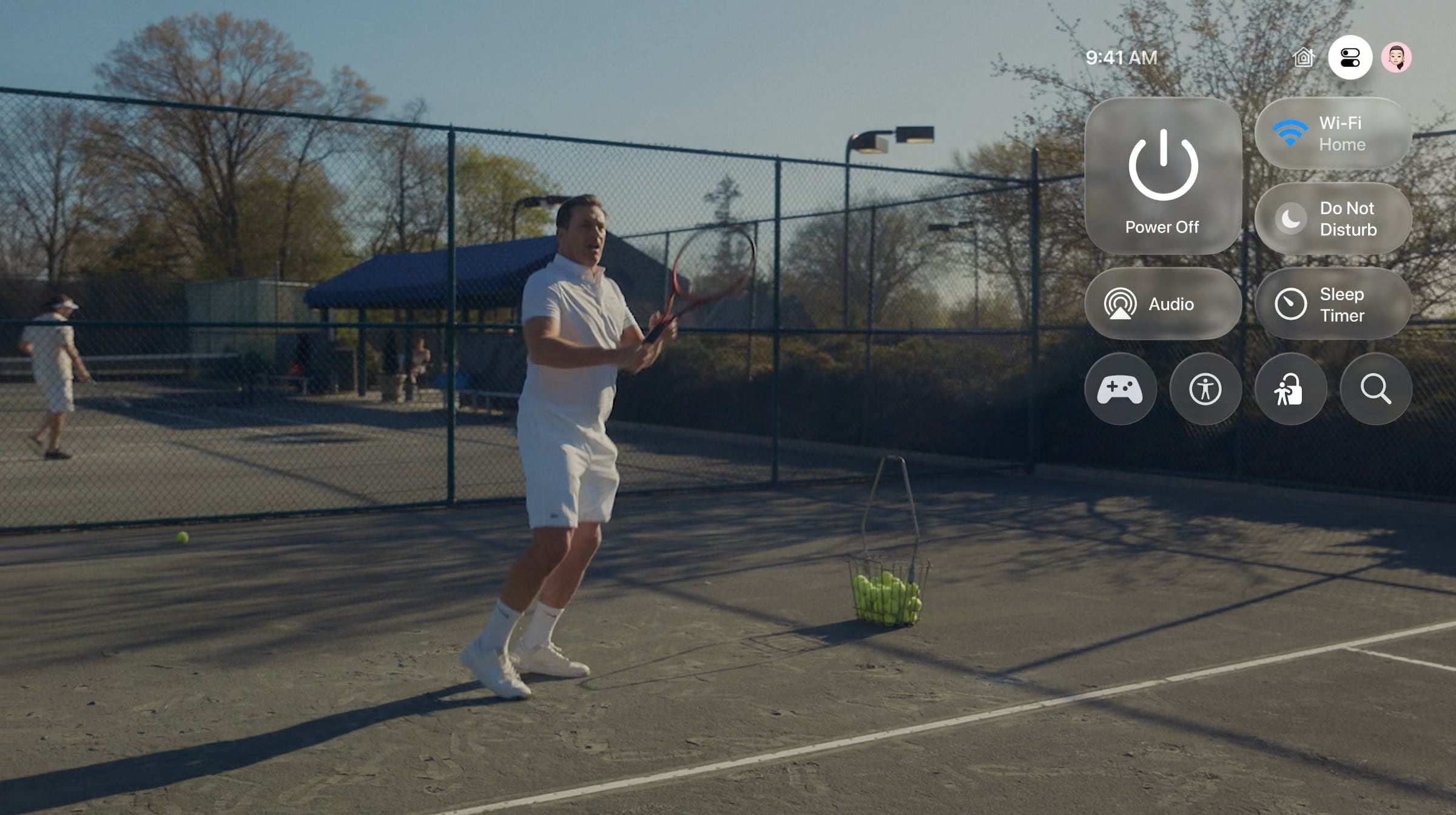
The refreshed interface extends to the Control Center and Apple’s own apps such as the Apple TV app, which also gets new "cinematic" cover art.
New features in tvOS 26
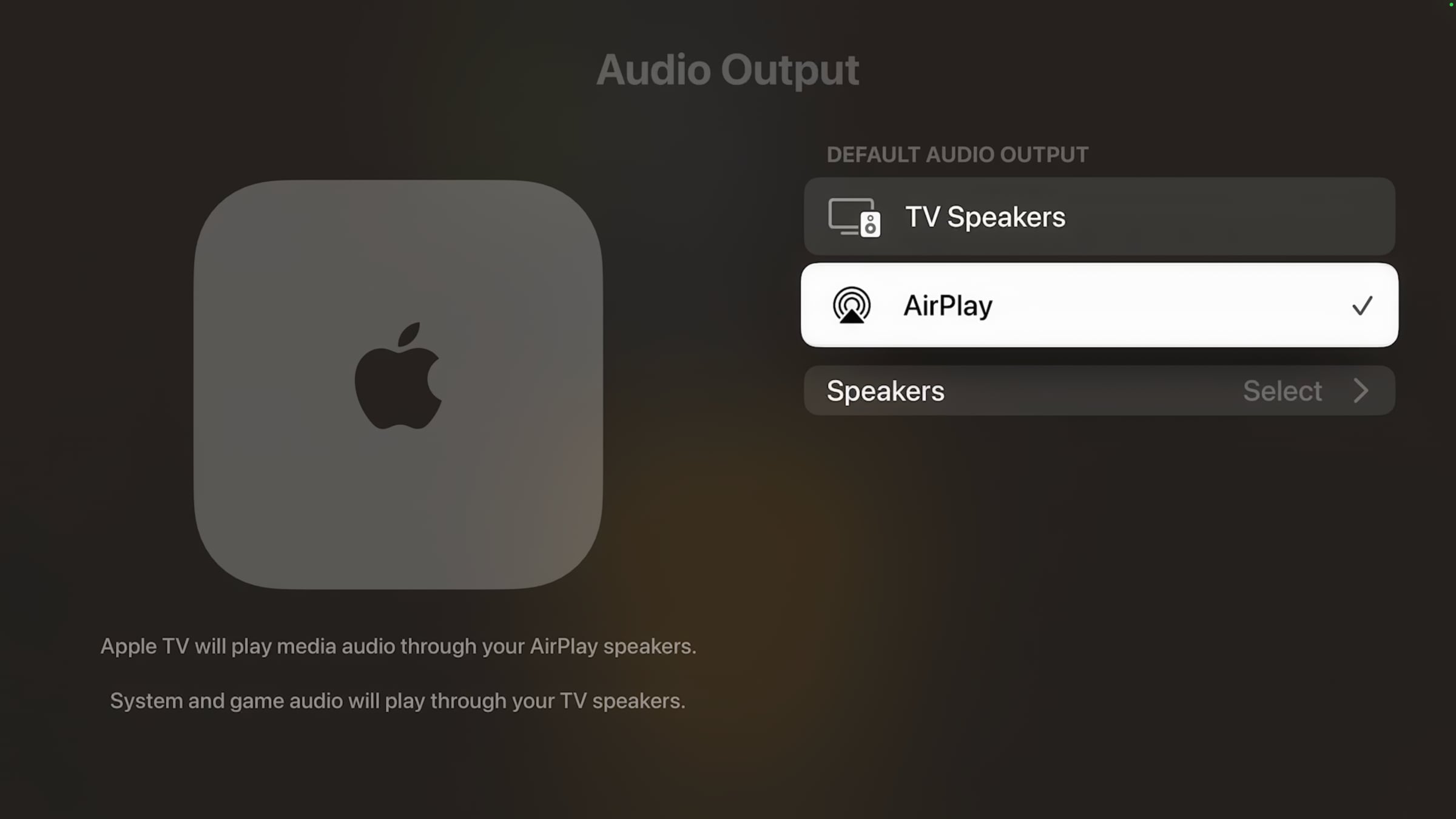
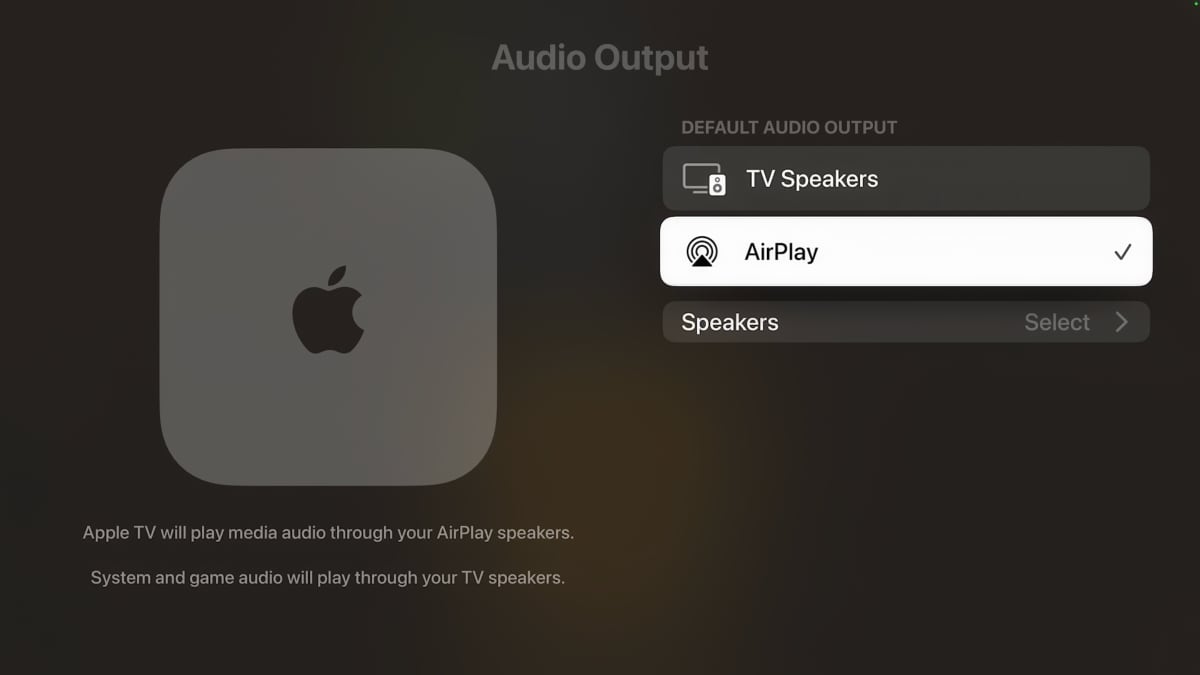
Until now, only HomePods could be paired as a permanent speakers for Apple TV, while AirPlay speakers could only be set up as temporary speakers.
Changes in this area have been long awaited. With tvOS 26, any speaker with built-in AirPlay can now be set as a permanent speaker for Apple TV – wirelessly, that is. This includes everything from Bang & Olufsen and Sonos to LG and Samsung soundbars.
Another new feature is that users can choose to have Apple TV show the profile selector when the box wakes from sleep, so you can select who is in front of the screen. This gives quicker access to personal recommendations and the continue-watching list in apps like the Apple TV app, or individual game progress in the games you have installed.
A new API for developers can link app user accounts to Apple accounts, making it much easier for users to set up a new Apple TV box.
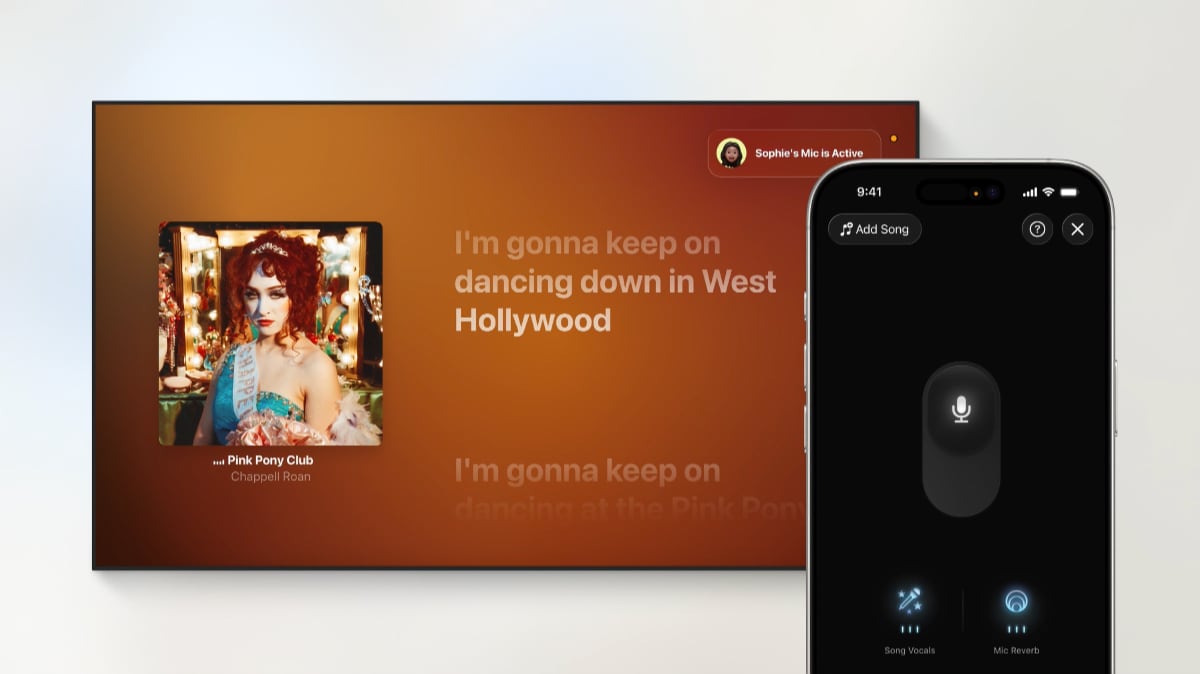
The Apple Music app gets a new karaoke feature, where an iPhone can be used as a handheld microphone. However, this only works on Apple TV 4K (3rd Gen) due to hardware requirements. Other users can use their iPhones to queue up songs.
The FaceTime app is being upgraded so you can see the person’s photo and name, while subtitles can be automatically transcribed in real time in multiple languages.
Improvements to screensavers
New screensavers are coming in tvOS 26, including new landscapes from India, such as Goa and Kerala.
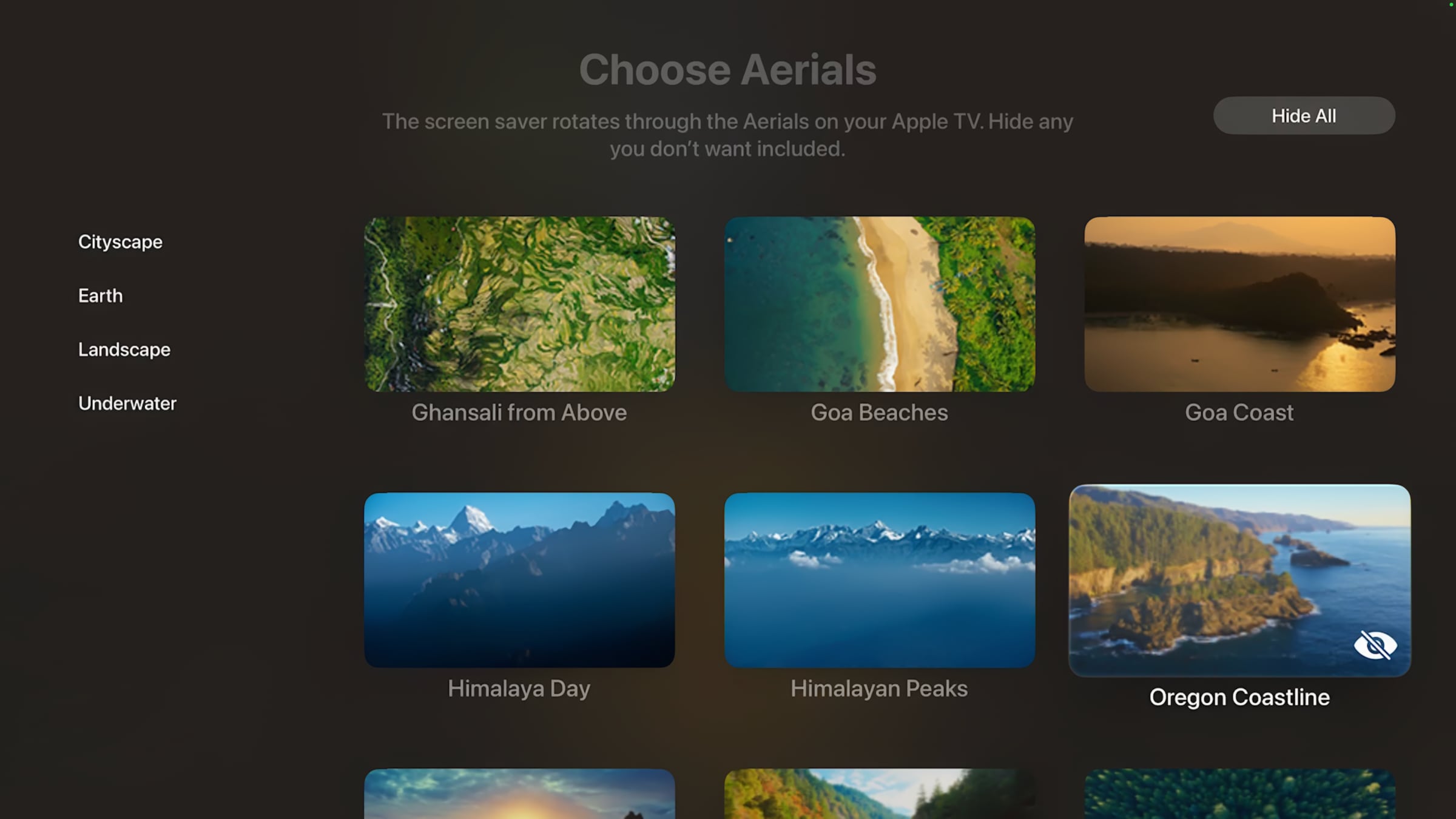
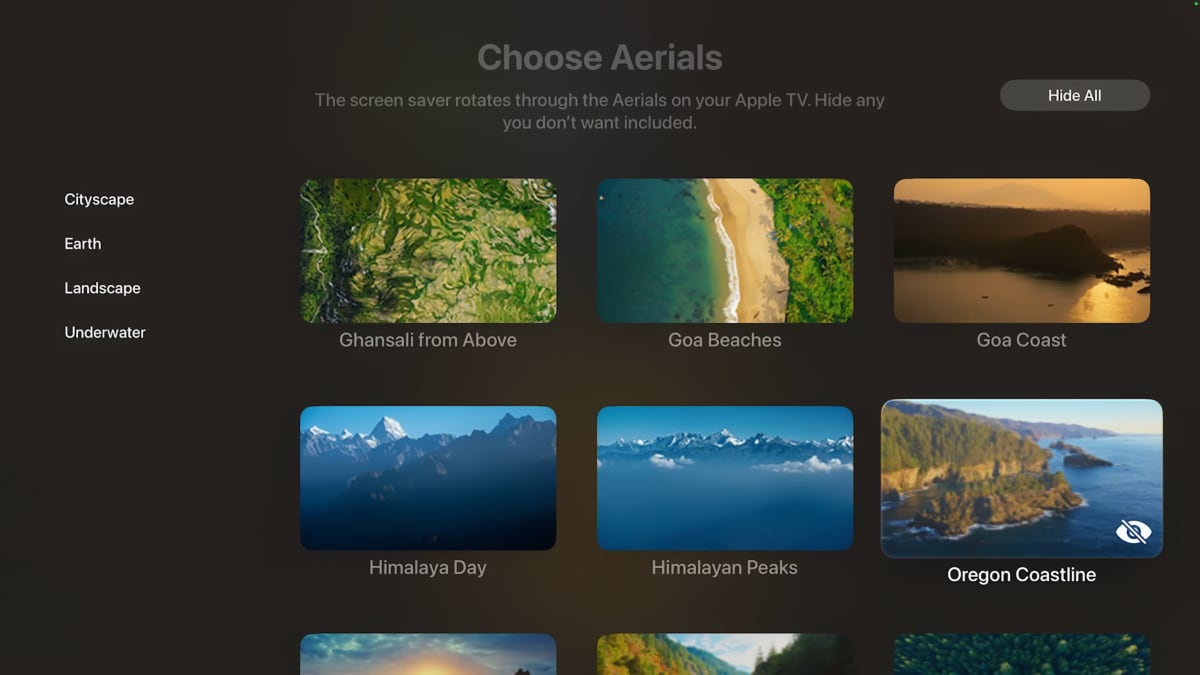
It will also be possible to select specific screensavers from the Cityscape, Earth, Landscape, and Underwater categories. In other words, it will now also be possible to hide screensavers you do not like.

New screensavers from India are coming to tvOS 26
There was no update on the Apple TV+ themed screensavers that should have been added with tvOS 18 last year.
Here is what Apple previously added with tvOS 18, tvOS 17, tvOS 16, tvOS 15, tvOS 14, tvOS 13, tvOS 12, tvOS 11 and tvOS 10.
New Games app not coming to Apple TV yet
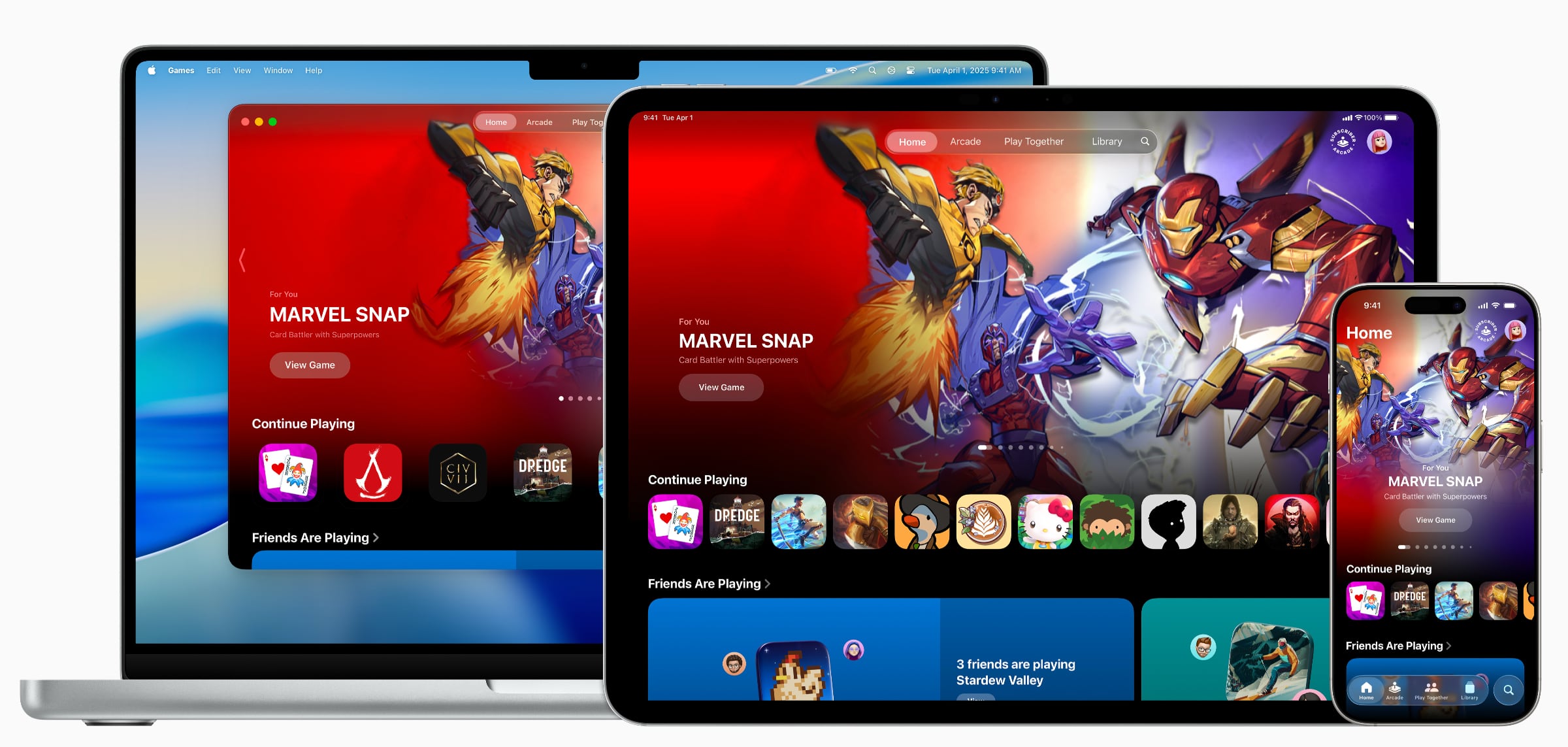
At WWDC25, Apple unveiled a new Games app designed to be a hub for new and popular games across Apple’s platforms. However, it will not be available on Apple TV at launch – likely due to the platform’s lack of hardware muscle for gaming. The app integrates with Game Center, allowing users to view game progress, achievements, friends’ online status, and more.
There are rumors of new Apple TV hardware coming later in 2025.
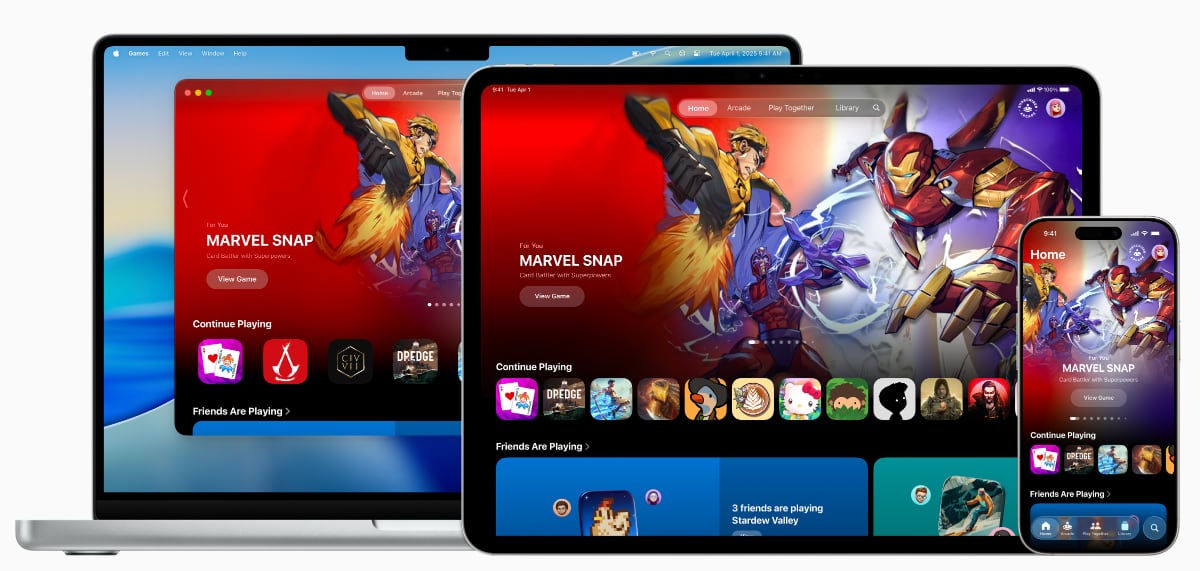
Apple's new Games app will not be available on Apple TV initially
The increased focus on gaming follows Apple’s recent efforts to align hardware across its platforms, allowing games made for iPad and iPhone to run on macOS without code rewrites – and vice versa. The same applies to Apple TV, although its hardware is not powerful enough for major console titles. Apple has also just acquired its first game studio: RAC7, the developer behind Sneaky Sasquatch.
tvOS 26 will be released publicly as a free update this fall.
updating...
tvOS 26 – new features
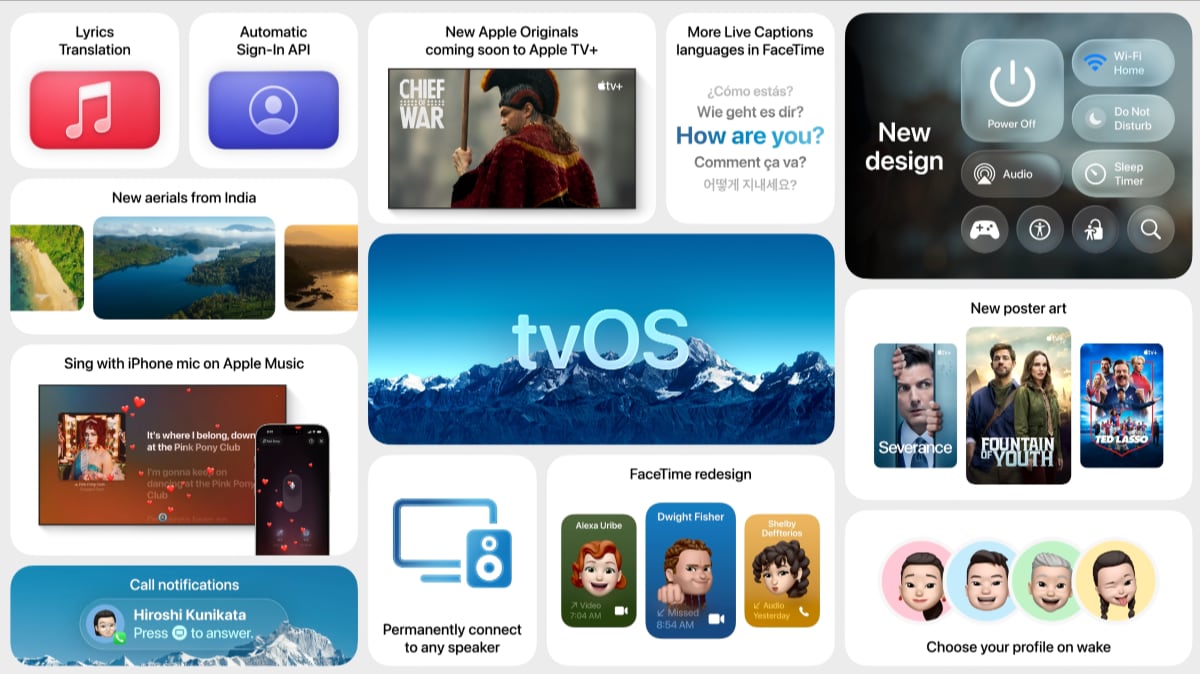 New user interface
The new user interface makes greater use of transparency and glass-like elements. Requires Apple TV 4K (2nd Gen) or later.
New user interface
The new user interface makes greater use of transparency and glass-like elements. Requires Apple TV 4K (2nd Gen) or later.
 Apple TV app Liquid Glass
The Apple TV app is redesigned with beautiful new poster art that incorporates Liquid Glass, and allows more shows and movies to be displayed, enhancing how users discover entertainment.
AirPlay speaker pairing
Designate any AirPlay-enabled speaker (Sonos, B&O, LG, Samsung, Sony etc) as the permanent speaker for Apple TV. However, it currently does not work with system audio and game audio.
Apple TV app Liquid Glass
The Apple TV app is redesigned with beautiful new poster art that incorporates Liquid Glass, and allows more shows and movies to be displayed, enhancing how users discover entertainment.
AirPlay speaker pairing
Designate any AirPlay-enabled speaker (Sonos, B&O, LG, Samsung, Sony etc) as the permanent speaker for Apple TV. However, it currently does not work with system audio and game audio.
 Personalize screensavers
Personalize the screen saver experience by choosing specific Cityscape, Earth, Landscape, or Underwater Aerials to display – or hide.
Personalize screensavers
Personalize the screen saver experience by choosing specific Cityscape, Earth, Landscape, or Underwater Aerials to display – or hide.
 New screensavers
Enjoy breathtaking landscapes with new Aerial screen savers captured across India, including in Goa and Kerala.
New screensavers
Enjoy breathtaking landscapes with new Aerial screen savers captured across India, including in Goa and Kerala.
 Automatic Sign-In API
tvOS 26 introduces a new API for developers that links app logins to an Apple Account, making it effortless for users to sign in to their favorite apps, shows, and movies when setting up a new device.
Apple Music Sing Karaoke
Sing-along sessions reach a new level of fun with tvOS 26, allowing users to transform iPhone into a handheld microphone for Apple TV and have their voices amplified as they belt out their favorite songs. Requires Apple TV 4K (3rd Gen) or later, and iPhone 11 or later.
Automatic Sign-In API
tvOS 26 introduces a new API for developers that links app logins to an Apple Account, making it effortless for users to sign in to their favorite apps, shows, and movies when setting up a new device.
Apple Music Sing Karaoke
Sing-along sessions reach a new level of fun with tvOS 26, allowing users to transform iPhone into a handheld microphone for Apple TV and have their voices amplified as they belt out their favorite songs. Requires Apple TV 4K (3rd Gen) or later, and iPhone 11 or later.
 Audio passthrough support
Apple TV will reportedly gain support for audio passthrough in tvOS 26. We are still trying to confirm details.
Dolby Atmos
tvOS 26 enables Dolby Atmos mapping for speaker configurations larger than 7.1.4, for example 9.1.6 (front wide and two additional height channels). This may be related to audio passthrough.
Spatial Audio – Apple Positional Audio Codec (APAC)
Apple is introducing its own Spatial Audio format and both APAC decoding and encoding will be supported on Apple TV 4K with tvOS 26.
User profiles during start-up
To quickly find personalized viewing recommendations, users will now have the choice to automatically display profiles when Apple TV wakes, allowing them to quickly get back to their recommendations and Watchlist in the TV app and playlists in Apple Music.
FaceTime enhancements
With tvOS 26, users can enjoy a more personalized FaceTime experience that’s consistent with iOS. Contact Posters on Apple TV make it easier and more personal by displaying a contact’s customized photo and name when starting a FaceTime call on Apple TV. Live Captions expand to include French, German, Japanese, Korean, Mandarin, and Spanish, enabling Apple TV to use on-device intelligence to display Live Captions for FaceTime conversations, so users can follow what’s being said in even more languages. Additionally, FaceTime audio and phone call notifications will appear onscreen for the active profile, allowing users to answer on connected HomePod speakers or their iPhone, and ensuring that communication with loved ones remains at the forefront.
Apple Home
The old Apple Home architecture is being phased out in iOS and tvOS 26. You will therefore be required to upgrade to the new architecture via the Home app if you have not already done so.
Matter / Thread
Matter is being upgraded with Thread 1.4, which creates a unified mesh network in the home instead of one for each smart home platform. Version 1.4 also supports ‘Thread over Infrastructure,’ allowing the Thread network to be extended via WiFi and Ethernet. This gives each Thread device internet access, so, for example, curtains can respond to the weather. Thread 1.4 thus provides better Matter performance for Apple TV 4K. Thread is supported by Apple TV 4K (2nd Gen) and Apple TV 4K (3rd Gen, 128GB only), both of which can act as a Thread Border Router.
Metal 4 support
Apple's latest gaming API, Metal 4, is supported in tvOS 26. It requires an Apple TV with the A13 Bionic or later.
Captive WiFi syncing
A new feature will synchronize captive Wi-Fi (WiFi with login at hotels etc.) login information across iOS, iPadOS, macOS, tvOS and watchOS devices.
Accessibility section in App Store
A new Accessibility section has been added to the App Store product pages that highlights accessibility features within apps and games.
Audio passthrough support
Apple TV will reportedly gain support for audio passthrough in tvOS 26. We are still trying to confirm details.
Dolby Atmos
tvOS 26 enables Dolby Atmos mapping for speaker configurations larger than 7.1.4, for example 9.1.6 (front wide and two additional height channels). This may be related to audio passthrough.
Spatial Audio – Apple Positional Audio Codec (APAC)
Apple is introducing its own Spatial Audio format and both APAC decoding and encoding will be supported on Apple TV 4K with tvOS 26.
User profiles during start-up
To quickly find personalized viewing recommendations, users will now have the choice to automatically display profiles when Apple TV wakes, allowing them to quickly get back to their recommendations and Watchlist in the TV app and playlists in Apple Music.
FaceTime enhancements
With tvOS 26, users can enjoy a more personalized FaceTime experience that’s consistent with iOS. Contact Posters on Apple TV make it easier and more personal by displaying a contact’s customized photo and name when starting a FaceTime call on Apple TV. Live Captions expand to include French, German, Japanese, Korean, Mandarin, and Spanish, enabling Apple TV to use on-device intelligence to display Live Captions for FaceTime conversations, so users can follow what’s being said in even more languages. Additionally, FaceTime audio and phone call notifications will appear onscreen for the active profile, allowing users to answer on connected HomePod speakers or their iPhone, and ensuring that communication with loved ones remains at the forefront.
Apple Home
The old Apple Home architecture is being phased out in iOS and tvOS 26. You will therefore be required to upgrade to the new architecture via the Home app if you have not already done so.
Matter / Thread
Matter is being upgraded with Thread 1.4, which creates a unified mesh network in the home instead of one for each smart home platform. Version 1.4 also supports ‘Thread over Infrastructure,’ allowing the Thread network to be extended via WiFi and Ethernet. This gives each Thread device internet access, so, for example, curtains can respond to the weather. Thread 1.4 thus provides better Matter performance for Apple TV 4K. Thread is supported by Apple TV 4K (2nd Gen) and Apple TV 4K (3rd Gen, 128GB only), both of which can act as a Thread Border Router.
Metal 4 support
Apple's latest gaming API, Metal 4, is supported in tvOS 26. It requires an Apple TV with the A13 Bionic or later.
Captive WiFi syncing
A new feature will synchronize captive Wi-Fi (WiFi with login at hotels etc.) login information across iOS, iPadOS, macOS, tvOS and watchOS devices.
Accessibility section in App Store
A new Accessibility section has been added to the App Store product pages that highlights accessibility features within apps and games. |
FlatpanelsHD