Today, Apple TV will receive tvOS 26 with the new 'Liquid Glass' user interface and features such as AirPlay speaker pairing and karaoke. FlatpanelsHD has tested it.
FlatpanelsHD has been running tvOS 26 on Apple TV 4K (3rd gen) since the first beta, and the final release of tvOS 26 since September 9.
tvOS 26 is not the most feature-packed release, but there are some useful additions and changes. In the table at the bottom, you can see all changes, and in the text below we share our experiences with the most important new features.
Liquid Glass is cool, but...
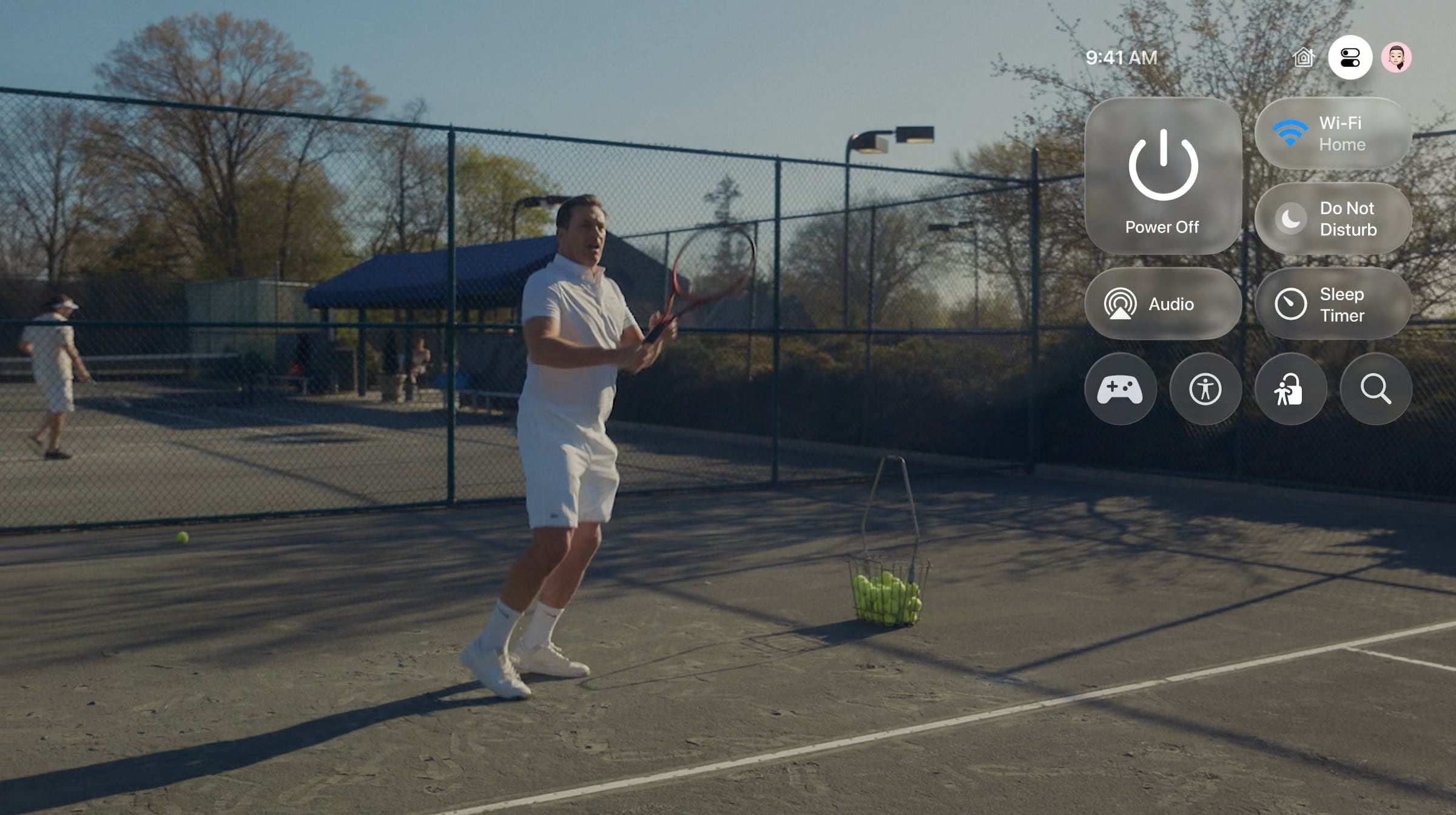
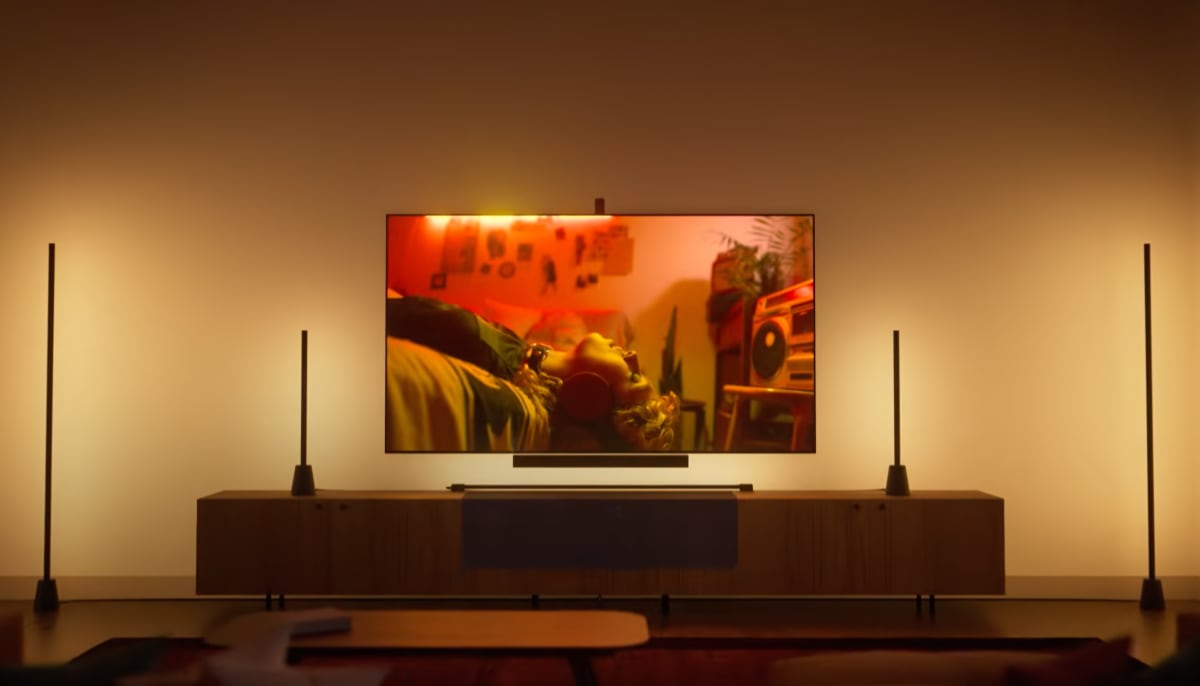
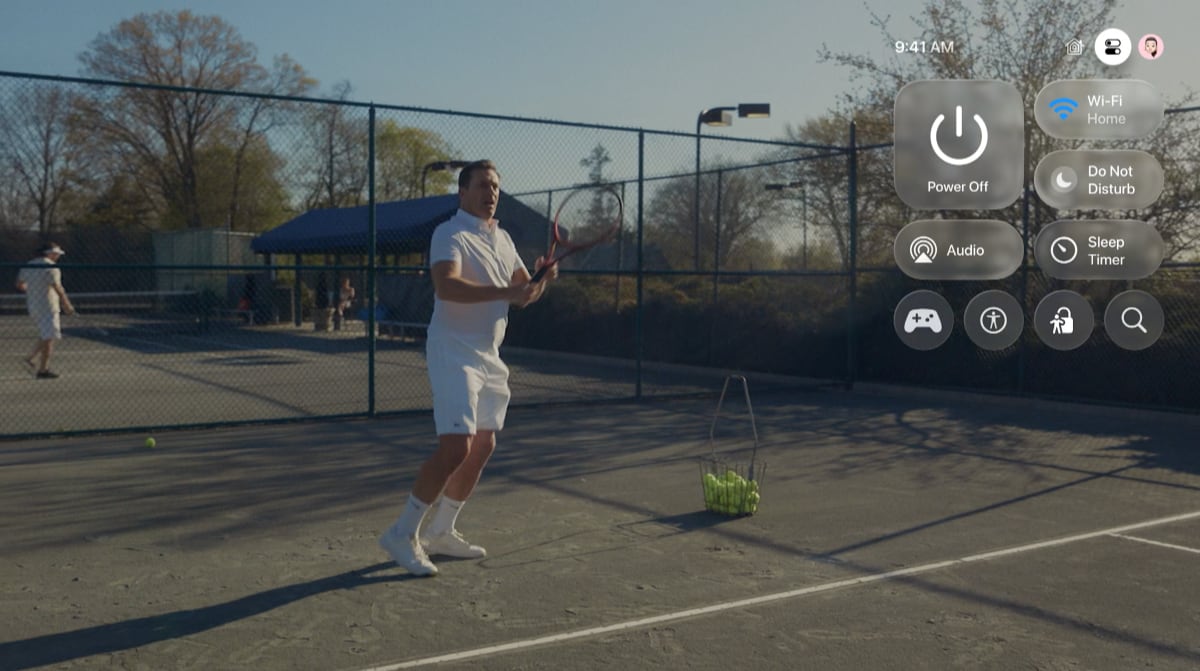
The biggest difference is the revamped interface, which you will also see on iPhone, iPad etc. Liquid Glass is a fresh touch; a playful layer that beautifully diffuses light and color in transparent interface elements – like glass – on the homescreen, Control Center, during video playback, and more.
I have had Liquid Glass on iPhone as long as I have had it on Apple TV, and I actually think it works even better on the big screen. Below is the Control Center in Liquid Glass.
On Apple TV, I have not experienced readability issues, but the first limitation is that Liquid Glass only works on 2nd and 3rd generation Apple TV 4K, even though tvOS 26 is also rolling out to 1st generation Apple TV 4K and Apple TV HD.
The second limitation is that Liquid Glass initially only appears in Apple's own apps; Apple TV, Music etc. Even apps that use Apple's standard video player, like Netflix, need updates. Beyond the fresh look, the core interface of tvOS remains – rows of apps on a homescreen.
There is also still a third category of apps that use custom video players, such as Disney+. They lack not only Liquid Glass but also a button to engage dialogue boost, automatic subtitles, picture-in-picture, rewind/fast-forward with scrubbing etc. These apps feel increasingly visually and functionally inferior.
Wireless speaker pairing
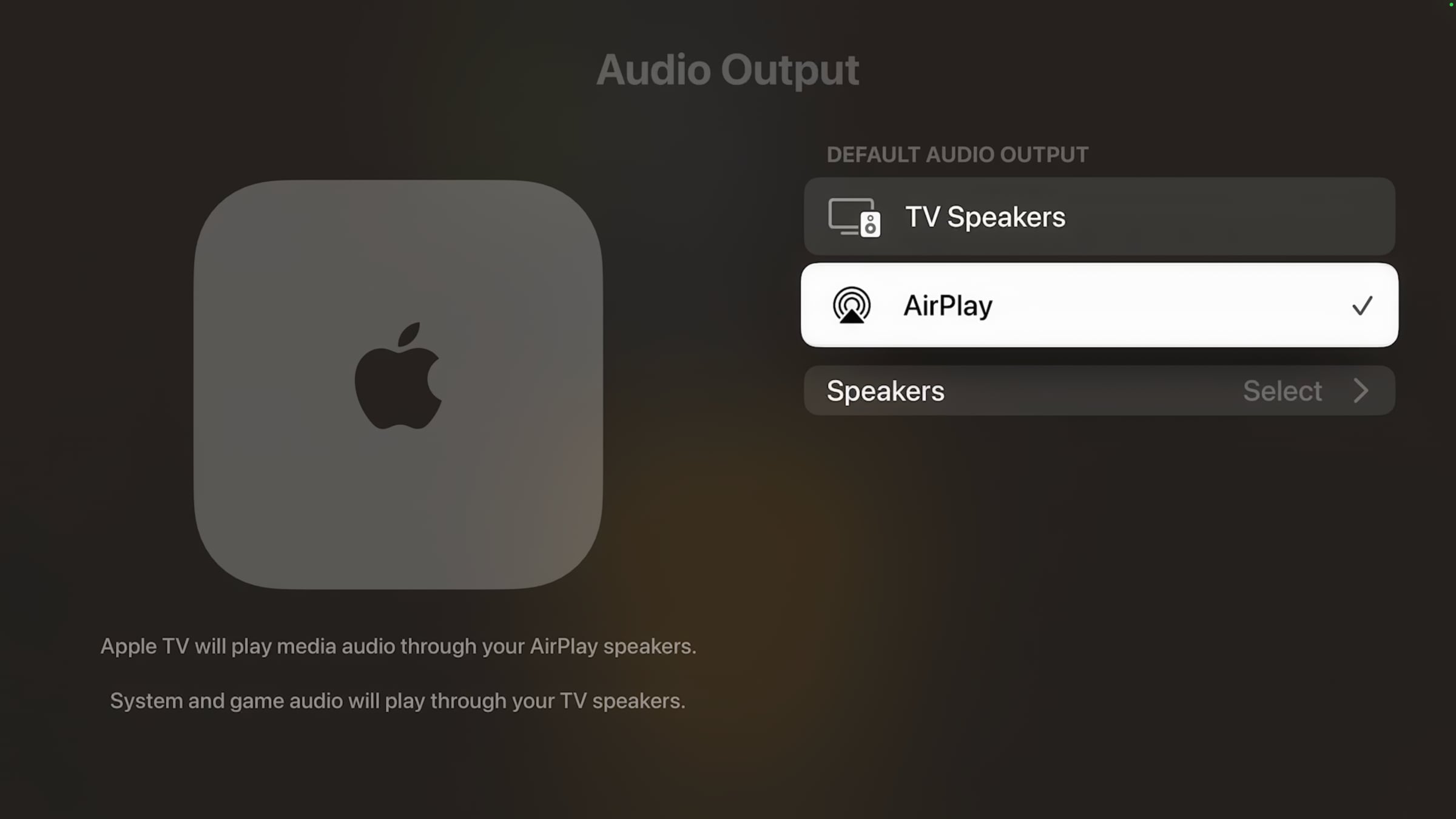
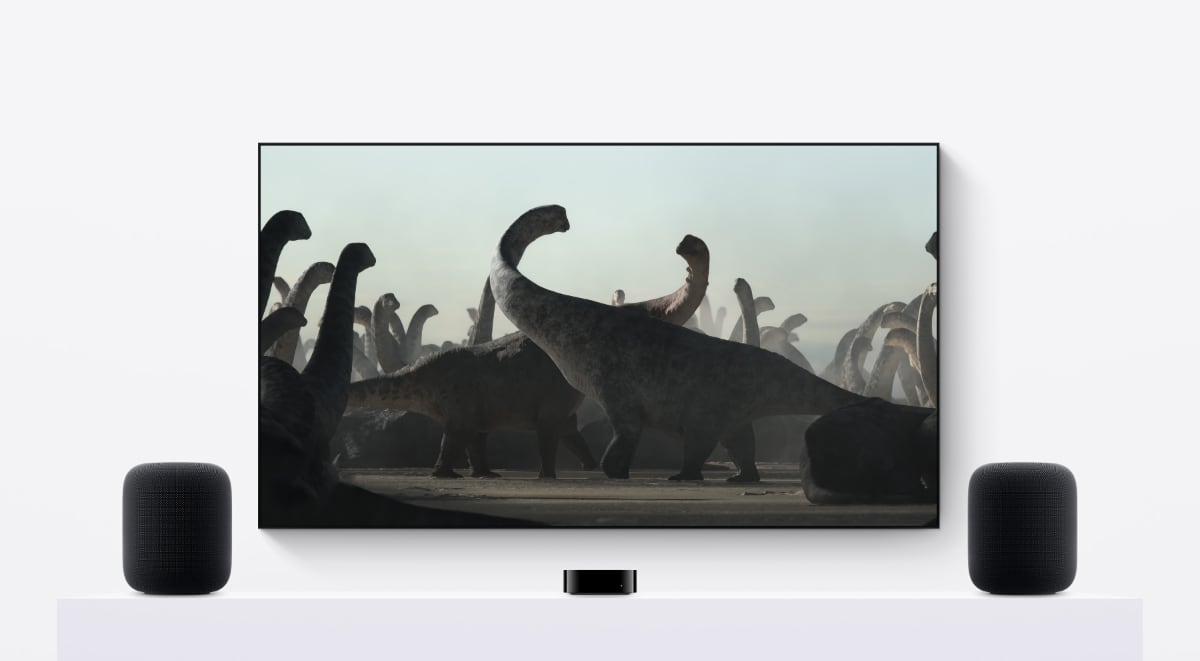
One of the main new features is that AirPlay speakers (B&O, Sonos, Samsung, LG etc.) can now be paired wirelessly as permanent speakers to Apple TV. Previously, AirPlay speakers could only be paired temporarily – putting the box or speakers in standby mode would typically break pairing. Only HomePod could be paired permanently.
In other words, you get a wireless alternative to HDMI ARC/eARC. You could theoretically place a soundbar under the TV, power it on, and just not connect it via HDMI to the TV at all.
There are, however, three main limitations at this time:
- AirPlay pairing only works with video audio, not menu or game audio
- AirPlay pairing does not work with HDMI eARC to Apple TV, i.e. audio from PS5 and your TV's tuners
- AirPlay pairing is limited to stereo – no surround or Dolby Atmos
g
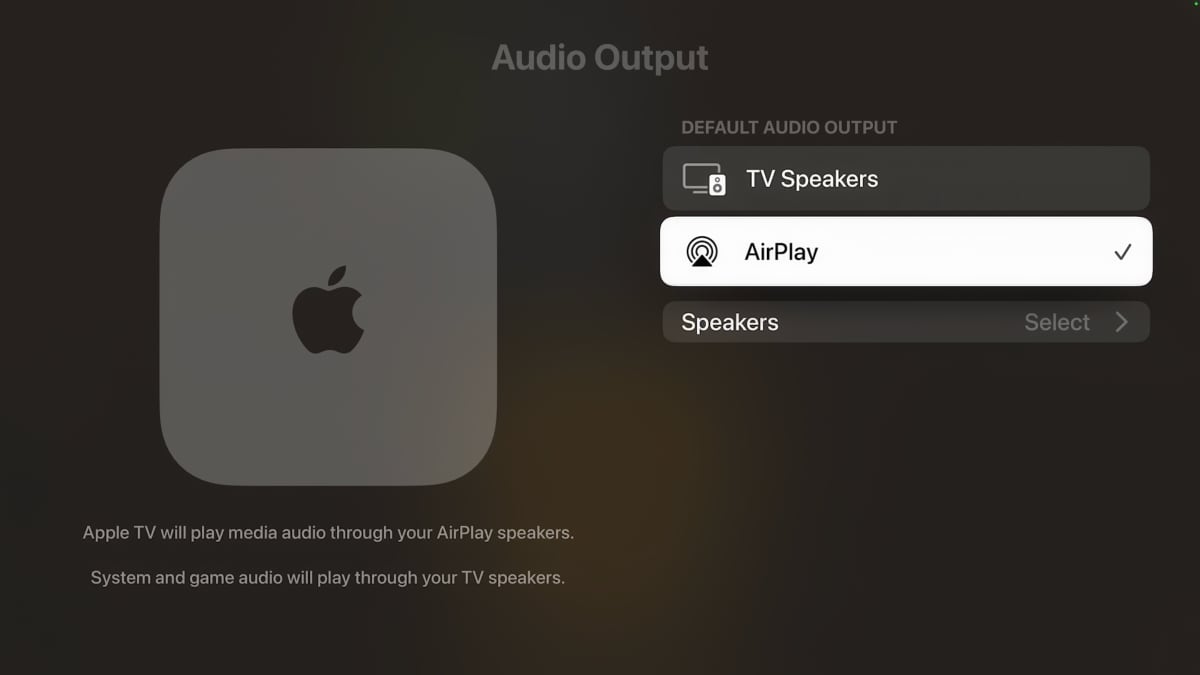
You can pair all AirPlay speakers, but game audio will not work. Photo: FlatpanelsHD
Limitations 1 and 2 do not apply to a pair of HomePods, which remains a better wireless solution for Apple TV 4K. Limitation 3 also does not apply to HomePod, which can receive up to Dolby Atmos from Apple TV 4K, however you cannot pair more than two HomePods as separate channels to Apple TV 4K, limiting Atmos use. AirPlay speakers can be paired in stereo pairs via the Apple Home app (not needed for soundbars).
How does it work? Very well in our tests, but ultimately it depends on your home WiFi network, which must be robust. AirPlay 2 runs over WiFi, which has plenty of bandwidth. We experienced no dropouts or audio delay. If you experience delay, there is a sync function that uses the iPhone microphone. Remember that the audio sync feature must be run with the Apple TV set to 24Hz video output, then 50Hz and then 60Hz.
Other useful new features
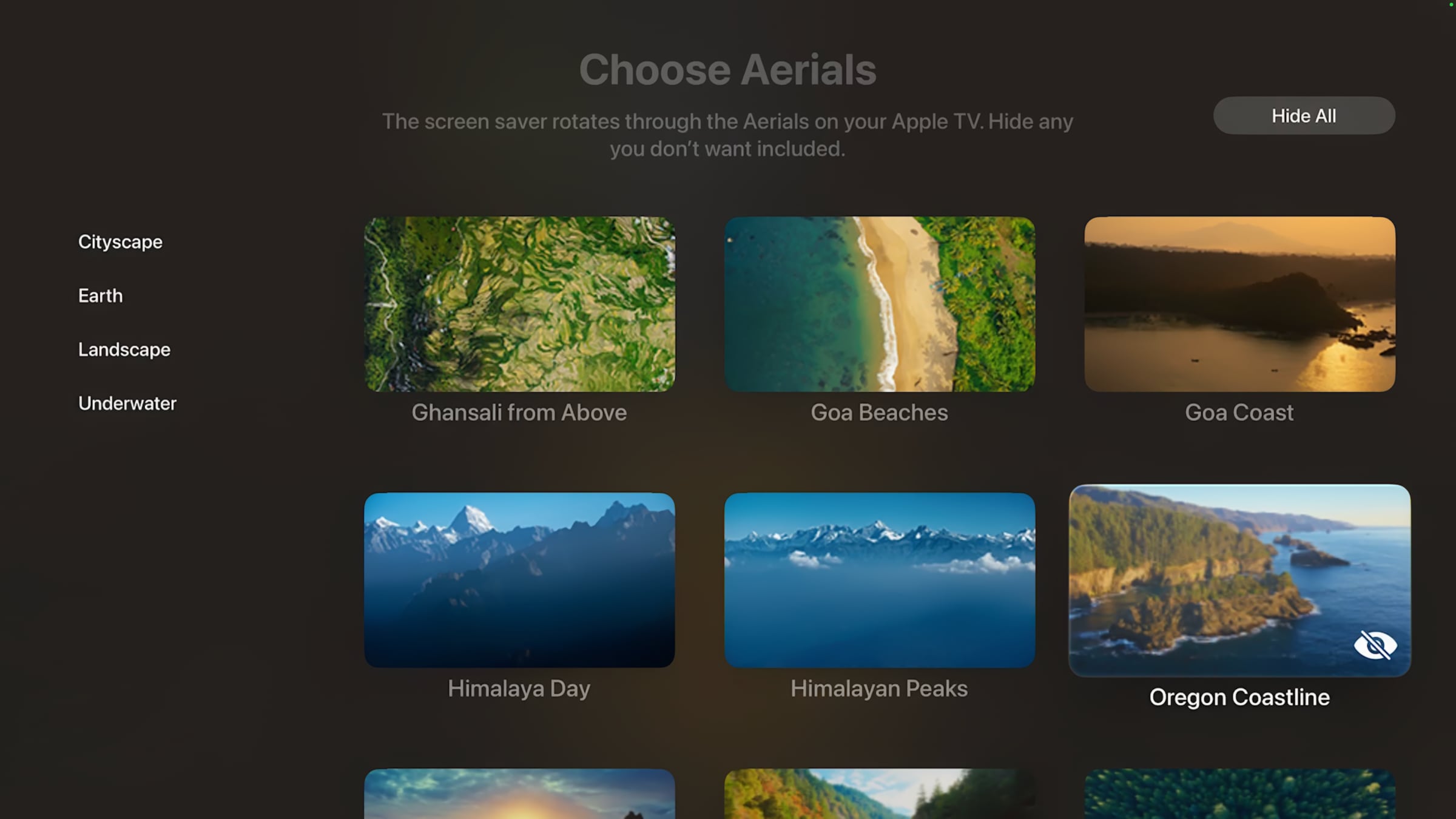
You can finally deselect individual screensavers under Settings -> Screen Saver -> Aerials -> Choose Aerials. Thank you! Previously, only categories of screensavers could be deselected. There are also new screensavers from India.
You can also finally hide the iTunes app on the homescreen under Settings -> Apps -> iTunes Movies & TV Shows -> iTunes Movies: Hide.
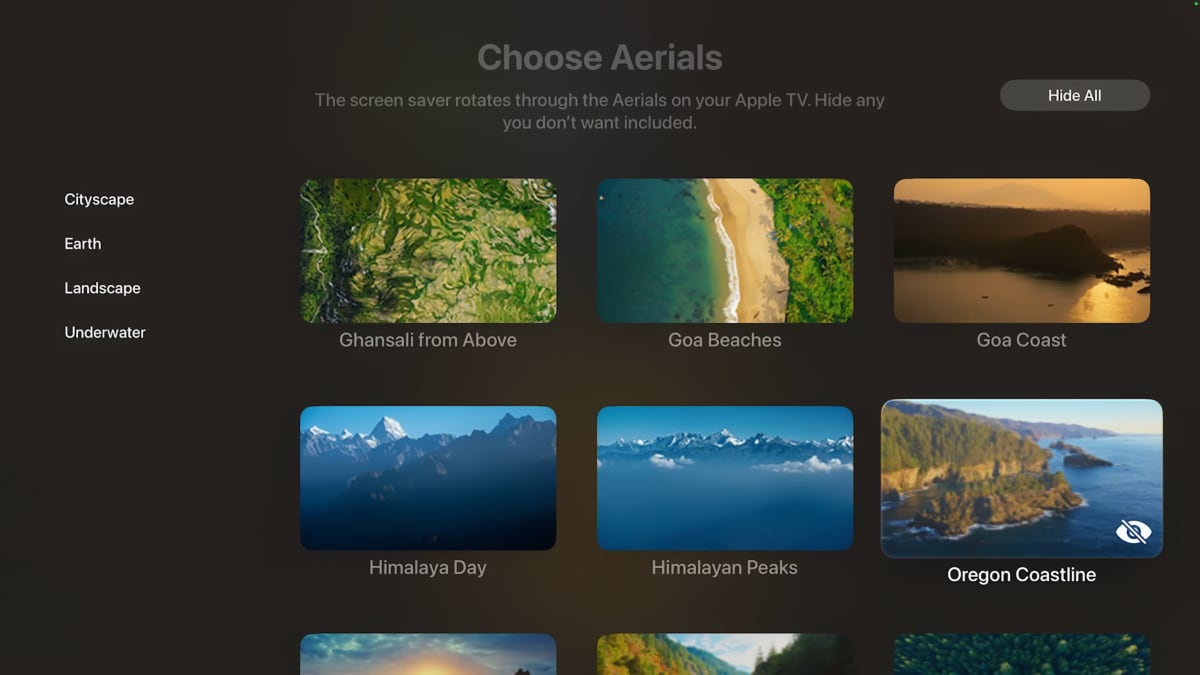
In tvOS 26, you can deselect screensavers you don't want. Photo: FlatpanelsHD
After last year's addition of Apple Music Sing, tvOS 26 includes a full karaoke mode, using iPhone as a microphone. Karaoke works with all songs in the Apple Music app, which uses machine learning to reduce vocals in the music so your voice takes over in sync with the lyrics scrolling on screen.
I will spare you my singing voice, but the karaoke mode works well as soon as the iPhone is wirelessly connected to Apple TV – this process could be easier. If you love karaoke, you should definitely try it. This feature is a good example of the strength of Apple's ecosystem. It requires Apple TV 4K (3rd gen).
Also read: Guide: These features are exclusive to newer Apple TV 4K models
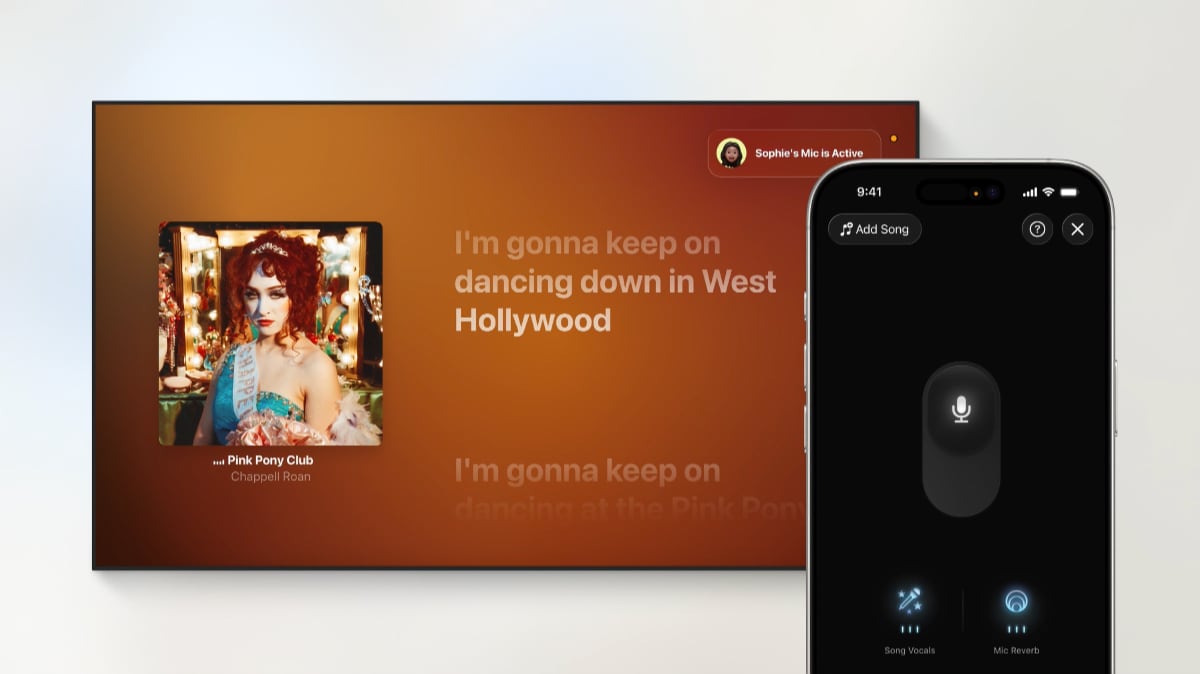
The karaoke mode in tvOS 26 uses iPhone as a microphone. Photo: FlatpanelsHD
A new API allows developers to link app login credentials to Apple IDs. Developers can also link user profiles in streaming apps to Apple ID. The intention is good, making it easier to set up Apple TV and switch between user profiles in third-party apps, but in practice we have yet to see any developers adopt it.
As a result, the new profile picker, which appears by default when waking Apple TV, feels somewhat unnecessary. Switching user profiles on Apple TV between, for example, parents and children currently only affects Apple's own apps as well as games. It can be useful, but it is not great until Netflix, Disney+ and others take advantage of the API, especially with kids profiles. We have disabled the profile picker at startup.
A foundation for the future
Under the surface, there are a number of improvements to Dolby Atmos, Spatial Audio, FaceTime, Matter/Thread, and game support (Metal 4). tvOS 26 also expands support for Sony's DualSense, meaning that a controller can be paired to Apple TV and PlayStation 5 at the same time.
Rumors about audio passthrough remain unresolved for now. The API appears to exist but is not finalized in tvOS 26.0, according to developers, so the wait continues.
All in all, tvOS 26 is a good update, thanks to Liquid Glass, but the limitations in AirPlay pairing are disappointing after such a long wait. There is still huge potential in TV platforms in general, so it is positive to see Apple roll out improvements steadily. Still, some of the features we miss most require new hardware.
tvOS 26 is expected to be released on September 15 around 10am PDT, 1pm EDT, 7pm CEST.
tvOS 26 – new features
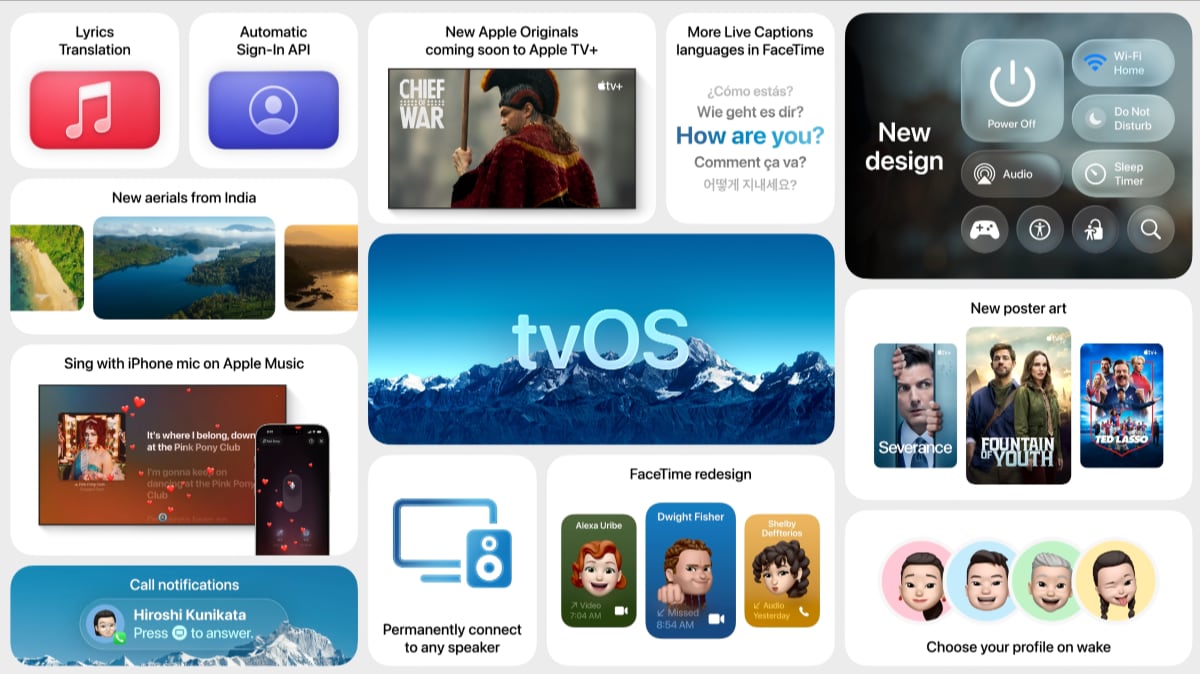 New user interface
The new user interface makes greater use of transparency and glass-like elements. Requires Apple TV 4K (2nd Gen) or later.
New user interface
The new user interface makes greater use of transparency and glass-like elements. Requires Apple TV 4K (2nd Gen) or later.
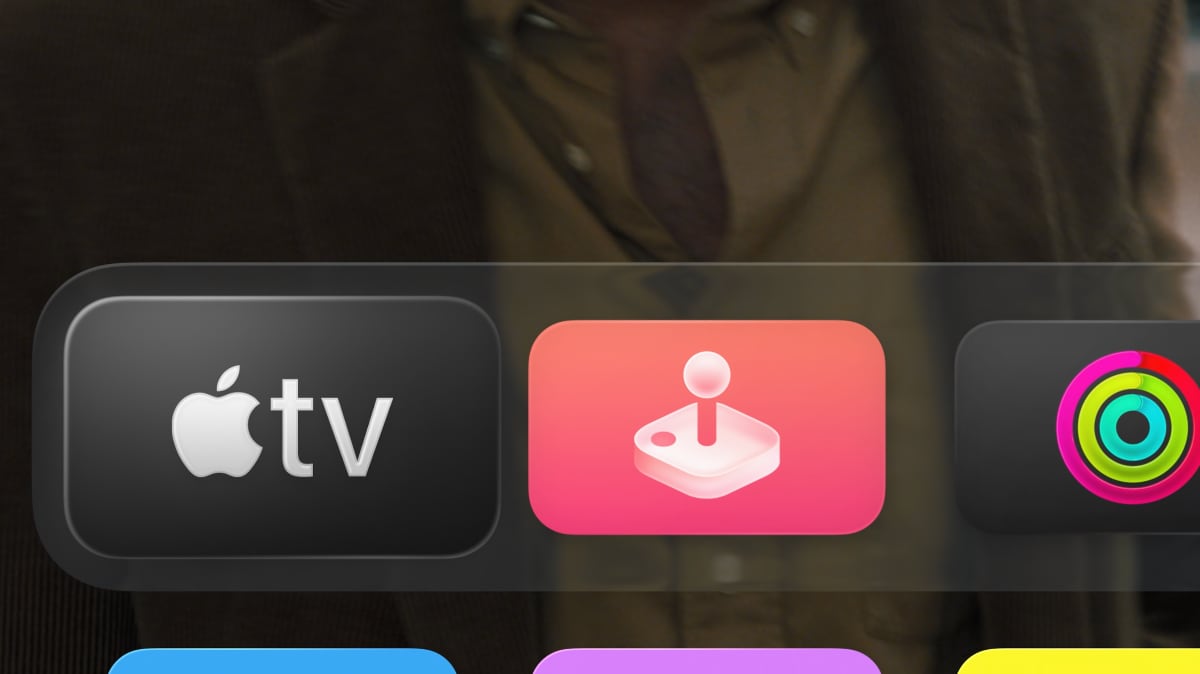
 Apple TV app Liquid Glass
The Apple TV app is redesigned with beautiful new poster art that incorporates Liquid Glass, and allows more shows and movies to be displayed, enhancing how users discover entertainment.
AirPlay speaker pairing
Designate any AirPlay-enabled speaker (Sonos, B&O, LG, Samsung, Sony etc) as the permanent speaker for Apple TV. However, it currently does not work with system audio and game audio.
Personalize screensavers
Personalize the screen saver experience by choosing specific Cityscape, Earth, Landscape, or Underwater Aerials to display – or hide.
New screensavers
Enjoy breathtaking landscapes with new Aerial screen savers captured across India, including in Goa and Kerala.
Apple TV app Liquid Glass
The Apple TV app is redesigned with beautiful new poster art that incorporates Liquid Glass, and allows more shows and movies to be displayed, enhancing how users discover entertainment.
AirPlay speaker pairing
Designate any AirPlay-enabled speaker (Sonos, B&O, LG, Samsung, Sony etc) as the permanent speaker for Apple TV. However, it currently does not work with system audio and game audio.
Personalize screensavers
Personalize the screen saver experience by choosing specific Cityscape, Earth, Landscape, or Underwater Aerials to display – or hide.
New screensavers
Enjoy breathtaking landscapes with new Aerial screen savers captured across India, including in Goa and Kerala.
 Hide iTunes apps
The iTunes apps can finally be hidden on the homescreen under Settings -> Apps -> iTunes Movies and TV shows -> iTunes Movies: Hide.
Automatic Sign-In API
tvOS 26 introduces a new API for developers that links app logins to an Apple Account, making it effortless for users to sign in to their favorite apps, shows, and movies when setting up a new device.
Apple Music Sing Karaoke
Sing-along sessions reach a new level of fun with tvOS 26, allowing users to transform iPhone into a handheld microphone for Apple TV and have their voices amplified as they belt out their favorite songs. Requires Apple TV 4K (3rd Gen) or later, and iPhone 11 or later.
Hide iTunes apps
The iTunes apps can finally be hidden on the homescreen under Settings -> Apps -> iTunes Movies and TV shows -> iTunes Movies: Hide.
Automatic Sign-In API
tvOS 26 introduces a new API for developers that links app logins to an Apple Account, making it effortless for users to sign in to their favorite apps, shows, and movies when setting up a new device.
Apple Music Sing Karaoke
Sing-along sessions reach a new level of fun with tvOS 26, allowing users to transform iPhone into a handheld microphone for Apple TV and have their voices amplified as they belt out their favorite songs. Requires Apple TV 4K (3rd Gen) or later, and iPhone 11 or later.
Audio passthrough support
Apple TV will reportedly gain support for audio passthrough in tvOS 26. The APIs are not finalized in tvOS 26, so it make require tvOS 26.1 or later. We are still trying to confirm details.
Dolby Atmos
tvOS 26 enables Dolby Atmos mapping for speaker configurations larger than 7.1.4, for example 9.1.6 (front wide and two additional height channels). This may be related to audio passthrough.
Spatial Audio – Apple Positional Audio Codec (APAC)
Apple is introducing its own Spatial Audio format and both APAC decoding and encoding will be supported on Apple TV 4K with tvOS 26.
Bluetooth alternative – Spatial Relay Audio-Visual Sync (SPR AVS)
The new protocol is designed to replace or augment legacy protocols such as Bluetooth and AirPlay in specific contexts, enabling ultra-low latency and high-bandwidth communication between iPhones, AirPods, Vision Pro, and other Apple devices, starting from iOS 26. It is launched with Apple's new N1 wireless networking chip, which is rumored for the next Apple TV in 2025.
YcbCr video fix
Setting Apple TV 4K to YCbCr video output has historically resulted in a small green push and slightly too dim (gamma) picture in SDR. tvOS 26 fixes this (via AVSForum), so you can now use YCbCr instead of RGB in all situations.
User profiles during start-up
To quickly find personalized viewing recommendations, users will now have the choice to automatically display profiles when Apple TV wakes, allowing them to quickly get back to their recommendations and Watchlist in the TV app and playlists in Apple Music.
Subtitles on/off
You can now quickly enable or disable subtitles during video playback: Bring up the video player, move to the subtitles icon, hold the OK button on the remote. This works only in apps upgraded to Liquid Glass.
FaceTime enhancements
With tvOS 26, users can enjoy a more personalized FaceTime experience that's consistent with iOS. Contact Posters on Apple TV make it easier and more personal by displaying a contact's customized photo and name when starting a FaceTime call on Apple TV. Live Captions expand to include French, German, Japanese, Korean, Mandarin, and Spanish, enabling Apple TV to use on-device intelligence to display Live Captions for FaceTime conversations, so users can follow what's being said in even more languages. Additionally, FaceTime audio and phone call notifications will appear onscreen for the active profile, allowing users to answer on connected HomePod speakers or their iPhone, and ensuring that communication with loved ones remains at the forefront.
Apple Home
The old Apple Home architecture is being phased out in iOS and tvOS 26. You will therefore be required to upgrade to the new architecture via the Home app if you have not already done so.
Matter / Thread
Matter is being upgraded with Thread 1.4, which creates a unified mesh network in the home instead of one for each smart home platform. Version 1.4 also supports 'Thread over Infrastructure,' allowing the Thread network to be extended via WiFi and Ethernet. This gives each Thread device internet access, so, for example, curtains can respond to the weather. Thread 1.4 thus provides better Matter performance for Apple TV 4K. Thread is supported by Apple TV 4K (2nd Gen) and Apple TV 4K (3rd Gen, 128GB only), both of which can act as a Thread Border Router.
Metal 4 support
Apple's latest gaming API, Metal 4, is supported in tvOS 26. It requires an Apple TV with the A14 Bionic or later.
Expanded support for Sony DualSense controllers
Pair multiple Apple devices to your DualSense or DualSense Edge controller and easily switch between them directly using the controller or Bluetooth setting (following PS5 system update)
Captive WiFi syncing
A new feature will synchronize captive Wi-Fi (WiFi with login at hotels etc.) login information across iOS, iPadOS, macOS, tvOS and watchOS devices.
Settings menu
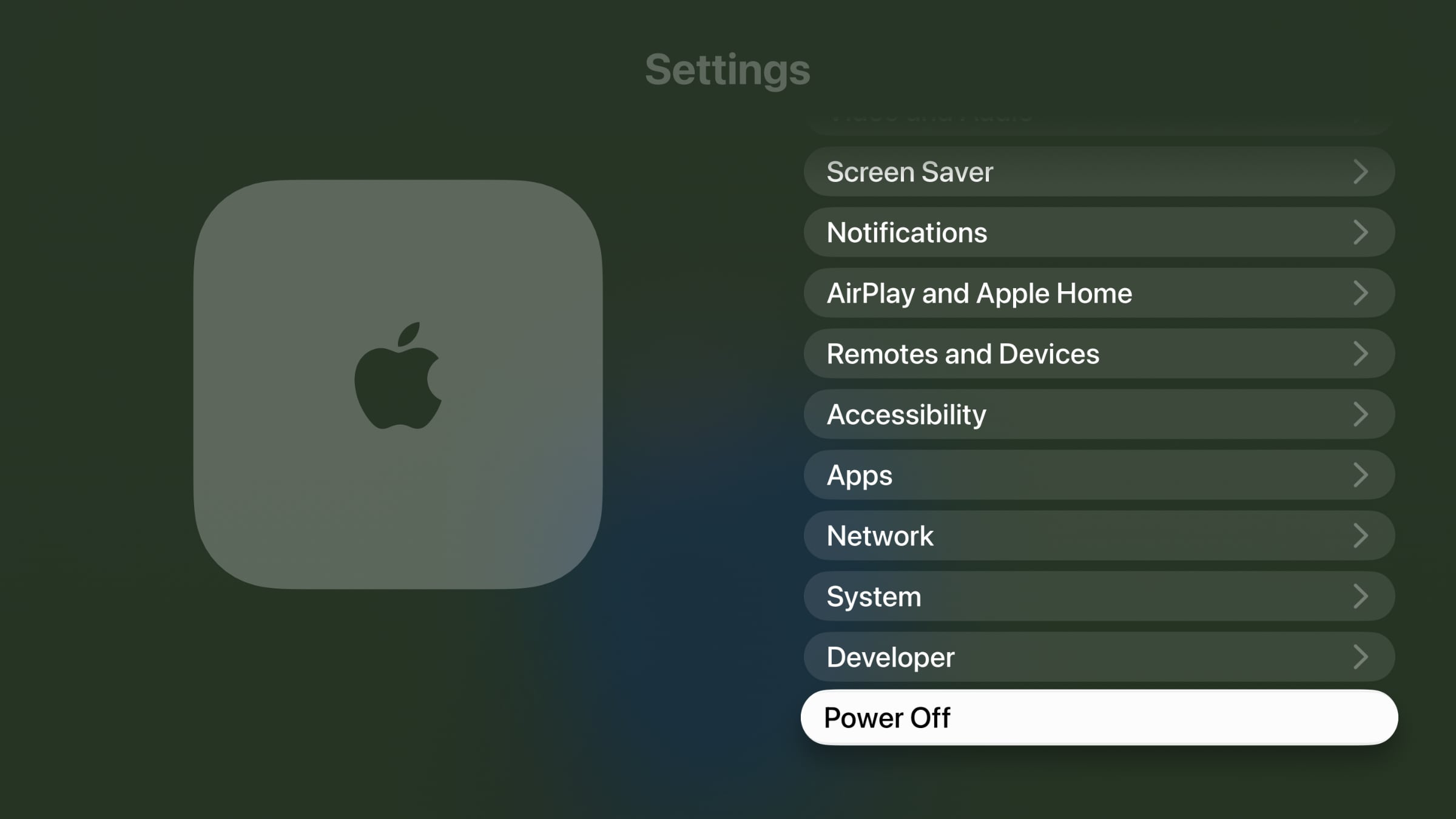
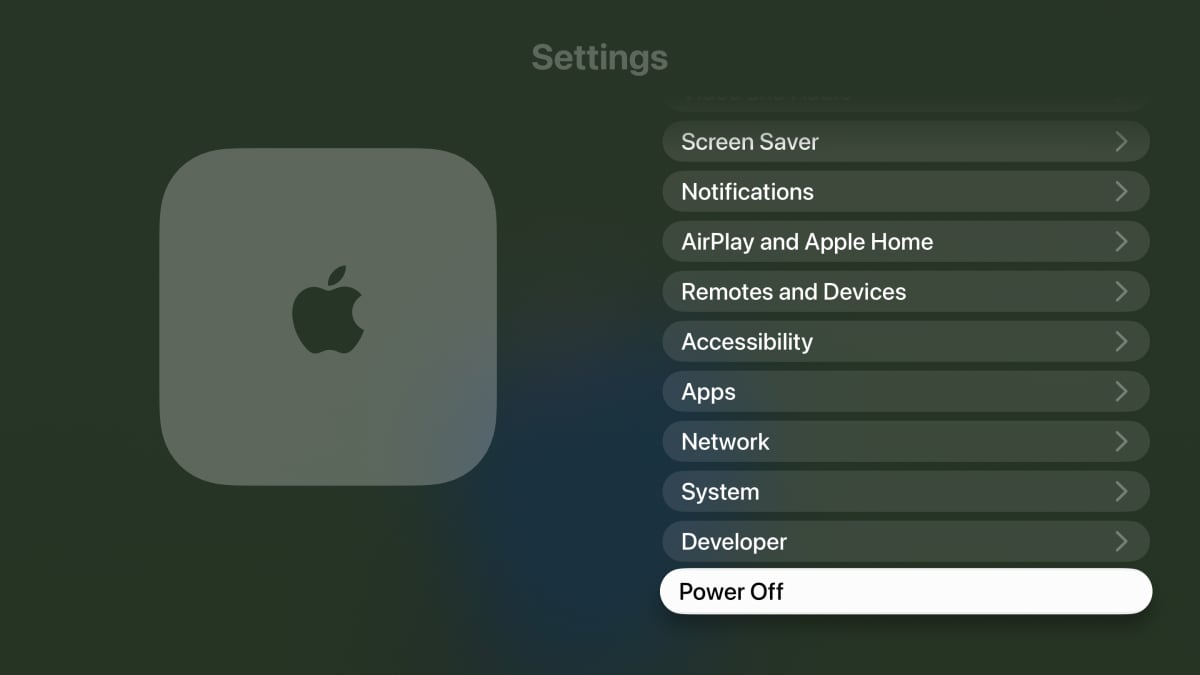
'Sleep' is renamed to 'Power Off' and HomeKit is renamed to 'Apple Home'
 Accessibility section in App Store
A new Accessibility section has been added to the App Store product pages that highlights accessibility features within apps and games.
Security updates
A number of security updates as detailed here.
Accessibility section in App Store
A new Accessibility section has been added to the App Store product pages that highlights accessibility features within apps and games.
Security updates
A number of security updates as detailed here. |
FlatpanelsHD