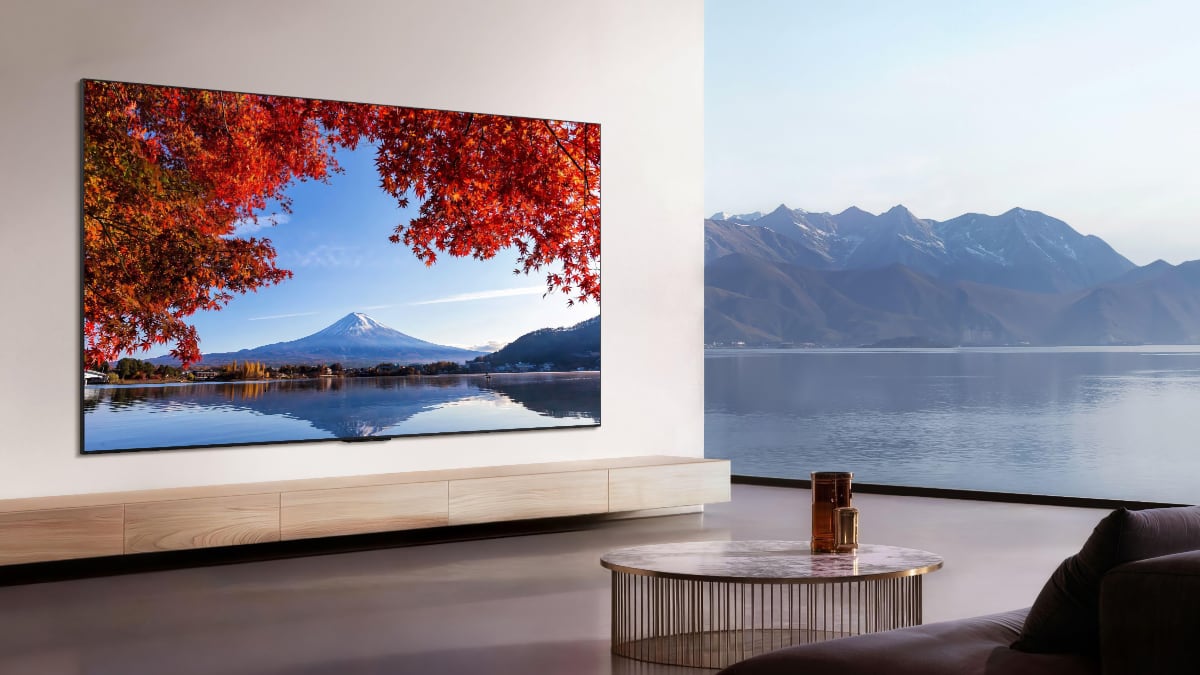
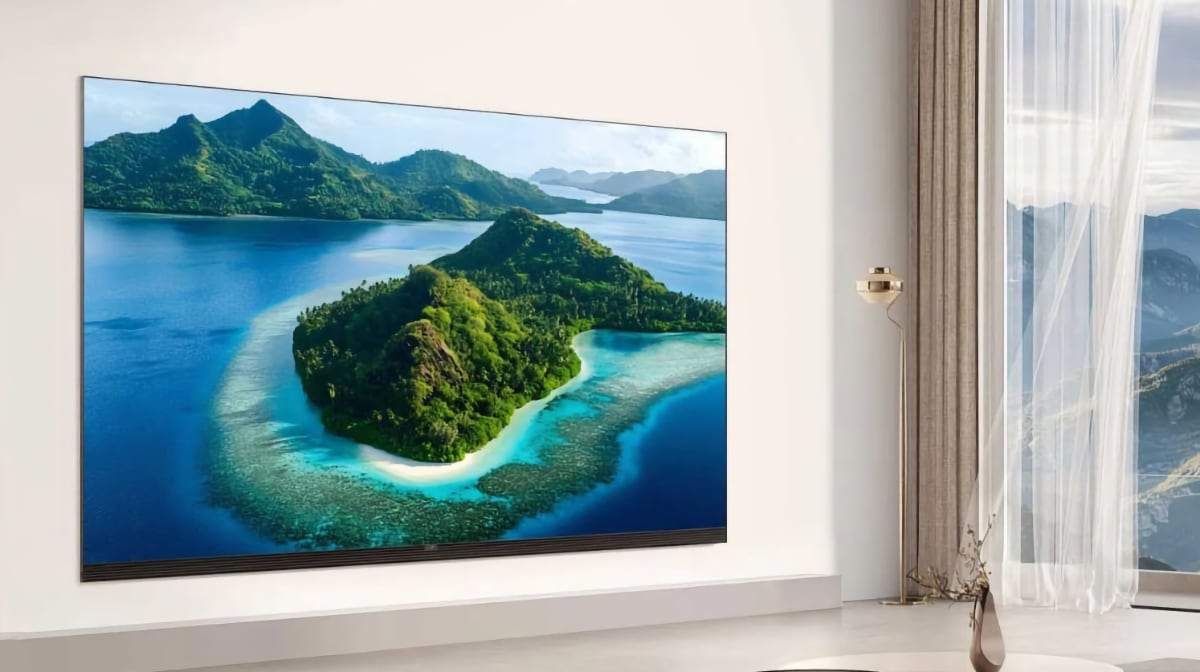
Review: Sony Bravia 8 II (QD-OLED)
Sony is introducing QD-OLED in its 8-series in 2025 – lower than the original A95 QD-OLED flagship from 2023. Bravia 8 II (mk. 2) features the latest generation of Samsung Display's QD-OLED, placing it in the same category as Samsung S95F. However, in Sony's range, where it replaces last year's 8-series Bravia 8, the company is switching from WOLED to QD-OLED, which is expected to bring a brightness boost. Most other features remain unchanged including Acoustic Surface+ with the option to use the TV as a surround center, Google TV, and a slim profile. Bravia 8 II is available in two sizes: 55 and 65 inches. We tested the 65 inch version. If you want 77 inches, the 77-inch Sony A95L will remain available.Price and retailers:
US retailerUK retailer
DE retailerFirst impressions
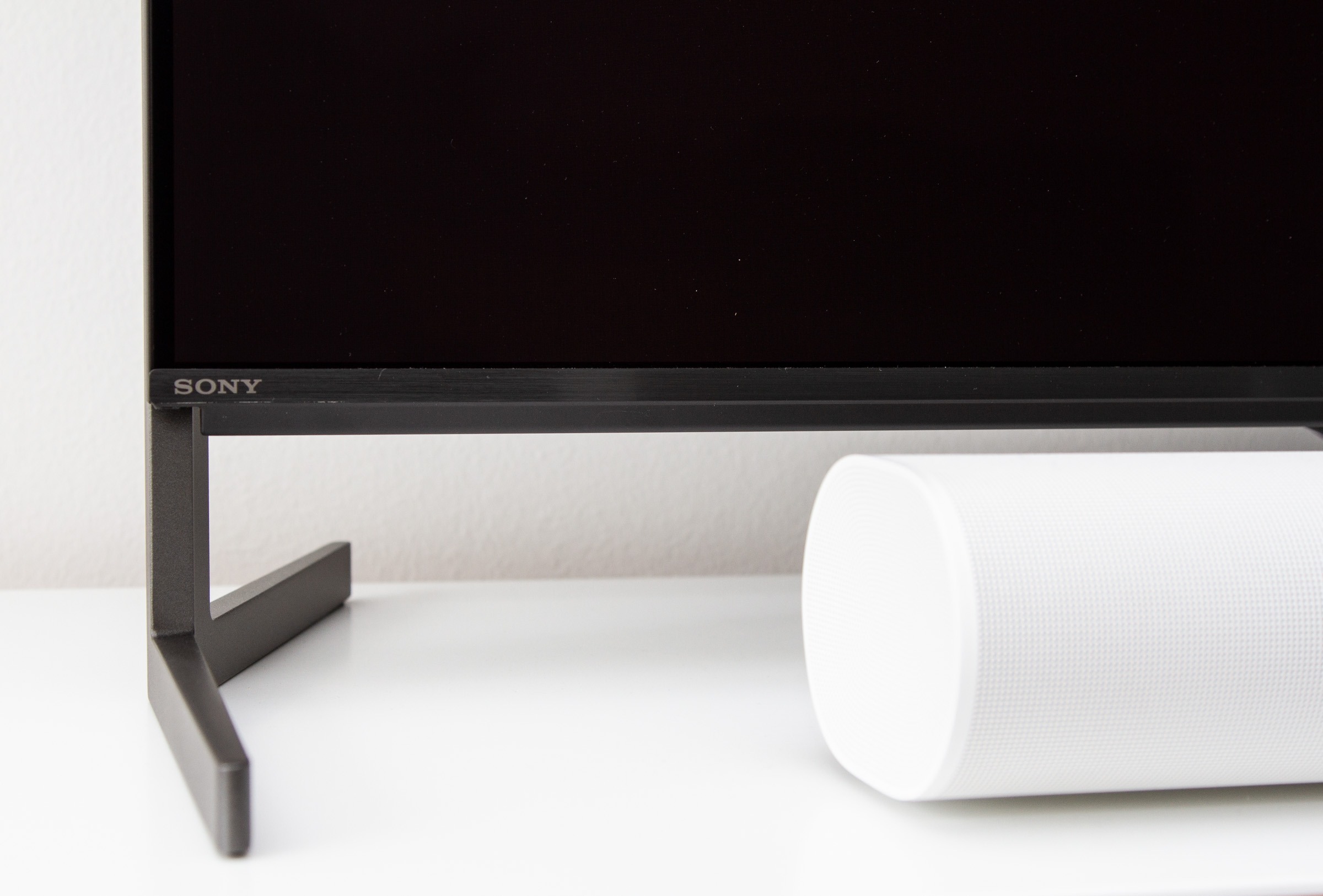
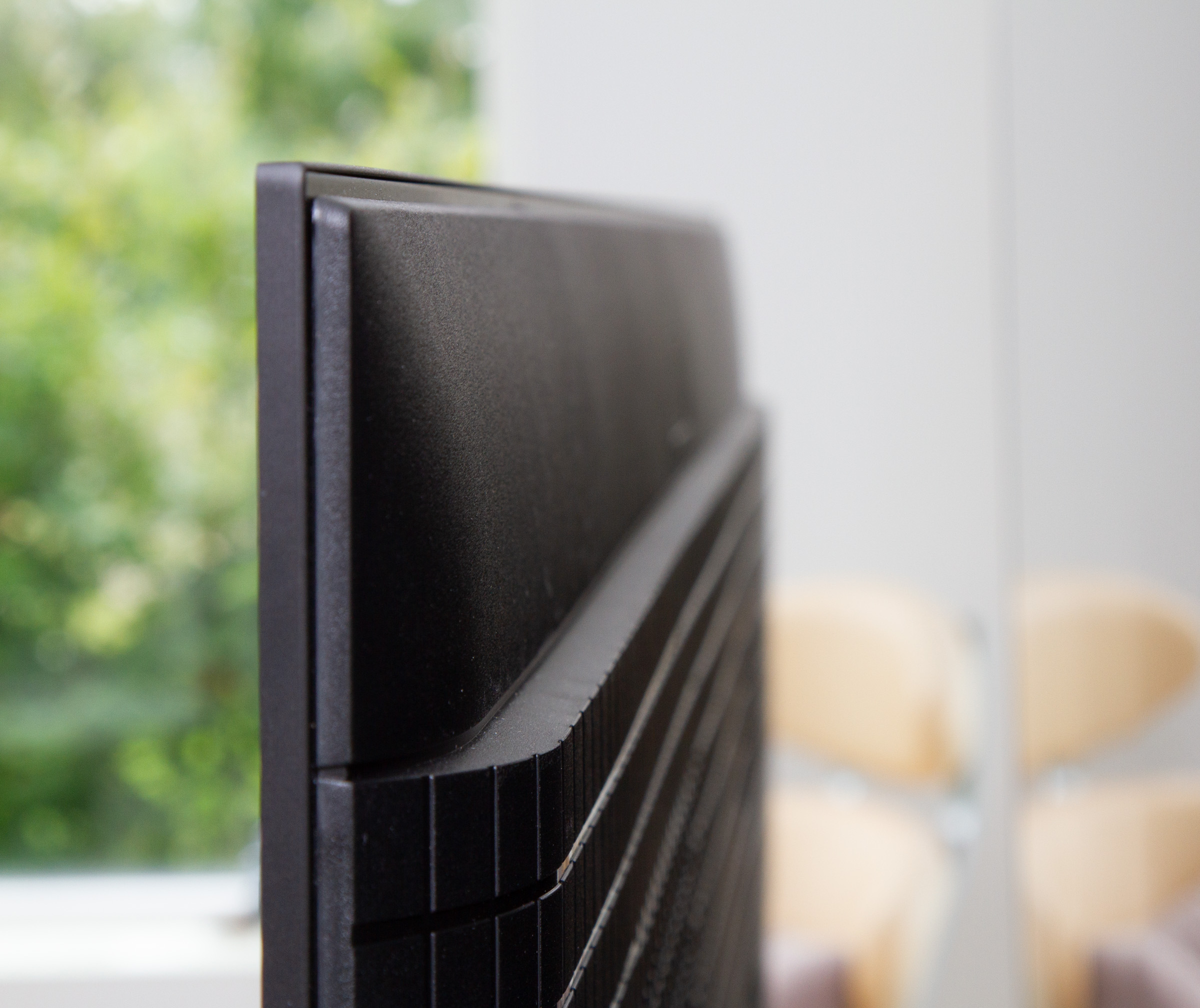
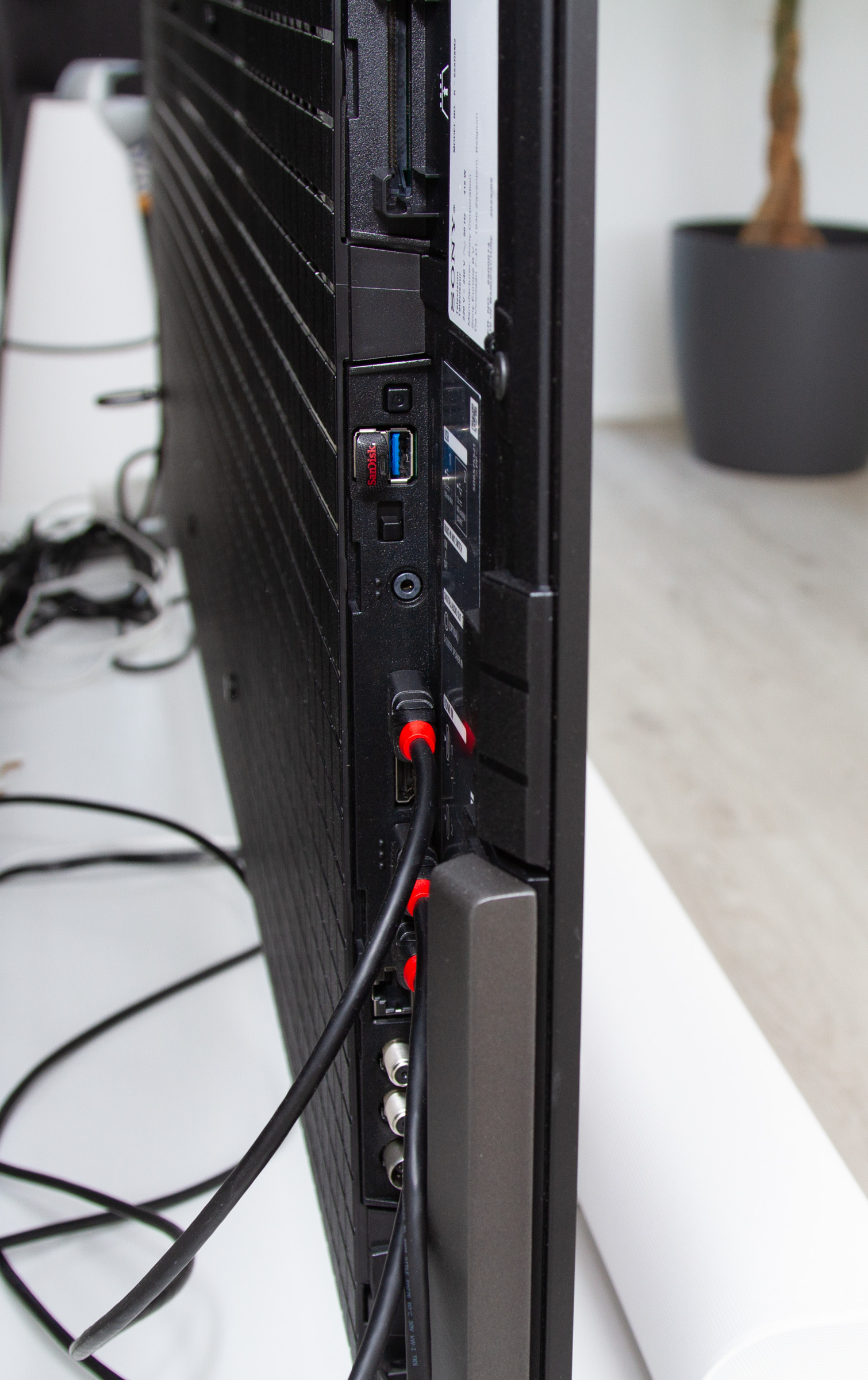
Reusing the same product names year after year is not necessarily a problem, but since both Bravia 8 and Bravia 8 II are available at the same time, this could cause some confusion. As a consumer, you need to pay close attention when comparing models. You will want to check the model numbers: for mk. 1 it is K55XR80 and for mk. 2 it is K55XR8M25 (for the 55" model) in Europe or K65XR80M2 in the US. The box will also have a small "II" after "Bravia 8". Bravia 8 II has a slim profile and, although slightly thicker than LG G5, the curved edge makes the TV look just as thin. If you have read our review of Sony A95L, you will notice that Bravia 8 II looks almost identical. Like most other TVs, cables and connectors can be hidden behind rear panels. Credit to Sony for including a power cable that can be partially detached. "Partially" because, unlike some earlier models, the connector is not placed directly on the TV but instead on an extension piece, splitting the power cable into two parts. This makes it easier to run the cable through concealed conduits, but since the extension joint has shielding around it, it still takes up more space than a single cable. There are some minor changes on the back of Bravia 8 II compared to Bravia 8, the most notable being the placement of the feet. The two feet – identical to those on A95L – are mounted all the way out on each side of the TV and, as before, can be set at two different heights: almost flush with the bottom or slightly raised to make room for a soundbar underneath. It is a simple but effective way to offer some flexibility, and installation is easy, though it is definitely a two-person job. Our Sonos Arc fits nicely between the feet on the 65.inch model, but probably will not on the 55-inch. There is also the option to mount Sony's Bravia Cam on top, as seen on A95L, but based on our experience, it does not add anything essential. The camera is sold separately, so our advice is to save the money.User experience & features
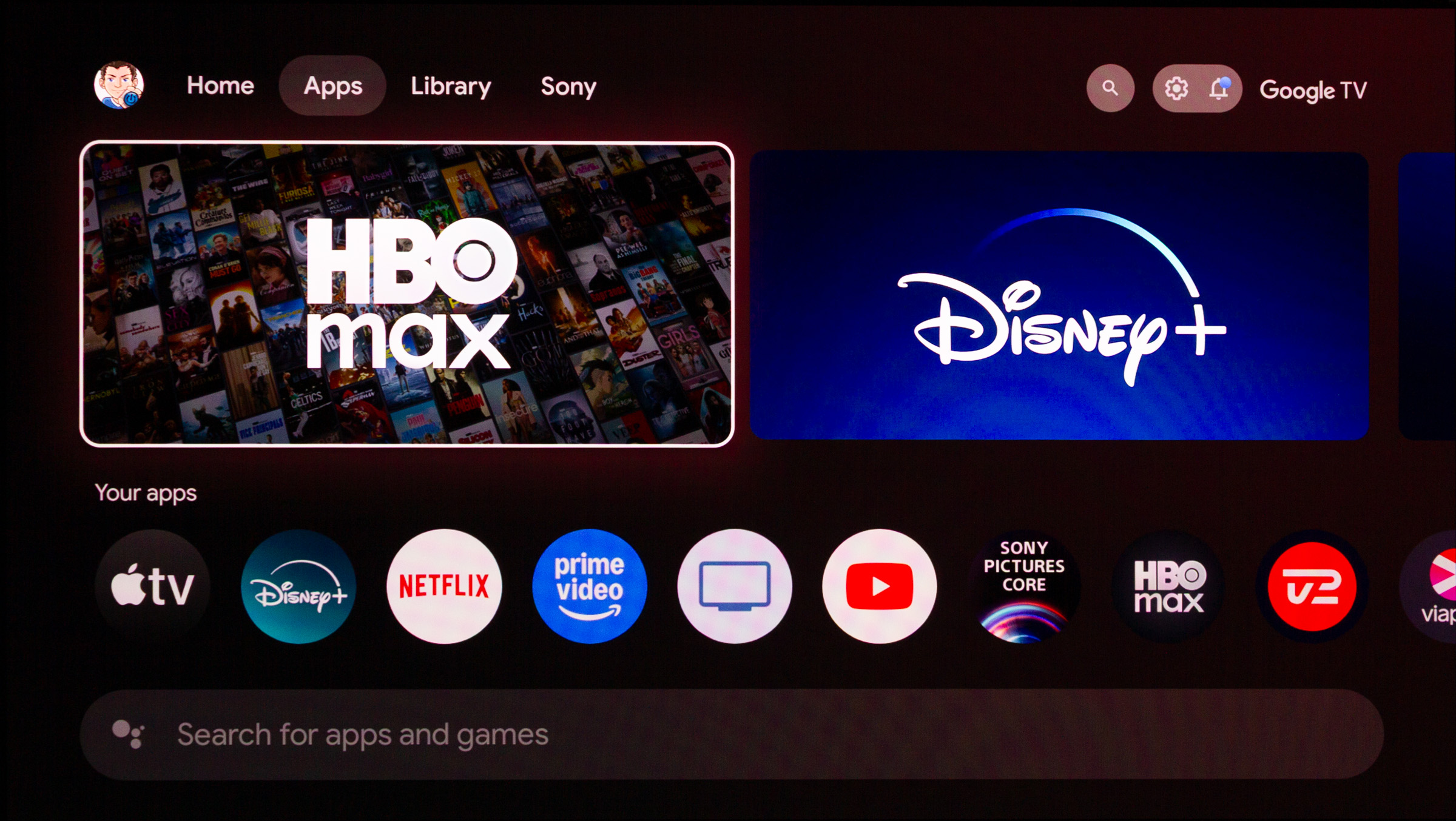
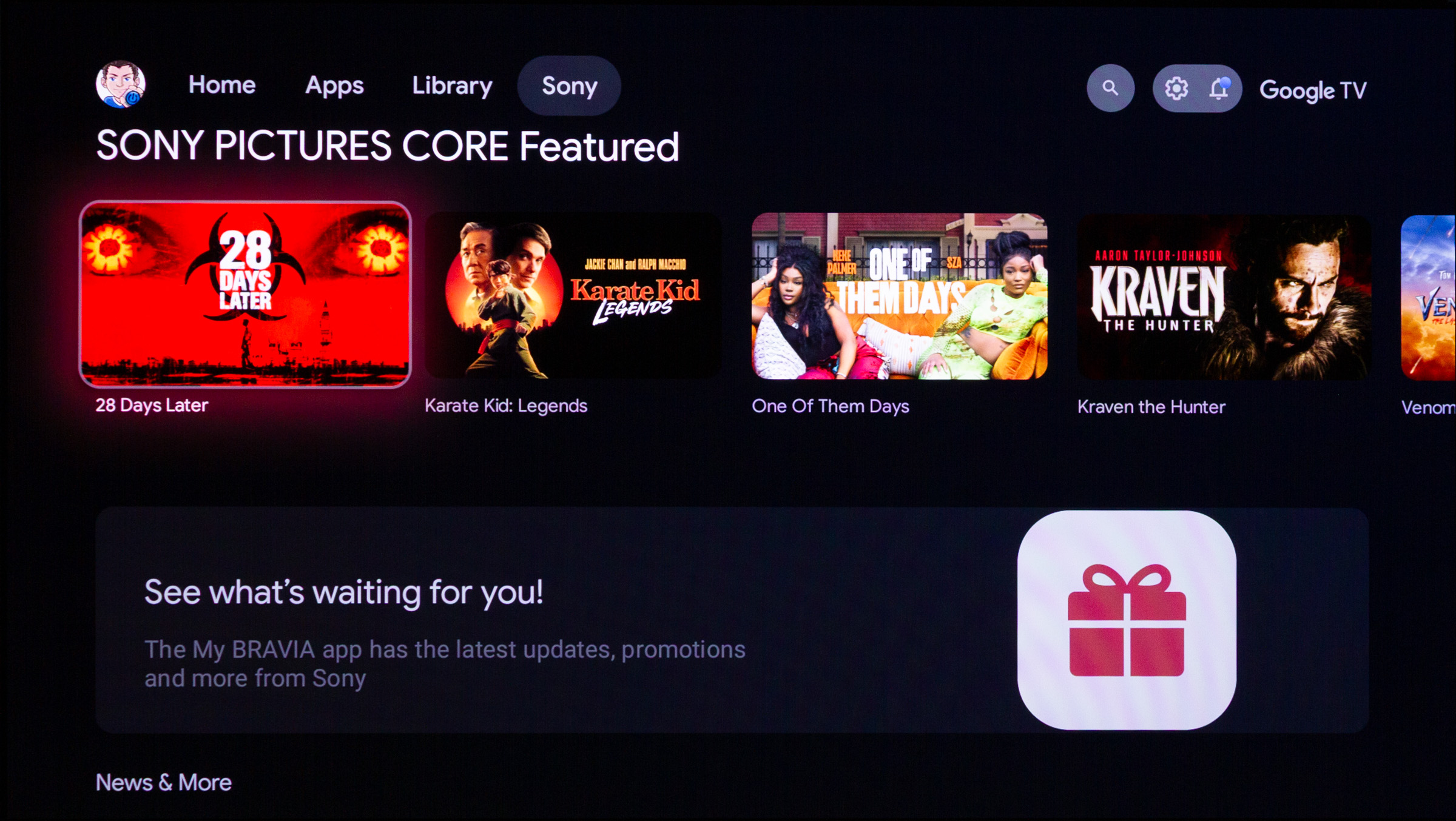
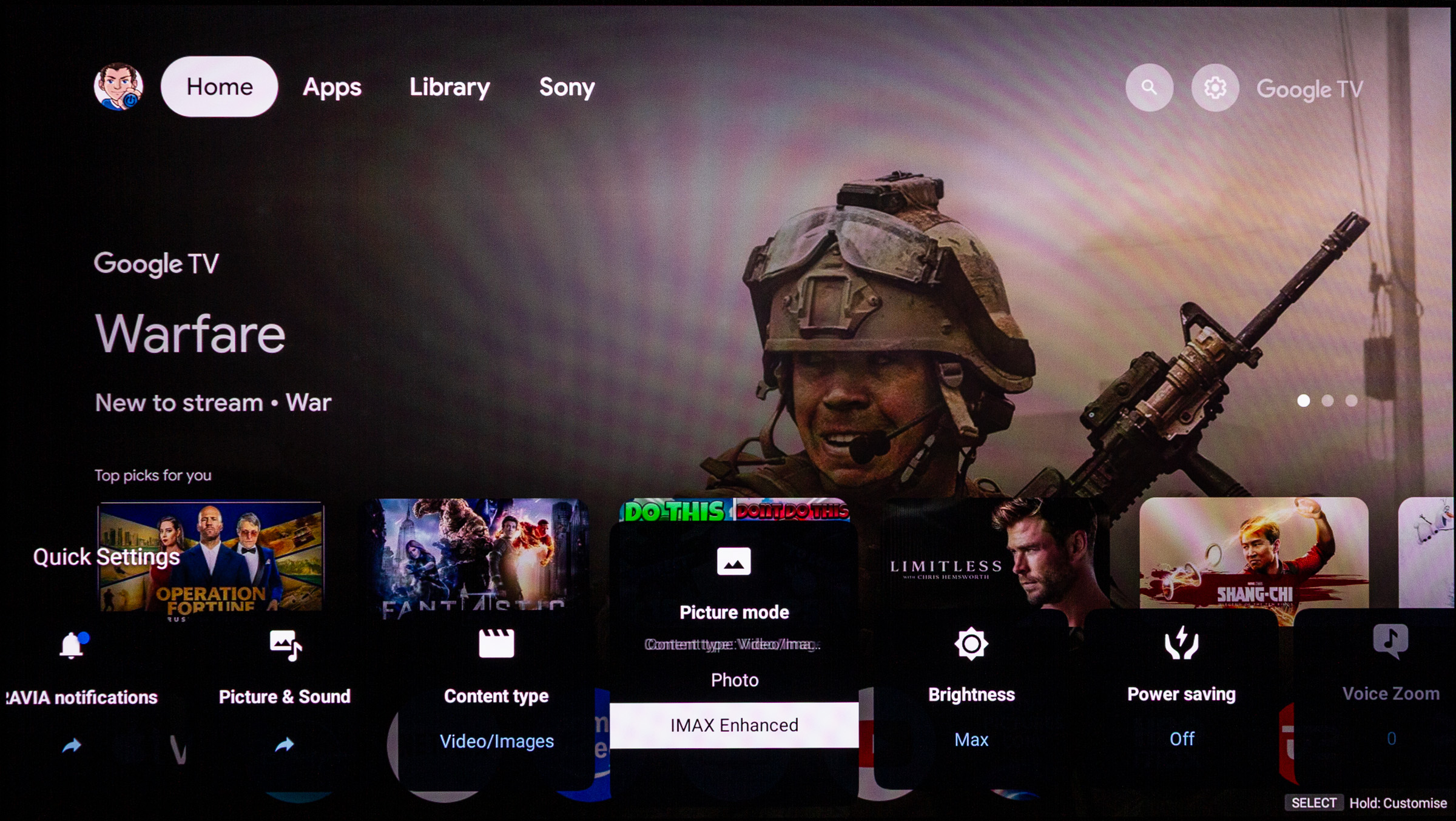
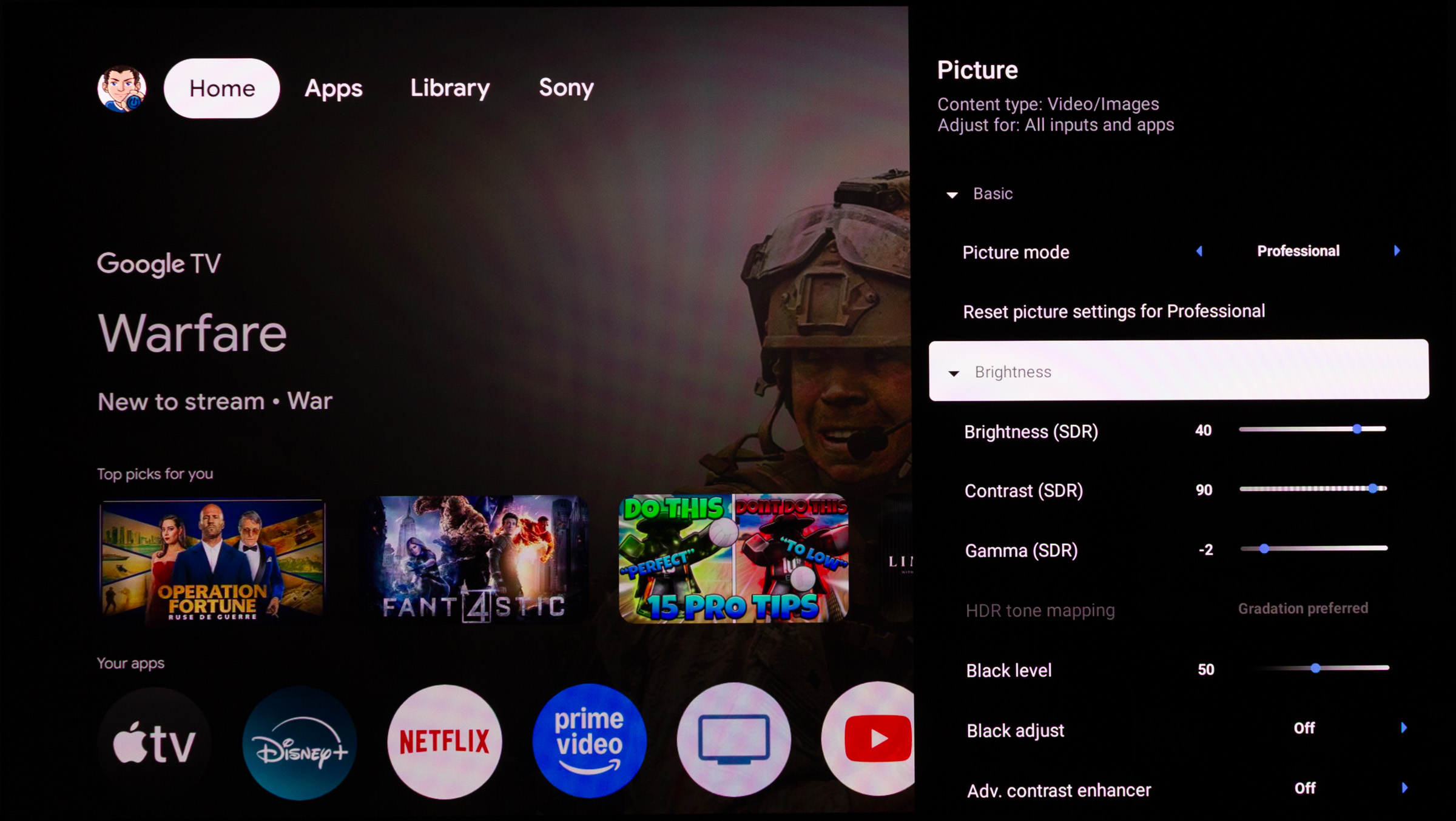
Bravia 8 II runs on Google TV with Android version 12, which we have seen in several other TV models. For a detailed walkthrough of the system, see our Sony A95L review. It also uses the same MediaTek Pentonic chip, so performance is identical to A95L (see the review for benchmarks). In general, the Pentonic 1000 does not feel blazing fast, but it is not as sluggish as the Pentonic 700 in Panasonic Z95A. If we take a quick look at some of the features you get with Google TV, setup is worth highlighting. Through the Google Home app you configure the Android part, meaning your Google account login and installation of your favorite apps. Unfortunately, this does not extend to the rest of the TV setup, so at some point you will have to return to Sony's interface to complete the process. Over time, entering countless passwords for streaming apps has become easier, and today you can scan a QR code on the screen and log in via your phone. For most apps, that means no more typing on an on-screen keyboard. The Google TV homescreen has not changed much and, as mentioned in earlier reviews, there is not much reason to explore beyond the first "tab" at the top. The app library is mostly useful for finding new apps. If you have no desire to buy movies Google, this tab will not add much value. The last tab is reserved for Sony and mostly functions as a billboard for promoting Sony's apps or hardware. The search function lets you look for content by genre, but filtering options are too limited, and results often include web-based answers that feel like dead ends. It likely will not be long before Gemini finds its way into the system, improving how queries are interpreted and hopefully delivering better results. When Sony first launched its Sony Pictures Core app (originally called Bravia Core), many of us were looking forward to gaining steady access to a library of high-bitrate movies. But years later, the flow of new titles from Sony Pictures remains limited. You could almost count on one hand the number of additions since I reviewed the Sony Bravia 9. It is a bit disappointing, though of course restricted by how many movies Sony Pictures actually makes. Buying a Bravia 8 gets you 10 credits for the store, which expire after 24 months, but my Flatpanels account still shows 17 unused credits simply because there has not been been enough new content to spend them on from one review to the next. Among TV makers, I prefer Sony's implementation of quick setting shortcuts in the bottom menu, but once you dive into the main menus, navigation becomes far less intuitive. The settings are reasonably well grouped, but a few years ago Sony changed the layout to a system of submenus that can be visually confusing. No manufacturer has truly nailed the settings menu yet.Google OS version 12Operation
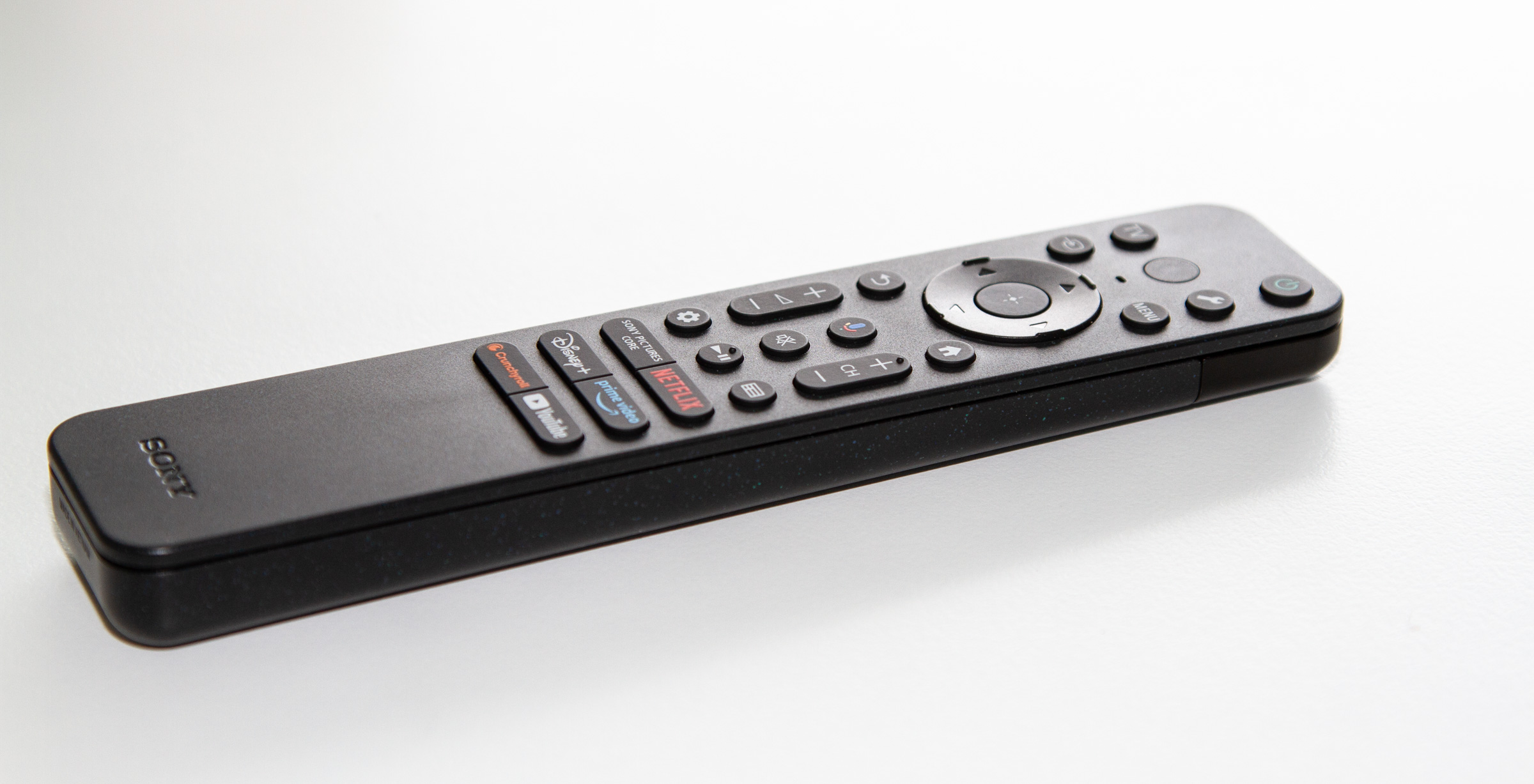
With the predecessor, A95L, Sony bundled a minimalist metal-finish remote, but Bravia 8 II comes with the recycled-plastic version we have seen with cheaper TV models. They have also switched back from a rechargeable battery to standard AAA batteries.
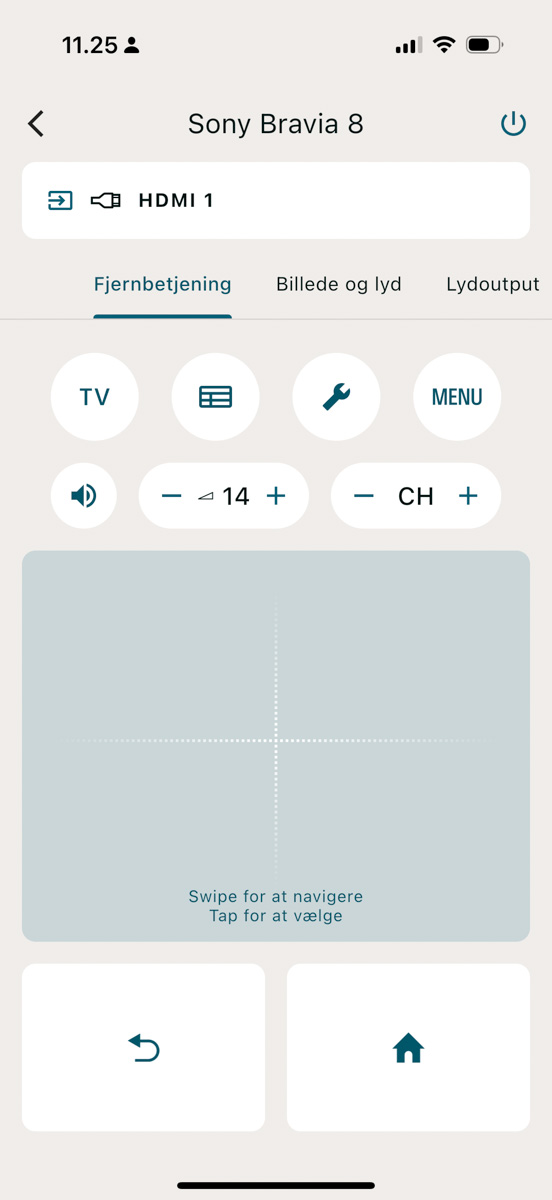
The remote is decent overall, but even though Sony has streamlined the layout, there are still too many app-specific buttons that could have been left out. If Sony Pictures Core, Netflix, Disney+, Amazon Prime, YouTube, and Crunchyroll happen to be your six favorite apps, then that just perfect. Otherwise, you will likely end up with buttons you will never use. The buttons themselves have good tactility, and while the TV's infrared receiver can be a little sensitive, navigation works well. At just a few grams too light for my taste, the build still feels solid overall. If you prefer app-based control, you can download Bravia Connect, which replicates the navigation wheel and offers access to a few adjustments directly, such as selecting picture mode. Beyond that, there is not much extra functionality built in, and one clear omission is the lack of an on-screen keyboard for entering search terms or login details in apps that do not support QR logins.TV speakers
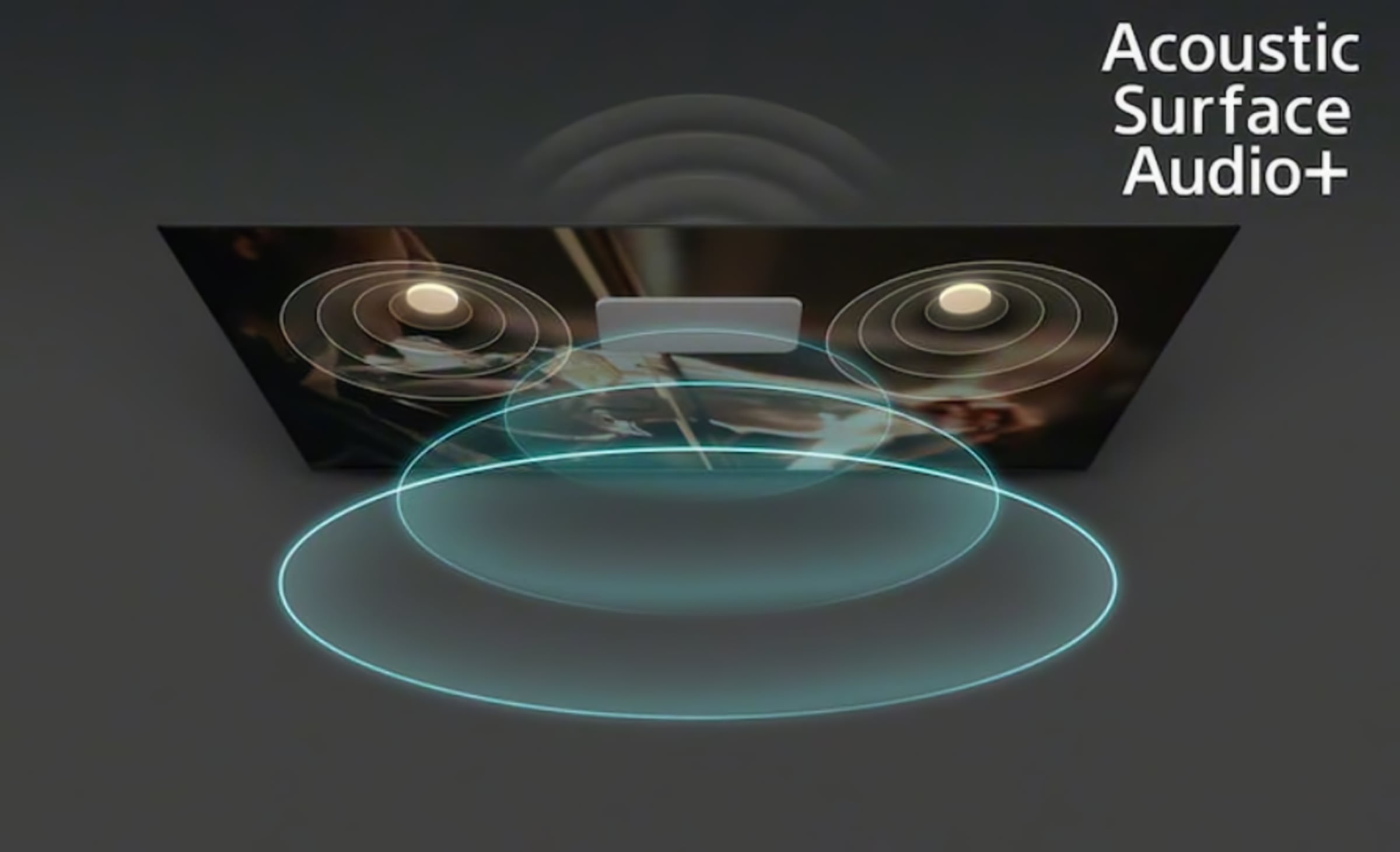
Since the launch of its first OLED TVs, Sony has offered Acoustic Surface technology as a unique audio feature. Here, the TV panel itself acts as the speaker membrane, vibrating through actuators placed behind it to produce sound. The advantage is that sound literally comes directly from the picture, rather than from speaker units below or behind the TV. This gives a very direct sound, which especially benefits dialogue reproduction. The technology is not well suited for bass, but since low frequencies are less directional, the "subwoofer" can still be placed at the back of the TV.
Sony's Acoustic Surface Audio+ uses 2 actuators to vibrate the screen, plus 2 woofers on the back. Illustration: SonyBravia 8 II has the same strengths and weaknesses we have seen in earlier Acoustic Surface models, namely good reproduction of dialogue and higher frequencies, but the lack of bass is impossible to ignore. The slim profile does not allow room for large bass units, and few moders TVs offer a satisfactorily solution. Bravia 8 II has two side-firing units to expand the Atmos experience, but compared to other models such as Panasonic Z95A or Sony's own Bravia 9, it still falls short in both sound quality and sense of spaciousness. Explosions and big movie soundtracks are less convincing on Bravia 8 II, which quickly feels underpowered once the volume is pushed toward cinema levels. The remote control lets you run room calibration to better account for reflections and other factors. As with Sony's other top models, Bravia 8 II can be used as a center speaker in a Sony audio system such as Theatre Quad. However, while the idea sounds great on paper, Sony TVs typically cannot keep up with the Quad system, leaving you with a mediocre center channel compared to the other speakers. Our recommendation is to add an external sound system for the best movie experience. Sony does not allow you to add, for example, only a subwoofer to the system. Even though they sell subwoofers separately, they can only be paired with Sony's soundbars or the Quad system. We tested with a Sonos ARC and had no issues with Atmos playback or handshake with the TV (unlike my own Sony A9F). The feature that lets the TV display the volume from your soundbar (regardless of brand) remains very handy and, unfortunately, is not not something many other TV makers have implemented.Calibration
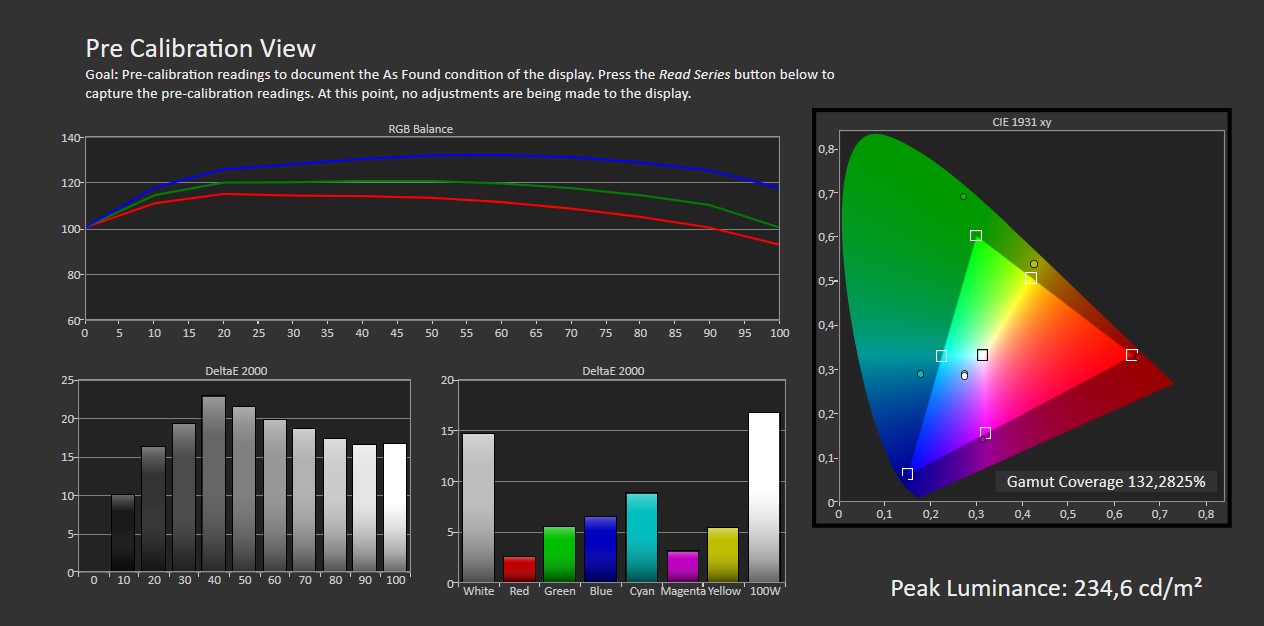
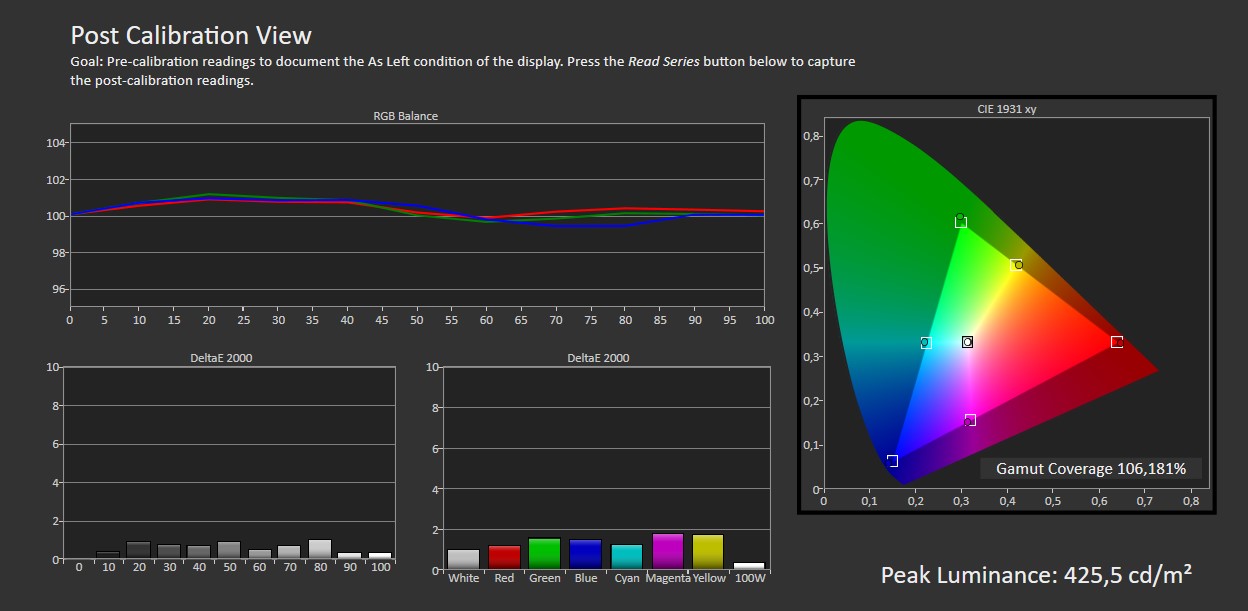
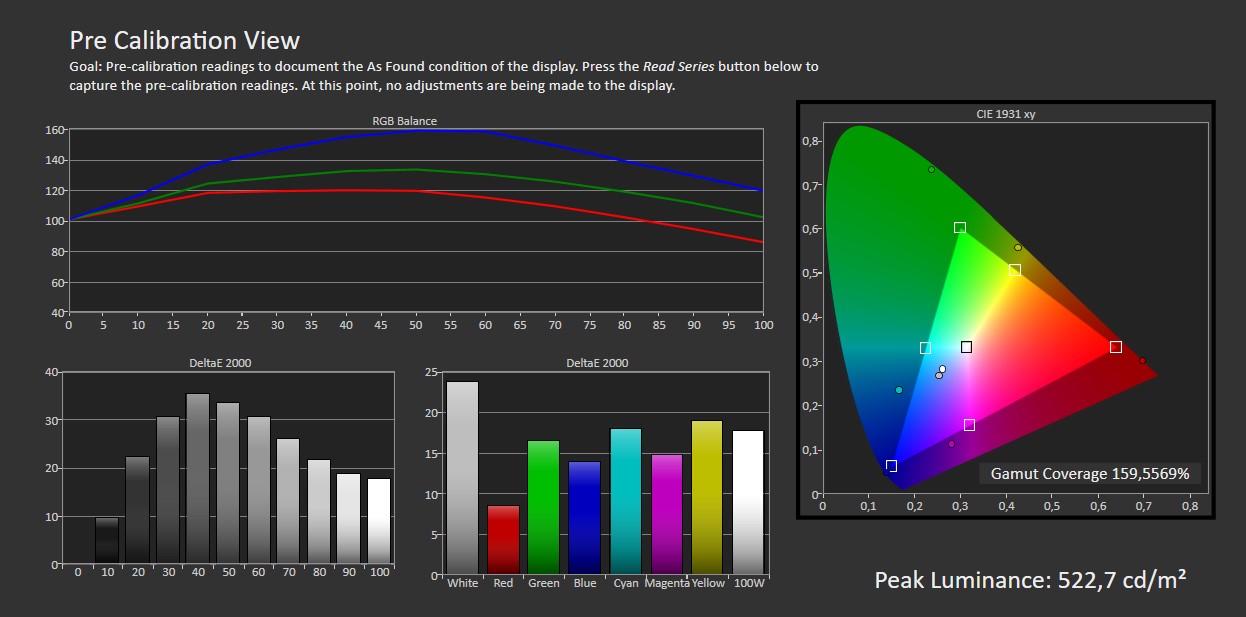
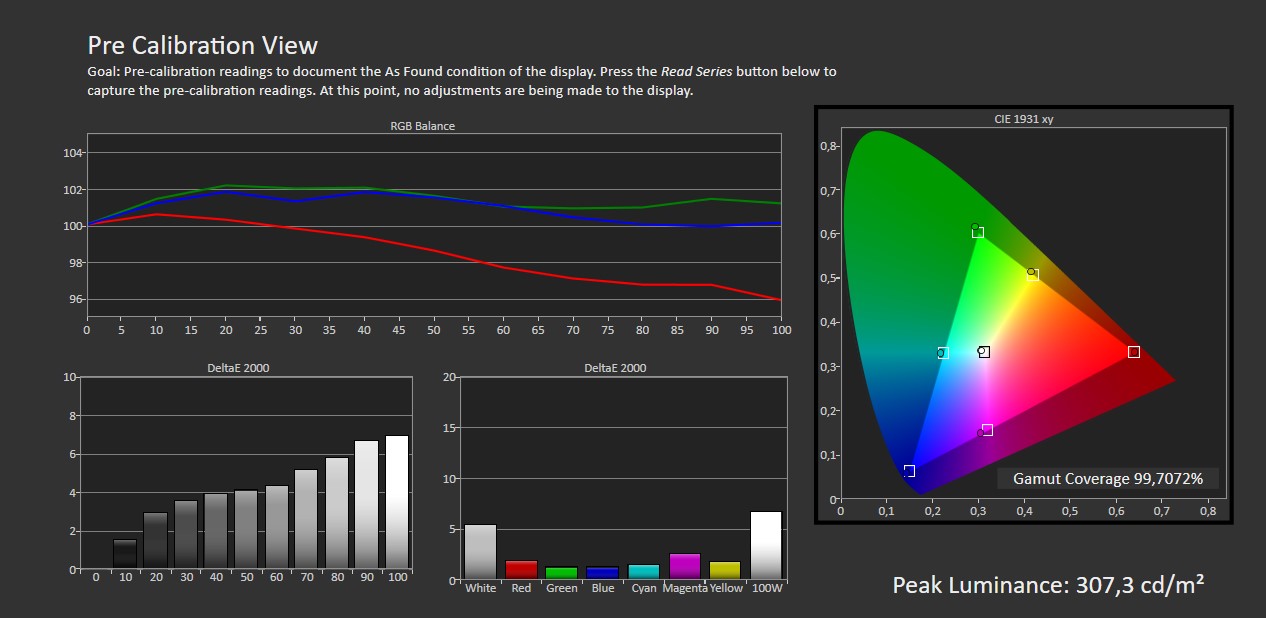
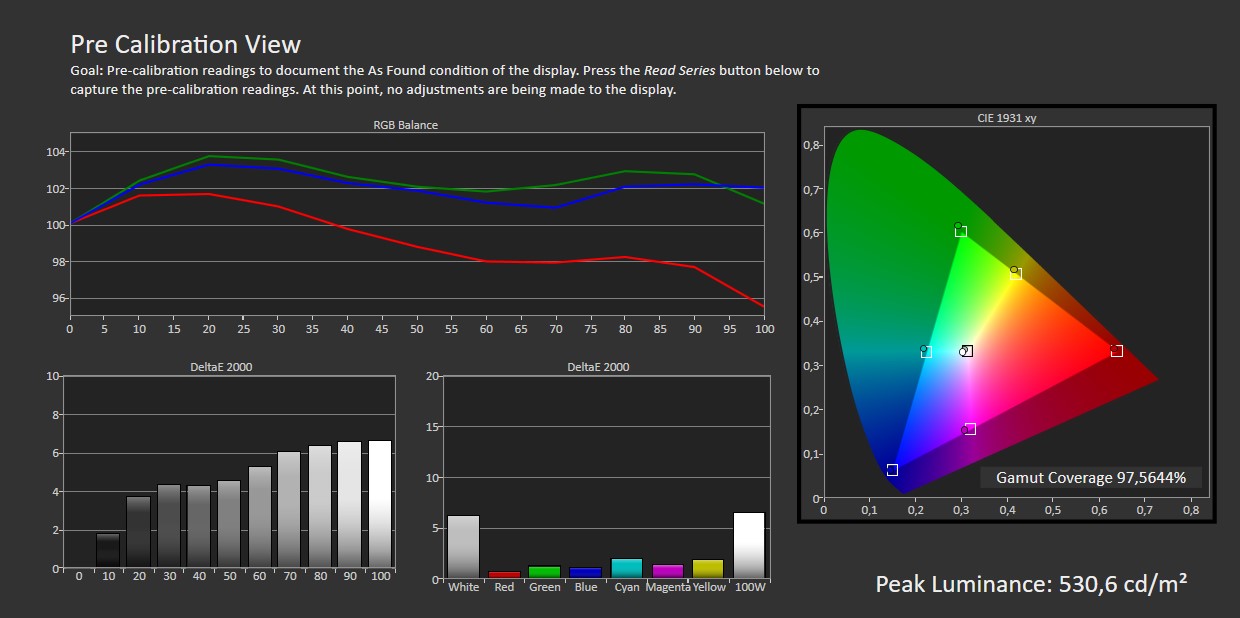
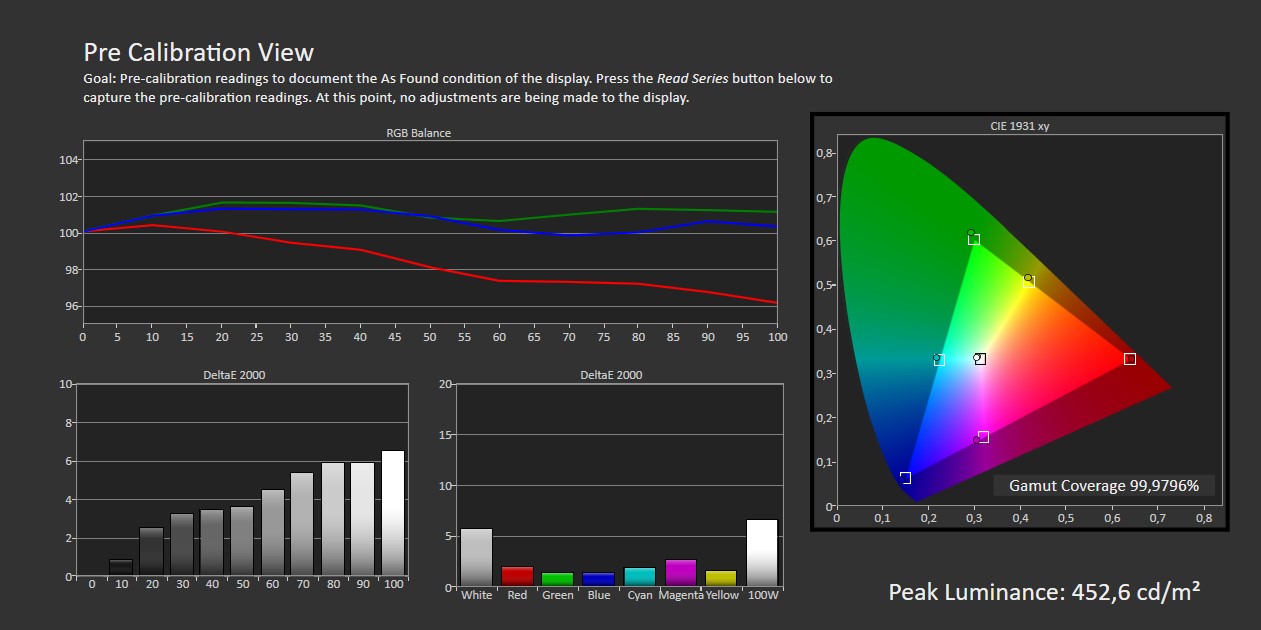
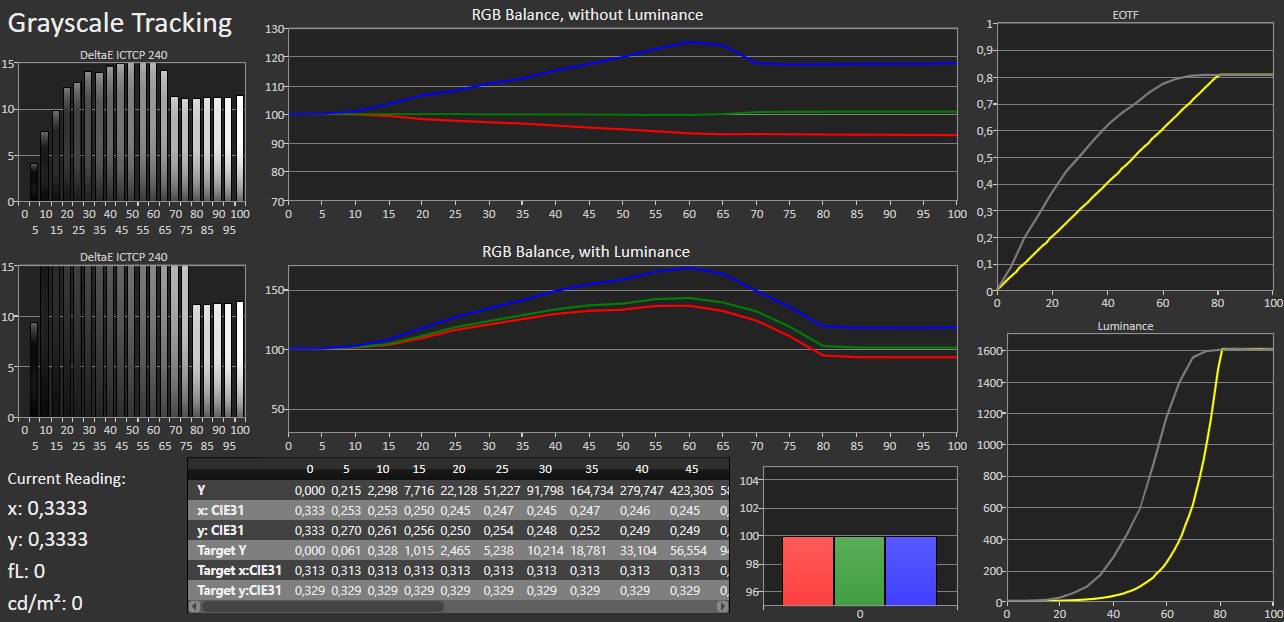
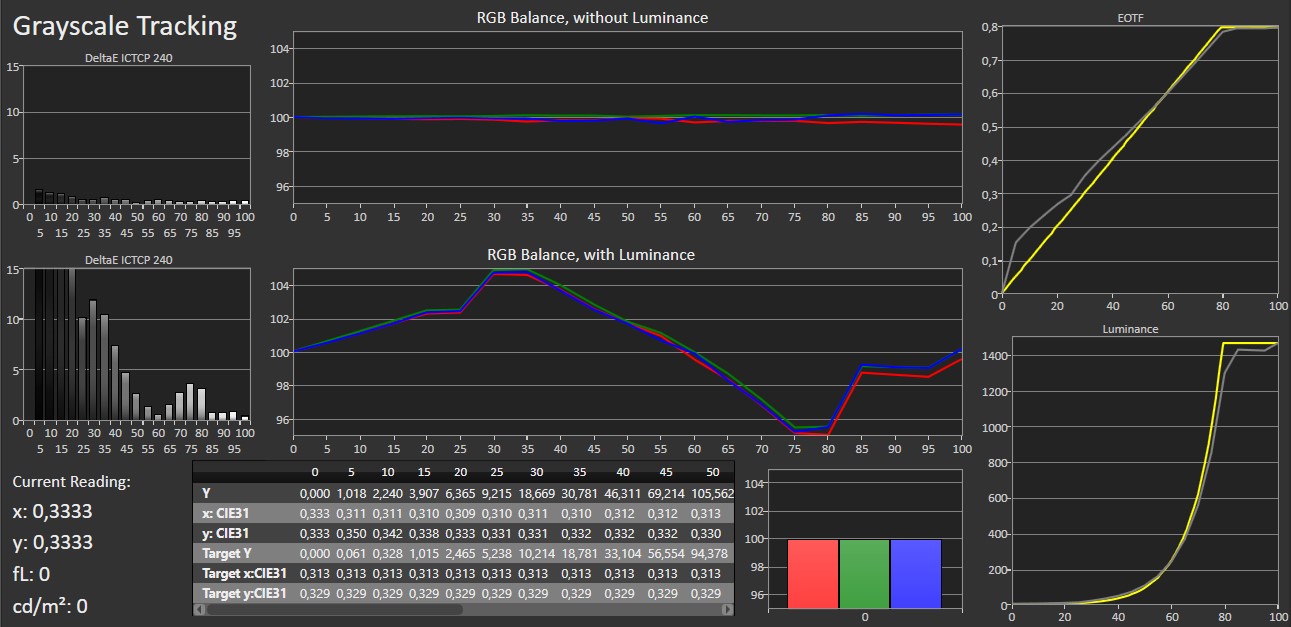
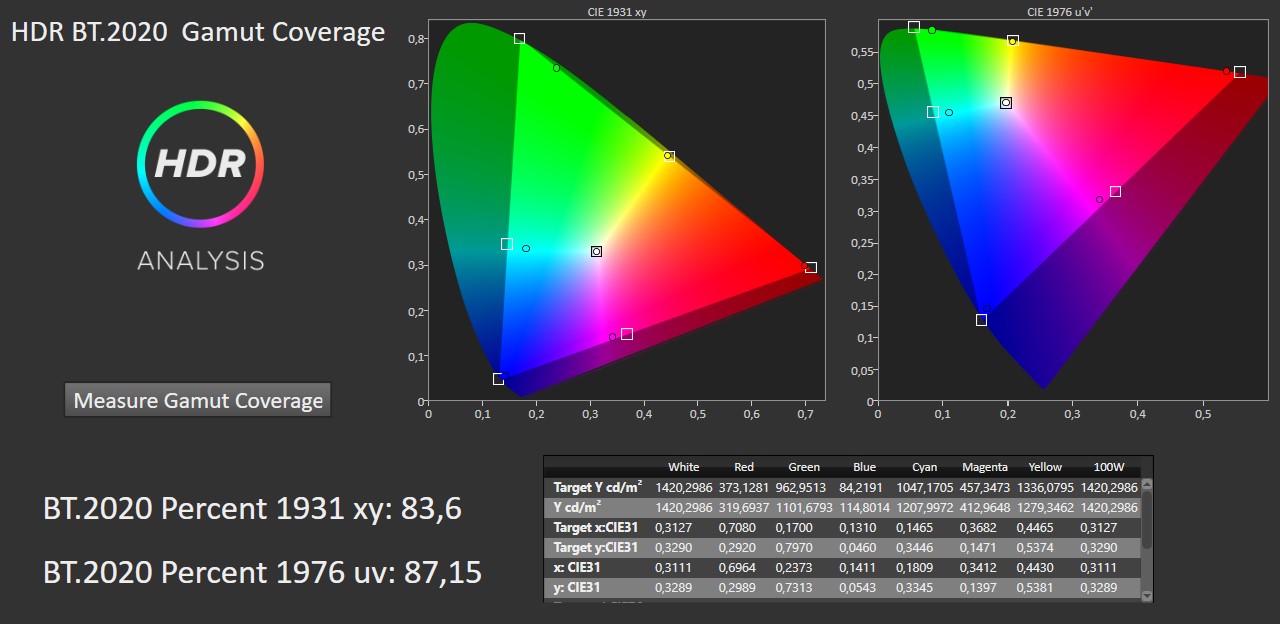
Sony Bravia 8 II takes over from A95L in 65 and 55 inches, so one might hope that the excellent calibration and color accuracy seen in A95L would carry over to Bravia 8. When it comes to calibration itself, both picture modes and adjustment options are more or less identical across all Sony models, which means you will want to stick to either the Professional or IMAX Enhanced modes. There are plenty of other modes to choose from, but apart from 'Photo', they all deliver a picture that does not align with the standards normally used for calibration. In Professional mode without adjustments, Bravia 8 II is not quite as accurate as A95L, and even after fine-tuning the 2-point grayscale, it does not deliver the same level as our top-performer. Additionally, Bravia 8 II has slightly too high gamma in dark tones, meaning shadow details appear brighter than intended. This is true for both SDR and HDR, even with the TV set to prioritize accuracy over brightness. Bravia 8 II uses the same QD-OLED panel as Samsung's S95F, which we recently tested and saw calibrated brightness hit over 2000 nits. Sony traditionally takes a more conservative approach to pushing brightness and Bravia 8 II comes in around 10% lower in peak brightness compared to S95F. Neither can quite match LG's G5, which currently holds the crown for peak brightness in OLED TVs. QD-OLED excels when it comes to saturation of primary colors and stands apart from LG's WOLED competitor in how it drives its three subpixels. Without a white subpixel to "dilute" highlights, QD-OLED models like Bravia 8 II can cover a wider color gamut than LG G5, and the latest generation of QD-OLED pushes this even further compared to before.Measured picture modes
Click to view the measurements
Vivid (SDR) Movie (SDR) Game (SDR) Filmmaker Mode (SDR) Vivid (HDR) Pro (HDR) Rec.2020 color gamut (HDR) Left: Standard (SDR). Right: Calibrated (SDR)Measurements
In our "measurements" section we include all measurements and our suggested calibration settings. If you want to learn more about our test methodology click here. Note: In 2021, we implemented a new method for measurement of average power consumption in SDR and HDR, meaning that earlier measurements are not 1:1 comparable. The new method will be used in all TV reviews going forward.Note: We include calibration settings only for SDR, not HDR. For our calibration we have deactivated the ambient light sensor that automatically adjusts the backlight setting according to your environment. You may prefer to have it enabled.Picture quality
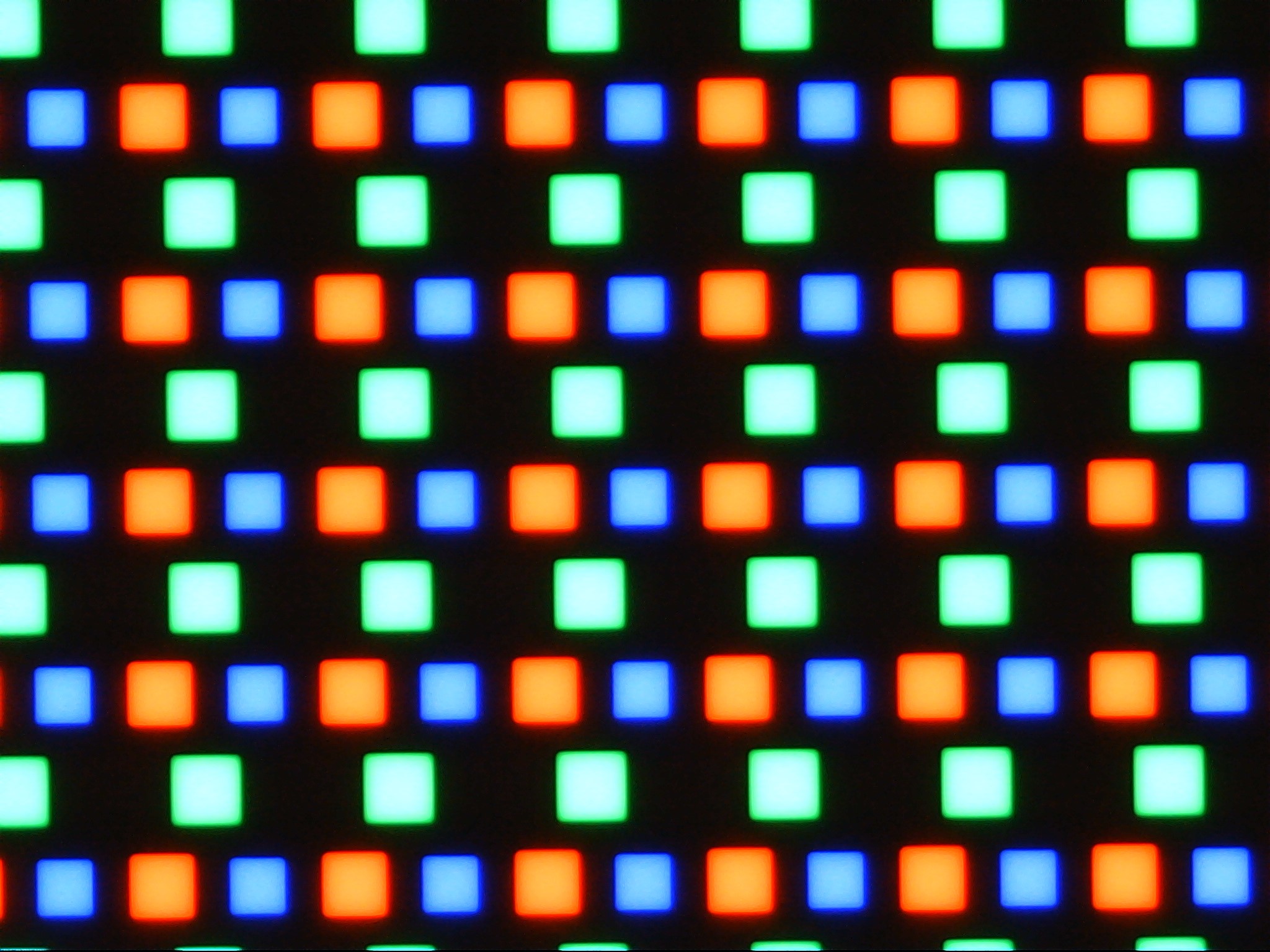
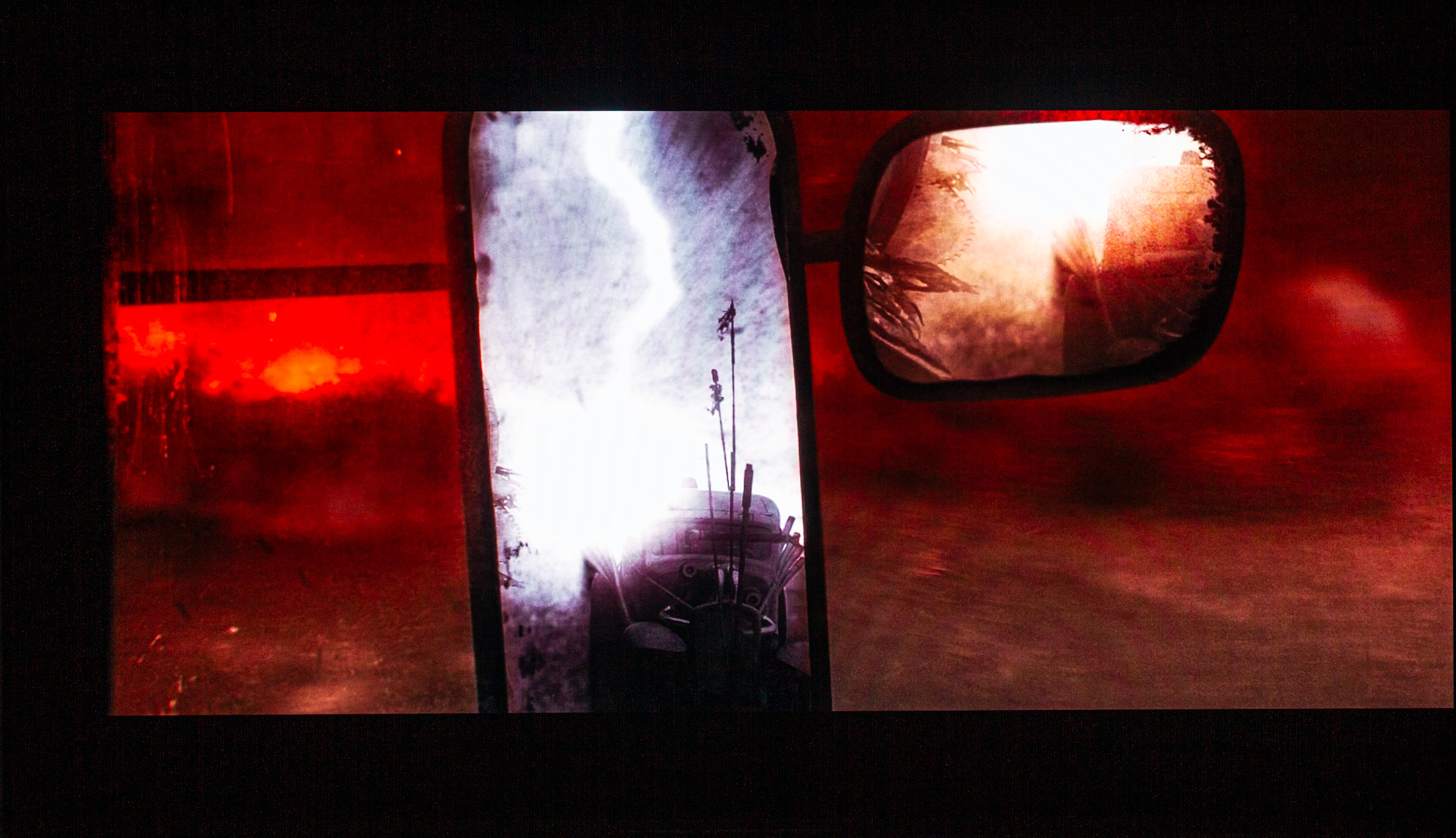
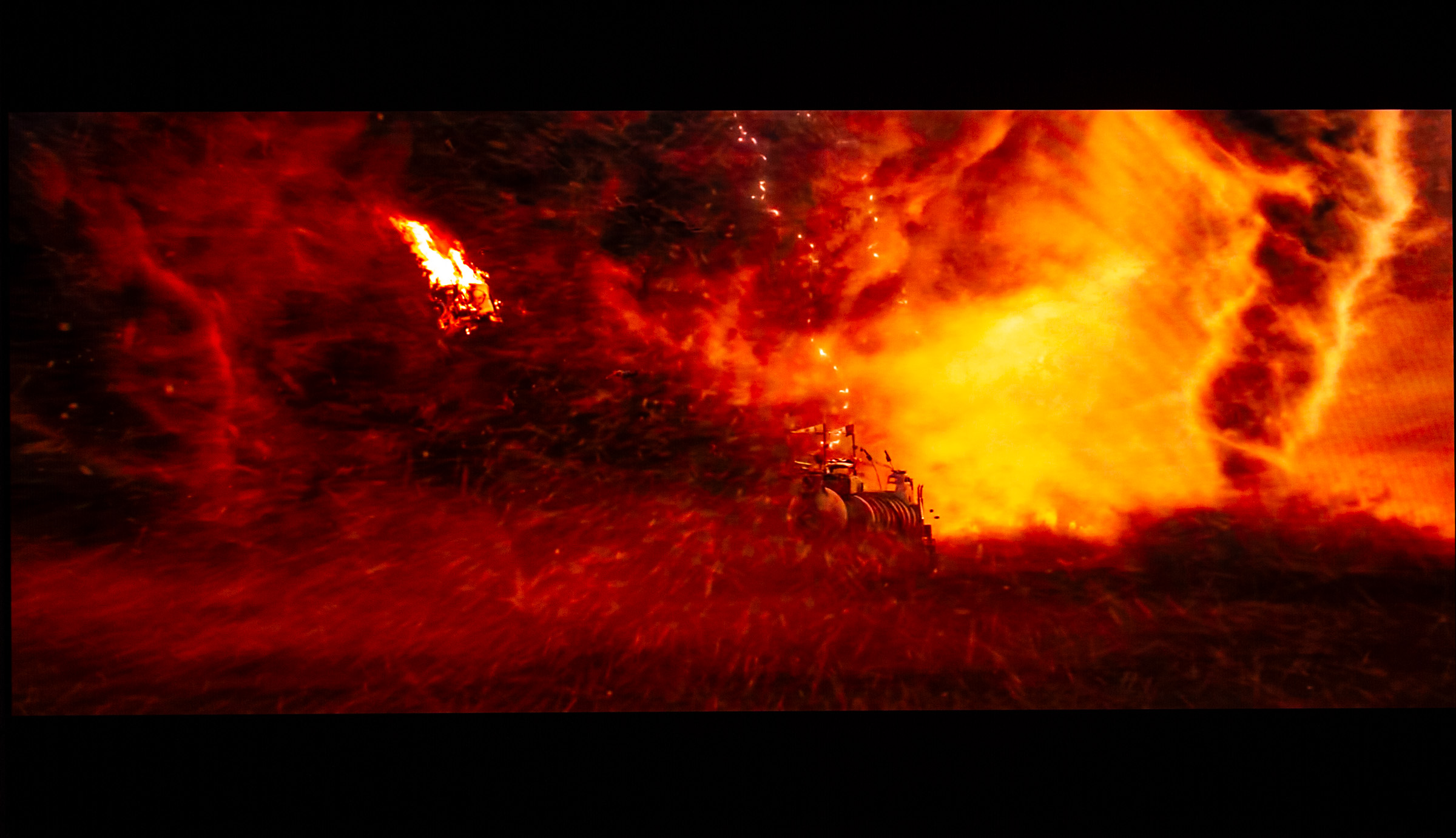
As mentioned earlier, Bravia 8 II this year moves from LG Display's WOLED panel to Samsung Display's QD-OLED panel, the same one found in the 2025 Samsung S95F. By comparison, you still get the 2023 panel in Sony A95L. For the uninitiated, the difference between the two OLED panel types is, briefly: WOLED uses white OLEDs where the primary colors red, green and blue are created through color filters, while QD-OLED uses blue OLEDs that are converted into green and red via a quantum dot layer. The advantage of the latter is that you do not lose as much light in the filter and can therefore achieve more saturated colors. WOLED compensates for its lower brightness by adding a white subpixel that boosts highlights in HDR content – but at the cost of washing out colors because they get diluted by pure white. The downside of current QD-OLED technology is the non-square subpixel structure, which creates visible artifacts in high-contrast content – more on that later. Another drawback is that the quantum dot layer is sensitive to ambient light – and even the light emitted from the TV itself – which can, in theory, slightly raise black levels if the panel is illuminated. During testing, this was not an issue in dark rooms, nor was it observed as a problem on Samsung S95F. In bright conditions, reflections in the room will usually mask any lifted black levels, and one could argue that it hardly matters how deep black the screen can produce if sunlight is flooding the room. Still, it is there. As our measurements reveal, Bravia 8 II is brighter than its bigger sibling A95L, with peak brightness reaching about 1800 nits in calibrated mode, compared to just under 1500 nits on A95L. In Vivid mode, it can push up to 2200 nits. It still falls a bit short of Samsung's S95F, which reached around 2100 nits calibrated, but Sony has a tradition of driving panels less aggressively. This is also reflected in power consumption, where Bravia 8 II sits slightly lower than Samsung S95F in calibrated mode. Both, however, consume significantly more power than LG G5 in both SDR and HDR. Looking only at brightness, LG G5 and Samsung S95F are battling for the crown, while Sony is closer to last year's Panasonic Z95A. Is there a huge difference? Not really – unless you put them side by side, it is hard to notice a 300-nit difference at this level. Personally, I would not let absolute brightness numbers decide which TV to buy when we are talking about ~2000 nits. Remember, brightness perception follows a logarithmic scale, so a 300-nit boost mattered more back when peak brightness was 500–600 nits than it does now at ~2000 nits. More disappointing is the full-field white at just 235 nits, significantly lower than Samsung's S95F – almost half, in fact. Here the difference will be noticeable.What could, however, be a deciding factor is brightness in the primary colors. The 1800 nits is measured on pure white, but if you look at primary and secondary colors, you see a very different story. Here, you get a clear intensity boost moving from WOLED to QD-OLED, with nearly all colors – except pure blue – pushing the balance significantly in favor of QD-OLED. Bright color intensity often shows in explosions, where the difference is easy to spot – for instance, in the sandstorm scene in Mad Max: Fury Road. I also like testing with animated movies that often use saturated colors, such as The LEGO Batman Movie. But even in subtler scenes, details like lipstick or fruit tones get an extra punch, moving closer to the HDR color gamut Rec.2020 than what WOLED can achieve.
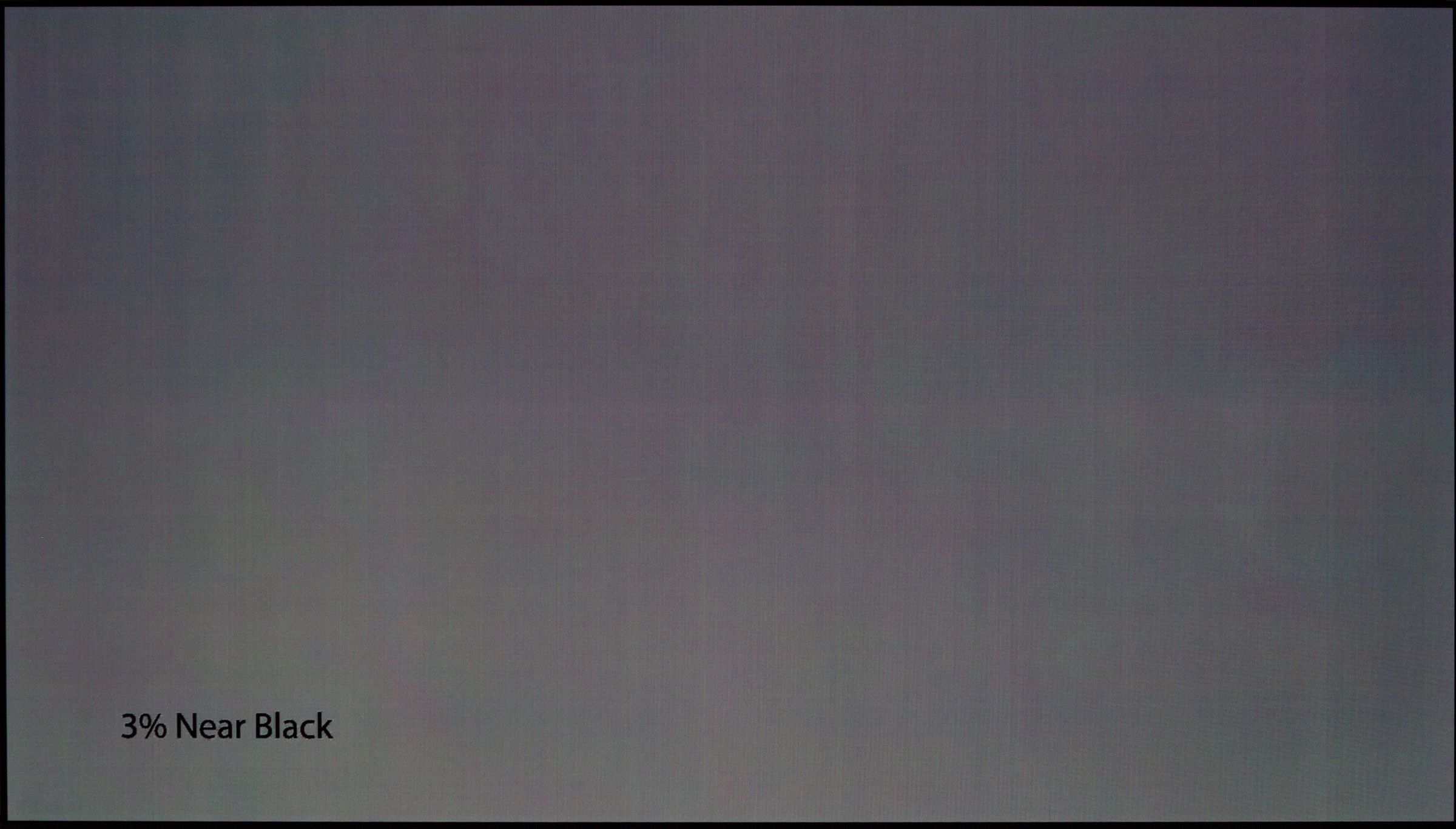
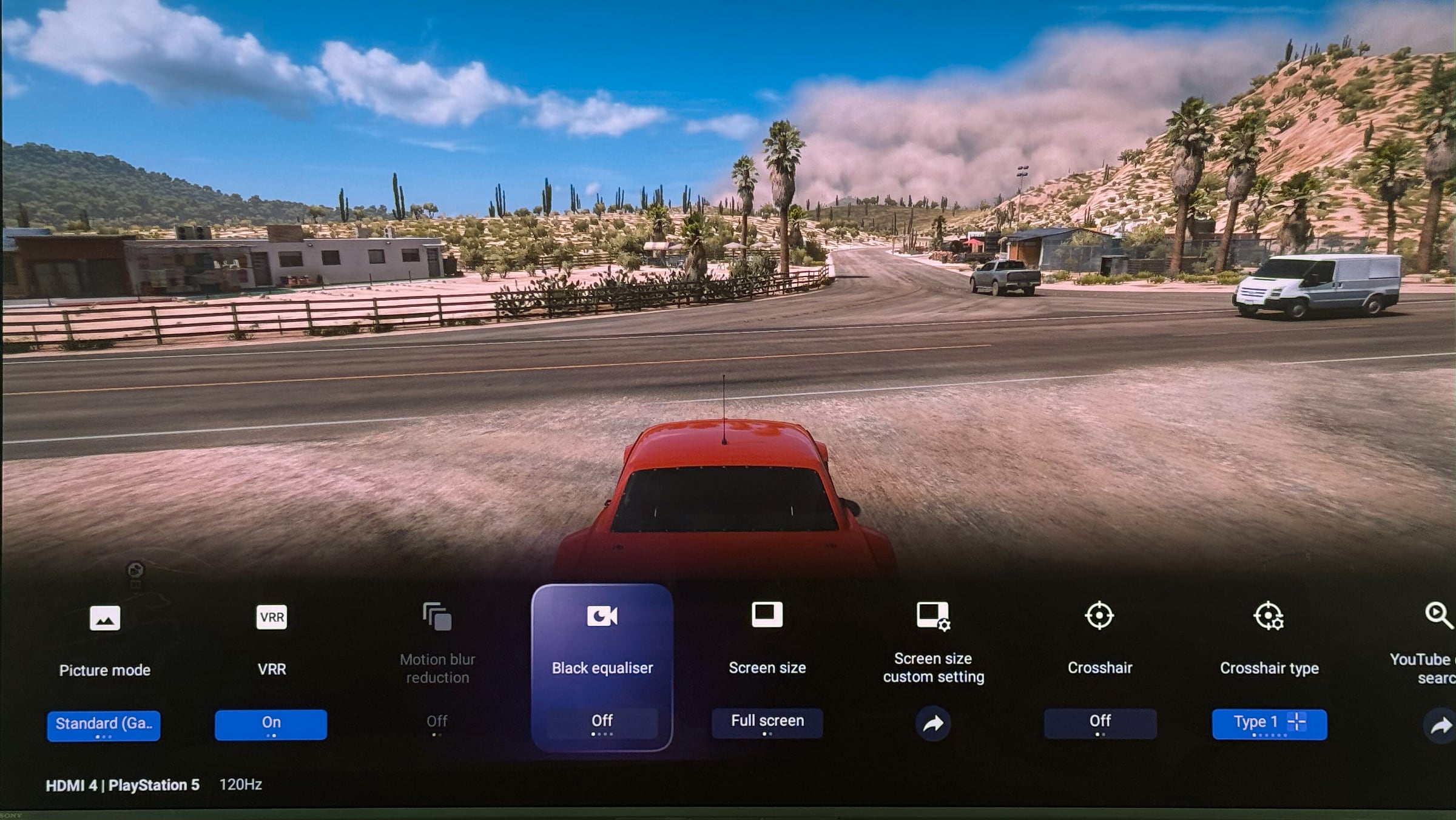
Samsung Display's QD-OLED implementation is not without flaws. As mentioned earlier, the three subpixels are arranged differently than on other panels. This triangular layout means that on sharp, high-contrast edges – sudden shifts between colors – you see a colored fringe. The color depends on the transition, but white text often reveals the issue. The closer you sit, the clearer it gets, which is why QD-OLED is not recommended for use as a monitor unless it is primarily for gaming. On our 65-inch sample, the issue was often visible with real content from about 3.5 meters away. It is not a dealbreaker, but it is something to be aware of. Bravia 8 II does not have Samsung's matte screen coating, so reflections appear sharper. On the flip side, contrast feels slightly deeper in semi-lit rooms, which was one of the bigger downsides of the matte finish. Viewing angles are a non-issue on this panel type – no matter where you sit, QD-OLED delivers the best picture quality on the market. The panel surface itself can look slightly reddish compared to some WOLED models, but that is only noticeable when the TV is off. If we look at what sets Sony apart from competitors it is Sony's video processing: upscaling from HD to 4K, gradient handling, and motion processing. On most TVs, I prefer to turn off all motion smoothing, but with Sony, I usually keep some of it enabled since their algorithm is a touch better than others. The feature to suppress banding in gradient is not quite as refined as on A95L, but it is still excellent – ahead of LG G5, Panasonic Z95A and Samsung S95F. Panel uniformity on the review unit was decent, though like Samsung S95F there were some vertical banding lines on long exposures, and the lower-left corner was slightly brighter than the rest of the screen. As noted in other reviews, this varies between units. Sony A95L still stands out as the best we have seen in this regard. No visible burn-in or retention was observed, but as always with OLED, heavy repetitive use with static elements can cause permanent image retention over time.Since Sony has not updated the system chip in the TV, HDMI 2.1 feature support remains unchanged. That means no QMS (Quick Media Switching) and VRR still caps at 120 Hz, while some competitors have moved higher. With PlayStation 5, that is no problem since VRR tops out at 120 Hz, but for PC gaming, it may feel limiting. During testing, I raved hundreds of kilometers in Forza Horizon 5 at a steady 120 Hz, and in performance mode with games like The Last of Us 2 or Jedi Survivor, Bravia 8 II was also a formidable companion.
The same goes for input lag, which measures 17 ms at 60 Hz but drops to half if you can push games to 120 Hz. If you are a hardcore PvP gamer, Bravia 8 II may not be the perfect partner. On the plus side, the calibrated color profile carries over to Game mode, and unlike Samsung, you can maintain accurate color reproduction.
Conclusion
Sony Bravia 8 II sits high in the lineup and serves as a curious complement to A95L, since the two mainly differ in size options. Had Bravia 8 II come in 77 inches, we could just as well retire our current reference and accept it as a small step down in picture quality.Ad:All in all, Bravia 8 II is almost a copy of Sony A95L and can easily hold its own against other flagships like Samsung S95F and LG G5. Brightness is a bit lower than the first two, but Sony's video engine is bit better. Google's operating system is, for better or worse, the same as always, and none of the major brands dare to stand out too much, so switching between them will not feel like a big leap. A little more intelligence in the user interface would be welcome – more help in finding new content – but in return, you get years of updates from Google. Depending on where you live, Bravia 8 II is usually priced on par with or slightly above the LG G5, Samsung S95F and Panasonic's flagship (we will be reviewing Z95B soon). All are excellent choices so Bravia 8 II's biggest drawback is perhaps its limited size range, which may deter buyers looking to replace an older 65-inch OLED or LCD TV with something larger.Price and retailers:
US retailerUK retailer
DE retailerPicture quality, high brightness
Wide color gamut
Google TV app selection
Video processor (and motion)Colors not quite as accurate as A95L
Only two HDMI 2.1 ports (one is eARC)
Google TV limitations in some countries
Only 55" and 65"