Review: LG C5
C5 is the successor to C4, LG's most popular OLED range with most of the latest features except the brighter, more colorful OLED panel of the G series. In 2025, LG C5 comes preinstalled with webOS 25 and a redesigned, simplified remote control. With 4K, Dolby Vision, Dolby Atmos, four HDMI 2.1 and many other features, is LG's C-series still ahead of the curve? Let's find out. LG C5 is available in sizes ranging from 42 to 83 inches. FlatpanelsHD has tested the 65-inch version. Also read: LG 2025 TV line-up (with TV compare tool)Price and retailers:
US retailer
UK retailer
DE retailerFirst impressions
LG has succeeded in making its C series an exceptionally popular model – a premium OLED TV that sets the standard for its competitors. For a long time, it managed to do so with a fairly straightforward design. Granted, there's only so much you can do with an ultra-thin screen, but the 2024 C4 introduced a few subtle design accents, which the new C5 now carries over. The screen features a thin silver border, and the back is finished in a leather-like texture with a dark grey and white marbled pattern. The central stand has a silver cover plate that's slightly tilted upward. All the connections are side facing, which is convenient for wall mounting or when you need to plug in an extra cable. However, they are set quite deep behind the screen. That helps emphasize the TV's slim profile, though it also means you'll have to reach a bit to access them. Compared to the C4, little has changed. The only notable difference is that support for WiSA (Wireless Speaker and Audio Association) has been removed. Do keep in mind that although the TV includes an IR blaster port, the IR blaster cable itself is not included in the box.User experience & features
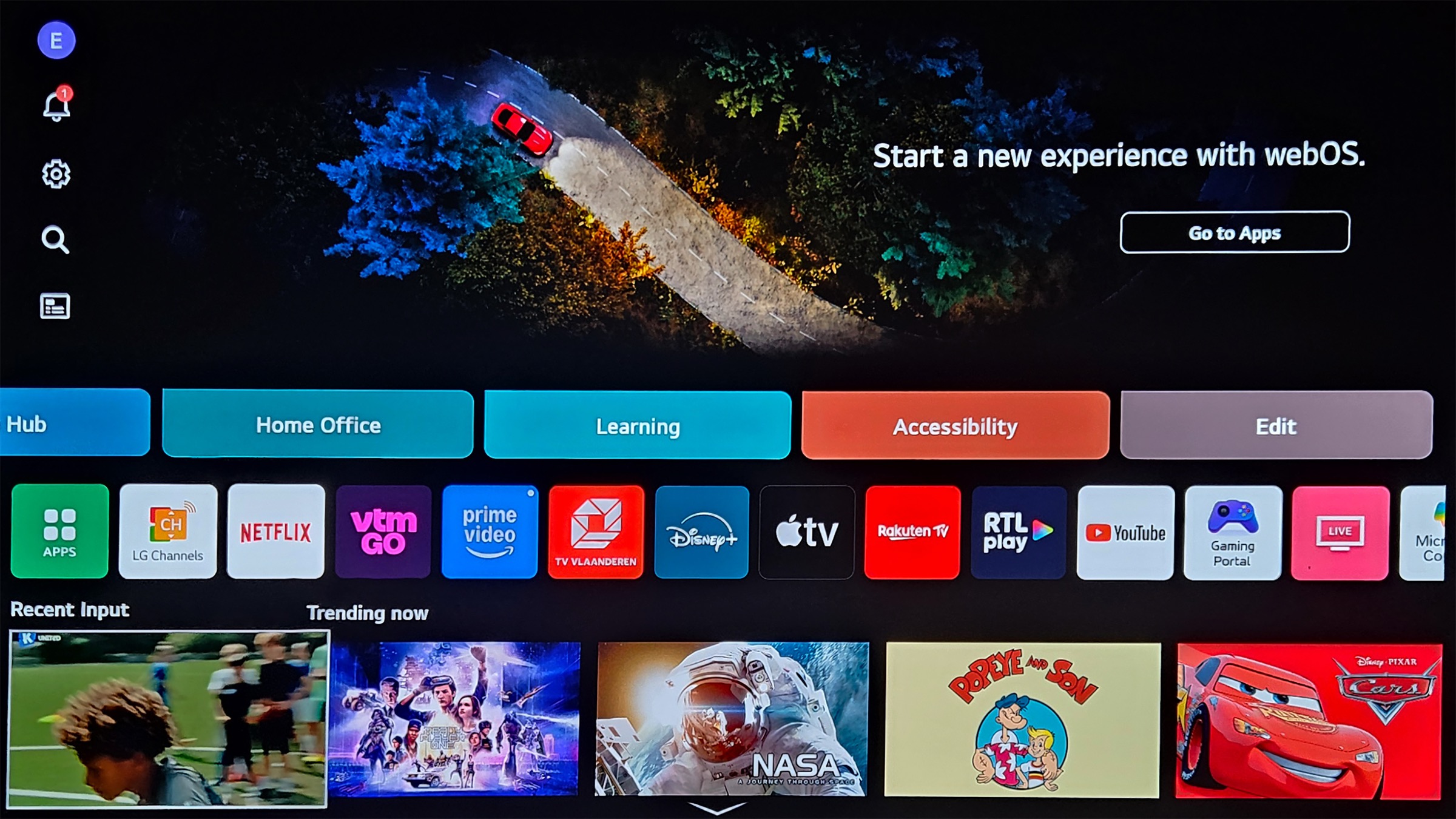
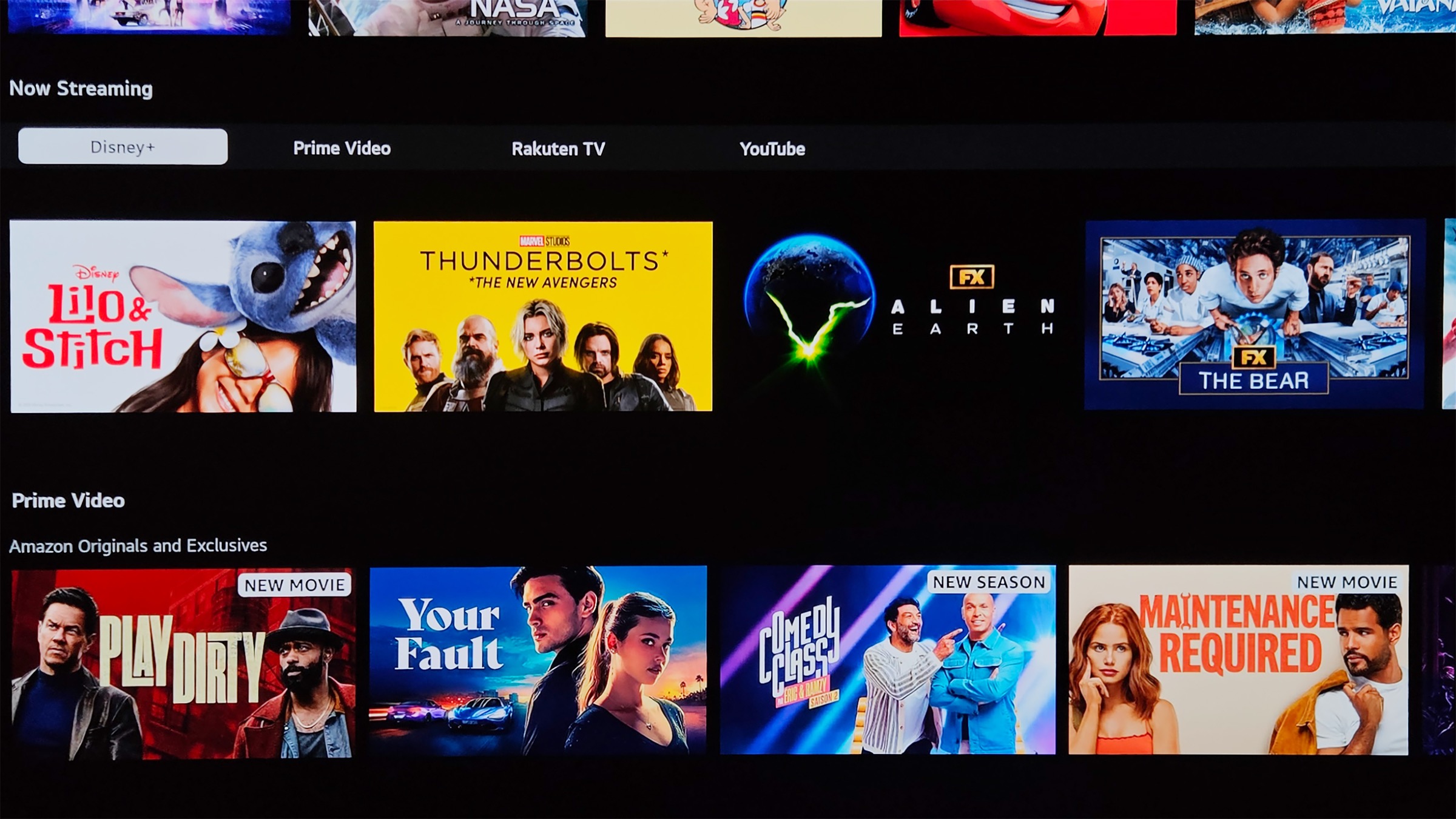
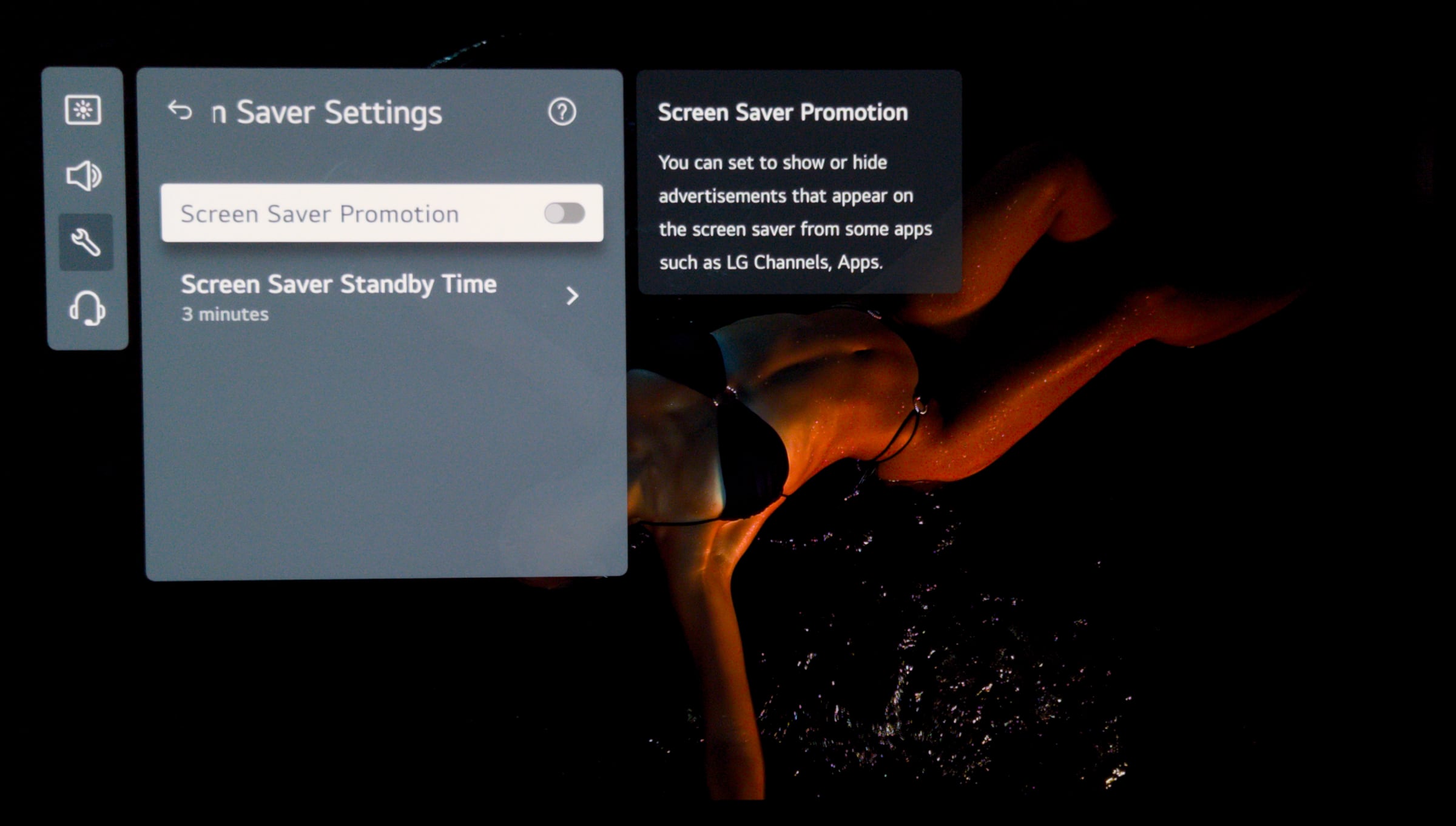
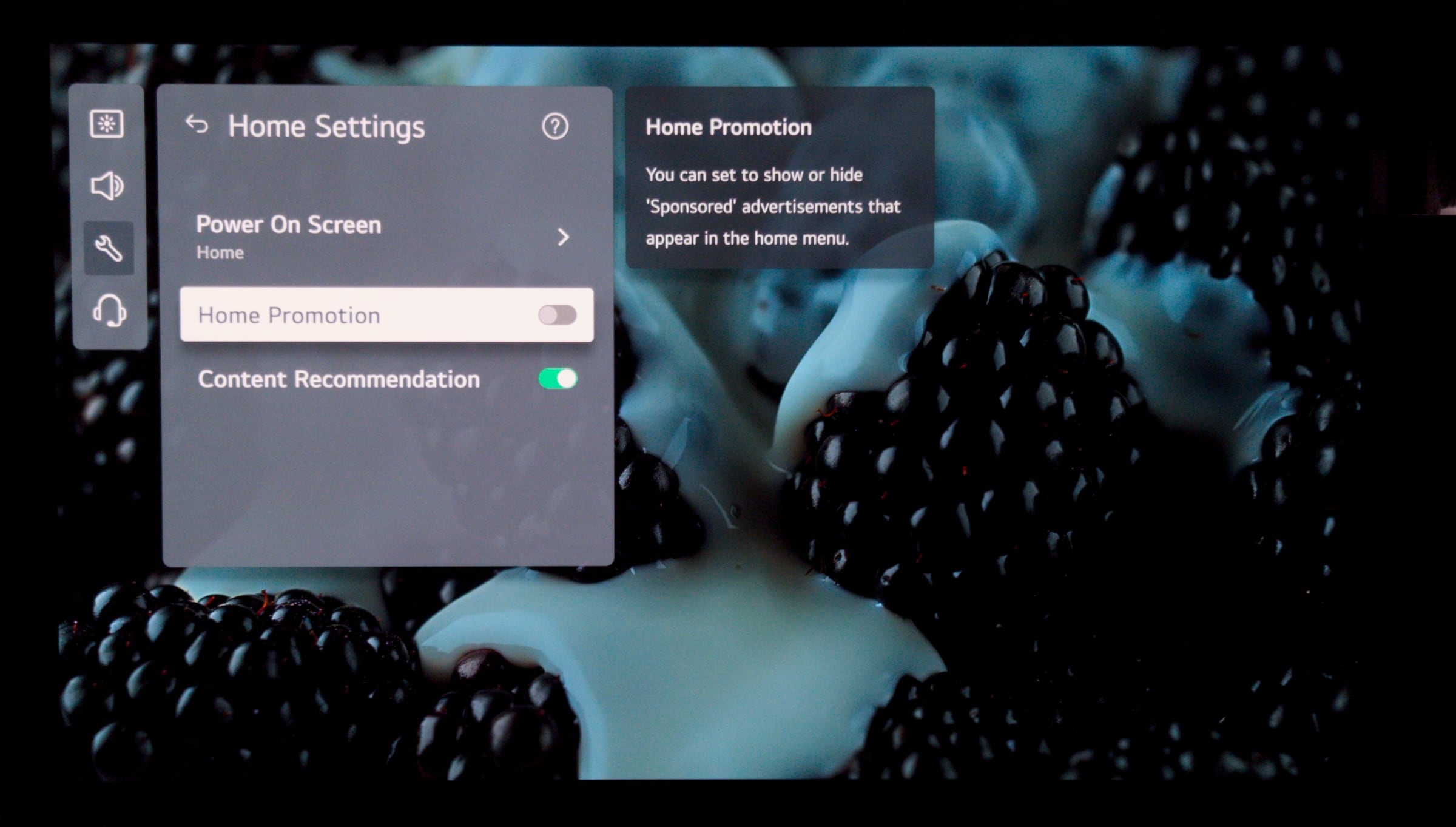
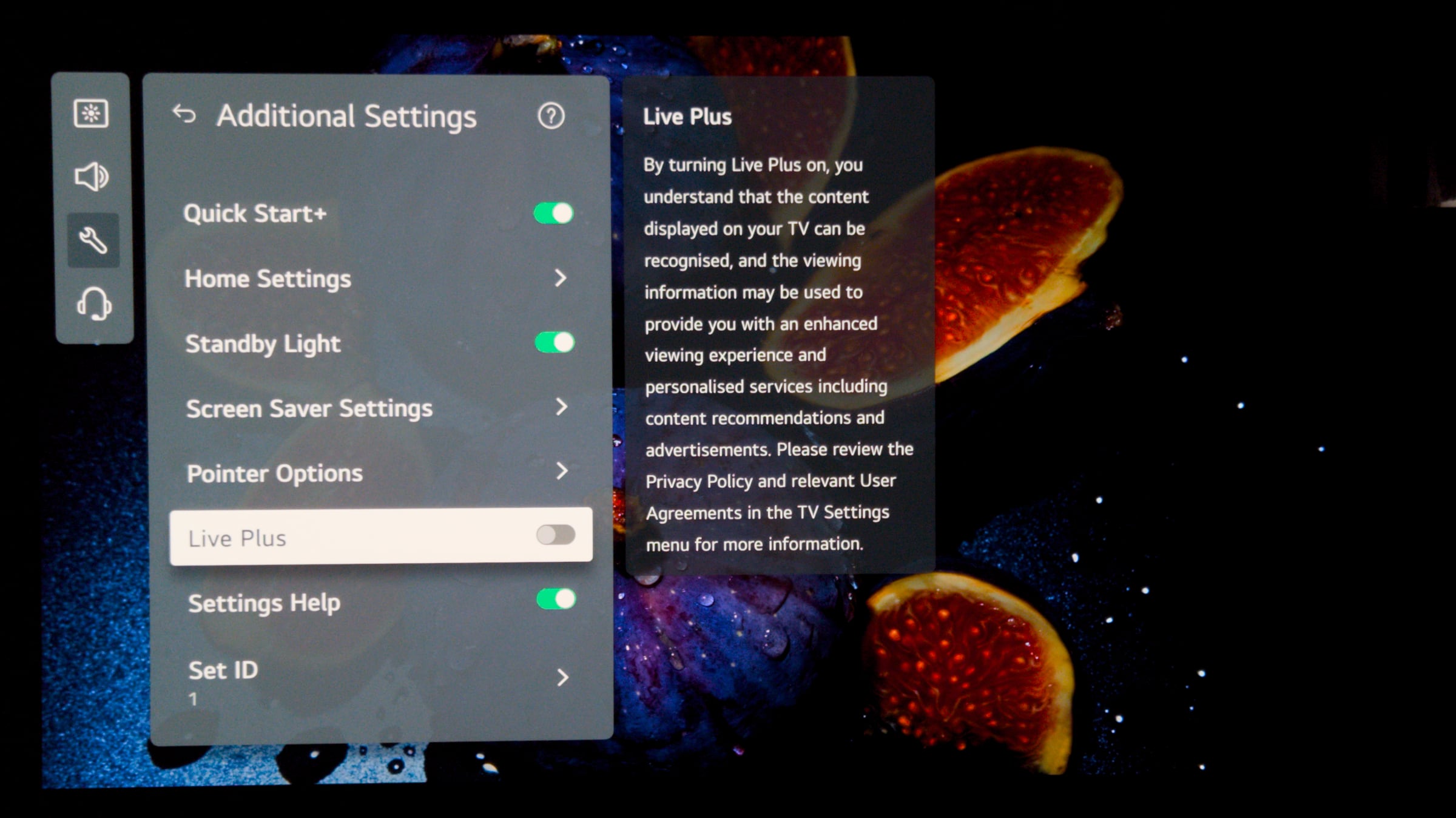
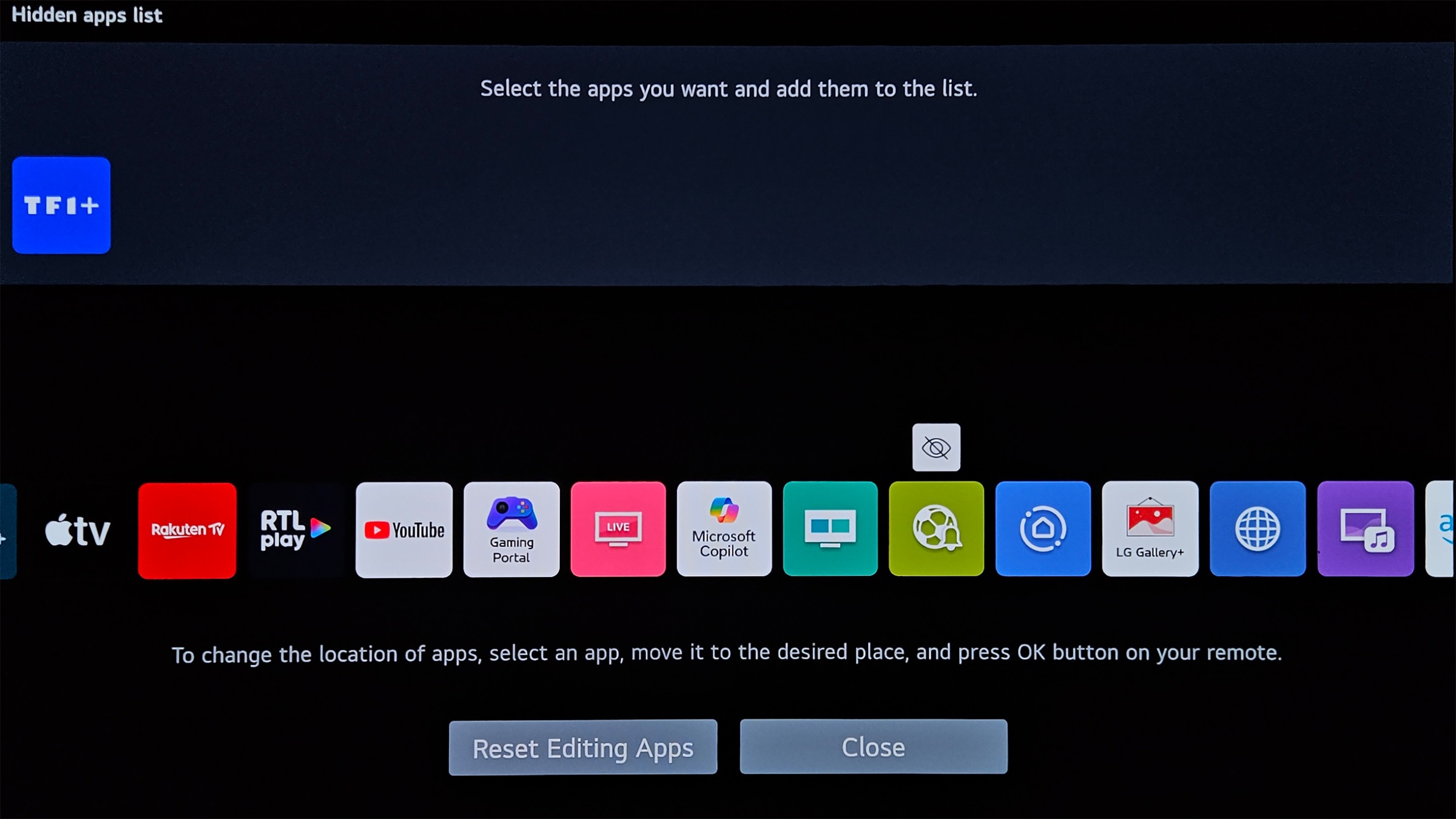
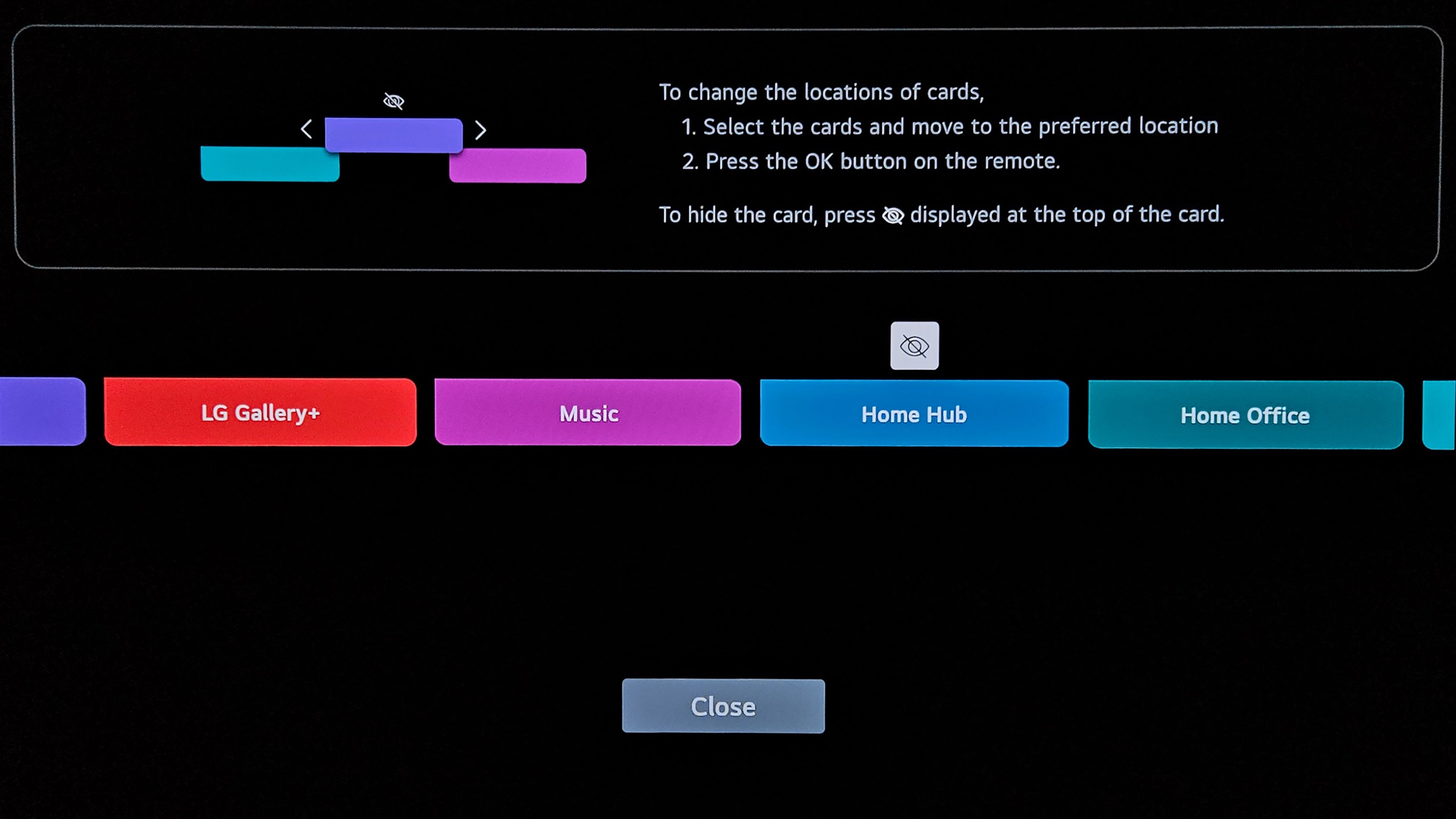
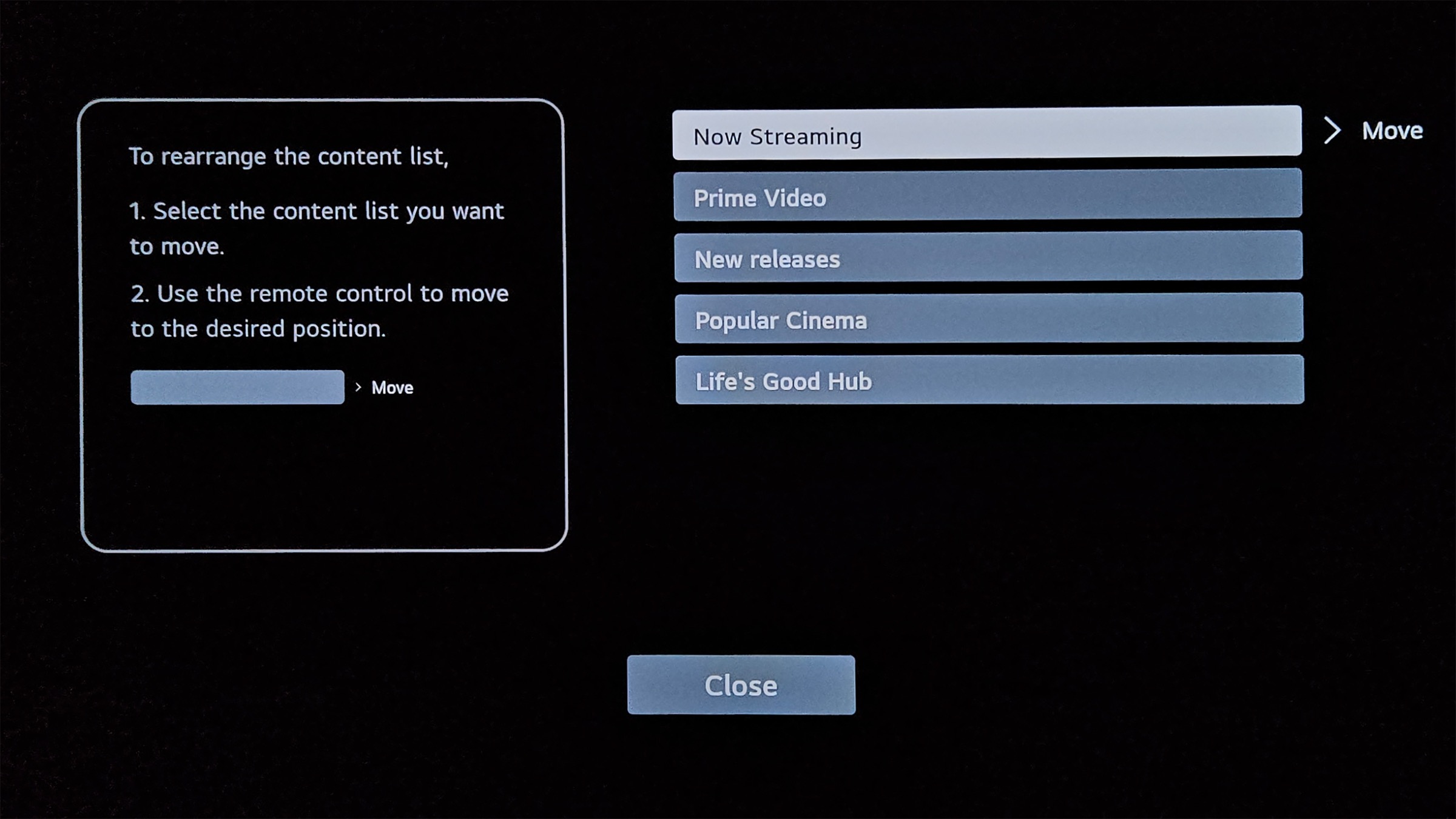
Nothing remains of the once playful and elegant webOS interface. A few years ago, LG transitioned to a full-screen smart TV system (like all other brands), and since last year, ads have made their unwelcome debut as well. The upper half of the homescreen is now reserved for an ads carousel. If ads were limited to content recommendations, that would be understandable, but outright commercial ads are a step too far. Over time, we've seen promotions for a car brand, a sports retailer, and even toothpaste. To make matters worse, LG can also insert ads further down among the content recommendations and even in the screensaver. On a premium TV, that's simply unacceptable. Fortunately, these ads can be disabled. Go to System -> Additional Settings -> Home Settings, and toggle off Home Promotion. To remove content recommendations from the Home screen, disable Content Recommendation as well. Under Additional Settings -> Screen Saver Settings, turn off Screen Saver Promotion. While you're at it, it's worth disabling Live Plus too, this prevents LG from tracking and analysing what you watch (ACR – Automatic Content Recognition). Once you've disabled the ads, webOS becomes a far more pleasant experience. Front and center, you'll find a series of Quick Cards that group together related functions such as gaming, music, or home office tools. Just below that sits the familiar row of apps. At the very bottom, however, there's a largely pointless row of recommendations from LG Channels, the company's free ad-supported streaming television (FAST) service. On the far left, the last-used input source is displayed, a handy touch. Scrolling further down brings you to a collection of content recommendations, though there's considerable redundancy and some rows are nothing more than filler material. Unfortunately, you can't hide individual rows; it's an all-or-nothing approach controlled by the Content Recommendation setting mentioned earlier. The order, however, can be customized, and Now Streaming is arguably the best candidate to place near the top.webOS 25How to disable the ads on LG's Smart TVs with webOS. Photo: FlatpanelsHD The homescreen itself is reasonably customizable. You can reorder both Quick Cards and apps, and hide any items you don't use. With a bit of tweaking, you can trim away the clutter and keep only what truly matters to you. Navigation within the Home menu and switching between apps is generally smooth, though there are moments when the interface hesitates, for example when opening the main settings menus. LG does provide a quick settings panel that lets you adjust several key options without loading the full menu. Some picture settings can be modified through compact on-screen overlays, which is convenient, but others still take over a large part of the screen, making it difficult to judge the visual impact of your adjustments.webOS lets you customize the homescreen in various ways. Photo: FlatpanelsHD LG's app library remains extensive, offering a broad selection of popular streaming platforms. The TV also supports both Apple AirPlay 2 and Google Cast, making it easy to send content from your smartphone directly to the screen. LG Channels, however, adds little real value. The lineup consists mostly of low-budget soaps, nature and news channels, some sports, and a fair amount of Korean programming. Not exactly compelling, especially when subtitles in the correct language are missing. LG Sports might appeal to dedicated sports fans, particularly those who follow football closely. The Home Hub can be interesting if you have a lot of smart devices around the house, and you'd like to have them available on a central dashboard. Unfortunately, given the fractured nature of the IoT-world, what you're able to do or monitor will depend entirely on what devices you're using. During the launch of its 2025 models, LG placed heavy emphasis on AI, but let's be clear from the start: its practical value is limited. Some features, such as Voice ID, are supported in a limited number of languages. And while the idea of asking your TV to adjust settings by voice sounds futuristic, in practice it's neither faster nor more convenient than using the remote. Many of these features would only be genuinely useful if the TV could perfectly understand context and respond quickly and accurately, and we're not there yet. The one feature that does move in the right direction is the search function. It aggregates results from several (though not all) streaming services, making content discovery easier. Still, it's far from a true universal search. Ideally, users should be able to specify which services are included in the results. On a more positive note, LG continues its policy introduced last year: webOS now receives upgrades to the latest version for five years. That's a commendable decision, ensuring buyers can benefit from new features and interface improvements long after purchase.Operation
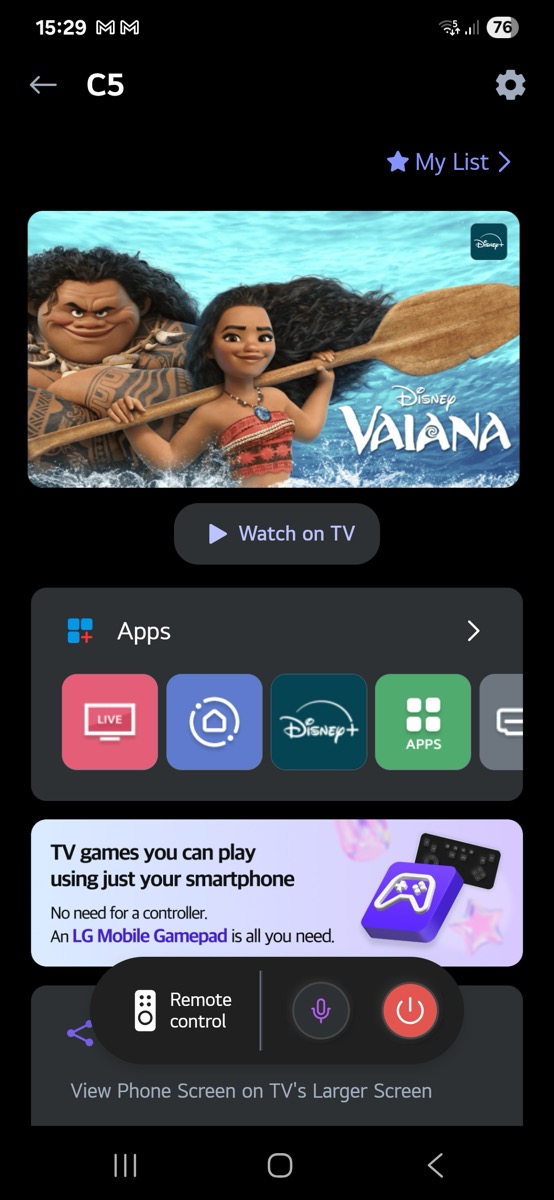
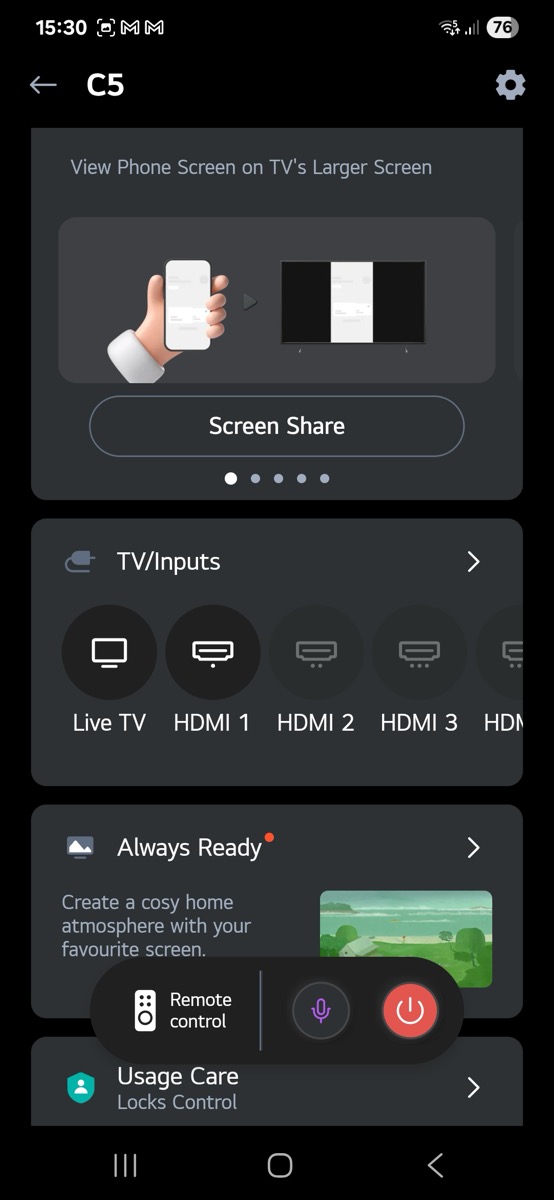
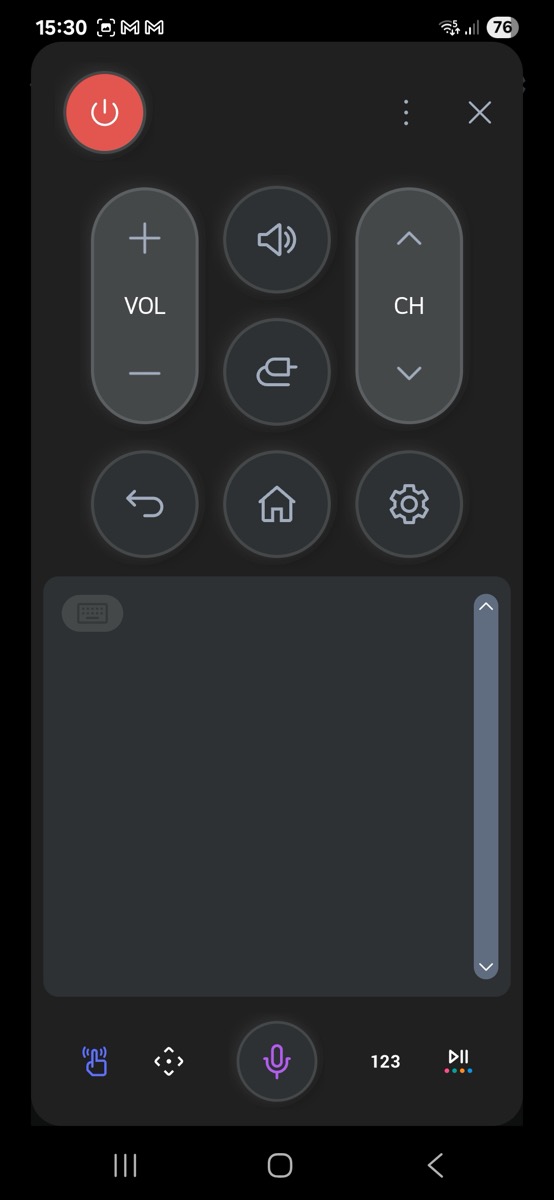
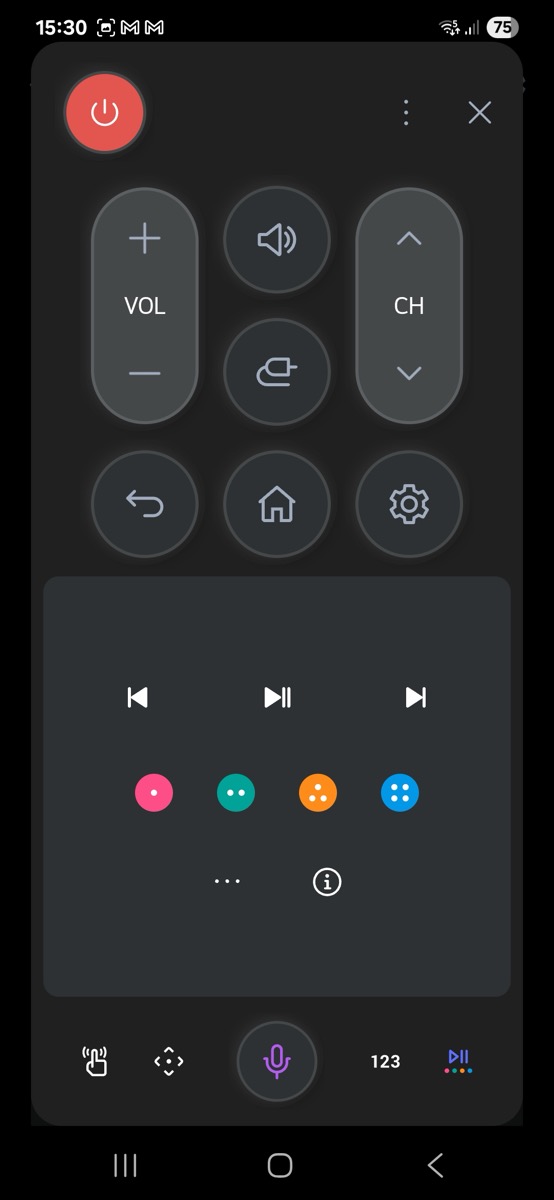
This year, LG has abandoned the long-running Magic Remote design, a staple of its TVs for many years. The familiar, sculpted form has been replaced by a more conventional rectangular shape, and the button layout has undergone significant revision. The most notable change is the removal of the numeric keypad, along with the introduction of rocker-style controls for volume and channel navigation. The motion-based pointer function remains intact. The shift toward a cleaner, more minimalist design is understandable, but it feels like LG has sacrificed some of what made the Magic Remote distinctive. The absence of number keys eliminates the ability to assign favourite apps to numeric shortcuts. The six sponsored app buttons remain, though the inclusion of LG Channels feels like a questionable choice; a user-assignable shortcut would have been far more useful.The new rocker buttons are serviceable once you get used to them, but the decision to remove the dedicated mute button is a misstep. Muting the sound now requires holding down the volume rocker, which can easily interfere with normal volume adjustment. To LG's credit, the rockers don't register a press when pushed inward, which helps avoid unintentional keypresses. Another design compromise is the reassignment of the Input button, now replaced by a Home Hub key that takes you to LG's IoT control interface. Inputs can still be accessed by long-pressing the same button, but we think it would make more sense to swap those functions. The microphone button has also been renamed AI, a cosmetic change that adds no real value. Most of these changes are minor annoyances, but one thing really hurts usability. The buttons require a lot of pressure to actuate. Especially for the central D-pad and the OK button, that's annoying as it makes navigation cumbersome, particularly if you prefer not to rely on the pointer function. Finally, it's disappointing that LG didn't take this opportunity to introduce a rechargeable battery. The LG ThinQ app is a good option if you're a smartphone addict. It offers easy ways to select input, start apps or input text (both voice or typing).LG's redesigned remote control for 2025 models. Photo: FlatpanelsHDLG's ThinQ smartphone app can supplement the physical remote control. Photo: FlatpanelsHD TV audio
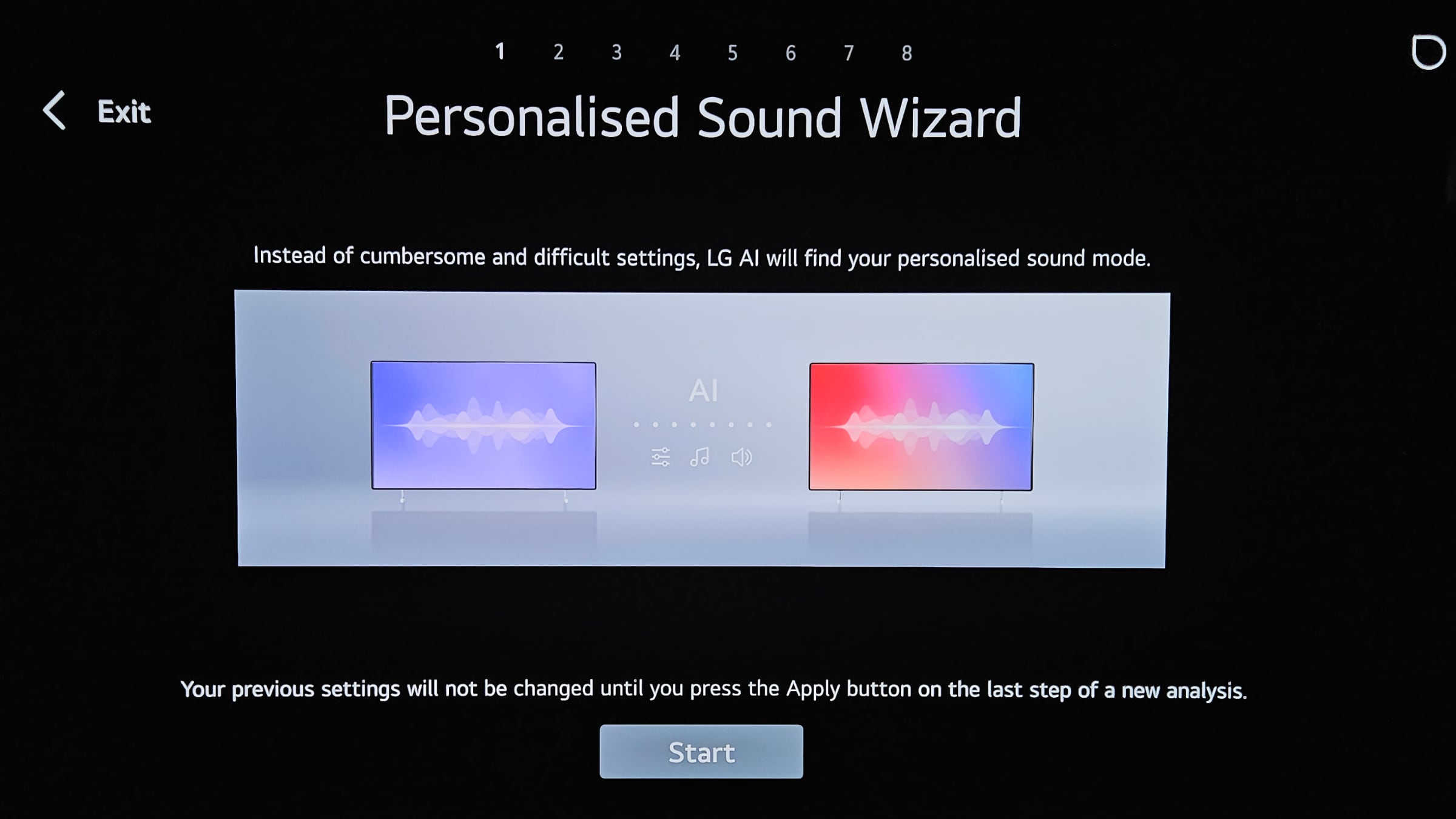
Despite its very slim profile, the C5 delivers pleasantly good audio performance. The 2.2-channel setup offers a balanced, warm sound with ample volume. Bass reproduction is satisfactory for music, though somewhat limited for movie soundtracks. That said, anyone looking for true cinematic sound would be better off adding a soundbar. The C5 supports Dolby Atmos, but aside from a modest sense of surround, it doesn't quite create a genuine theatre-like experience. Unfortunately, LG has dropped DTS audio support, which also means there's no longer DTS passthrough via HDMI eARC. If you have a source that uses a DTS soundtrack, you'll need to connect it directly to your external audio system. To get the most out of the C5's sound, it's worth experimenting with the audio presets. The Film, Music, and Standard modes all performed very well. The AI Sound Pro preset, on the other hand, is best avoided, it actually made the sound worse. Personal Sound Wizard lets you listen to a series of short audio clips with different tuning profiles. Based on the preferences you select, it then creates a personalized sound preset. It's a simple and effective feature, definitely worth a try. Remember that the TV can also take into account your room's acoustics, visit the AI Service settings, AI Acoustic Tuning to enable it.LG's Personal Sound Wizard. Photo: FlatpanelsHDCalibration
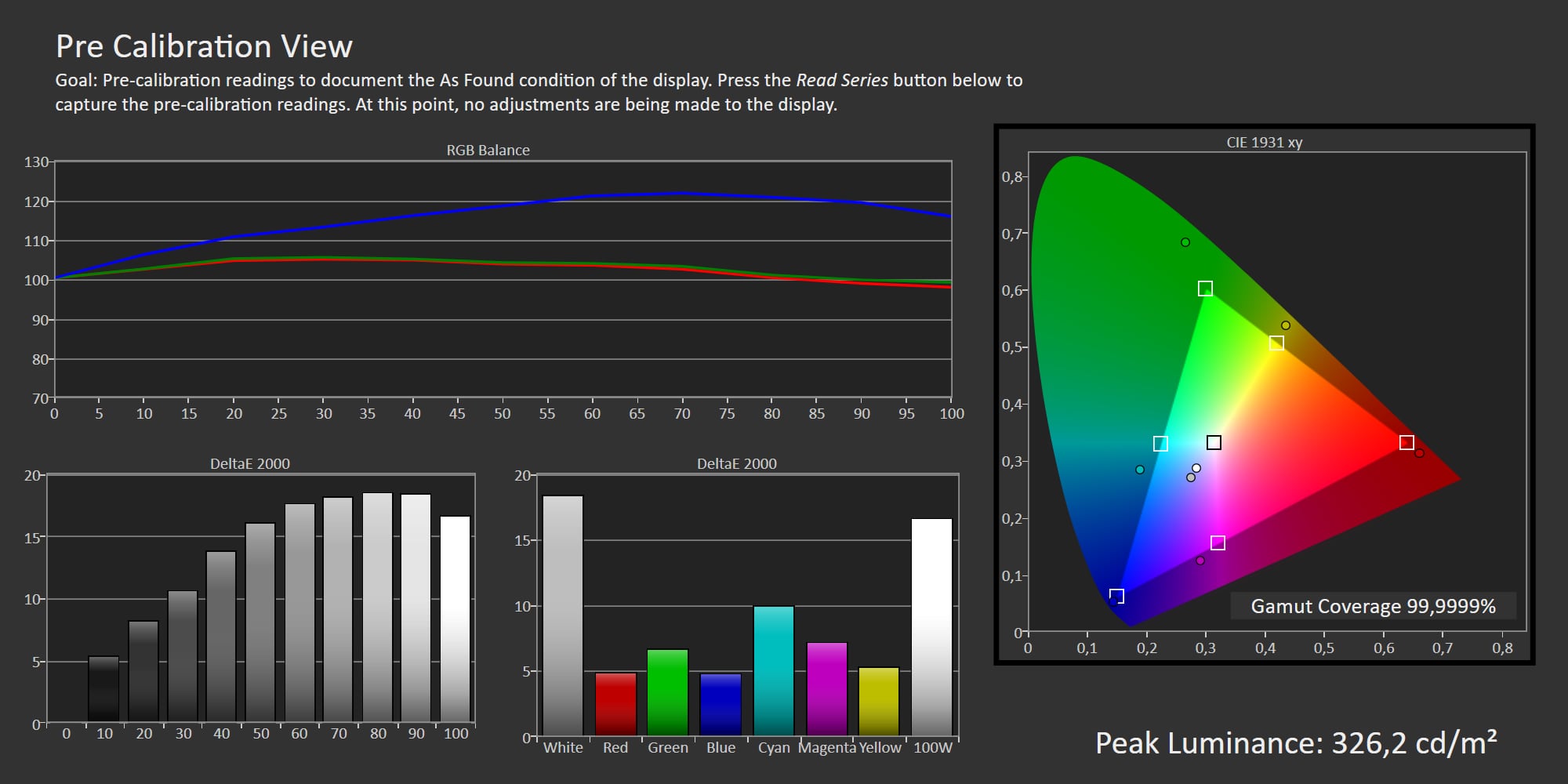
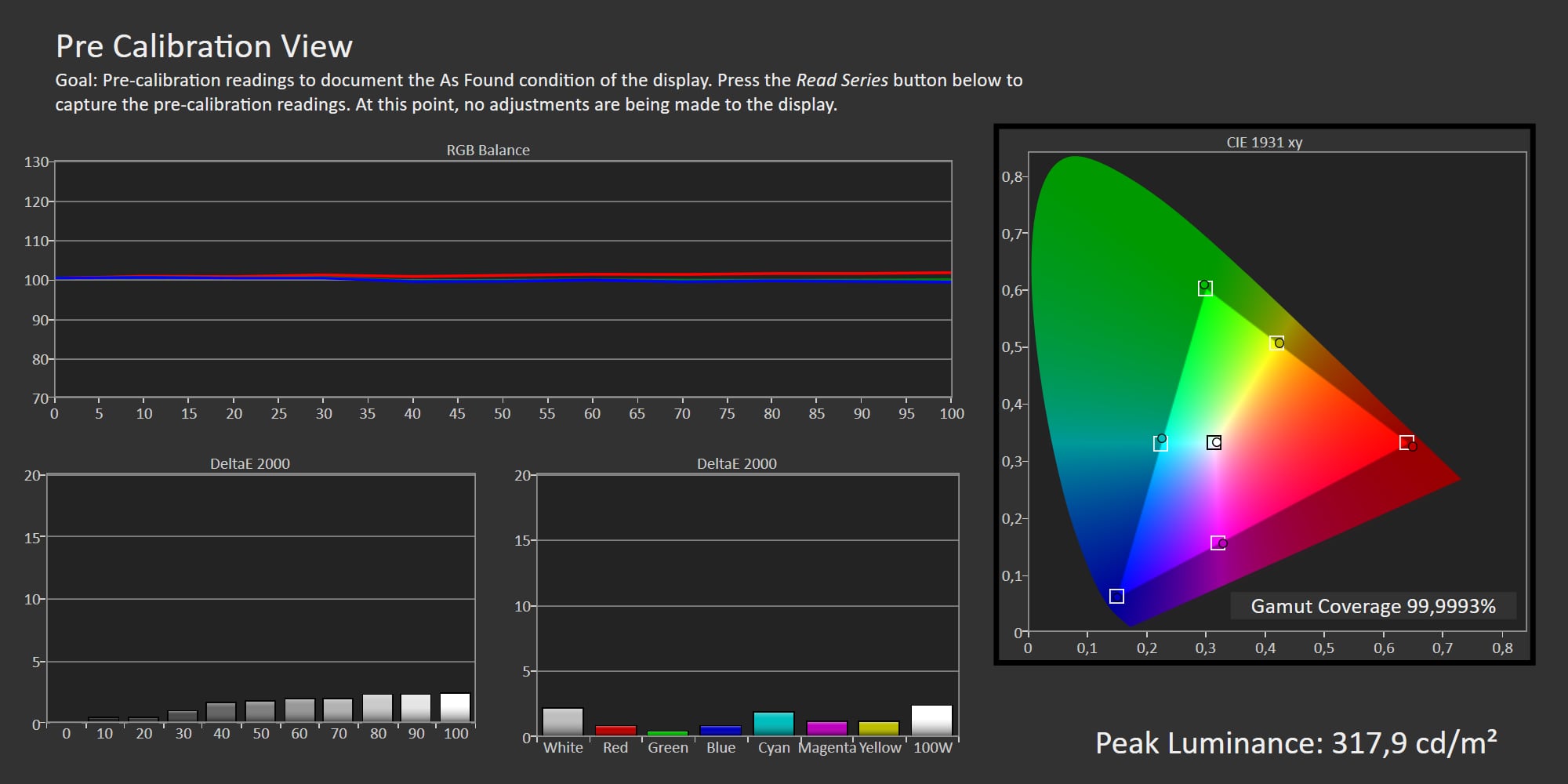
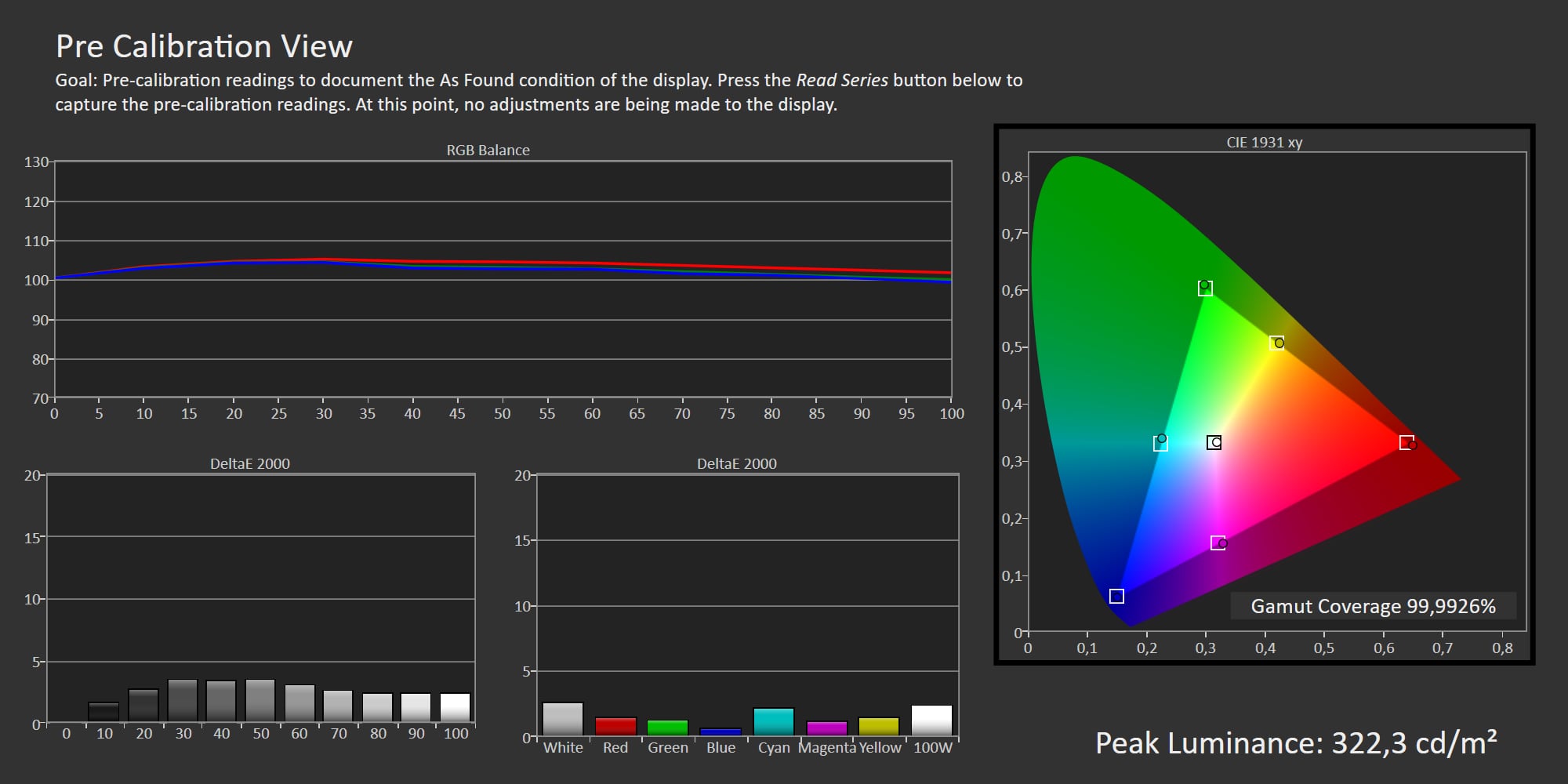
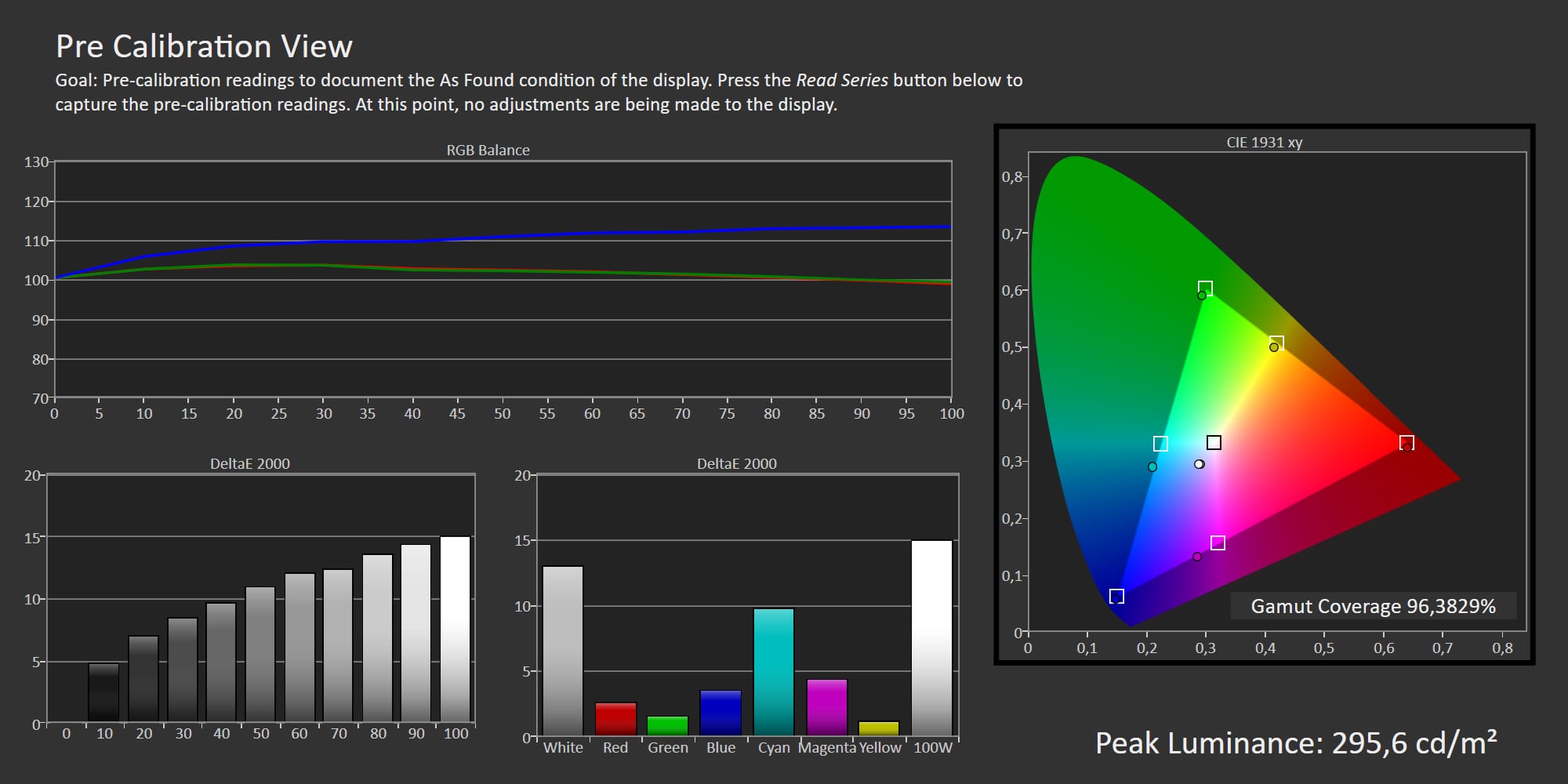
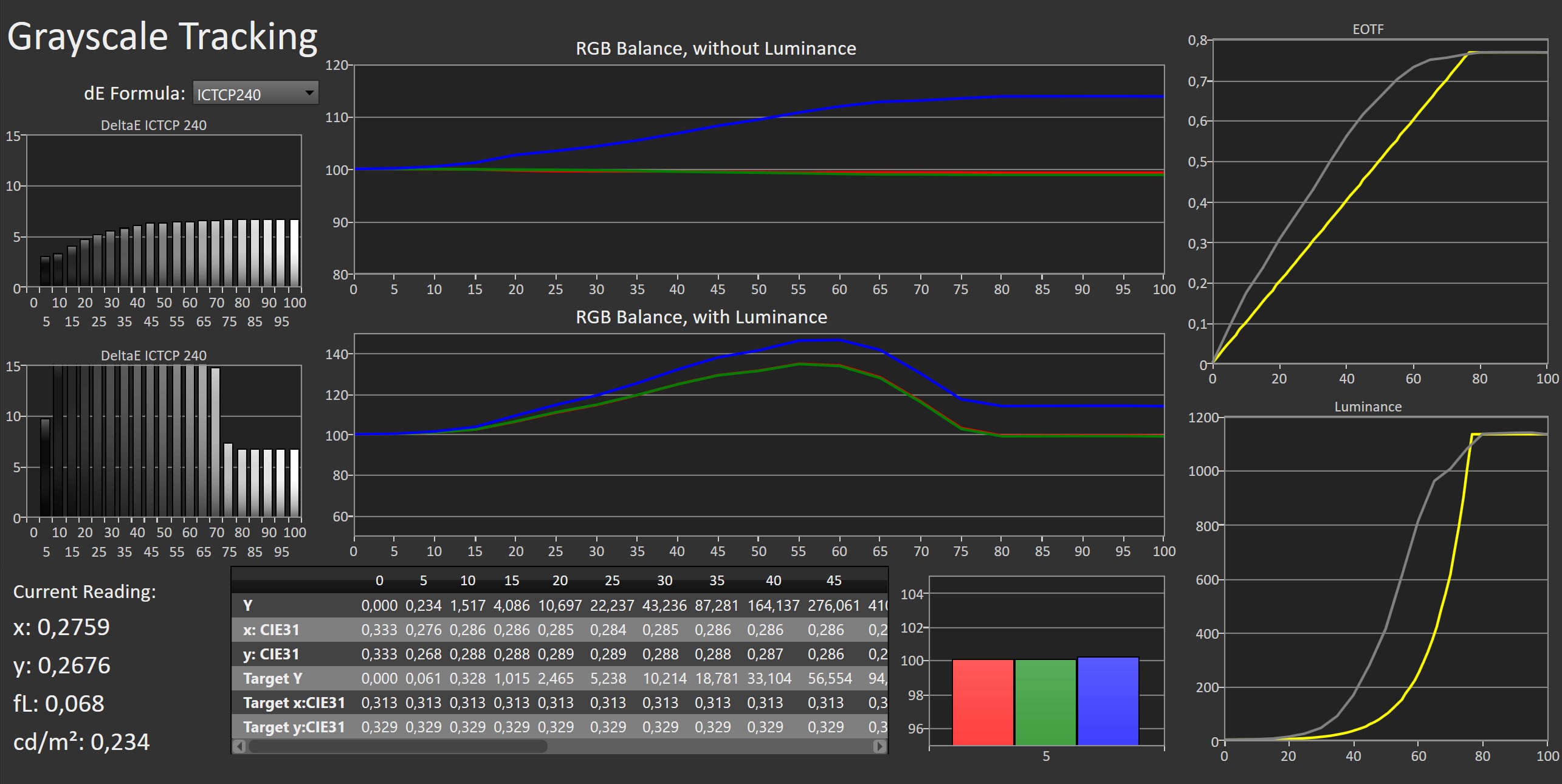
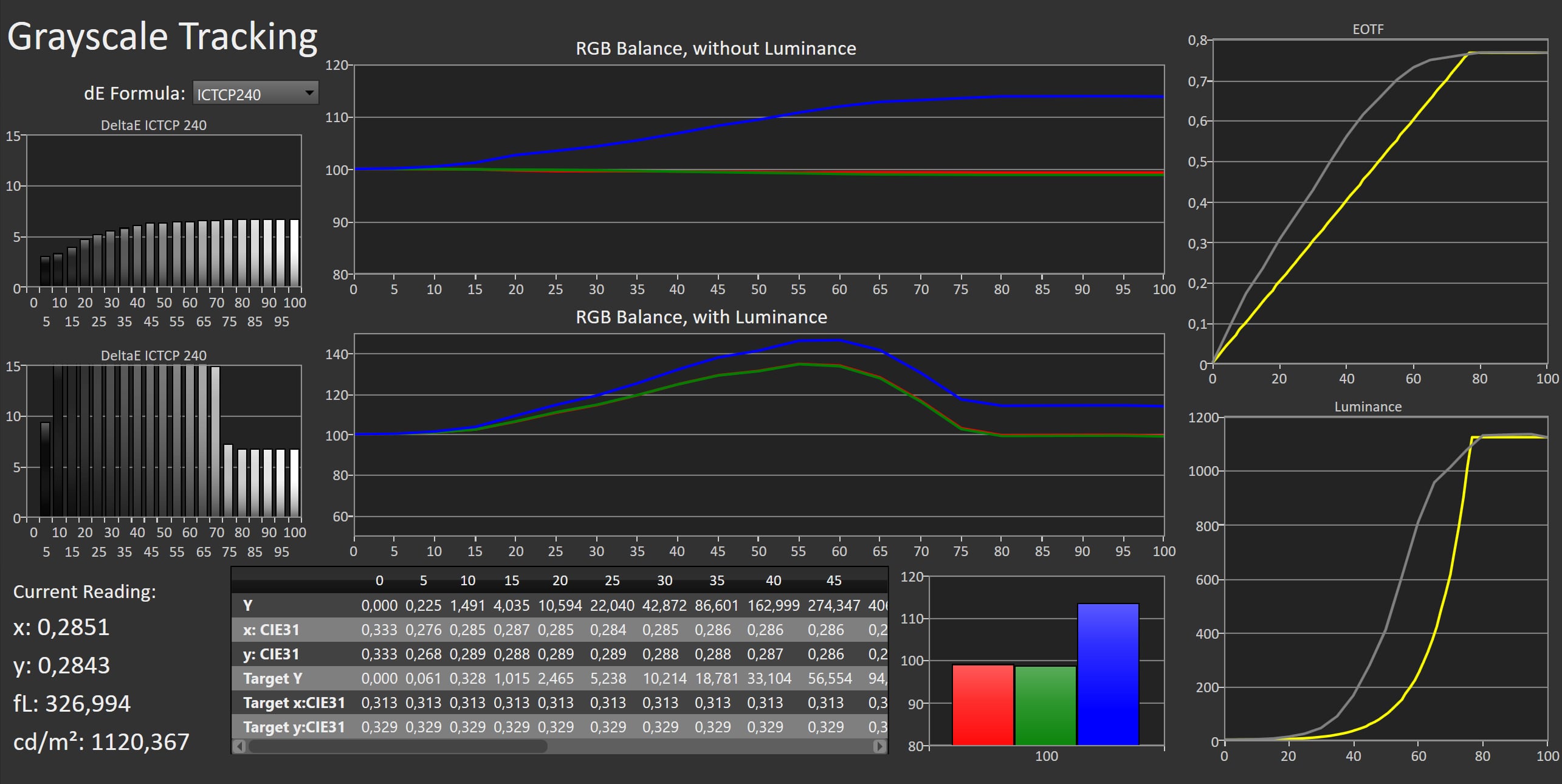
For the most accurate image quality, Filmmaker Mode remains the best choice, both in SDR and HDR. Alternatively, you can start from the Cinema picture preset, which uses a slightly lower gamma and is therefore better suited for viewing in moderate ambient light. It also applies minimal image processing, which is acceptable for a wide range of content (we'll return to that later). The Game mode, on the other hand, is noticeably cool in tone and applies substantial noise reduction and additional sharpening, both unnecessary for gaming content. Since game graphics are rendered in real time, they don't benefit from that kind of processing. If you prefer a more natural, reference-style image for gaming, you can adjust Game mode using the same settings found in Filmmaker Mode. The input lag clocked in at 10,8ms at 4K60 and 5,9ms at 2K120, excellent results that will enable responsive gameplay. In HDR10, we measured a peak brightness of around 1,200 nits, a modest improvement of roughly 10% over the C4. Full-screen brightness remains limited to about 200 nits. These are solid numbers, but we're still waiting for the C series to reach 350 nits full-screen performance, as seen in our review of LG G5. At that point, the impact of the Average Brightness Limiter (ABL) would be far less noticeable, both in SDR and HDR viewing. Color gamut coverage from LG's WOLED panels remains consistent at around 96–98% of DCI-P3 and 70% of Rec.2020. Only QD-OLED and the latest-generation WOLED panels, such as those used in the LG G5, achieve a wider color range. That said, since nearly all film content is mastered for DCI-P3, the advantage in real-world use is likely modest.Measured picture modes
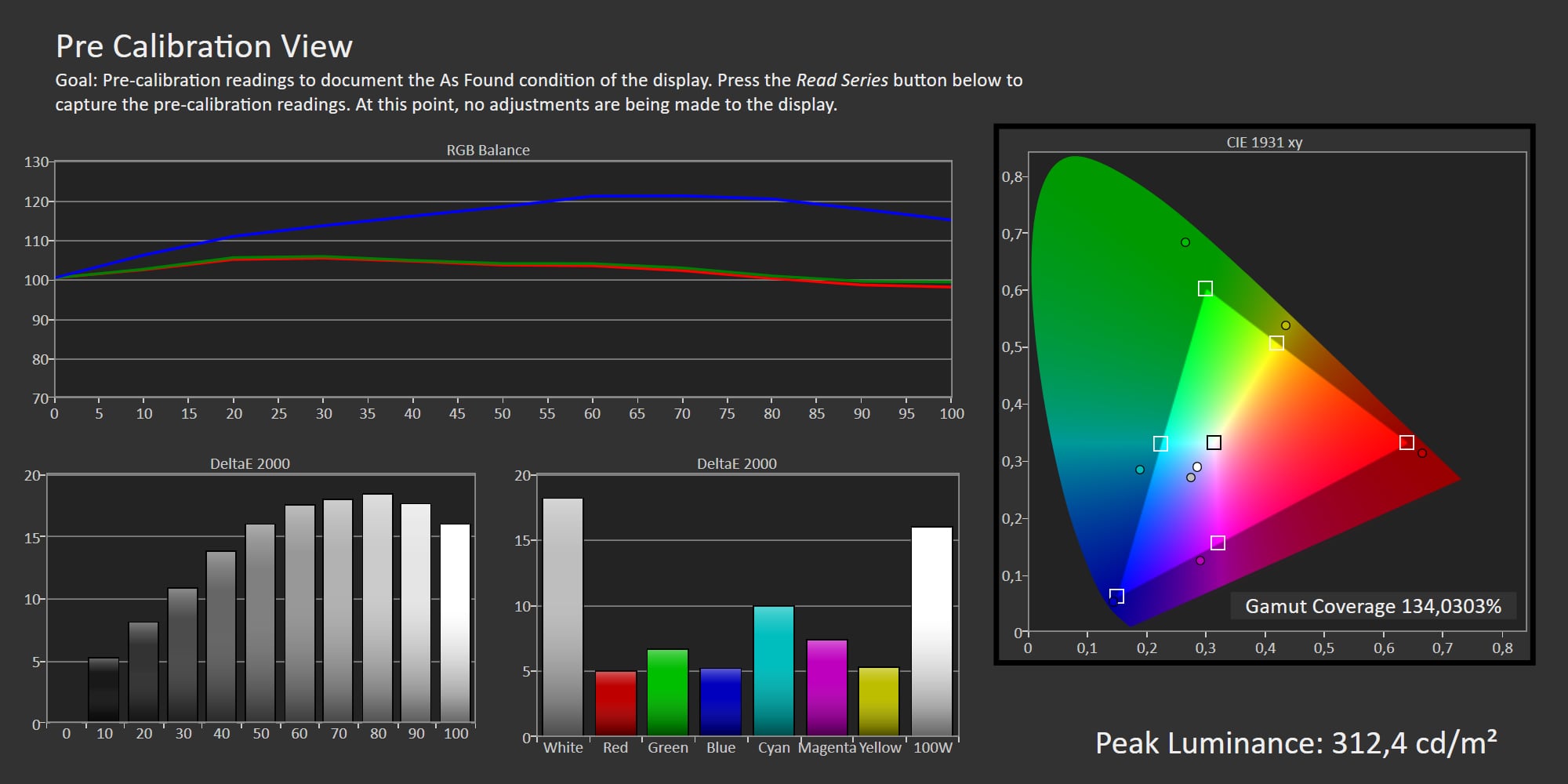
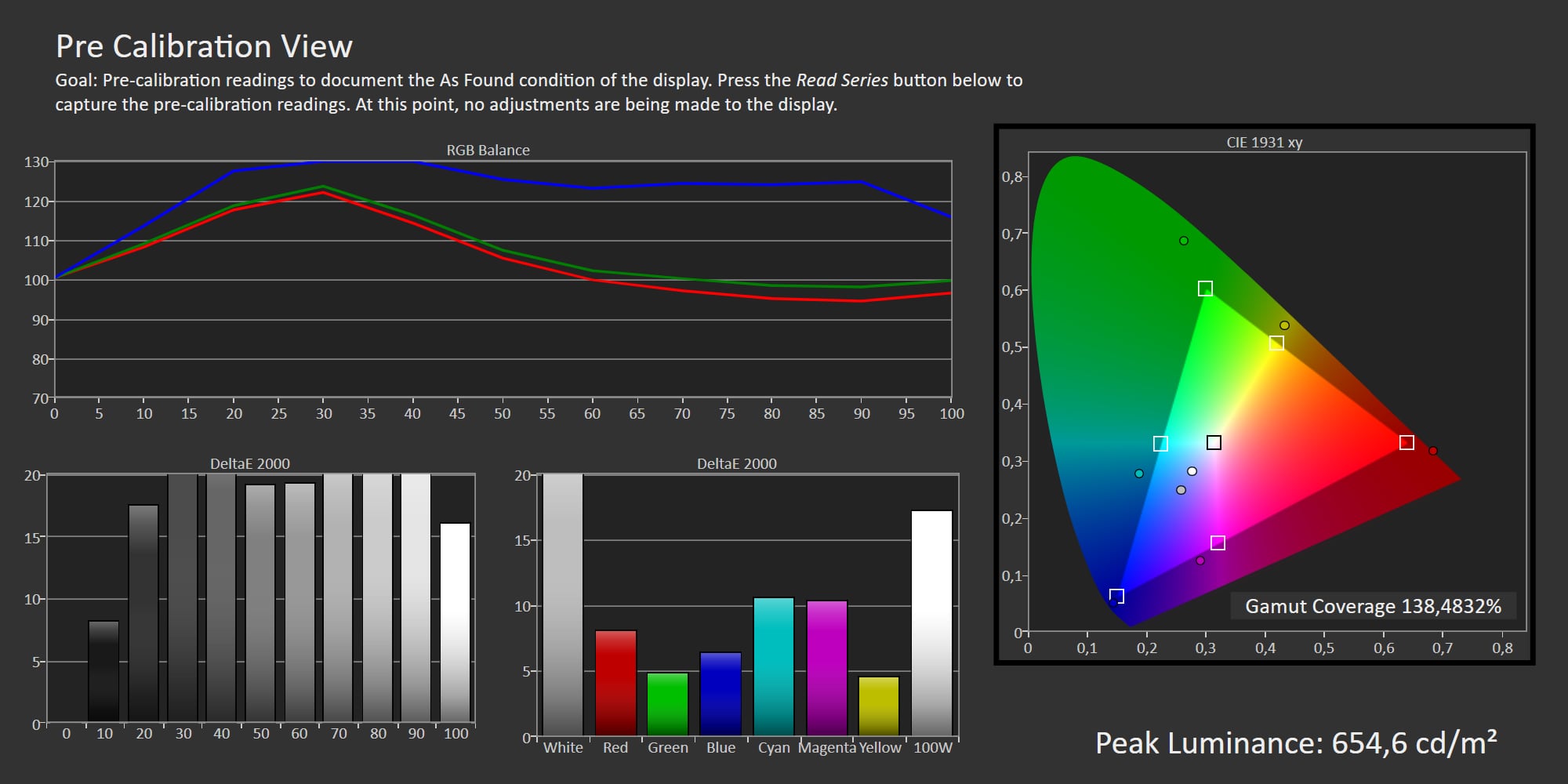
Click the picture mode to expand the view
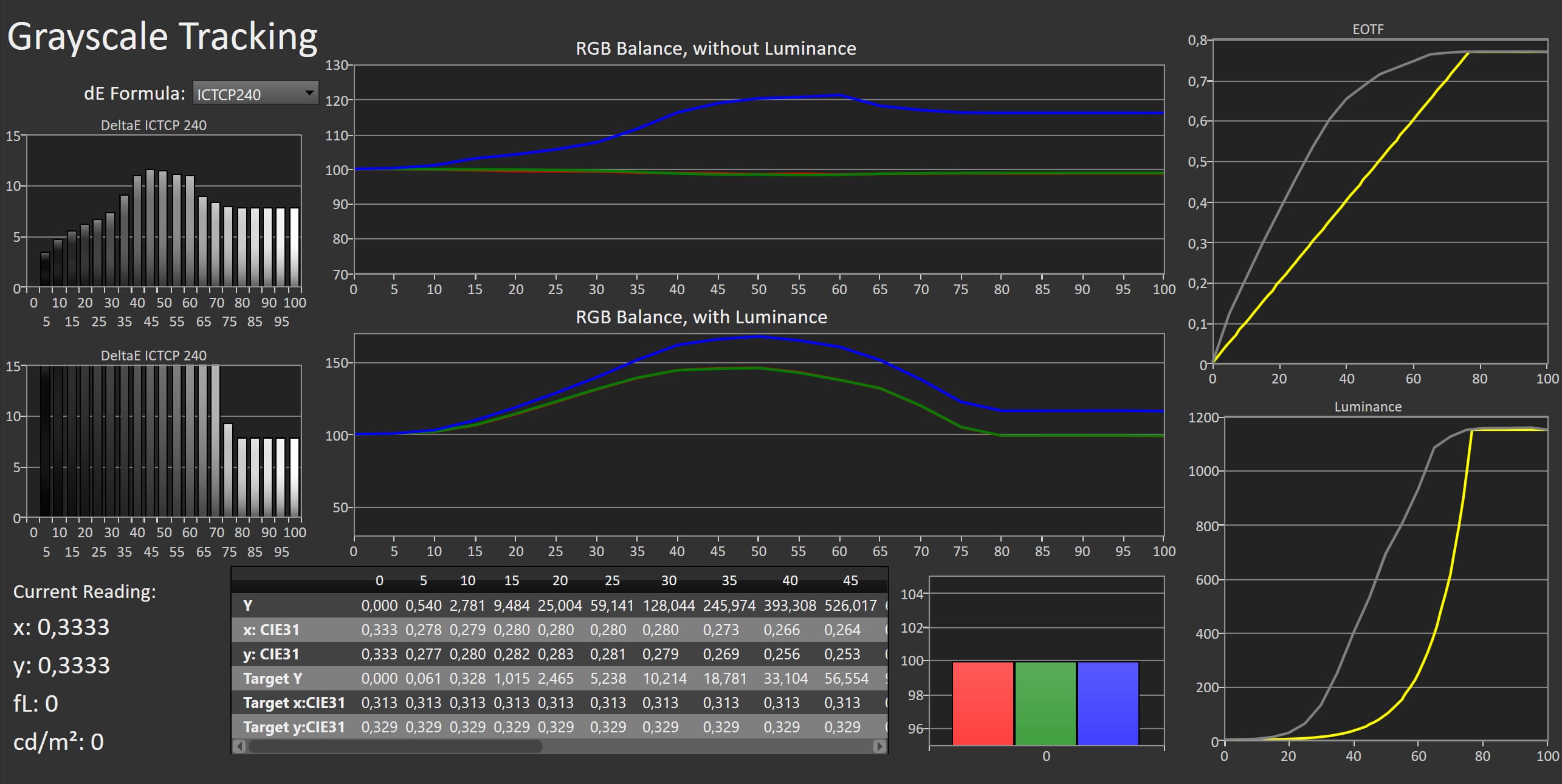
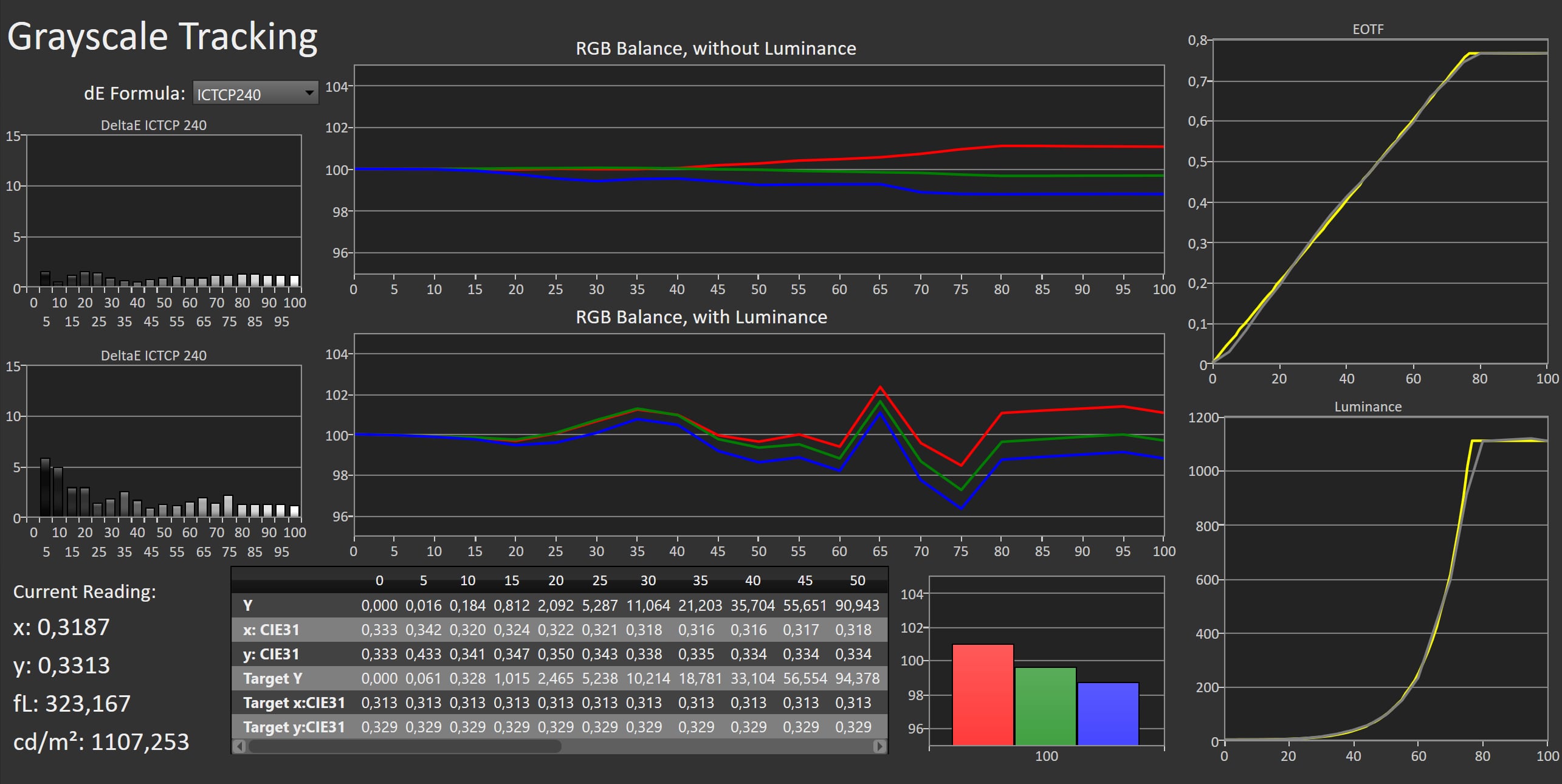
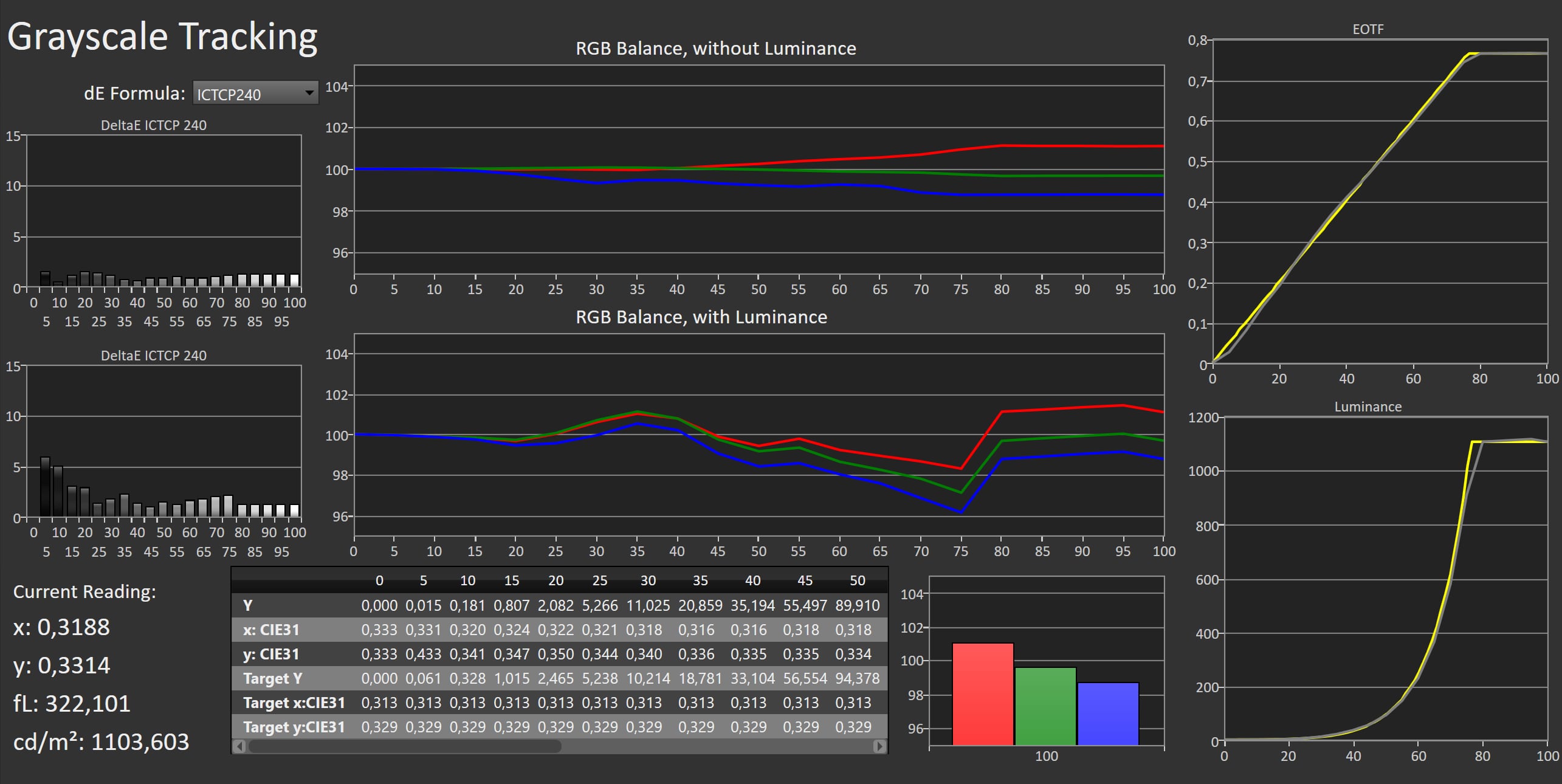
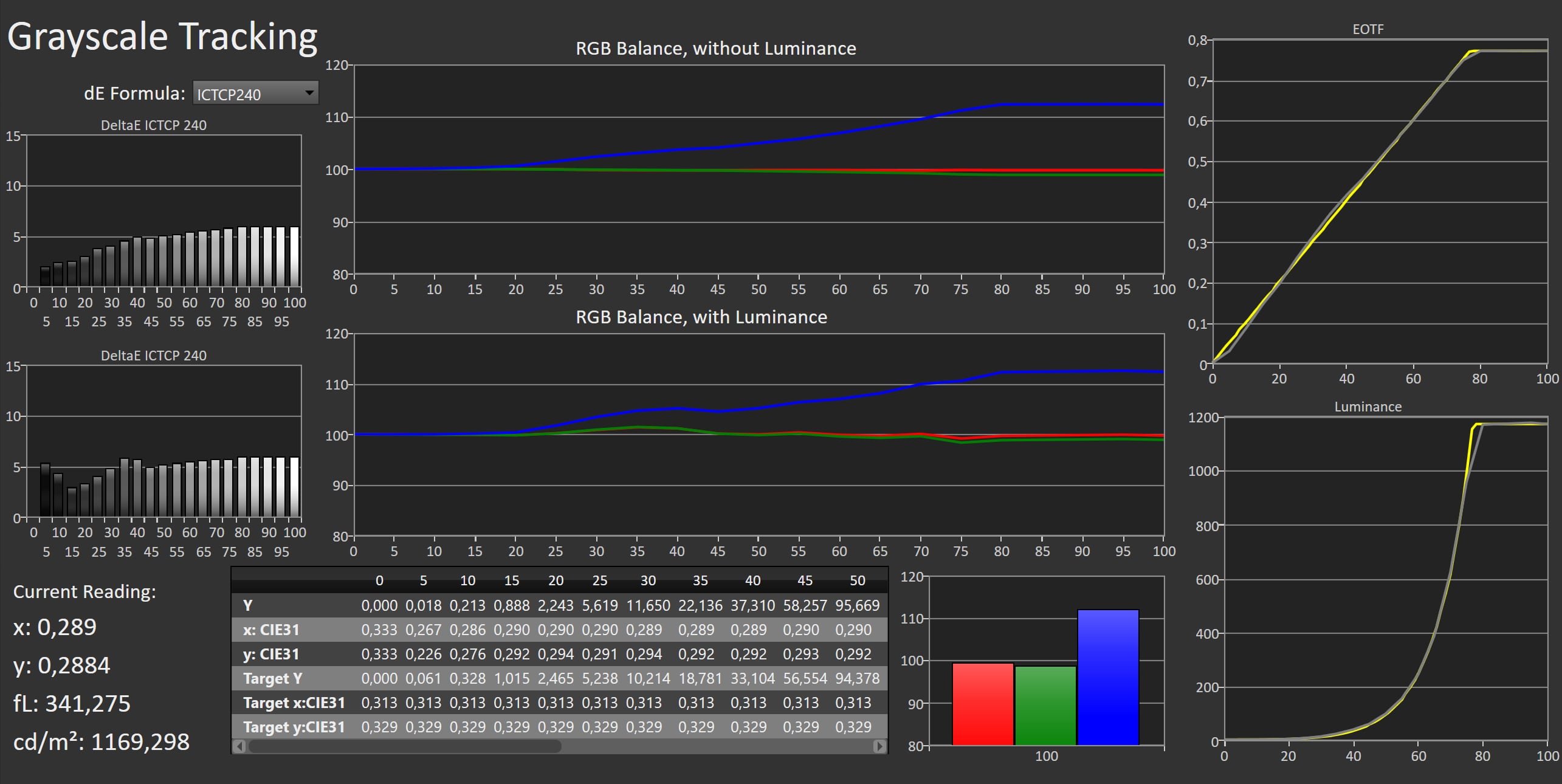
Standard (SDR) Auto Power Save (SDR) Vivid (SDR) Cinema (SDR) Filmmaker Mode (SDR) Game Optimiser (SDR) Standard (HDR) Auto Power Save (HDR) Vivid (HDR) Cinema (HDR) Filmmaker Mode (HDR) Game optimiser (HDR) Left: Standard. Right: Filmmaker Mode. Photo: FlatpanelsHDMeasurements
In our "measurements" section we include all measurements and our suggested calibration settings. If you want to learn more about our test methodology click here. Note: In 2021, we implemented a new method for measurement of average power consumption in SDR and HDR, meaning that earlier measurements are not 1:1 comparable. The new method will be used in all TV reviews going forward.Note: We include calibration settings only for SDR, not HDR. For our calibration we have deactivated the ambient light sensor that automatically adjusts the backlight setting according to your environment. You may prefer to have it enabled.Picture quality
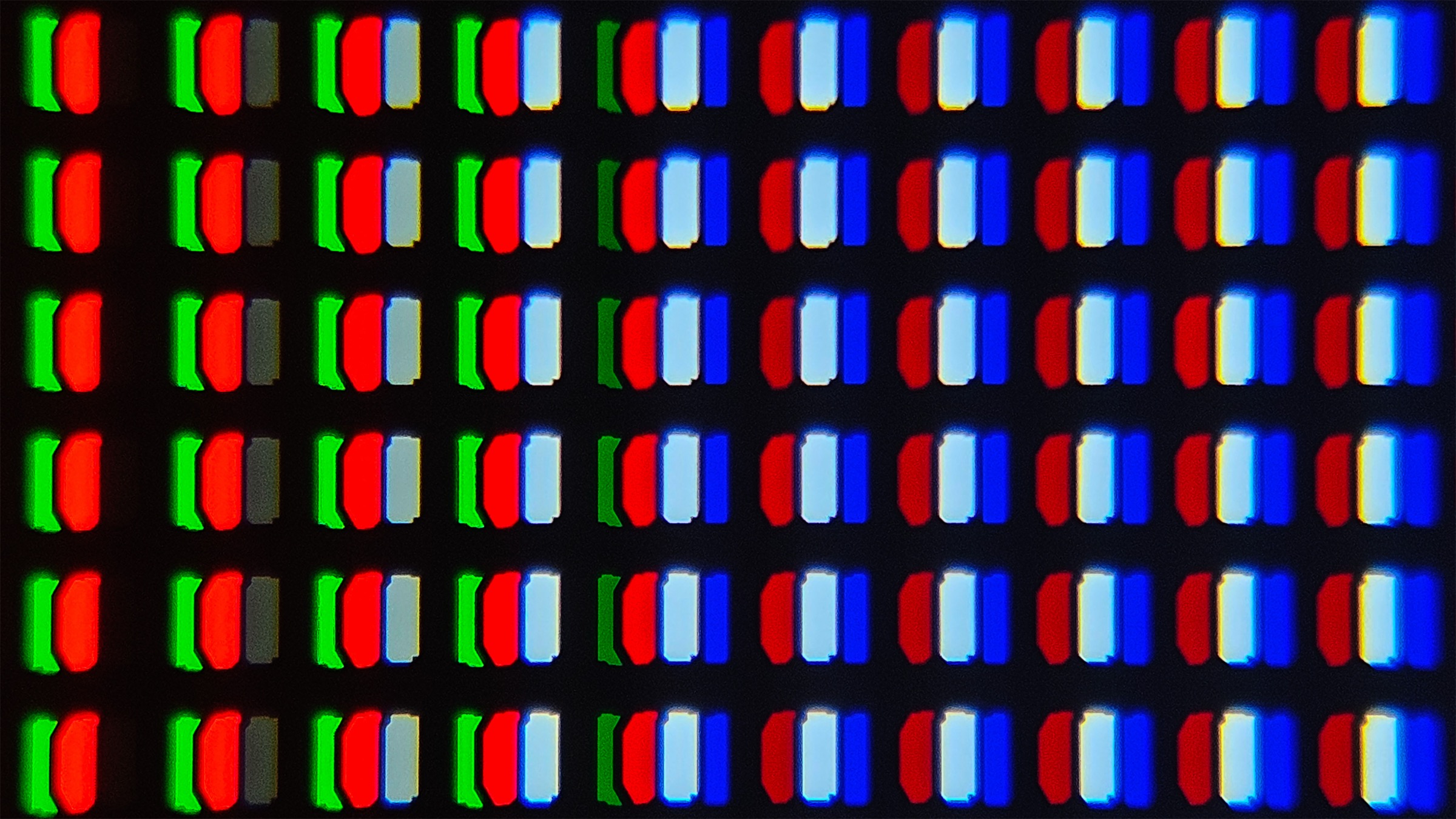
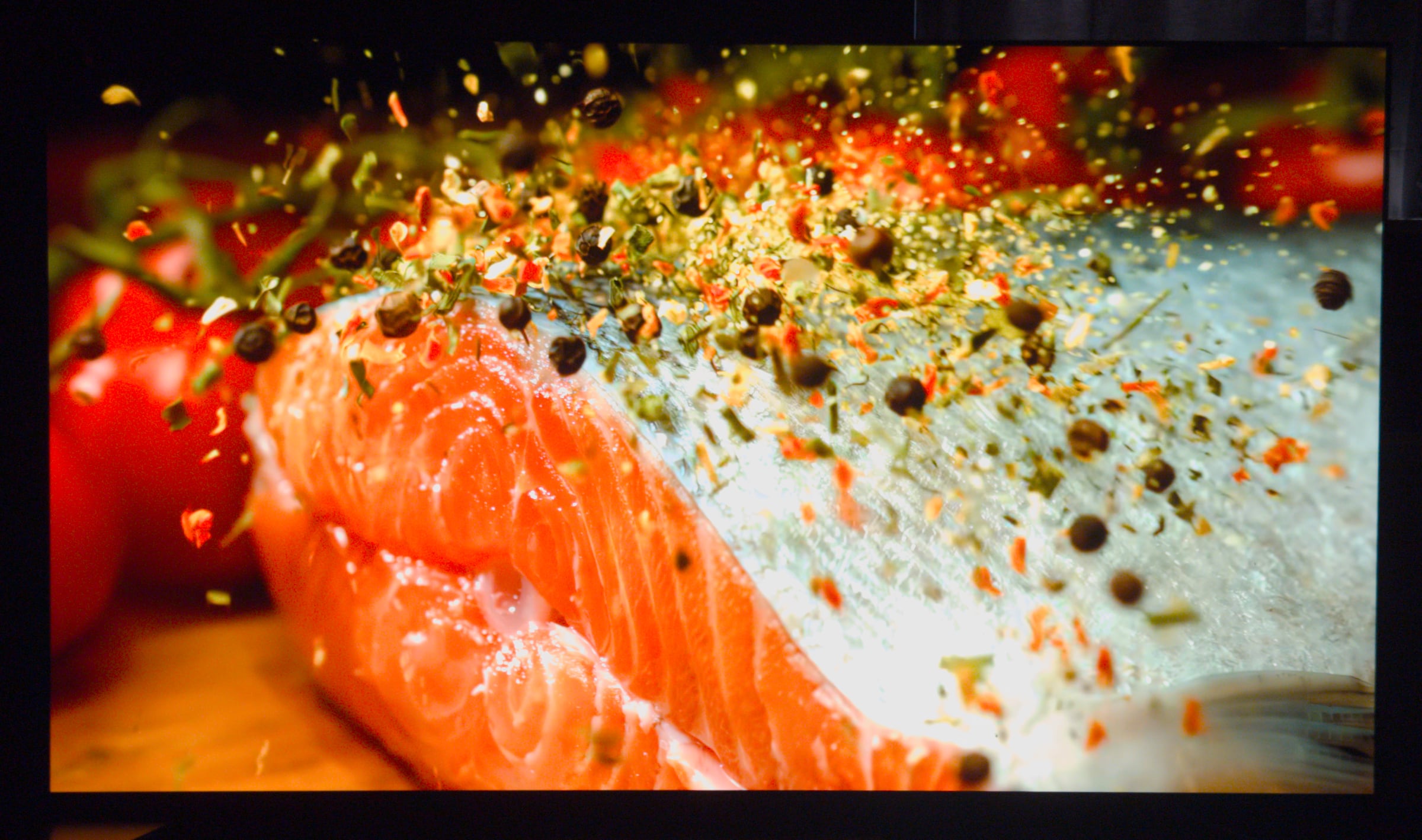
The C5 is a strong reminder of why OLED remains such a phenomenal choice for movies, games and epic TV series. Its pixel-level contrast creates images of stunning intensity. Dark sci-fi scenes reveal beautifully rendered star fields, with pinpoint highlights and explosions bursting in vivid colour and light against a perfectly black background. While Mini LED TVs have made tremendous progress in recent years, OLED still holds a clear advantage in this area, nothing matches its ability to produce absolute black levels and instantaneous contrast transitions. That said, the difference between the C5 and C4 is minimal. Both use an OLED evo panel, and the C5's slight increase in peak brightness (in the 10% window) doesn't translate into a visible SDR or HDR improvement, especially since full-screen brightness remains unchanged. Picture quality is mainly assessed in Filmmaker Mode, which disables processing, this is excellent for high quality content. If you watch streaming content with low bitrates or older content like DVD, both of which may suffer from compression issues, selective enhancements can improve results.LG's α9 Gen 8 processor performs excellently, with minor deinterlacing artifacts rarely noticeable in real use. Using MPEG and regular Noise Reduction on Low effectively cleans up older or lower-quality content without harming quality. Smooth Gradation on Low also reduces color banding without smearing detail; higher settings should be avoided. On the higher-end LG G5, this processing tended to be too aggressive, but C5's processing (on firmware 33.21.67) behaves correctly, though slight banding can still appear in difficult scenes. Sport and games content greatly benefit from the outstanding motion clarity on OLED thanks to the extremely fast pixel response, which produces razor-sharp motion. However, with 24fps film content, this can also lead to visible judder during rapid camera pans. To counteract that, you can enable TruMotion. If you want to preserve the cinematic feel, Cinematic Movement is the best option. Personally, we prefer the slightly smoother appearance of the Natural setting. The Smooth Movement preset, by contrast, introduces visible interpolation artifacts when the camera moves too quickly. In Filmmaker Mode SDR, C5 delivers excellent results. The grayscale shows a slightly warm tint in the brighter tones, but the deviation remains well below the threshold of visible error. Shadow detail is impressively well preserved, and color reproduction is accurate across the board. If your viewing environment varies between bright and dark conditions, it's worth activating the light sensor (via General Settings -> Energy Saving -> Energy Saving Step -> Auto). Filmmaker Mode also includes its own Filmmaker Mode Ambient option, which uses the same sensor. The distinction between the two is somewhat confusing, LG would do well to unify these controls under a single menu within the picture settings. HDR is where a premium TV truly shows its capabilities. In HDR10, Filmmaker Mode once again delivers excellent calibration, though we noticed a tendency to crush shadow detail slightly. In our dark test scenes, some near-black elements appeared too subdued. This can be corrected by increasing the Dark Detail setting. An alternative is to enable Dynamic Tone Mapping, which has a stronger effect on shadow visibility, making darker areas noticeably easier to see. In some viewing situations, that adjustment may be desirable. However, Dynamic Tone Mapping also tends to raise overall brightness slightly and lift the dark tones (something we didn't notice on LG C4), reducing image depth and perceived contrast. Whether this is an acceptable trade-off for the marginal gain in highlight detail depends largely on the content, especially since C5 already preserves highlight detail very well without it.LG's Smooth Gradation feature works well but cannot fully eliminate banding in problematic streaming scenes. Photo: FlatpanelsHD In most cases, we would recommend leaving Dynamic Tone Mapping off. The only real exception is in bright living rooms, where ambient light already lowers contrast; in that scenario, the extra visibility in shadow areas can be a practical benefit. As expected from OLED, the viewing angles are very wide, surpassed only by QD-OLED displays. Reflections, however, are best avoided; in this regard, LG G5 and especially the matte-finish Samsung S95F perform better. Our test unit's OLED panel showed excellent uniformity with no visible tinting or banding issues.WOLED has an extra white subpixel to boost peak brightness. Photo: FlatpanelsHD Conclusion
Ad:If you liked the LG C4, the LG C5 will not disappoint – but neither does it represent a major step forward. In nearly every respect, the new model feels very similar to its predecessor. While LG has managed to squeeze out a small increase in peak brightness, it's not enough to make a decisive difference in real-world viewing. Interestingly, C5 also consumes slightly more power in HDR mode than the C4, which may explain where that modest brightness gain comes from. The design remains largely unchanged from C4, with only a slight variation in the color of the rear panel. Connectivity is identical: four full-bandwidth HDMI 2.1 ports (48 Gbps each), low input lag, and full support for VRR, ALLM, and 4K at up to 144 Hz, all of which make it a highly appealing choice for gamers. webOS, however, still leaves something to be desired due to its overuse of ads, though it's a relief that these can be disabled through the settings. The app selection is extensive, and both Google Cast and Apple AirPlay 2 are supported. In terms of picture quality, C5 performs excellently. SDR content poses no challenge, and with support for HDR10, HLG, and Dolby Vision, the key HDR formats are covered. Whether you're watching films or sports, the experience is consistently strong. Still, C5 faces stiff competition from models like Samsung's S90F and Philips' OLED810, so it's worth keeping an eye on their pricing before making a decision.Price and retailers:
US retailer
UK retailer
DE retailerBeautiful SDR & 4K HDR with 1200 nits
Pre-calibrated picture modes
4x HDMI 2.1 ports & QMS
webOS receives updates for 5 yearsAds in webOS
No HDR10+, no DTS
Dynamic tone-mapping may reduce contrast perception