Review: LG G6
With G6, LG is launching its second-generation tandem OLED. The improved panel promises higher brightness and lower reflectance in up to 83 inches. G6 also comes with some new features but Dolby Vision 2 and HDMI 2.2 will have to wait. Here is FlatpanelsHD's review of LG G6. We have tested the 65" variant. Also read: LG 2026 TV lineup (with TV Compare Tool)Price and retailers:
US retailer
UK retailer
DE retailerFirst impressions
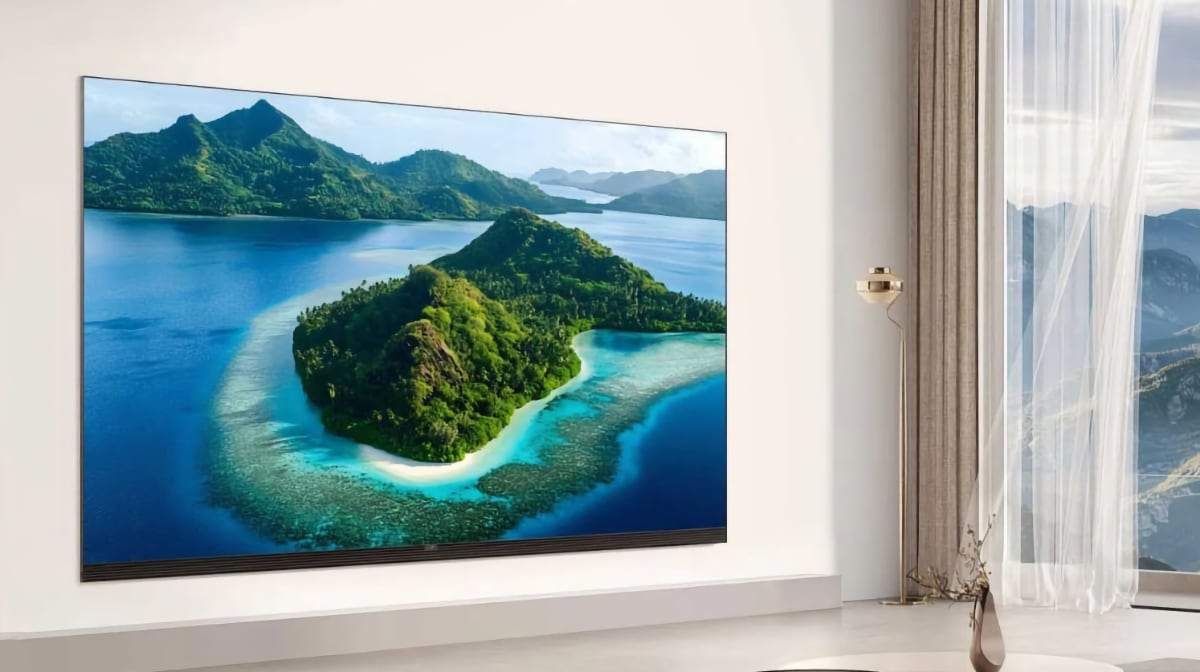
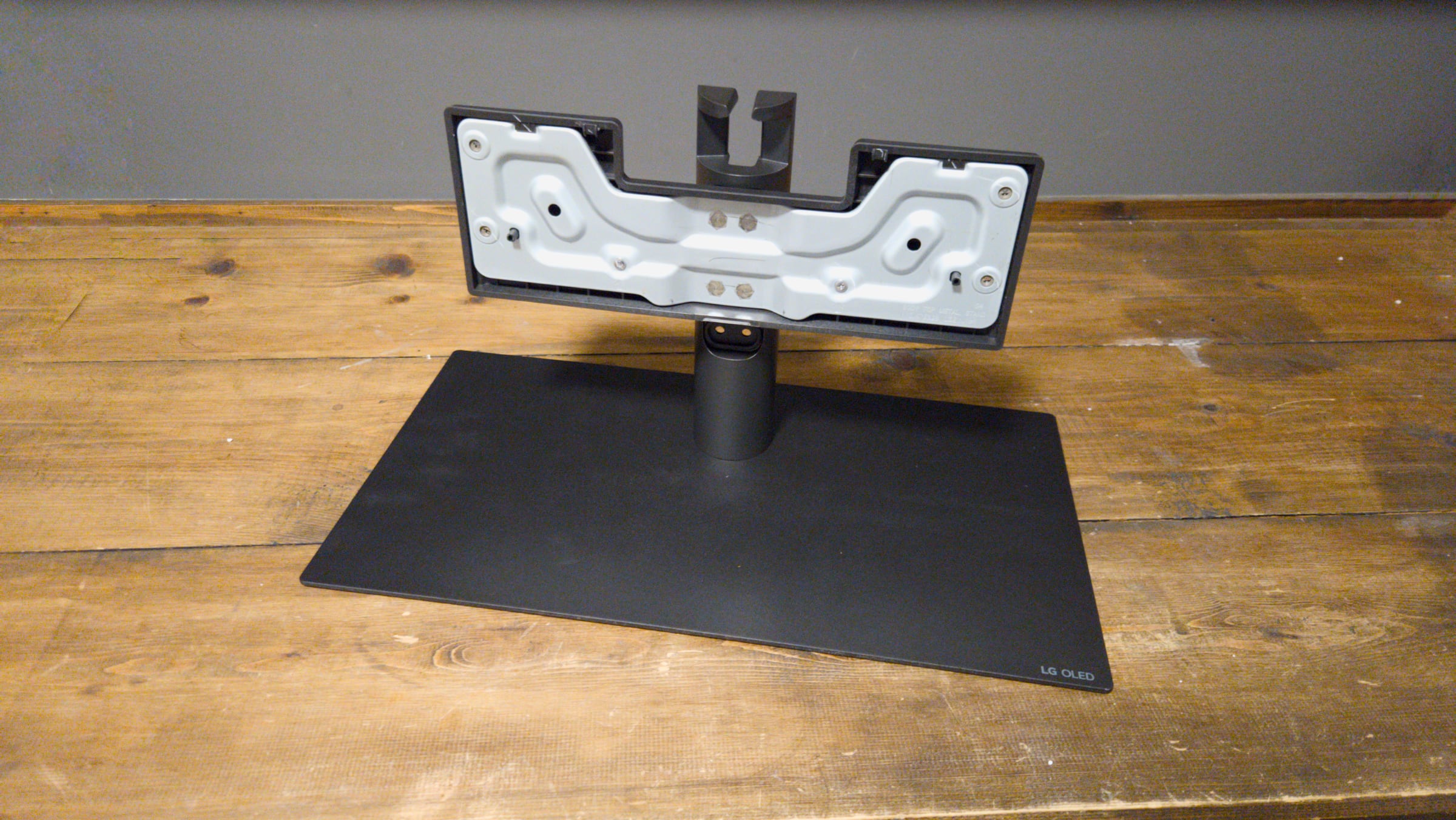
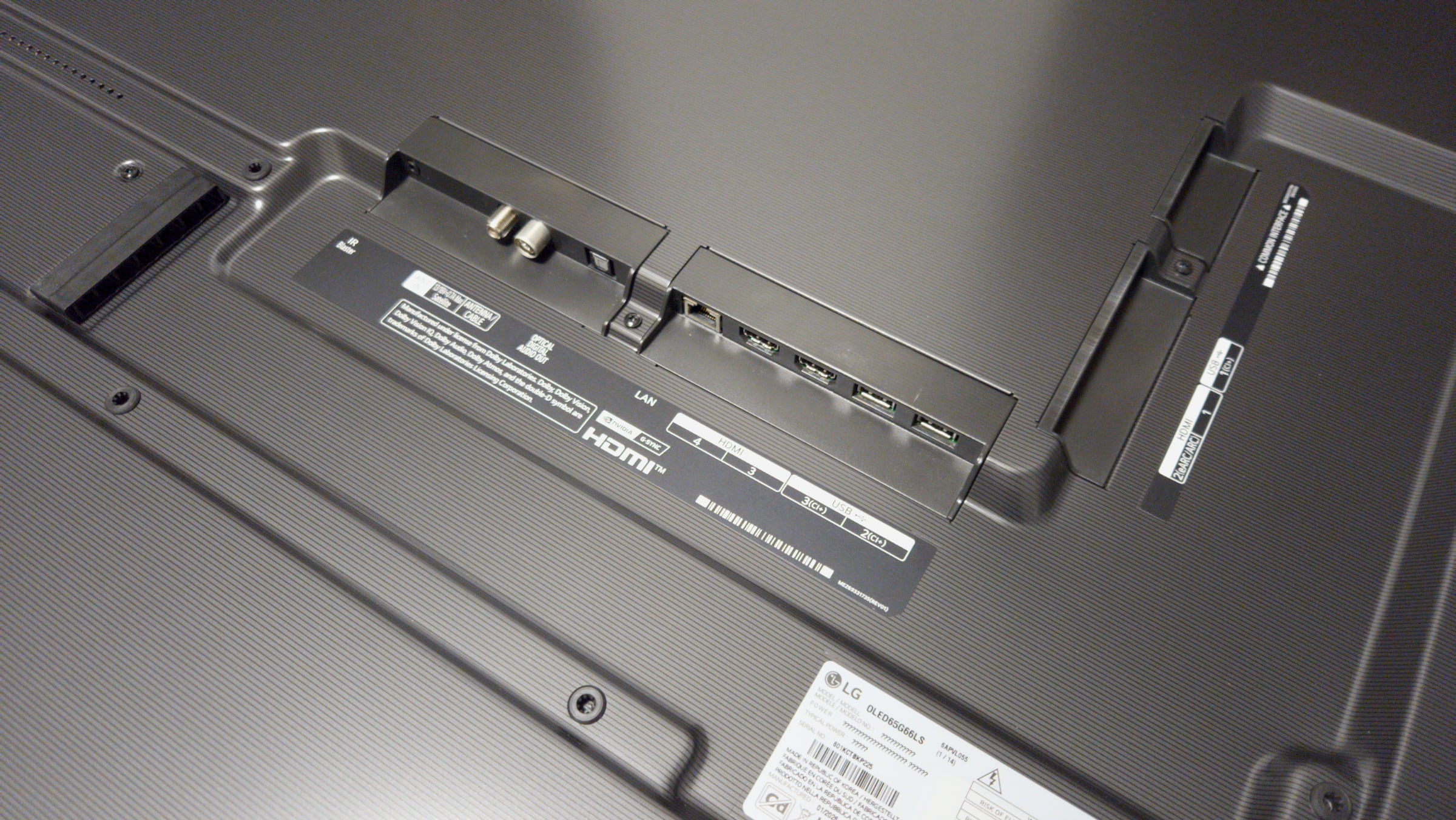
The G series is LG's gateway to the finest OLED technology the company currently offers. At first glance, it may seem surprising that LG has left the design largely unchanged, but the reason becomes clear when viewed in the context of the full lineup. Sitting above it is the flagship LG OLED evo W6 (available only in 77 and 83 inch) which features an ultra-slim 9.9 mm profile and ships with LG's Zero Connect wireless connection box. That said, the design of the LG OLED evo G6 is far from disappointing. It retains the sleek, premium styling that has defined the series: a slim chassis, a refined silver trim around the panel, and a completely flat rear panel that allows the TV to sit flush against the wall when mounted. The G6 is available in two variants. Models ending in "LW" include LG's wall-mount bracket in the box, emphasizing the set's gallery-inspired design. Versions ending in "LS" come with a centrally mounted stand, although unfortunately it does not offer swivel functionality. The stand can be installed in two height positions with the lower position providing the required clearance to accommodate a soundbar underneath the screen. All ports are oriented either sideways or downward, ensuring they do not interfere with wall mounting. The power cable is permanently attached (this has always been the case on LG models), quite inconvenient if you need to route it through a narrow conduit. Cables can be neatly routed toward the central stand via a shallow channel on the back, which is covered for a cleaner finish. The G6 is equipped with four HDMI 2.1 ports, all of which support the full suite of modern gaming features. The inclusion of Wi-Fi 6E is a welcome upgrade, provided your wireless router supports the standard. Support for WiSA has been dropped, but LG now offers Dolby Atmos FlexConnect for those looking to build a wireless surround setup. WiSA never gained significant traction, and we expect (indeed, hope) that Dolby Atmos FlexConnect will prove to be the more compelling alternative. G6 also includes an IR blaster port, which is particularly useful for controlling hidden external devices. However, the required cable is sold separately. Also read: First impressions: LG's Dolby Atmos FlexConnect speakersUser experience & features
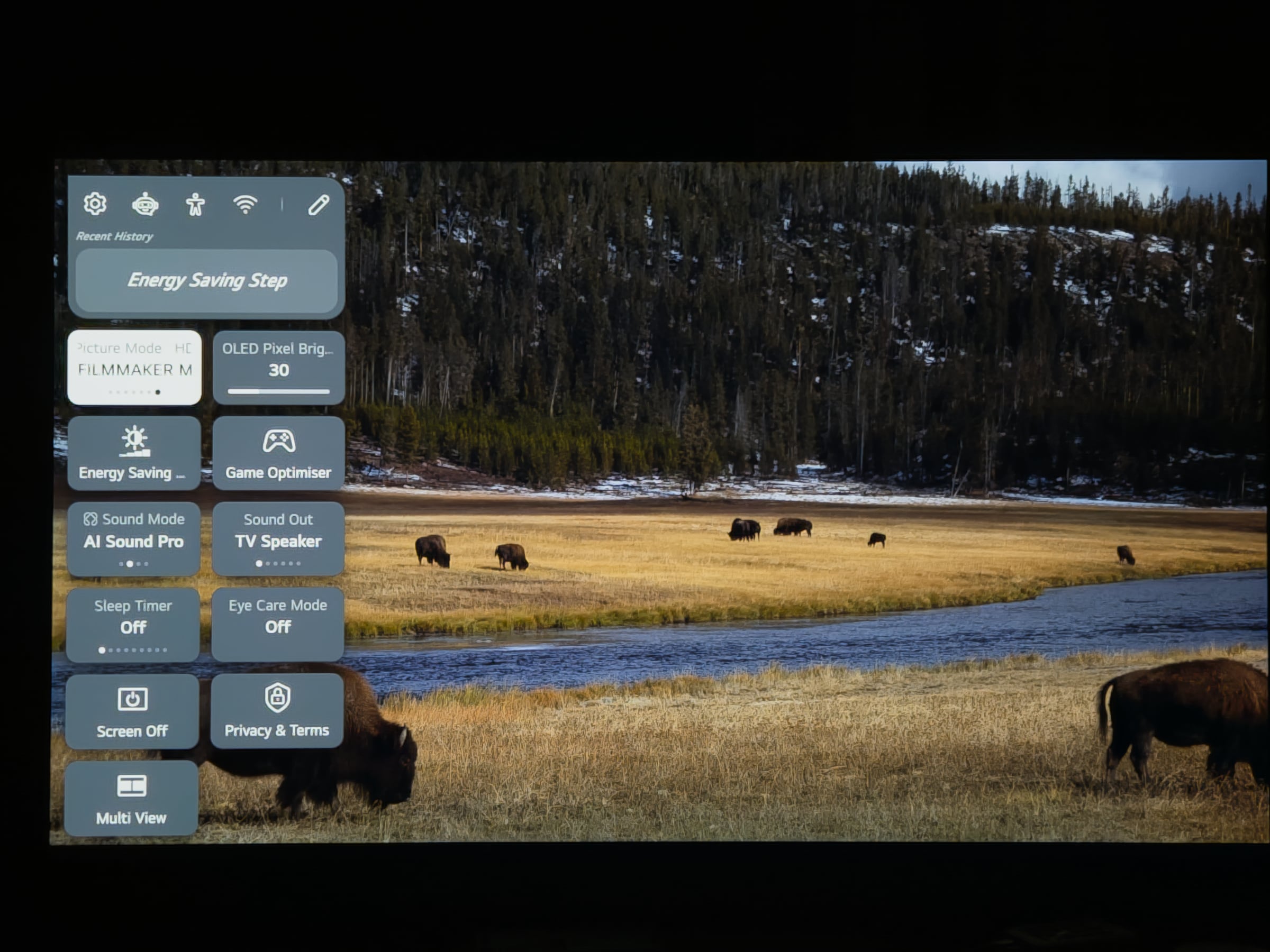
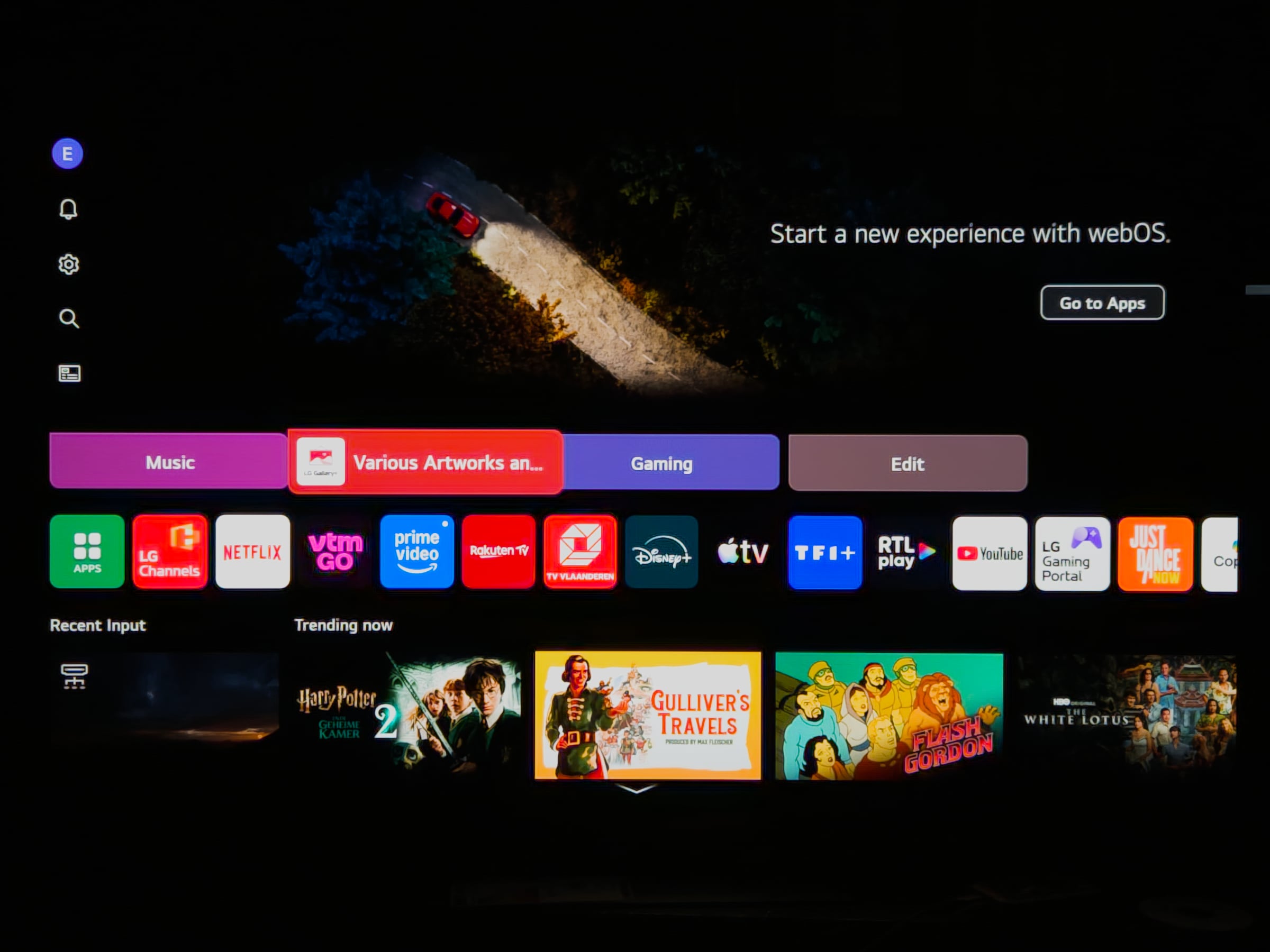
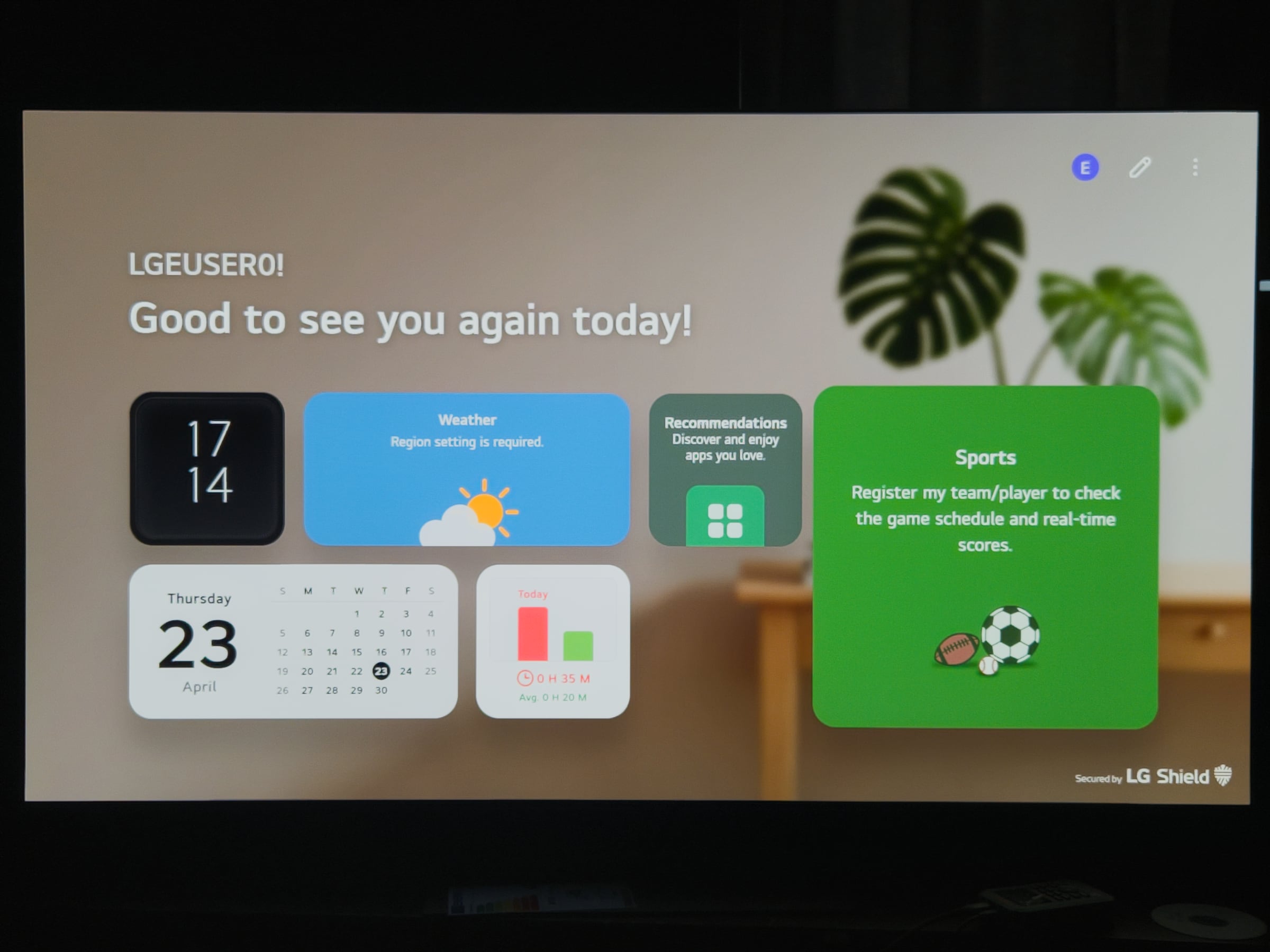
webOS has not received a major overhaul in 2026, and at a glance it is nearly indistinguishable from the 2025 version. Unfortunately, that means some familiar criticisms remain. Ads unrelated to content are still prominently displayed in the upper half of the homescreen and even within the screensaver. The good news is that these can all be disabled through the settings menus, and we strongly recommend doing so (check out the LG C5 review for instructions). The interface is generally responsive, but there is definitely room for improvement. Users navigating the settings menus, or even the quick settings overlay, will notice occasional sluggishness. Since last year, LG has made an effort to embrace the AI trend, though results are mixed at best. Features such as Voice ID and the AI Concierge are not available in all languages, and even in English their added value feels limited. The inclusion of generative AI tools for creating images or music on the TV itself is more of a novelty than a compelling feature. In some cases, voice queries took over 30 seconds to return a response. The search function, despite expectations, still struggles with accuracy. Queries for films starring Tom Cruise worked reasonably well, but broader requests, such as popular fantasy series, produced questionable results, ranging from Peppa Pig to Home Alone. The inclusion of unrelated live TV channels in these results only adds to the confusion. Despite these shortcomings, webOS retains several strong points. LG now guarantees five years of updates, ensuring the platform does not feel outdated after just a few years. Setting aside the AI features, the platform excels in its extensive app ecosystem, with all major streaming services available. Support for Google Cast and Apple AirPlay 2 bring versatility. LG's 'Quick Cards' provide a convenient way to access related functions, while the homescreen itself is highly customizable. Both Quick Cards and the row of favourite apps can be tailored, unused items can be hidden, and the layout rearranged to suit personal preferences. LG Channels offers a selection of FAST channels, though content quality is average. For sports fans, LG Sports is a useful addition. Within the Home Hub, LG supports Matter as well as Thread and Zigbee via an optional USB dongle. Integration with Homey is also included, a logical step following LG's acquisition of the company behind Homey in 2024. As more IoT devices adopt Matter and Thread (including recent offerings from IKEA), this ecosystem becomes increasingly relevant. For users who frequently access settings, customizing the Quick Settings panel is recommended, as it allows both reordering and the addition of selected options for faster access.Operation
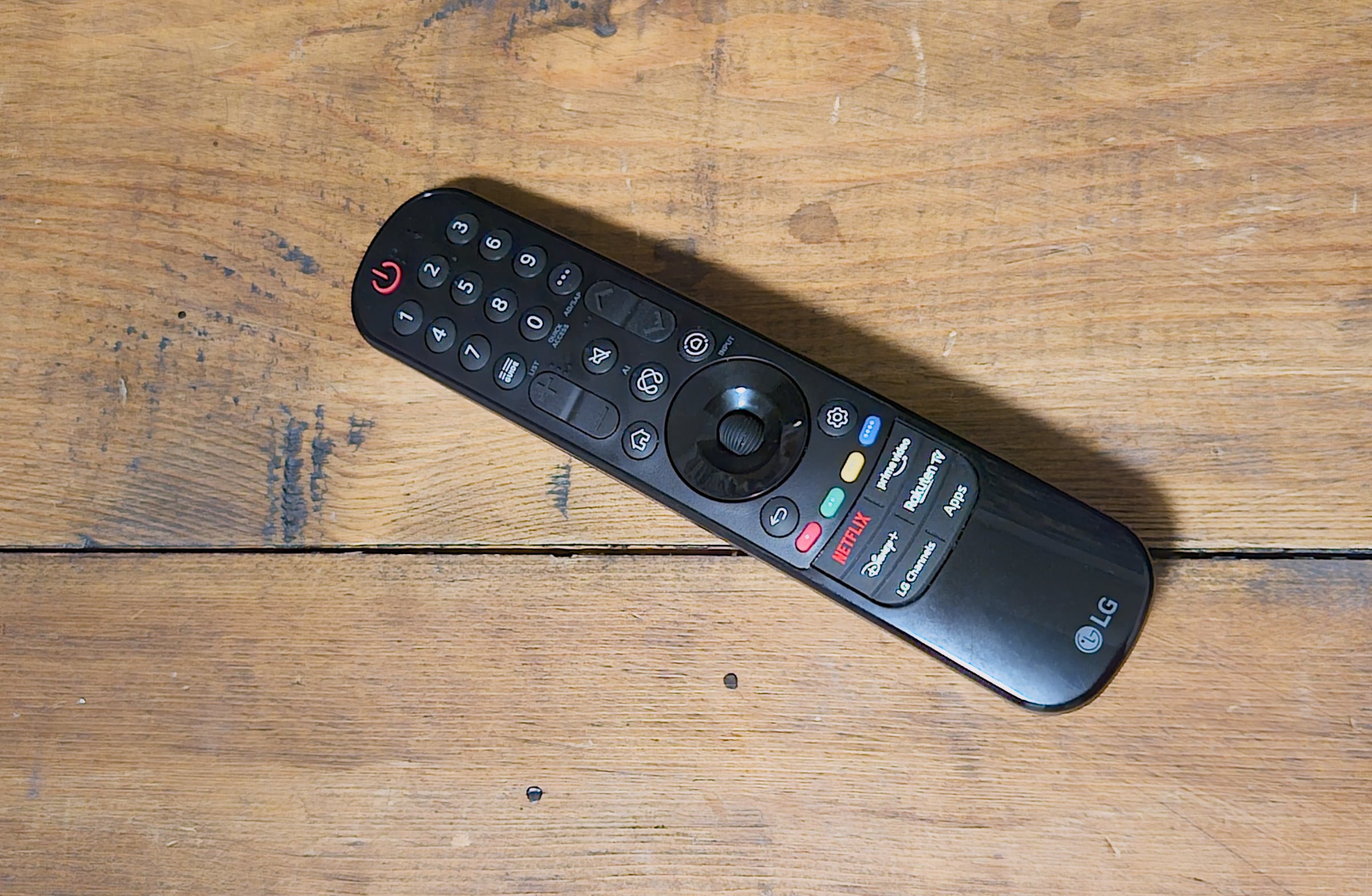
Somewhat surprisingly, our test sample shipped with a slightly revised version of LG's older remote control. Further inquiry revealed that this applies to models with the G66, G68, and G69 suffixes. The remote's organic shape sits comfortably in the hand, and unlike the newer version, it still includes a dedicated mute button. However, the input button has been replaced by a Home Hub key. Fortunately, pressing this button does not immediately launch the full Home Hub interface. Instead, it brings up a more compact menu on the left side of the screen, which also provides access to the input list. Alternatively, a long press on the Home Hub button will take you directly to the inputs overview. Even so, it is hard to ignore that the remote is starting to show its age. Buttons also require a lot of pressure to actuate which detracts from overall usability. The G67 variant ships with the newer remote introduced last year (see LG C5 review). This version is more compact and feels somewhat more modern, but it is not without its flaws. It shares the same overly firm button press, which can make extended use less comfortable, and it misses a rechargeable battery. LG has, however, added a customizable shortcut button that can be assigned to a limited set of functions, including accessibility features, mute, inputs, live TV, or HDMI selection. For users who dislike the combination of volume-down and mute for quick silencing (as we do) this provides a welcome workaround. Both remotes can of course still be used as a "Magic Remote" with which you simply point at items on the screen. If you prefer using your smartphone, the LG ThinQ app is actually a decent remote, especially if you quickly want fire up an app.TV audio
Delivering convincing audio from such a slim chassis is no small feat, but the G6 makes a solid attempt. The 4.2-channel configuration remains unchanged from the G5, but LG introduces a new feature with the Alpha 11 processor: AI Object Remastering Ultra, which even takes motion vectors from the video into account to create a more convincing sense of surround. And with good results. We have never been particularly fond of the AI Sound Pro preset, but with this new feature in place, it becomes a more viable option. It enhances the spatial feeling and adds more impact to the sound. That said, for a true home cinema experience, an external audio system is still the better choice. This is especially relevant if you own a Blu-ray collection with DTS soundtracks, as the G6 (like the G5) no longer supports DTS, only Dolby Atmos. DTS passthrough via eARC is also no longer available, so you will need to connect your Blu-ray player directly to your external audio setup. Overall sound balance is good, with a full presentation, decent bass presence, and sufficient volume. For music and everyday TV viewing, the Standard sound mode remains the better choice. AI Sound Pro is less convincing here, as the added surround effect can feel artificial. If you want to fine-tune the audio, the Personal Audio Wizard is definitely worth exploring. It plays a series of clips and builds a custom EQ profile based on your preferences. Also remember to run AI Acoustic Tuning, which adapts the sound to your room acoustics.Calibration
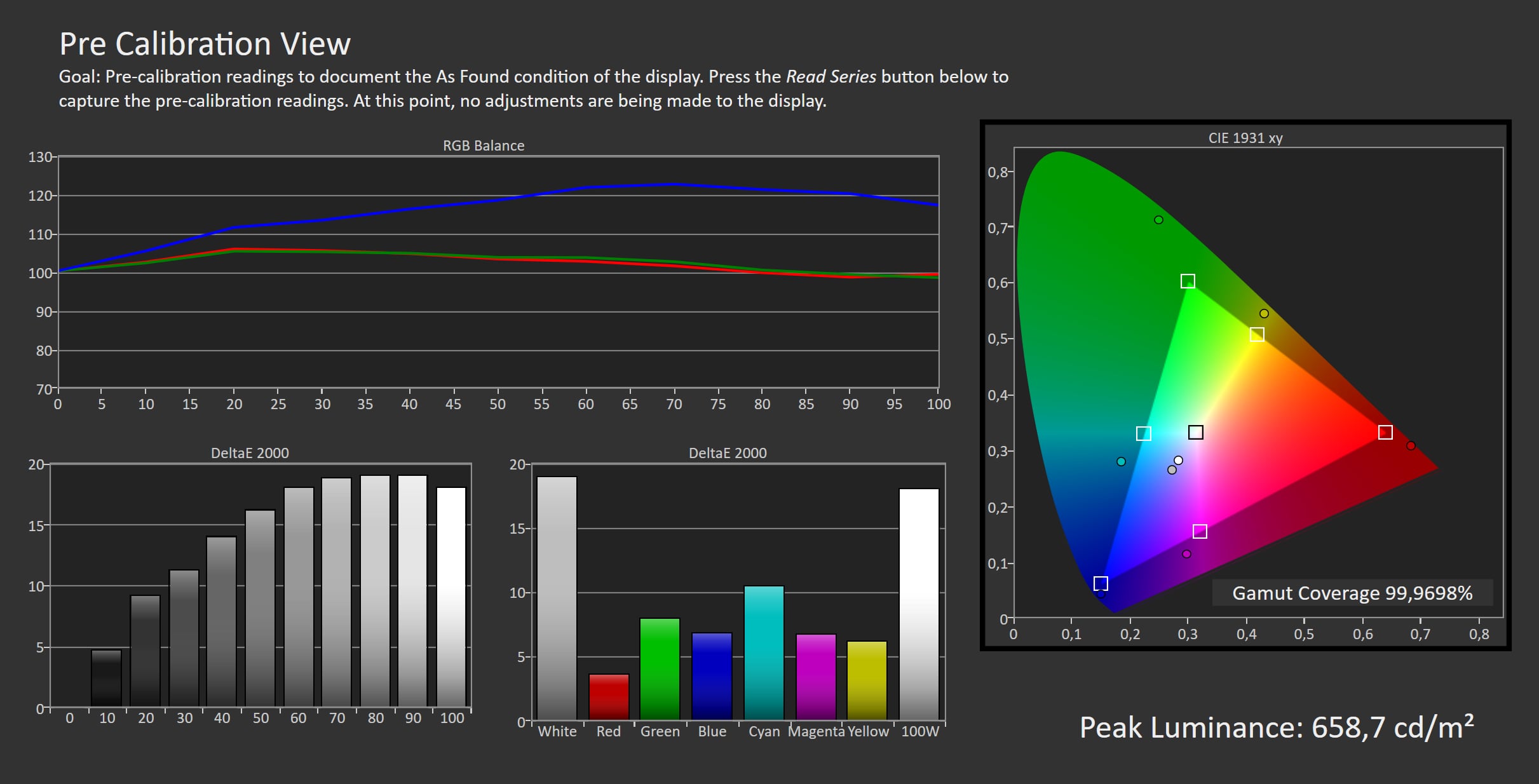
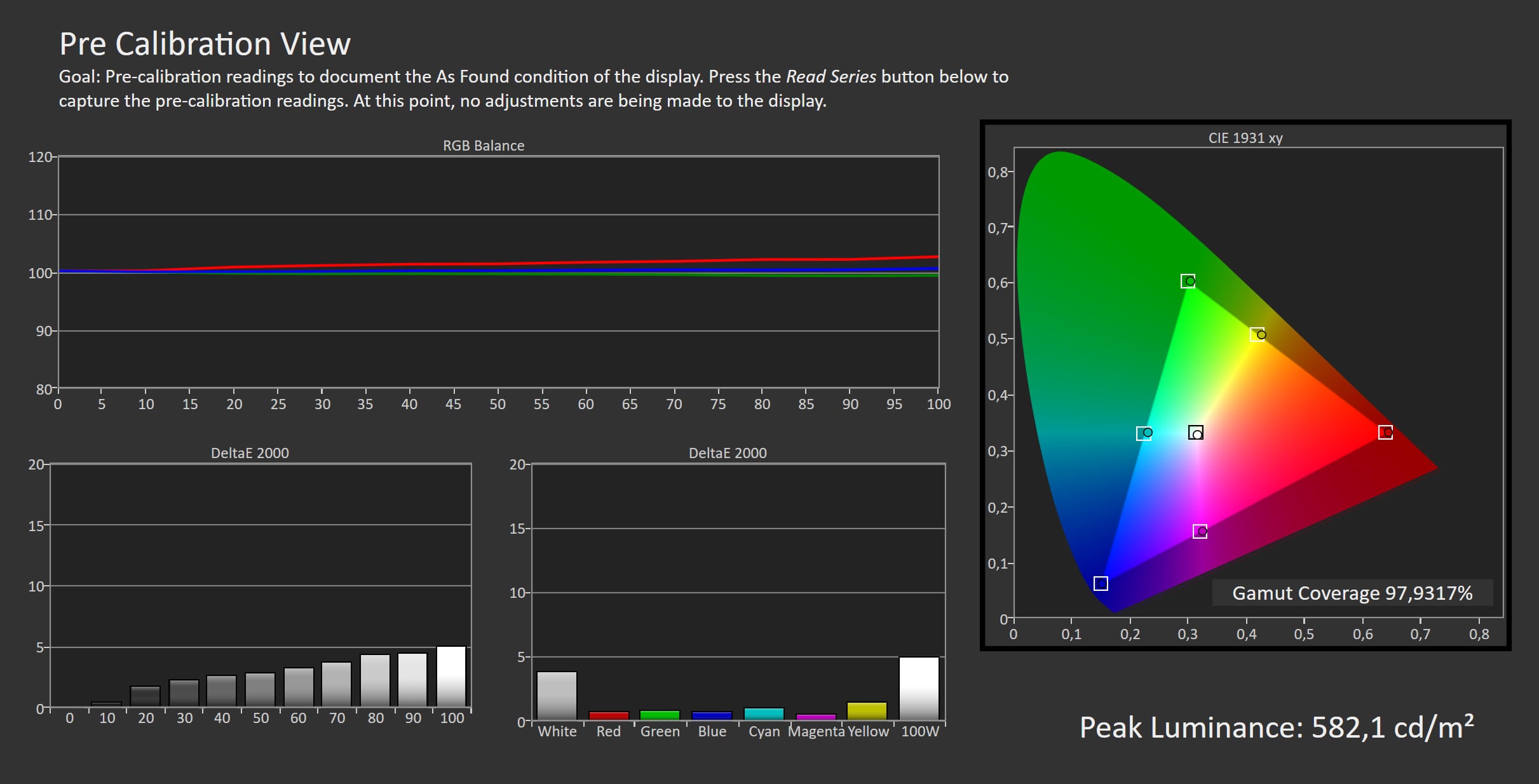
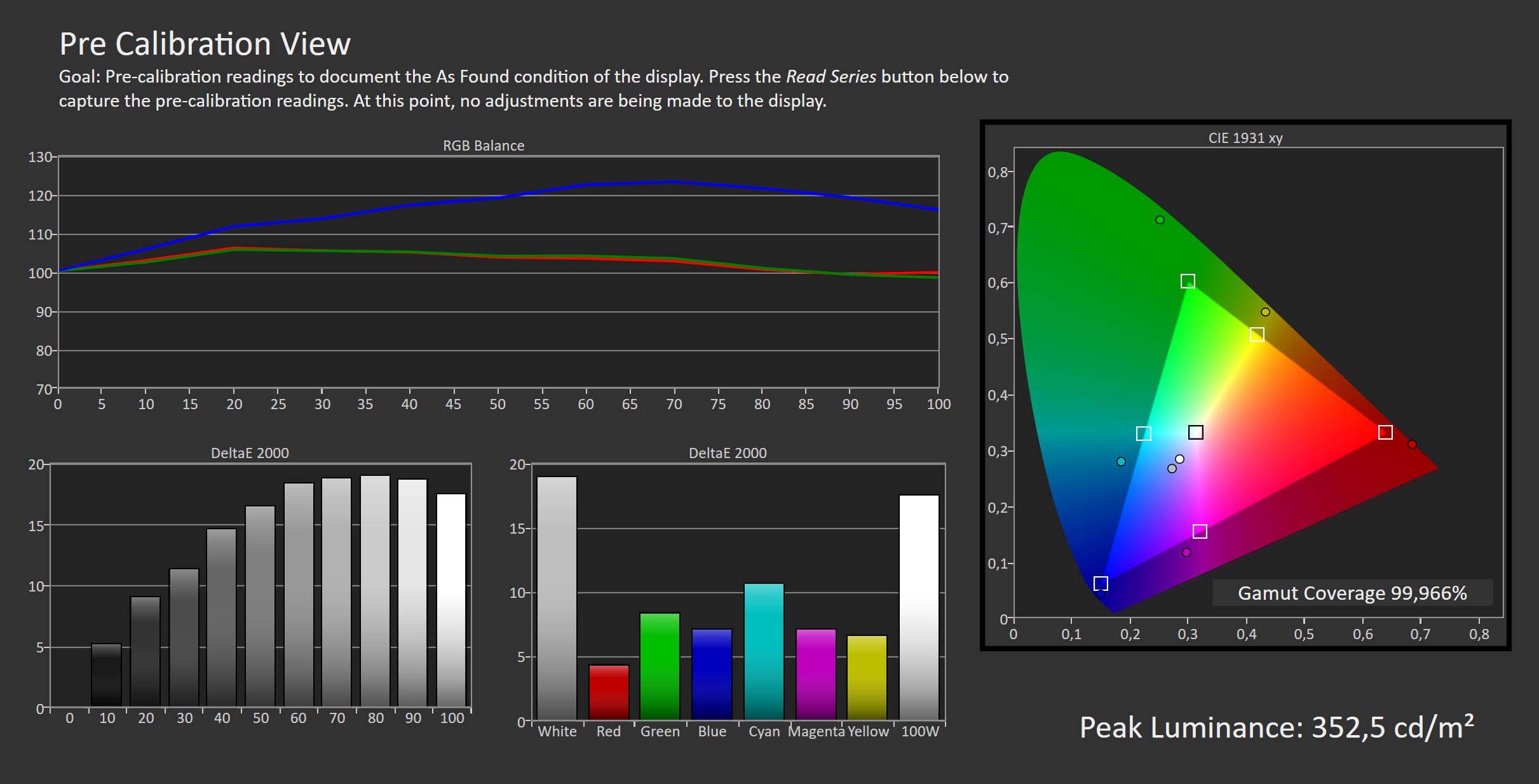
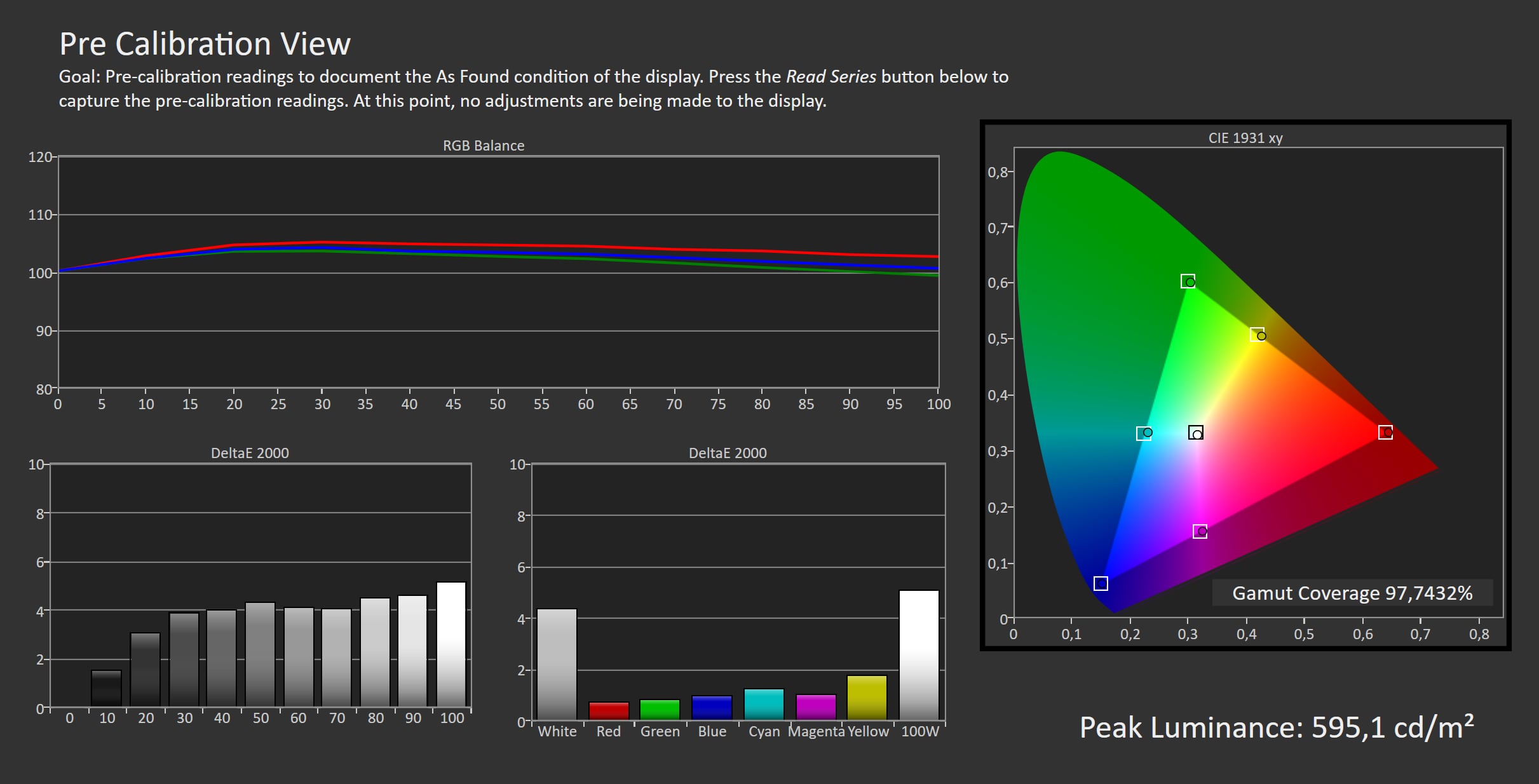
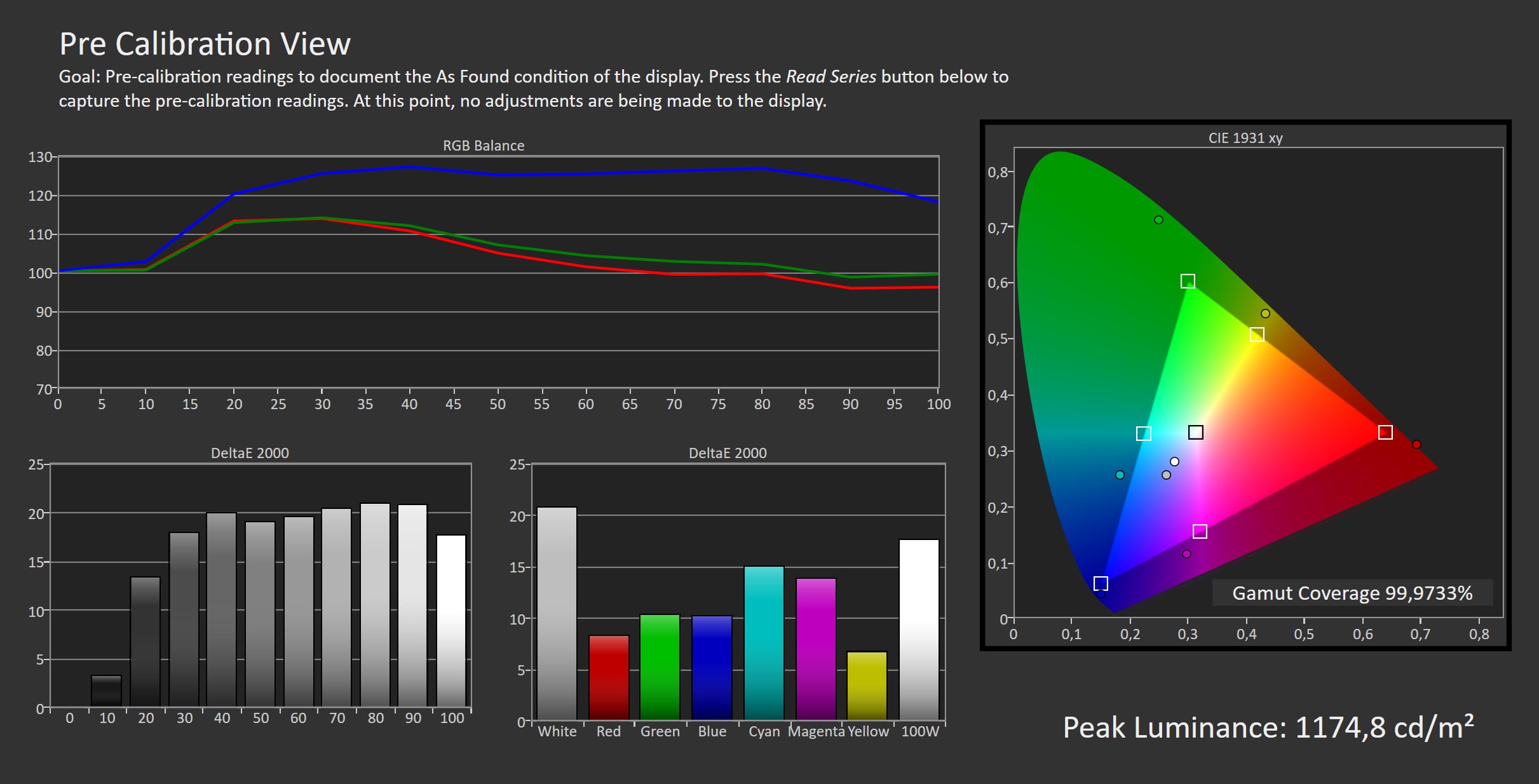
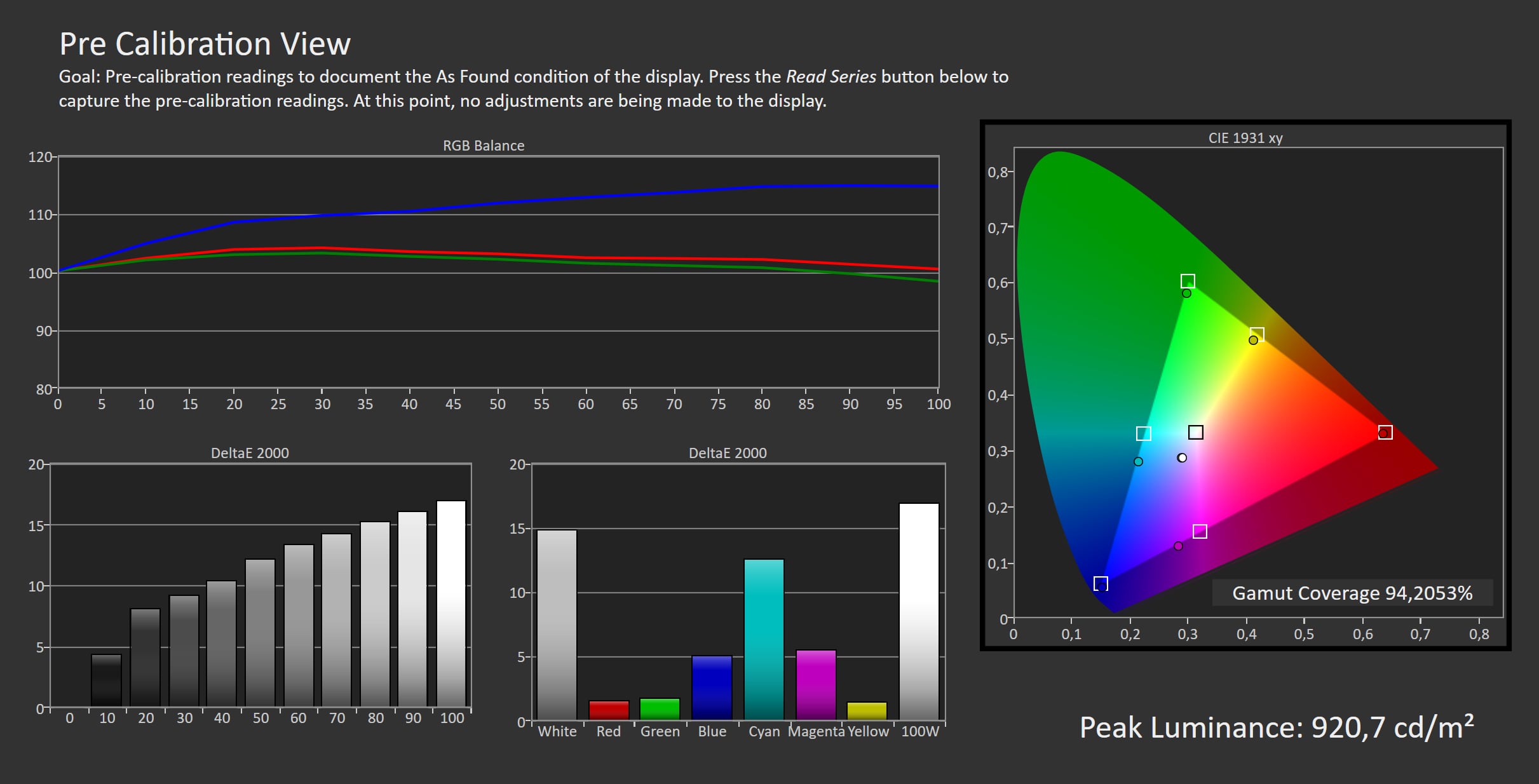
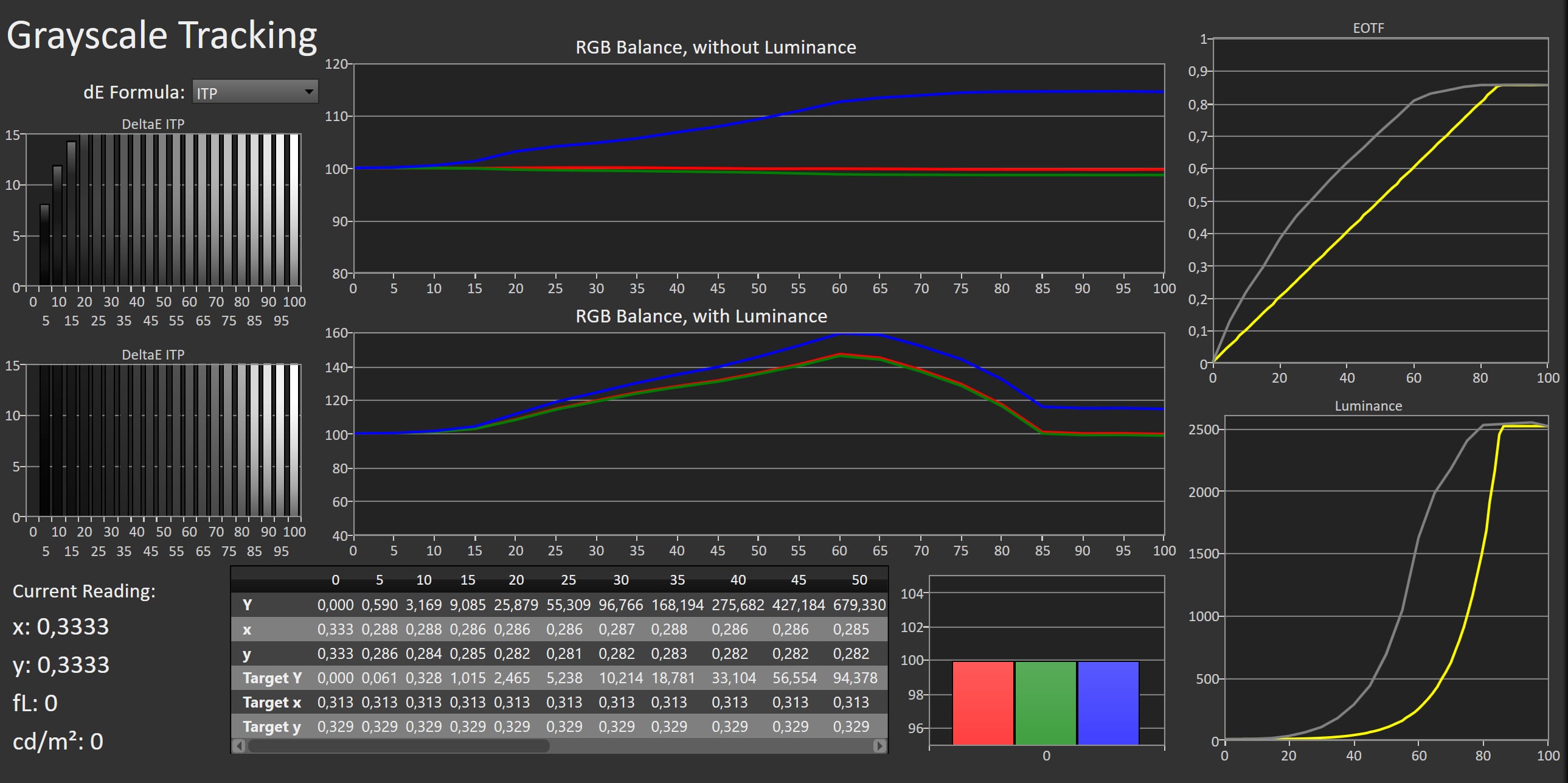
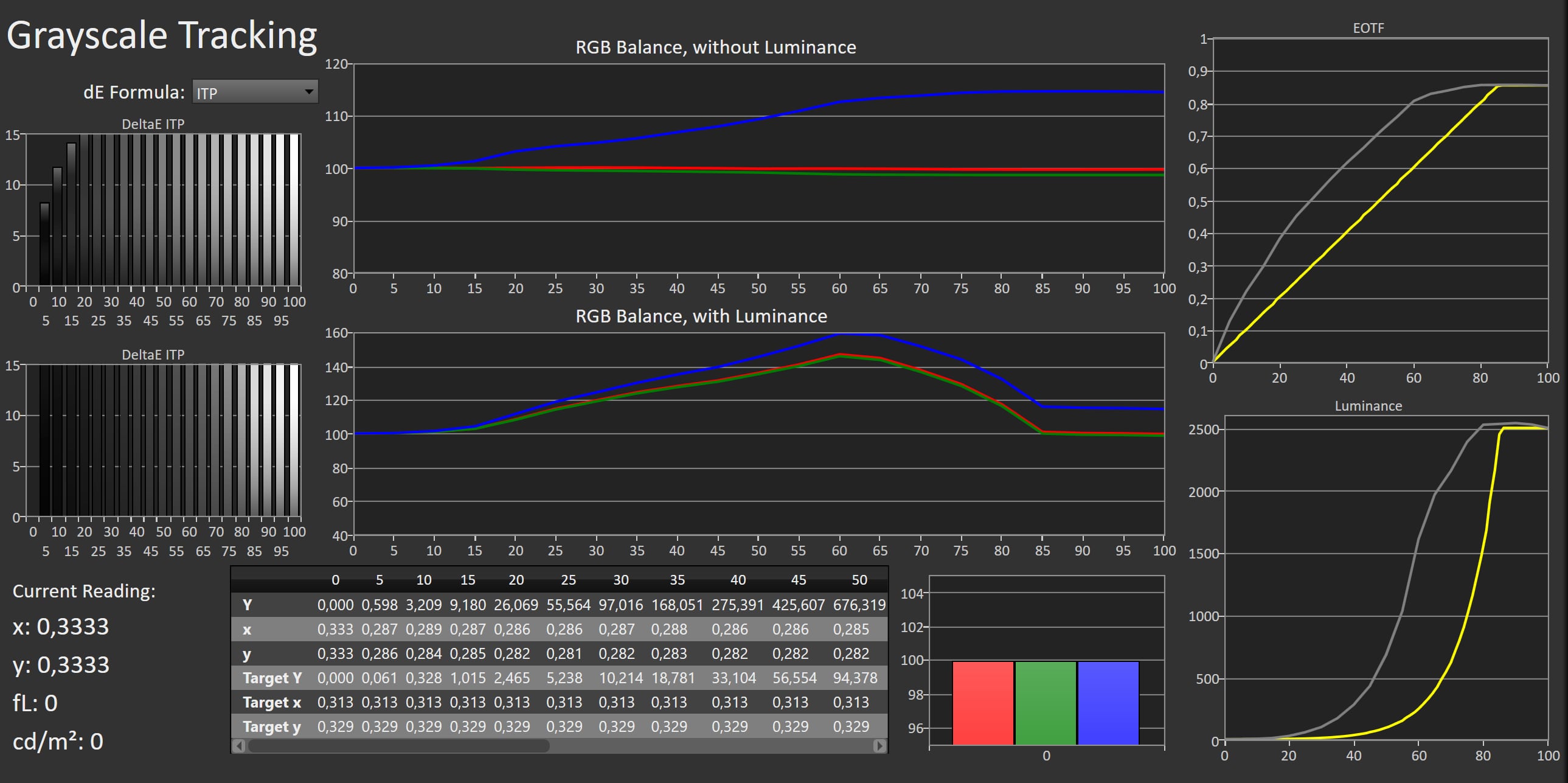
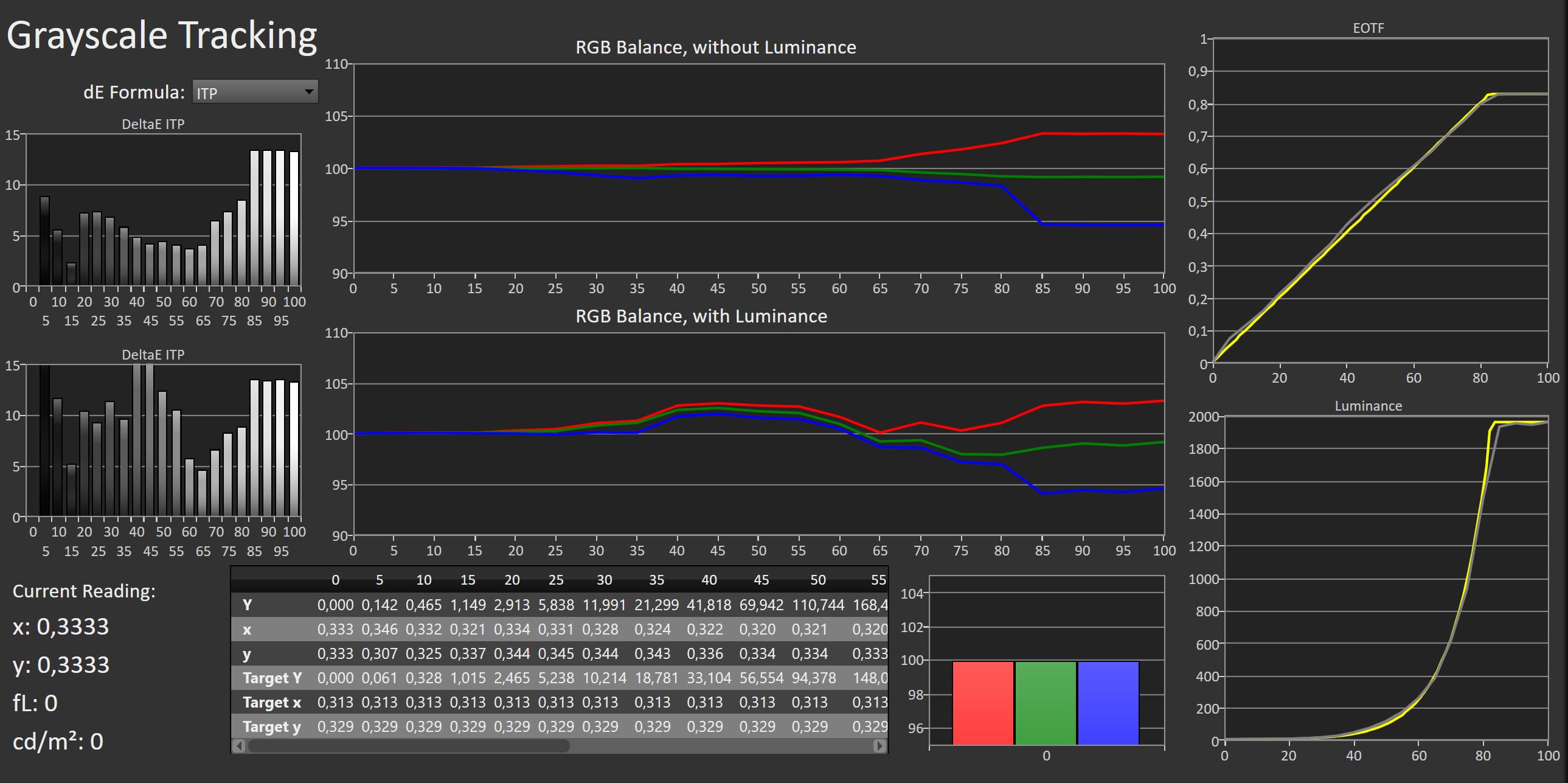
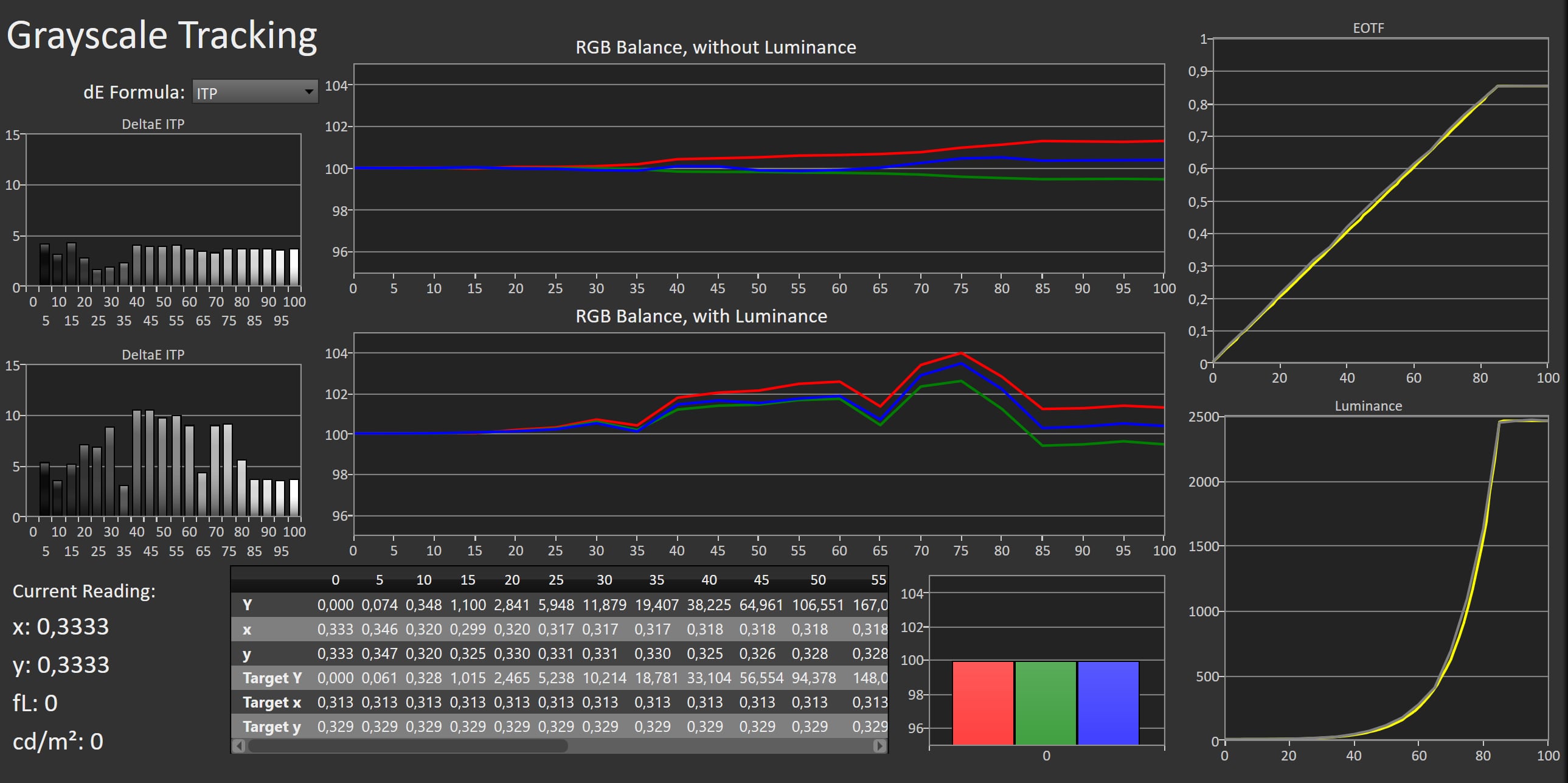
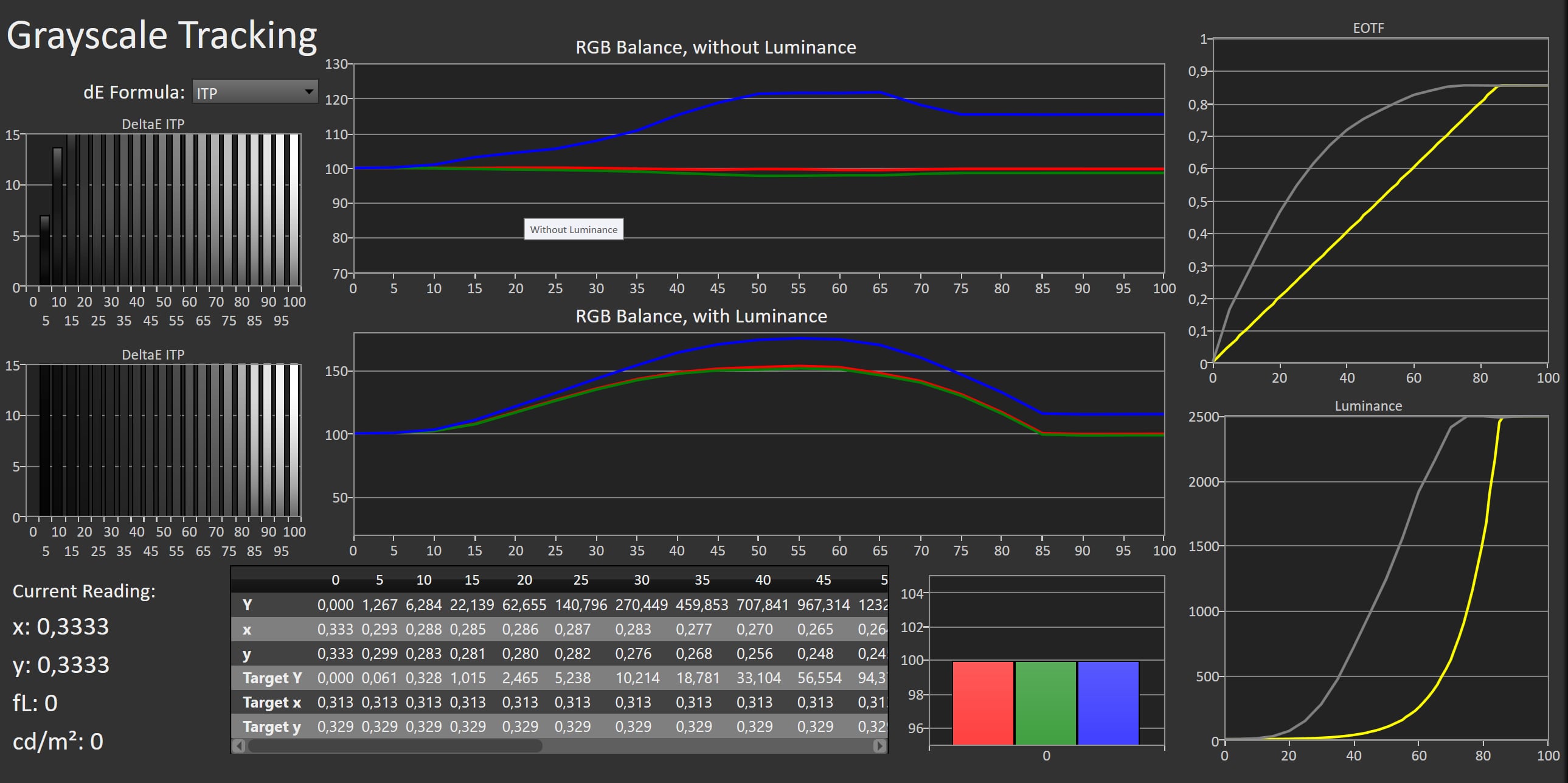
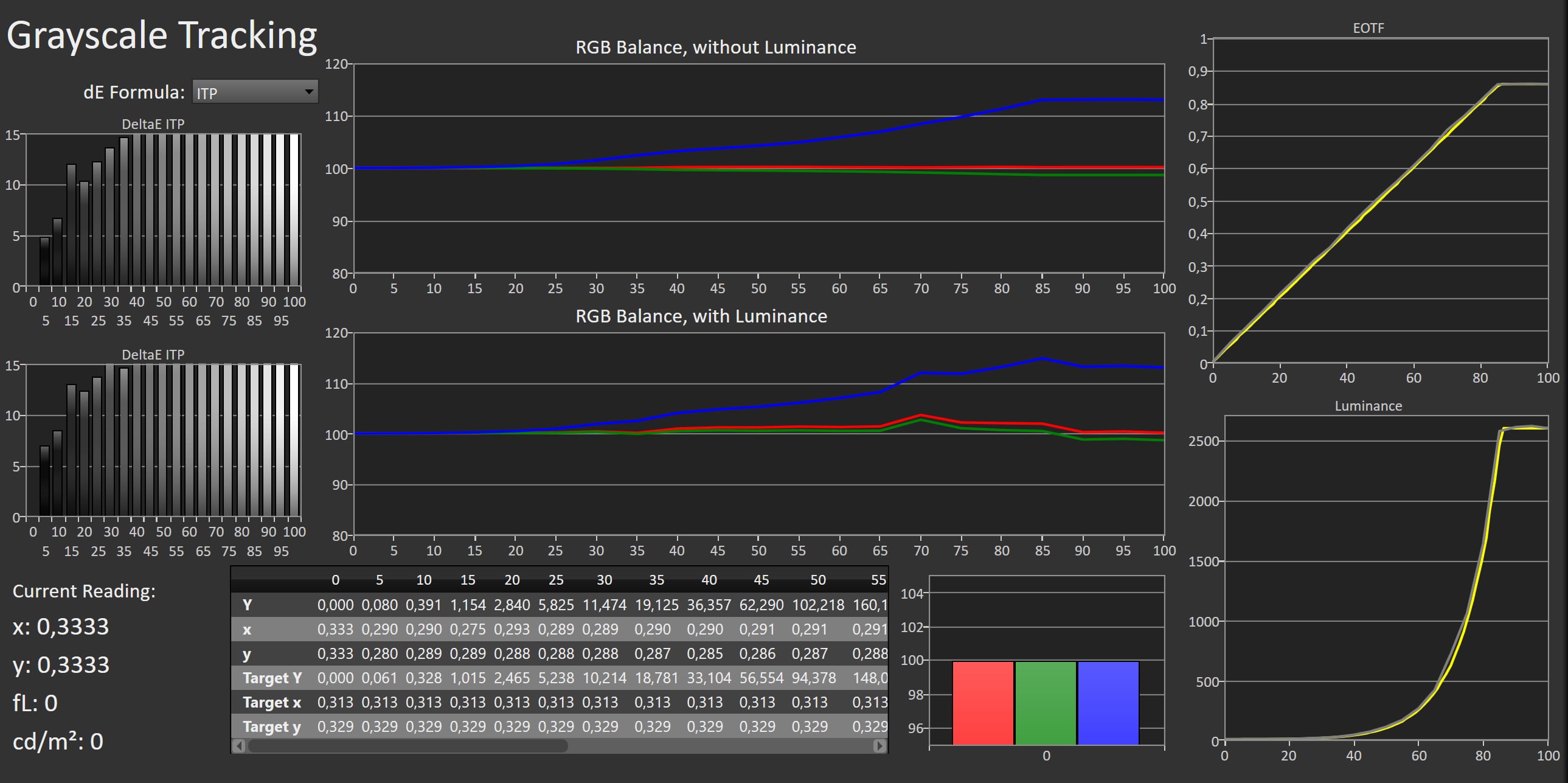
LG's out-of-the-box picture mode (Auto Power Save) is primarily tuned with energy efficiency in mind and has a very cool color temperature. Those seeking accurate SDR reproduction, faithful to the creator's intent, are better off switching to Filmmaker Mode. Here, we note a slightly warm color temperature in bright whites, though this does not carry over into colors or skin tones, which remain natural and well balanced. LG G6 is also Calman Ready for those who want to achieve reference-level calibration. The Cinema Home picture mode offers a viable alternative. It brightens midtones through a lower gamma setting and applies a touch of video processing. For a wide range of content, this works well, and any unwanted processing can of course be disabled. Game Optimizer mode, on the other hand, is calibrated too cool and enables various processing features such as noise reduction and sharpness enhancement, none of which are beneficial or even required for real-time rendered content. We recommend copying the Filmmaker Mode settings into Game Optimizer mode for a more accurate result. In HDR10, Filmmaker Mode again proves to be the best choice for optimal and faithful image quality. Peak brightness reaches 2481 nits on a 10% window, in line with the previous generation. However, there is a clear improvement in smaller highlights: on a 2% window we measure 3106 nits (compared to 2341 nits on LG G5), and on a full white screen the G6 now reaches 471 nits. The latter is a particularly meaningful upgrade, as the G5 was limited to 356 nits in HDR. In practice, this means the G6 relies less on its ABL in both SDR and HDR. Small highlights appear more intense, giving HDR images an extra sense of impact. Color gamut performance of the new panel appears unchanged. We measured 78.4% of Rec. 2020 coverage and 99.7% of DCI-P3, outstanding results.Measured picture modes
Click the picture mode to expand the view
Auto Power Save (SDR) Standard (SDR) Cinema Home (SDR) Filmmaker Mode (SDR) Vivid (SDR) Game (SDR) Auto Power Save (HDR) Standard (HDR) Cinema Home (HDR) Filmmaker Mode (HDR) Vivid (HDR) Game (HDR) Measurements
In our "measurements" section we include all measurements and our suggested calibration settings. If you want to learn more about our test methodology click here. Note: In 2021, we implemented a new method for measurement of average power consumption in SDR and HDR, meaning that earlier measurements are not 1:1 comparable. The new method will be used in all TV reviews going forward.Note: We include calibration settings only for SDR, not HDR. For our calibration we have deactivated the ambient light sensor that automatically adjusts the backlight setting according to your environment. You may prefer to have it enabled.Picture quality
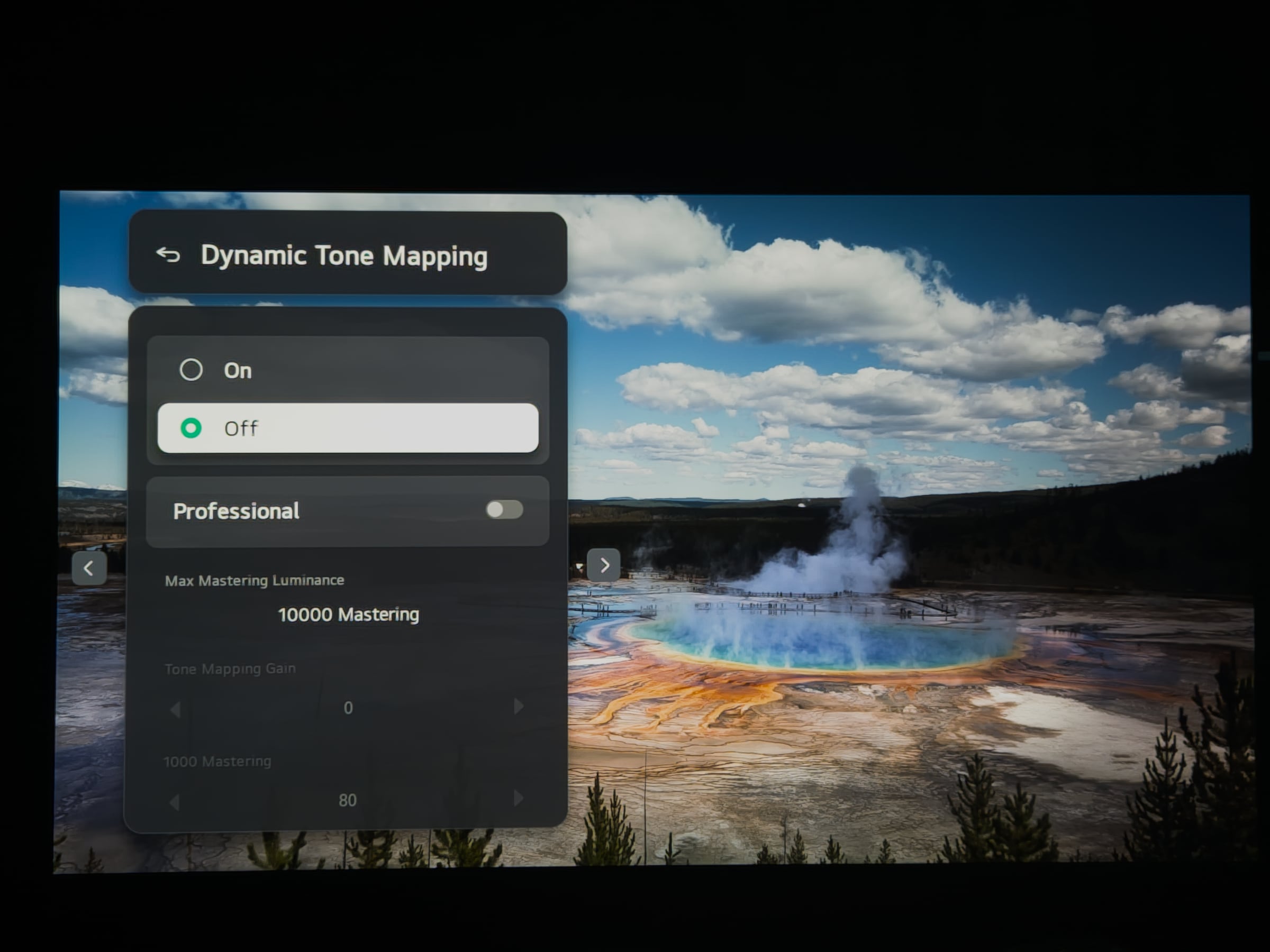
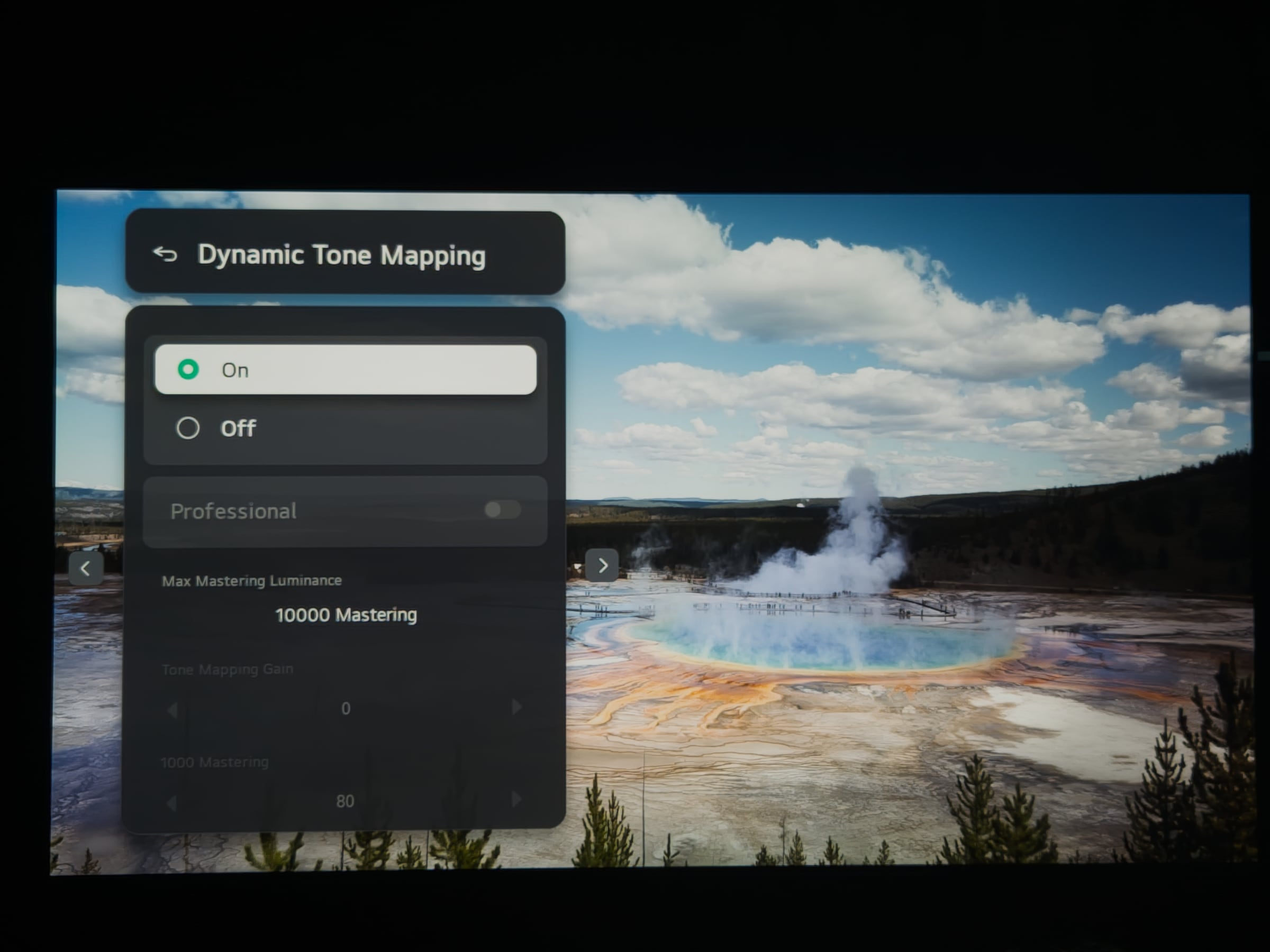
On paper, the LG G6 ticks all the right boxes, and in practice it largely delivers. Switching to Filmmaker Mode, we cue up a few episodes of For All Mankind. Its many space scenes and rocket launches are a perfect showcase for OLED's strengths. Pixel-level contrast renders each star with pinpoint precision against the inky blackness of space and rocket exhausts are intensely bright. Switching to latest Oscar winner Sinners, we appreciate the smoky color palette, but also the brighter tones of Fantastic Four are reproduced with equal finesse. The slight reddish tint in the brightest whites never becomes distracting. Color reproduction is excellent overall, and the G6 reveals plenty of nuance in near-black detail. On a dark test slide we saw no visible banding. In our low-bitrate dark scene test, the WRGB OLED panel still struggles somewhat to transition cleanly out of black without minor flickering, although results are marginally improved over last year. G6 offers more than enough peak brightness for use in a bright living room, both in SDR (reaching around 1000 nits on a 10% window and 450 nits full screen) and in HDR (2500 nits in 10% and 3100 nits in 1% in calibrated mode, or up to 4600 nits in Vivid mode), where the improved full-field brightness provides a noticeable boost. This is supported by a new anti-reflective coating that reduces reflections to just 0.3%. Reflections carry a slight magenta tint but are significantly less visible than on last year's LG G5. You can enable the ambient light sensor (via System -> Energy Saving -> Energy Saving Step -> Auto) for viewing in variable lighting conditions. Why LG keeps a separate 'Filmmaker Mode Ambient' option in the Filmmaker Mode settings is not clear, we have asked LG to clarify. We would prefer to see this removed, as having two similar options is unnecessarily confusing.Beyond panel improvements, G6 introduces LG's new Alpha 11 Gen 3 video processor. The most notable upgrade is 12-bit processing (and 13-bit for luminance), aimed at addressing one of the G5's weak points: visible banding in subtle gradients and darker scenes. In practice, the G6 delivers a clear improvement. In several challenging test clips, banding is significantly reduced or nearly eliminated. When minor issues remain, often due to compression artifacts in the source, the lowest setting of Smooth Gradation is typically sufficient to resolve them. Only very dark, heavily compressed scenes still exhibit visible banding. In our Game of Thrones test clip, this was clearly visible. The scene uses torchlight and the erratic nature of the lighting causes the banding to flicker, an issue that is only seen on WOLED panels. The new processor also introduces a Super Resolution algorithm that aims to enhance not just edges but textures as well. In practice, results are mixed. With high-quality HD content, the improvement is subtle, to the point of being invisible, while with lower-quality sources such as DVD, the processing can be somewhat aggressive and may even accentuate compression artifacts. None of LG’s 2026 models support Dolby Vision 2, and LG has said that G6 will not receive it via a firmware update either. The first Dolby Vision 2 content is expected to arrive in the second half of 2026 at the earliest. G6 is not just for movie enthusiasts. The panel supports up to 165Hz at 4K resolution (for PC gamers) and includes ALLM and VRR, with support for NVIDIA G-Sync and AMD FreeSync. Combined with its extremely low input lag and fast pixel response times, this makes it an outstanding gaming TV. G6 delivers exceptionally low input lag: 10.8 ms at 4K60 and just 5.3 ms at 2K120. In its default out-of-the-box mode (or Filmmaker Mode), input lag rises to 89 ms at 4K60. Many of these traits also benefit sports viewing. The panel offers excellent uniformity, crucial when the camera pans across a football pitch, and with TruMotion set to "Natural," motion clarity is strong without introducing obvious artifacts. Whether to use TruMotion for smoothing out 24fps film judder remains a personal preference. Keep in mind that the "Smooth Movement" setting can occasionally hesitate during fast camera pans and introduce minor artifacts. For purists, "Cinematic Movement" remains the better choice. For a flagship model like the LG G6, HDR performance is where it truly needs to excel as SDR is no longer a real challenge at this level. In HDR10, Filmmaker Mode delivers a well-calibrated image, with a less noticeable red tint than in SDR, well within acceptable limits. Our darkest test scenes reveal excellent shadow detail, with less dithering noise than observed on last year's G5. Color reproduction is highly accurate, reinforcing the G6's credentials as a reference-grade display. The new Alpha 11 Gen 3 processor also introduces a refined version of LG's dynamic tone mapping algorithm. However, we would only recommend enabling it in brighter viewing environments. It significantly boosts overall brightness, making shadow detail easier to perceive, but this comes at a cost: in some cases, the brightest whites lose a touch of nuance, and peak colors can appear slightly less saturated. With dynamic tone mapping disabled, G6 performs exceptionally well. Even with very brightly mastered content, it preserves fine gradations in whites and maintains accurate color reproduction. If you prefer slightly more visibility in darker areas, the Dark Detail setting offers a useful adjustment without compromising overall image fidelity.Only very dark, heavily compressed scenes (like this one) still exhibit visible banding Dynamic tone-mapping off (left) vs. Dynamic tone-mapping on (right) Conclusion
With last year's G5, LG made an impressive leap forward due to the new tandem panel. That is less the case with G6. In many respects, it closely mirrors its predecessor, but it does address several minor shortcomings. The new WRGB OLED panel does not deliver a dramatic increase in peak brightness, yet the improvement is noticeable in HDR. Small highlights have more sparkle, and the ABL (Automatic Brightness Limiter) intervenes less aggressively. That said, expectations should be kept in check, this is an incremental, not transformative, upgrade.Ad:Where the G6 does make a meaningful step forward is with the new Alpha 11 Gen 3 processor. Thanks to its 12-bit processing, color banding is significantly reduced, while dithering noise in dark scenes is less apparent. In terms of design, nothing has changed, G6 is effectively identical to G5. Buyers can choose between a version with a stand or a wall-mount bracket. The four HDMI 2.1 ports with full 48 Gbps bandwidth remain, along with support for VRR, ALLM and up to 4K at 165Hz. For wireless audio expansion, LG now supports Dolby Atmos FlexConnect instead of WiSA. Bluetooth Auracast also makes its debut. WebOS gains a few new features, such as "My Page" and an AI concierge, but their added value is limited. AI still feels more like a gimmick than a meaningful enhancement. Ads also remain clearly present, though they can fortunately be disabled. On the plus side, webOS continues to offer a very extensive app selection, supports Google Cast and Apple AirPlay 2, and comes with 5 years of updates. It is somewhat surprising that some models ship with the older remote. As for the new remote, our enthusiasm is moderate, although LG has addressed a few usability issues. In the competition against Samsung S95H, Philips OLED911 and other 2026 flagship TVs, LG G6 is an excellent choice for those who demand top-tier picture quality, whether you watch in a darkened room or a bright living space, and regardless of whether your primary content is film, sports or gaming. It deserves our Highly Recommended Award.Price and retailers:
US retailer
UK retailer
DE retailerExcellent peak brightness (calibrated 3100 nits 1%) Beautiful SDR & 4K HDR with pre-calibrated modes 4x HDMI 2.1 ports & QMS webOS updates for 5 years
Ads in webOS No HDR10+, no DTS Dynamic Tone-mapping overbrightens content