Review: Philips OLED811
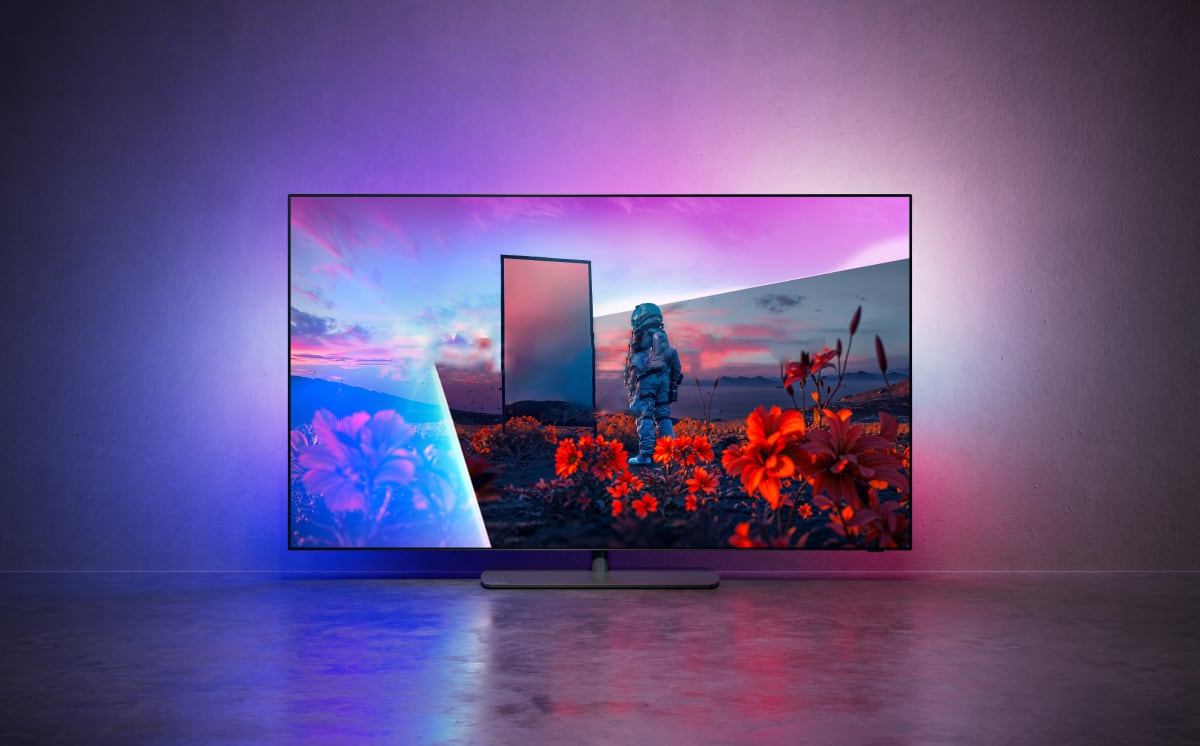
As the successor to last year's OLED810, OLED811 promises increased brightness, four HDMI 2.1 ports, 3-sided Ambilight with AmbiScape, up to 165Hz refresh, and a later update to Dolby Vision 2 Max – the first OLED TV to feature Dolby Vision 2 in any from – in sizes ranging from 42 to 77 inches. It sounds like a strong upgrade so read our in-depth review here to see how it stacks up against the competition. We are testing the 55-inch version of OLED811. Also read: Philips 2026 TV lineup (with TV compare tool)Price and retailers:
UK retailer
DE retailerFirst impressions
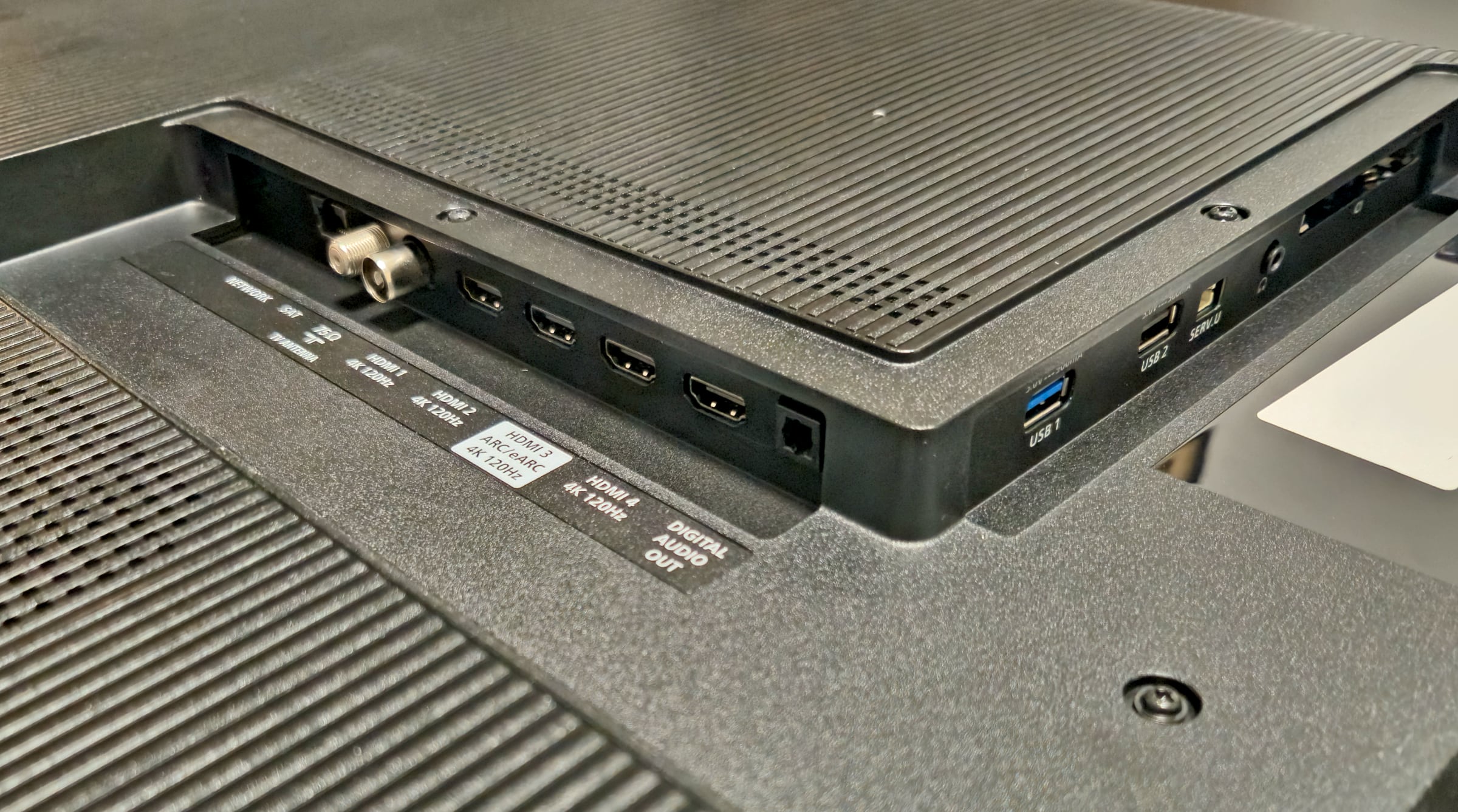
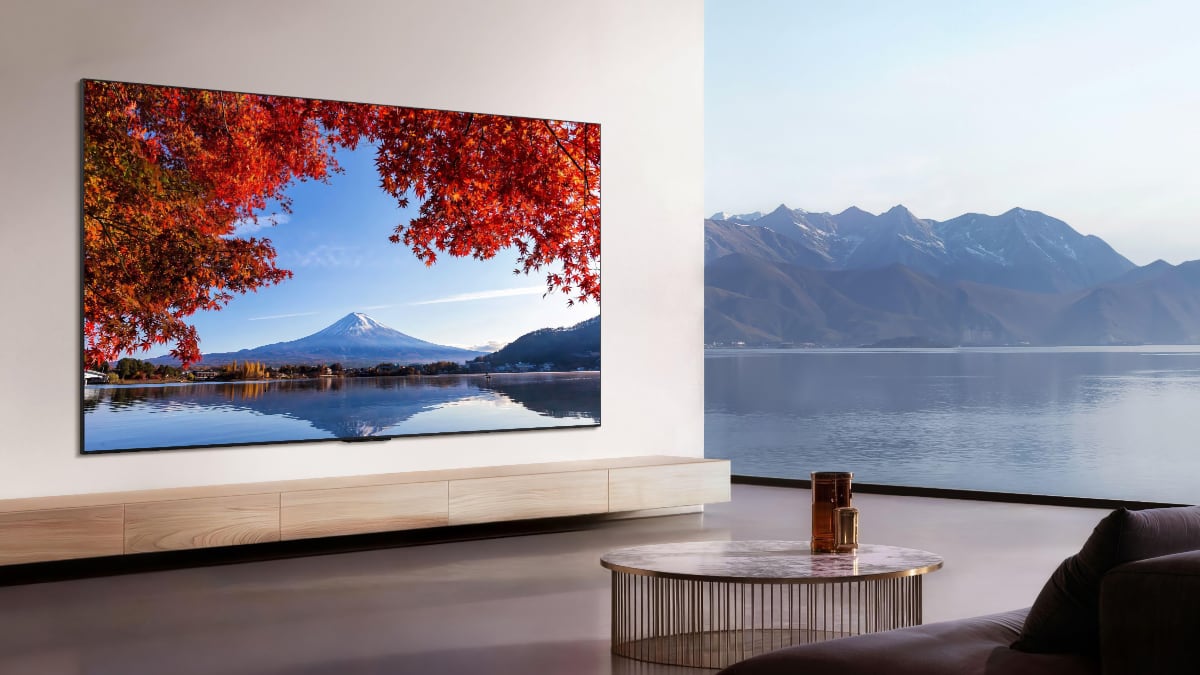
Philips' OLED 8 series has retained largely the same design for several years. It features an ultra-slim OLED panel, measuring just a few millimeters at its thinnest point, with a plastic rear housing accommodating the electronics, speakers, and connections. This year, however, Philips has significantly reduced the depth of that housing. The 55-inch OLED811 measures just 40mm at its thickest point, compared to 68mm for its predecessor, OLED810. Naturally, the rear enclosure also houses the LEDs for Philips' signature three-sided Ambilight system, which projects the on-screen colors onto the wall behind the TV to enhance immersion. The TV is mounted on a central swivel stand, allowing the screen to rotate left and right. It remains a genuinely useful feature that we continue to appreciate. One aspect that stood out, however, is the stand itself. Last year's OLED810 rested on a slim satin-finished metal base, whereas OLED811 uses a plastic cover over the base plate. It looks noticeably less premium and represents a small step backwards in terms of perceived build quality. The four. up from last year's two, full-bandwidth HDMI 2.1 ports, each supporting the full 48Gbps specification are one of the hardware upgrades this year. It is possible because the system chip has also been upgraded to the MediaTek Pentonic 800. Philips also continues to include a 3.5mm headphone jack, a feature that has become increasingly rare on modern TVs. Wireless headphones are, of course, also supported, and OLED811 even adds Bluetooth Auracast compatibility. For network connectivity, users can choose between Ethernet (100 Mbps) and WiFi 6. Most ports are rear facing, while the USB ports and headphone jack are positioned on the side for easier access. Philips has integrated a cable management channel into the stand to help keep cables neatly out of sight.Philips now offers four HDMI 2.1 ports. Photo: Eric Beeckmans / Flatpanels User experience & features
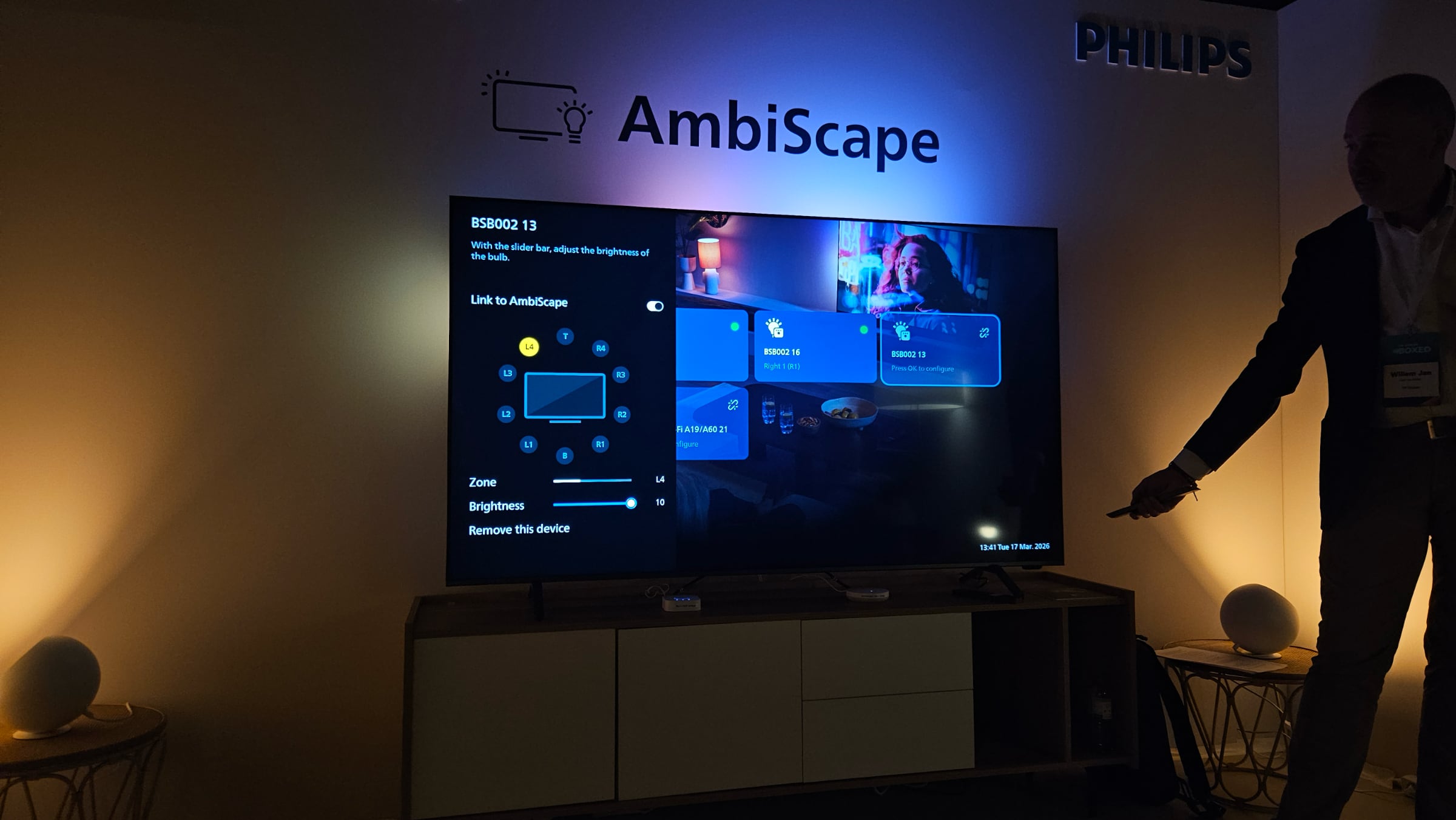
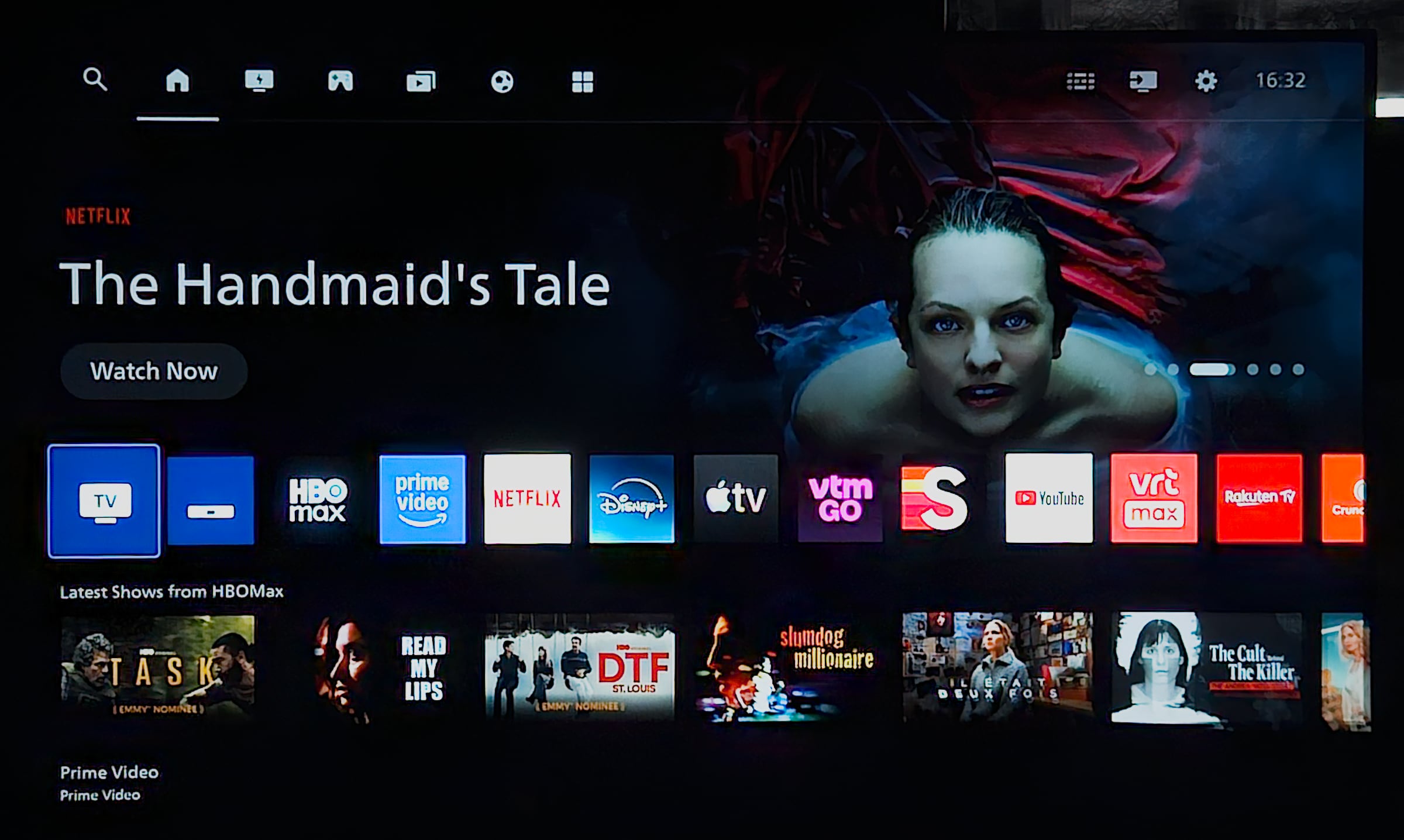
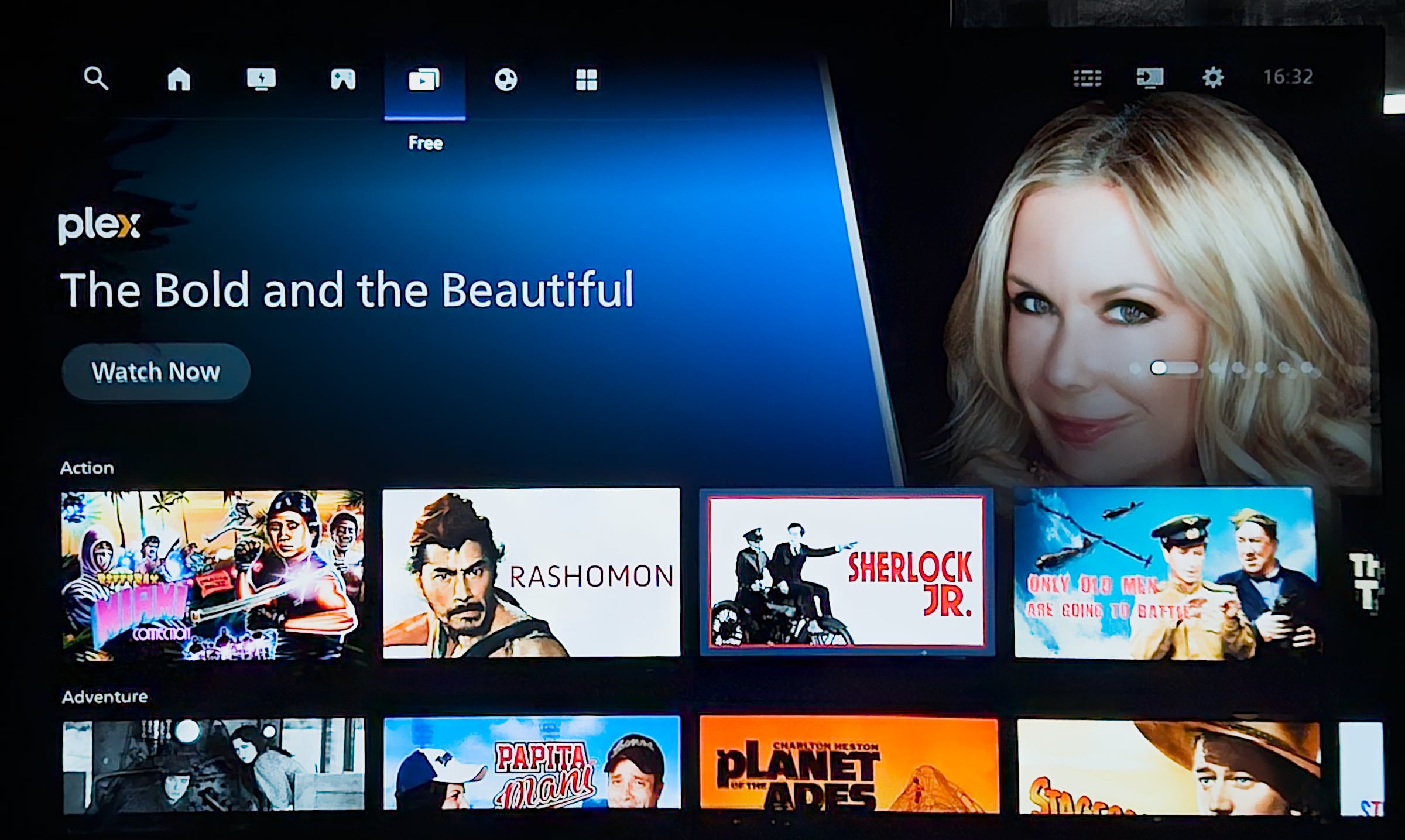
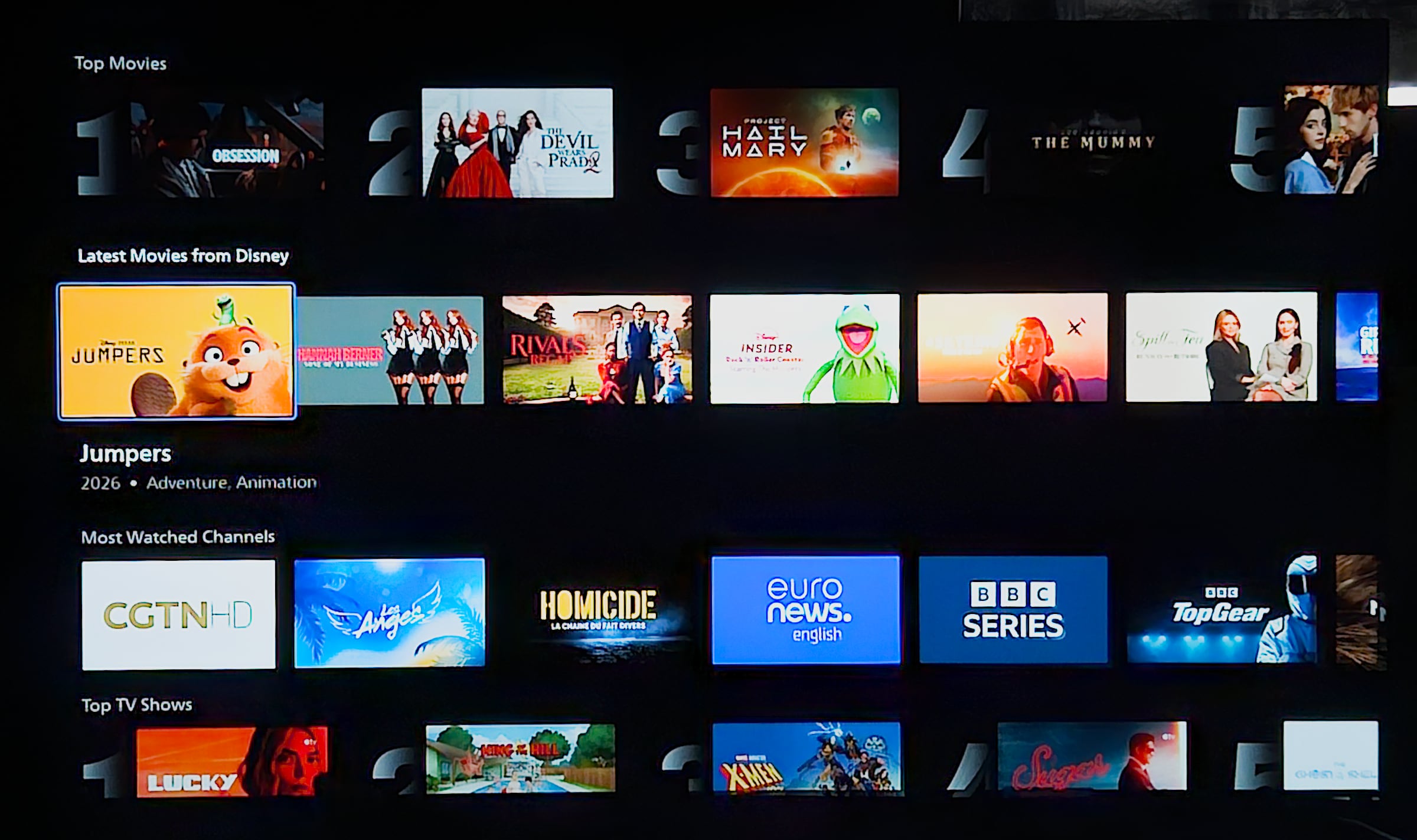
The most significant difference between 2025's OLED810 and the new OLED811 for 2026 is undoubtedly the smart TV platform. This year, Philips' OLED 8 and 9 series become the last models in the lineup to transition to Titan OS, completing TP Vision's move away from Google TV. Titan OS promises to keep the system updated but does not specify how long. Given the nature of the OS, it is a Linux based environment with the apps being links to hosted HTML5 apps, it is reasonable to expect most updates to be available to older platforms unless hardware specifications make this impossible. At first glance, the change may not seem particularly dramatic. Most modern smart TV platforms have converged on a similar layout. The upper half of Titan OS' homescreen is reserved for sponsored content, while the center of the screen features the customizable row of favorite apps. Beneath that, Titan OS displays recommendations from whichever app occupies the first position in the favorites row, provided the app supports content recommendations. Scrolling further down reveals additional recommendation rows, typically grouped by app in the same order as the favorites row, interspersed with more general categories such as 'Top Movies' and 'Top Series'. Across the top of the interface are shortcuts to Search, Home, the FAST (Free Ad-Supported Streaming Television) channel guide, cloud gaming services (Boosteroid and Blacknut), free movie content (primarily via Plex), Sports (mainly through HBO Max), the app store, Live TV, Inputs, and Settings.Titan OS has replaces Google TV in the high-end Philips OLED TVs. Photo: FlatpanelsTitan OS' app ecosystem has matured considerably. All major international streaming services are now available, including YouTube, Netflix, Prime Video, Disney+, Apple TV and HBO Max. Local streaming services are better represented this year, making the platform a viable option for most users, although some local apps are still missing. So far, so good. The issues lie in the details. Despite its recognizable layout, the homescreen feels overly busy. Much of that comes down to the sponsored content carousel at the top of the screen, which rotates every five seconds, far too quickly in our opinion. More concerning is that the carousel is no longer limited to entertainment content. During our testing, it also displayed ads for products unrelated to TV or streaming, including a luxury perfume brand. When Titan OS was first introduced several years ago, TP Vision – the company behind Philips TVs in Europe – openly stated that one of the motivations behind the transition to the new platform was to generate additional ad revenue. That is understandable, but it should not come at the expense of the user experience. The current homescreen simply feels too cluttered, and we believe displaying general ads on a premium television crosses a line. At the very least, users should have the option to disable ads. Ideally, sponsored placements should be limited exclusively to content recommendations rather than unrelated commercial advertisements. We shared these concerns with TP Vision and asked the company for a response:a) Advertising on the home screen: Titan OS is designed to offer a premium, content-first TV experiences and combines content promotions with selected, relevant advertising from premium brands. If cookies are rejected, personalisation is limited, which can result in broader, less personalised ad selection. We understand that preferences differ, particularly on premium devices, and we appreciate your perspective on non-content advertising. We continuously evaluate the enduser experience, taking this feedback into account as we evolve the platform. b) Home screen carousel timing: On the carousel timing, the current experience is designed to keep the homescreen dynamic and help users discover content efficiently. We continuously run UX tests with real users to optimise this experience, and carousel speed can differ by market and user behaviour. That said, we understand the feedback that the rotation may feel too fast in this case and will take it into account as we continue to optimise the user experience.Unfortunately, a few other shortcomings also stood out during testing. OLED811 supports Apple AirPlay 2 but no longer includes native Google Cast support, a feature that was available on last year's OLED810 with Google TV. Titan OS attempts to fill the gap with the 'Casting by AirServer' app, but in our testing, it failed to deliver a consistently reliable experience. It worked for YouTube and two local streaming apps I tested, but it did not work for Google Photos and my Samsung S23 could no screen mirror to the TV. Search functionality also leaves room for improvement. Searching for Tom Cruise, for example, returned results such as Tom & Jerry, Tom Clancy and Jungle Cruise, making it difficult to find the intended content quickly. General navigation through Titan OS is reasonably responsive, but performance is not always consistent. On one occasion, switching back to the homescreen from another section of the interface (the FAST channels tab) took almost 5 seconds before all content had finished loading. Delays of that magnitude simply do not belong on a premium TV. A fact that TP Vision agreed wholeheartedly too.c) Returning from FAST channels to the homescreen: Regarding the loading time when returning from FAST channels, a delayed home screen load is not the experience we aim to deliver. Improving this is already a priority for our engineering team, following similar feedback from user testing. Performance optimizations are currently in development, and we expect these improvements to be rolled out soon.IMAX Enhanced is no longer supported. Ambilight remains one of Philips' signature features and, according to TP Vision, one of the key reasons consumers continue to choose its TVs. The LEDs mounted on the rear of the TV extend the colors displayed on screen onto the wall behind it, creating a more immersive viewing experience. Ambilight can synchronize with on-screen content, respond to music or function independently as ambient lighting. It can also be used as a wake-up light or as a gentle sleep light. Philips offers extensive customization options, allowing users to fine-tune the effect to suit their personal preferences. Ambilight has its own dedicated section within the settings menu, making these adjustments easy to access. New this year is Ambiscape, a feature that enables compatible smart lights throughout the home to synchronize with Ambilight, extending the lighting experience beyond the TV itself.AmbiScape settings menu. Photo: Eric Beeckmans / Flatpanels Operation
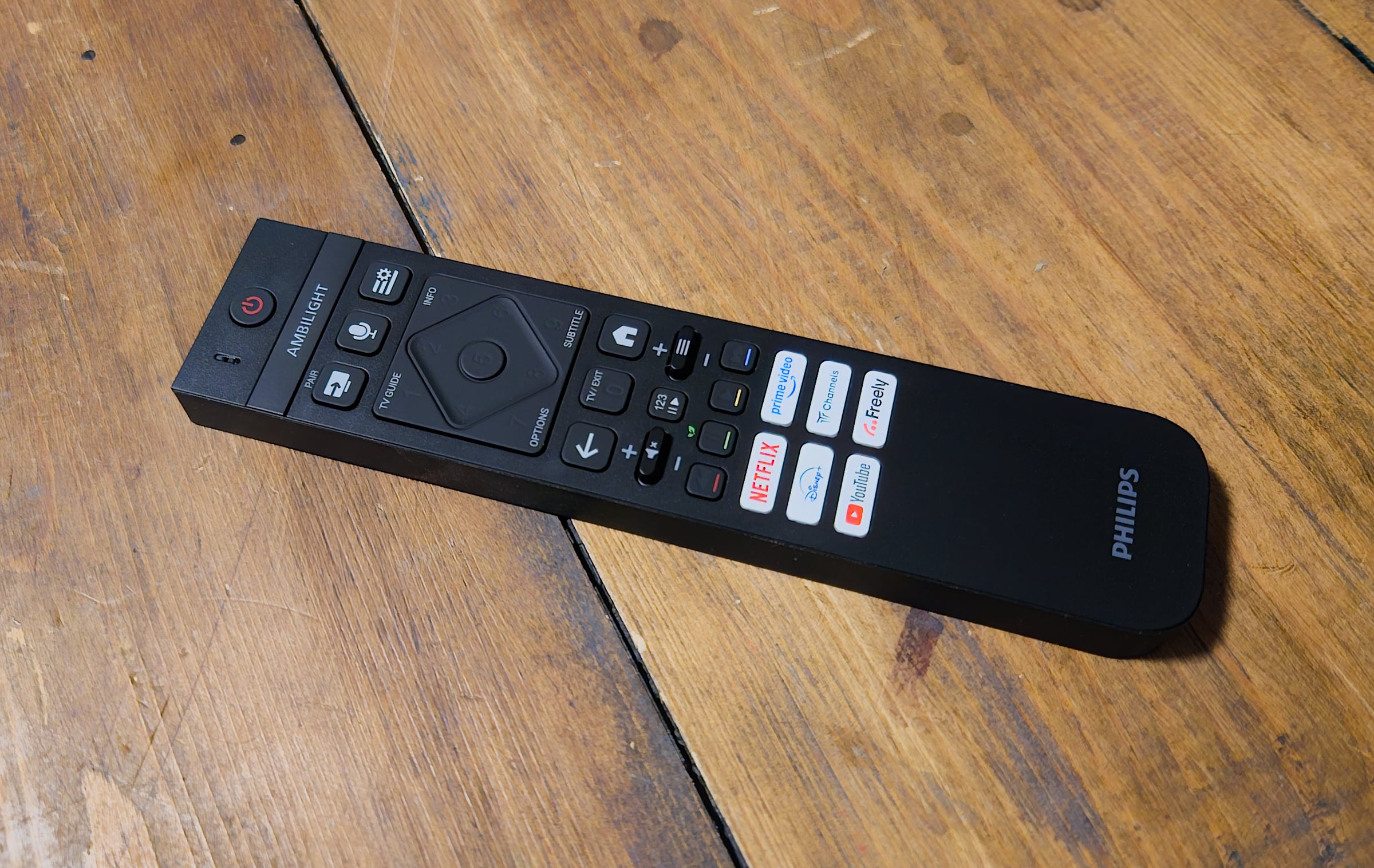
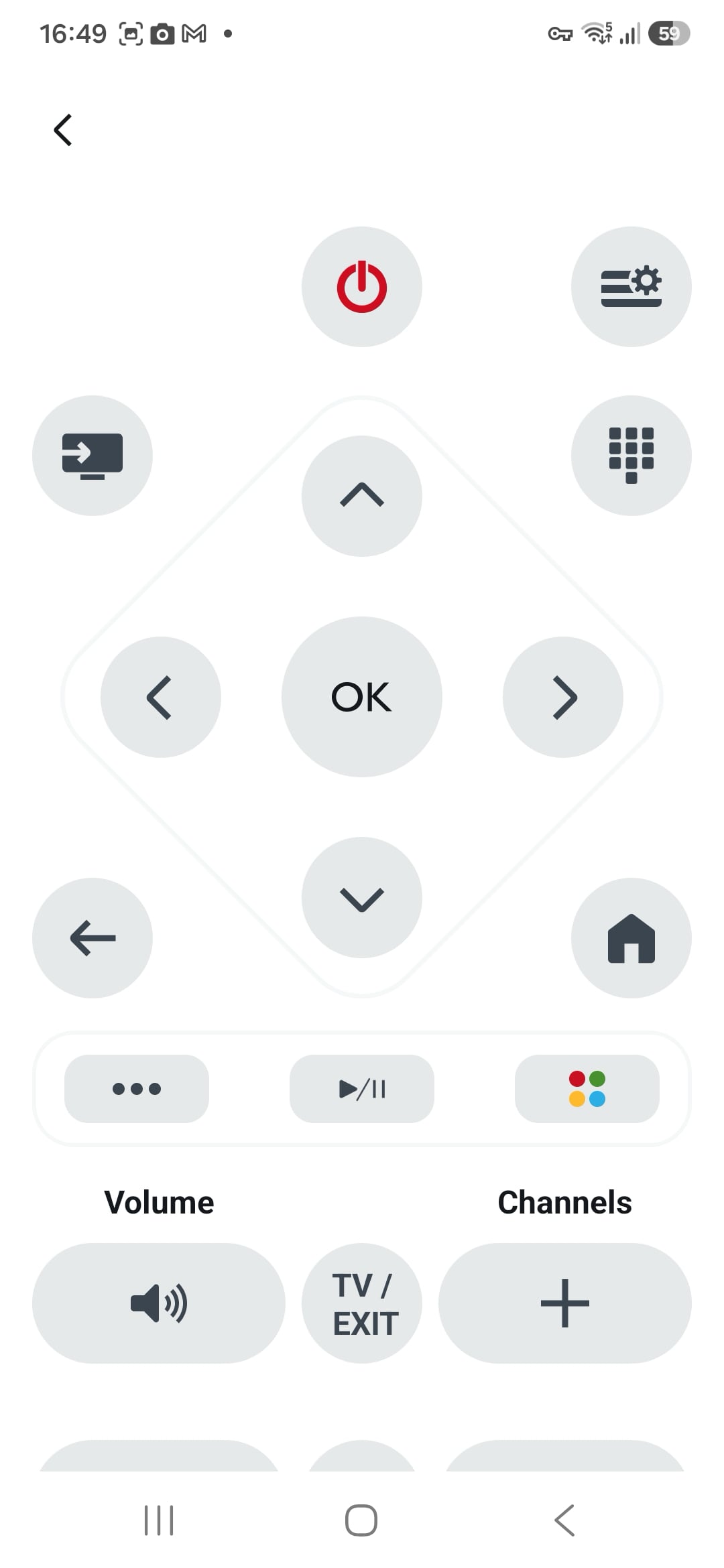
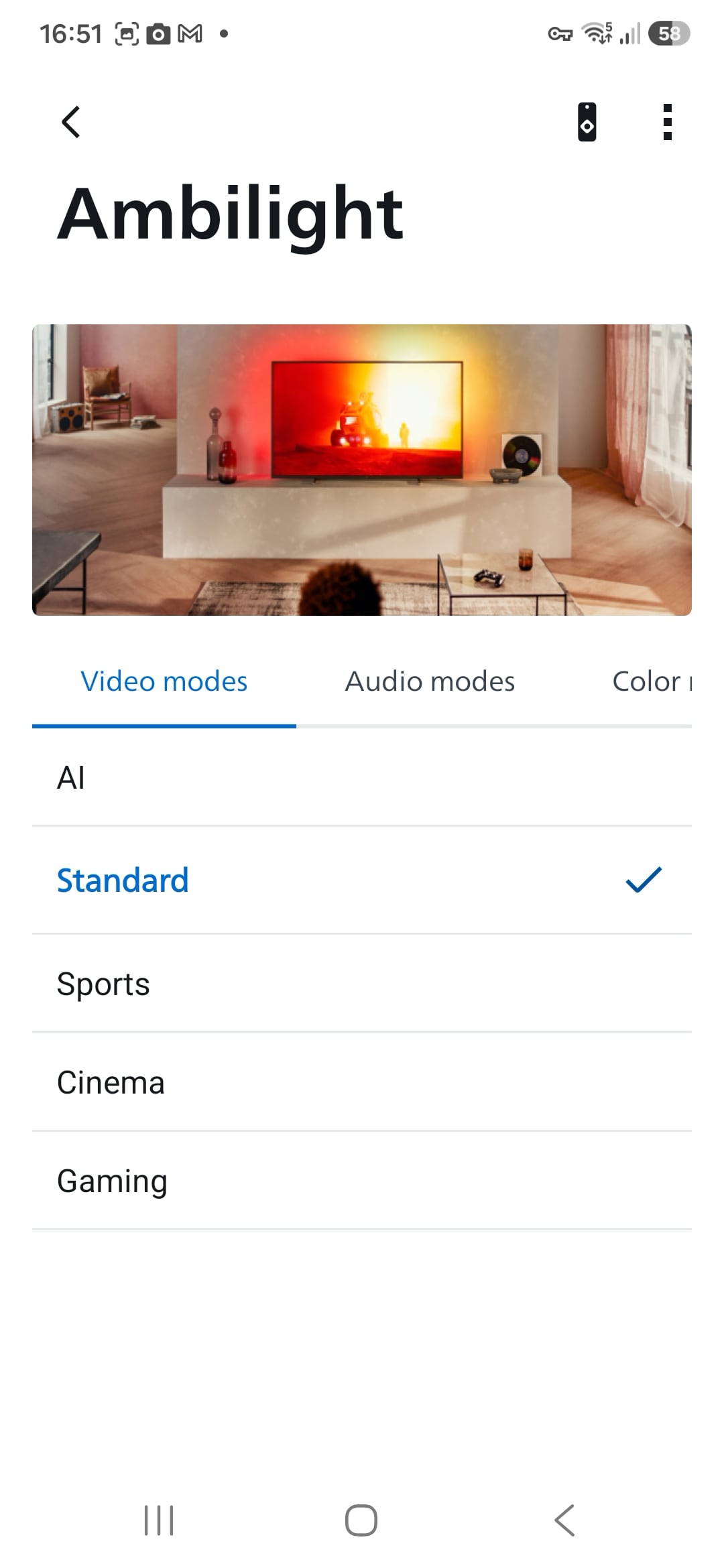
At first glance, OLED811's remote appears virtually unchanged from last year's model, but there are several notable differences. This version is slightly thicker, the metal body has been replaced with plastic, and the rechargeable USB-C battery has given way to two standard AAA batteries. All of these changes point toward a more cost-conscious design, an impression that is reinforced during everyday use. The buttons are now covered with a rubberized surface, and the directional pad in particular requires considerably more force to press. After navigating through Titan OS for a while, we even found our thumb starting to tire.The number of sponsored buttons has increased from 4 to 6, although disappointingly none of them are programmable. Fortunately, the overall button layout remains unchanged and continues to work well. Philips has also retained one of the remote's cleverest features: pressing the 123 button illuminates a hidden numeric keypad beneath the directional pad. It provides a full set of number keys without permanently taking up valuable space on the remote. The Philips Smart TV smartphone app can serve as a basic alternative remote. It also provides convenient access to Ambilight and Aurora controls, as seen below.Philips' 2026 remote control. Photo: FlatpanelsTV audio
OLED811 features a 2.2-channel speaker system rated at 70W. The configuration has changed slightly compared to last year's model, for example, the rear-mounted bass port has disappeared. In practice, however, audio performance remains largely unchanged. Before evaluating the sound, it is worth running Philips' built-in room calibration procedure, which optimizes the audio output for your listening environment. Overall sound quality is solid, delivering ample volume along with a respectable amount of bass. The TV supports both Dolby Atmos and DTS:X, although without upward-firing speakers you should not expect convincing height effects. Users connecting an external audio system can pass through both Dolby Atmos and DTS:X audio tracks to a compatible soundbar or AV receiver. Using the Entertainment sound preset, our movie test scenes produced a surprisingly convincing surround effect, while the Music preset handled both classical recordings and pop/rock tracks well. Metallica's heavy guitar riffs and pounding drums pushed the bass hard enough to make the chassis resonate, and at very high volume levels the sound inevitably became somewhat less controlled. For most users, however, this is unlikely to be a significant limitation. Anyone seeking a true home cinema audio experience will, in any case, want to pair the TV with a dedicated external sound system. It can be connected to the TV via HDMI ARC/eARC.Calibration
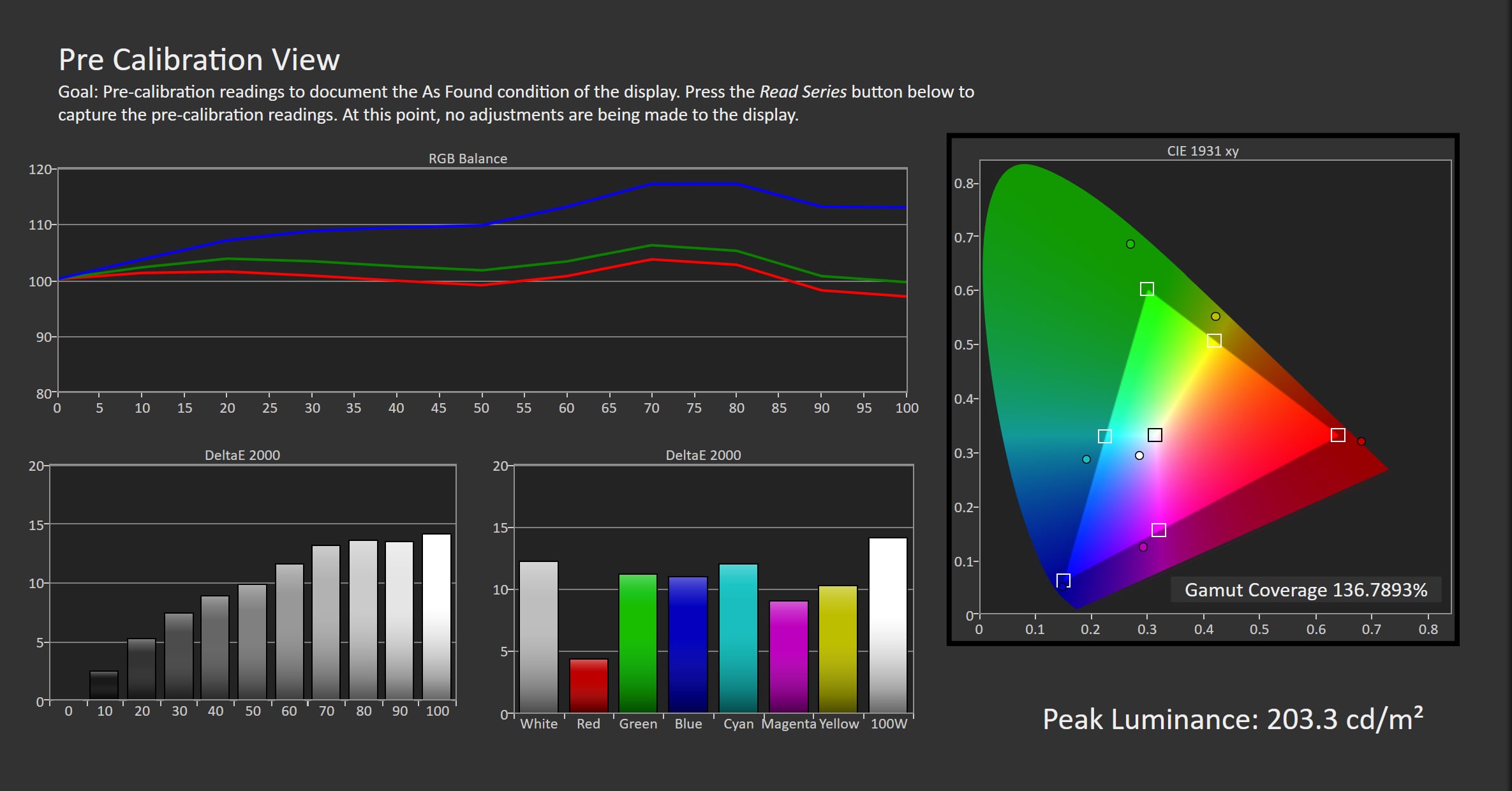
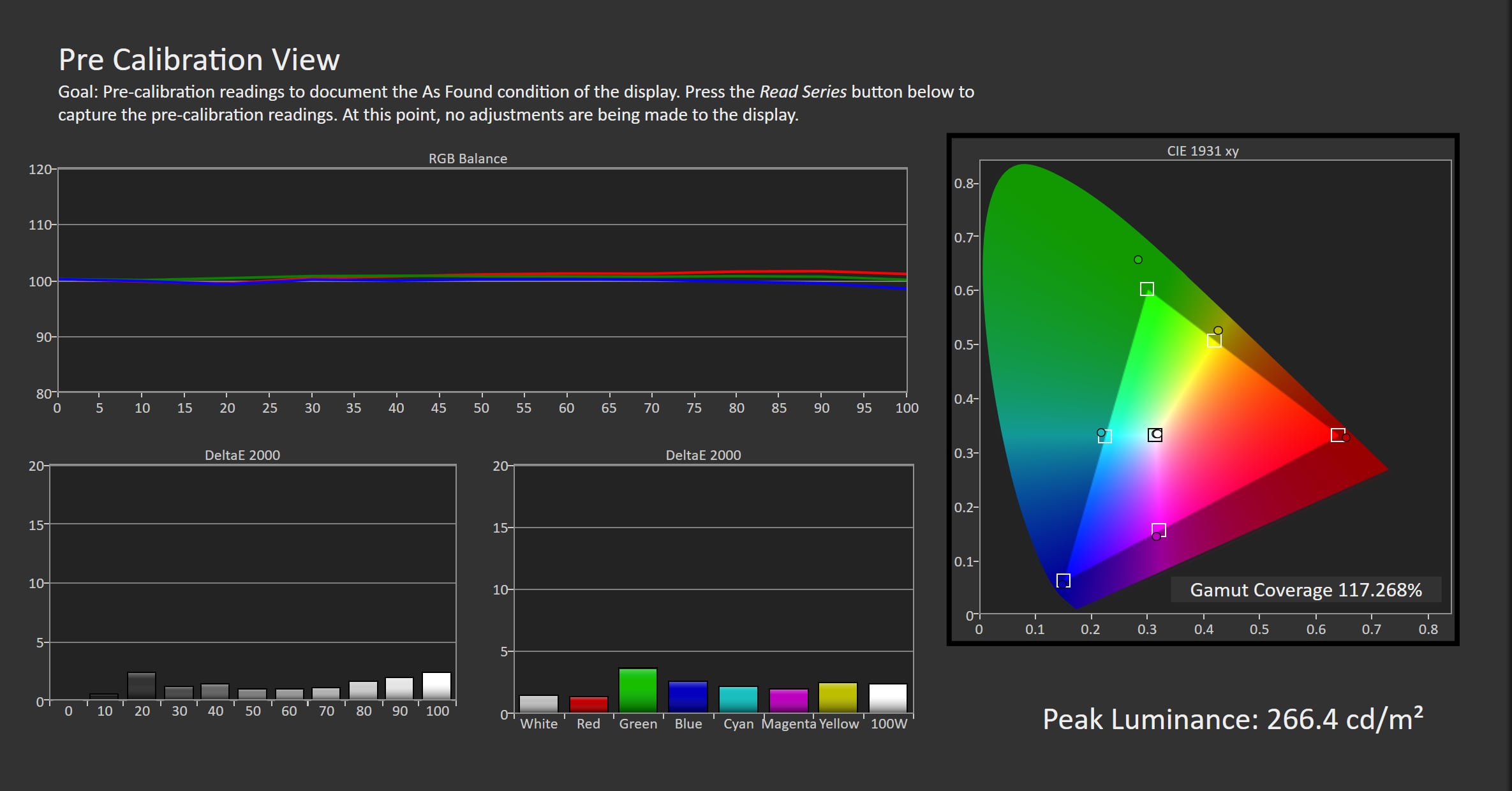
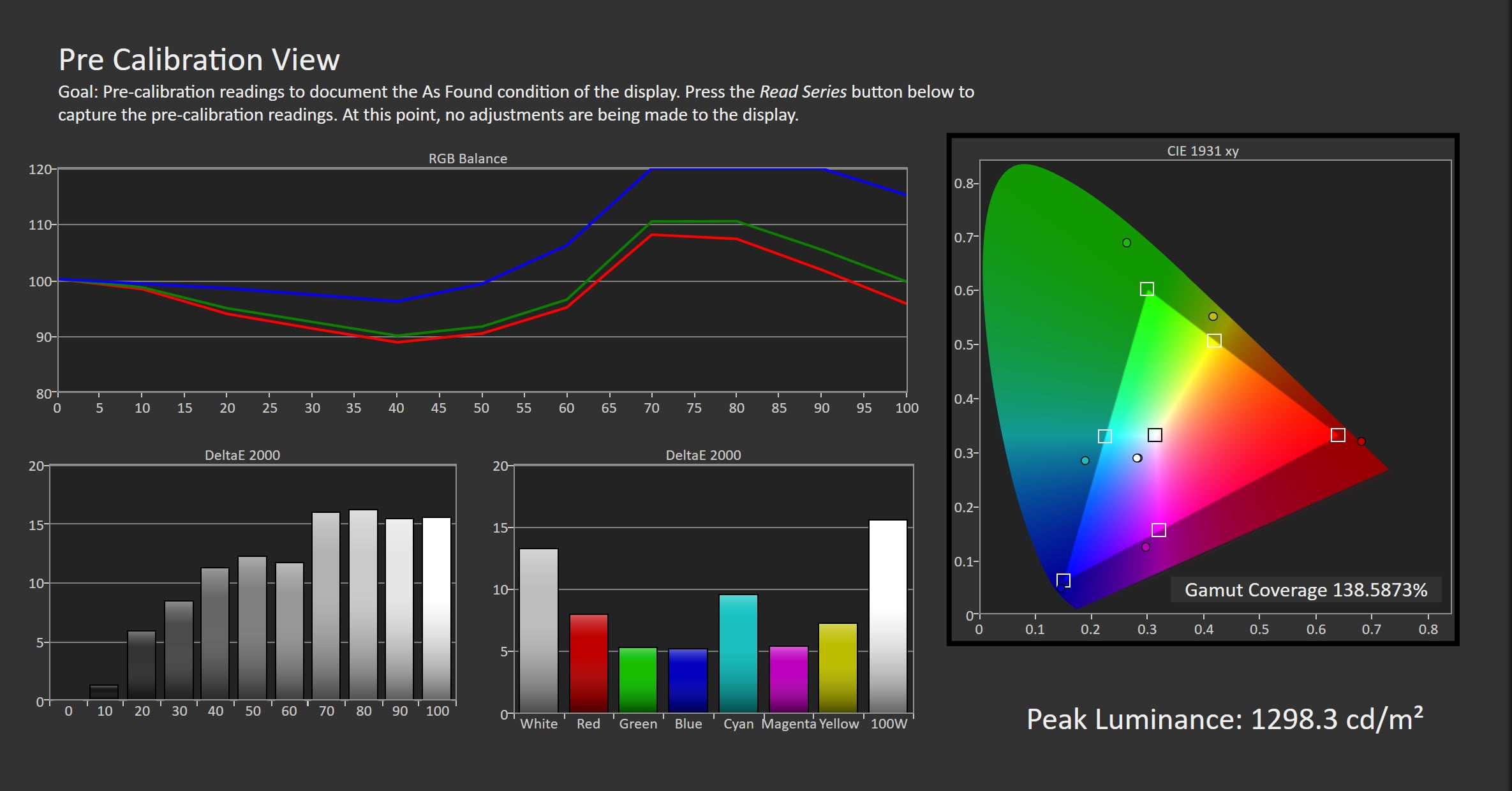
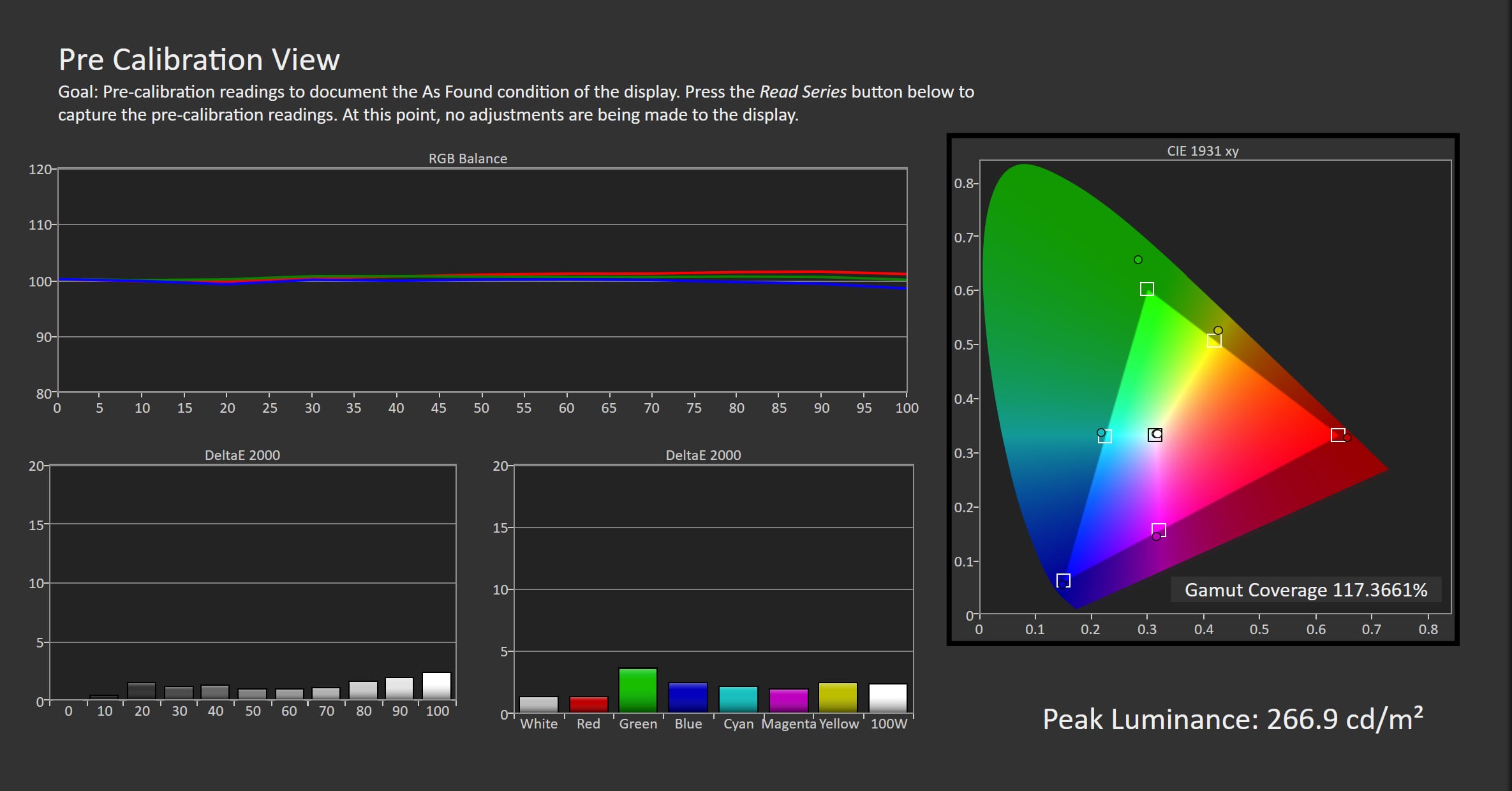
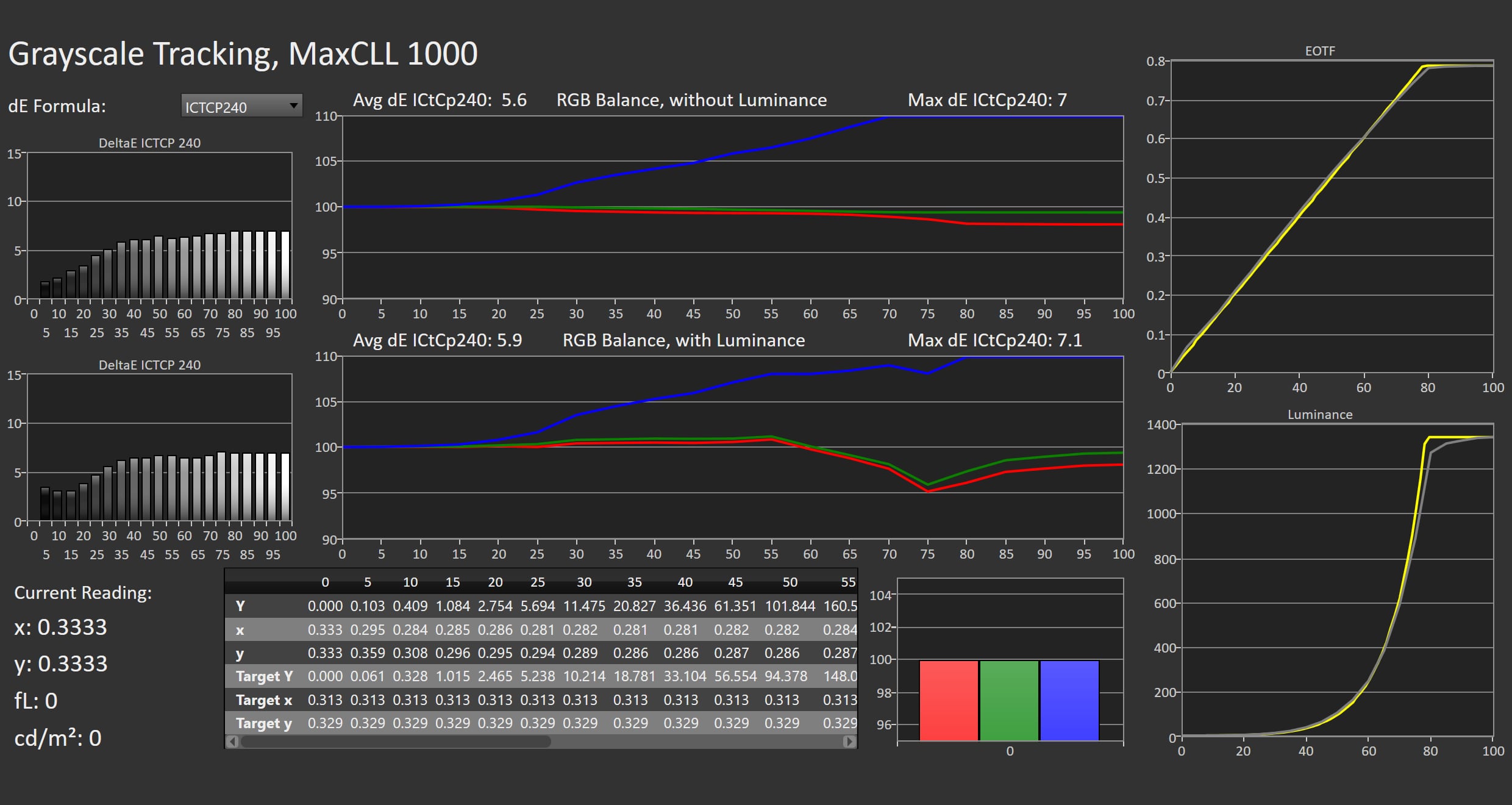
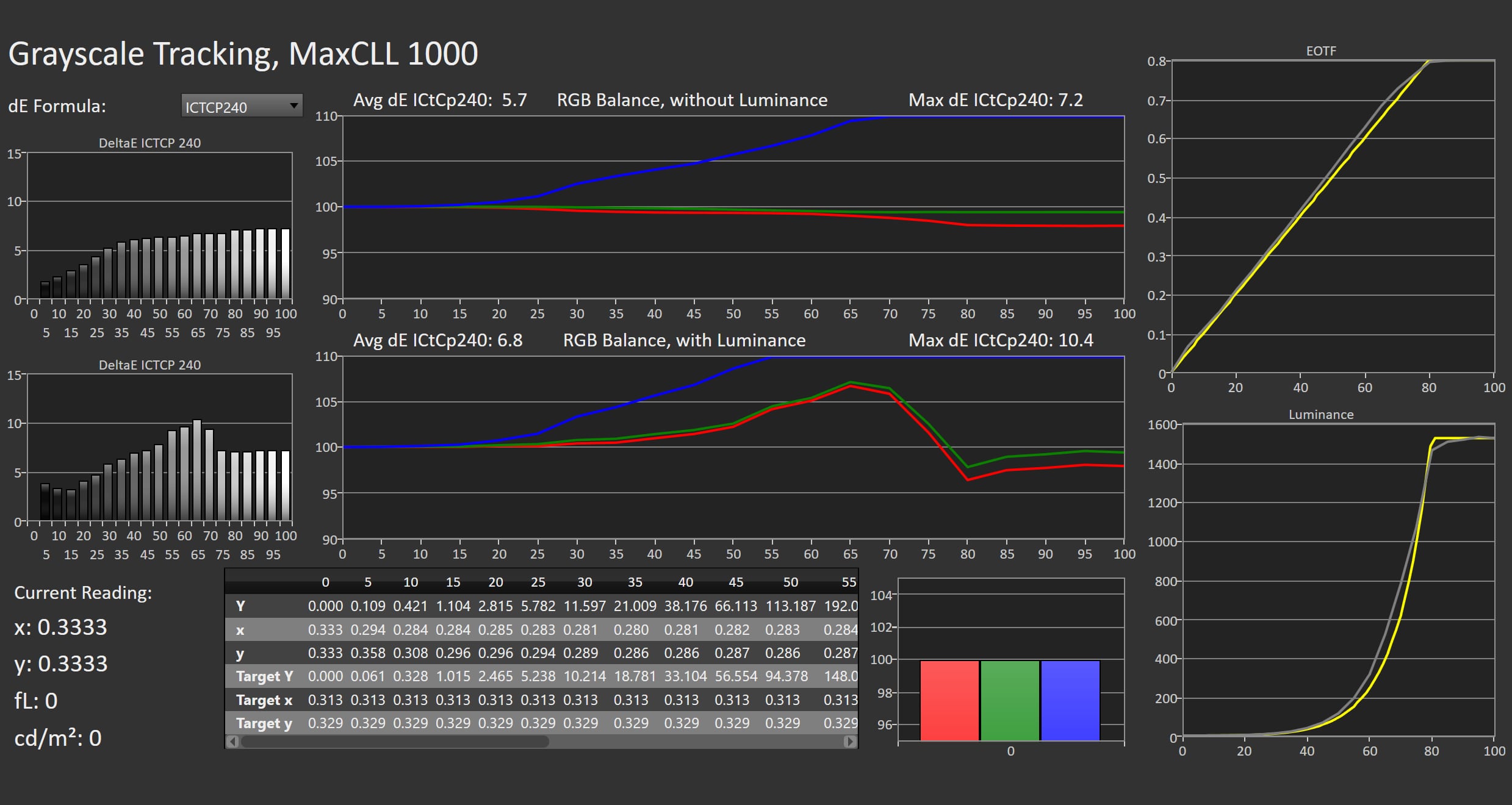
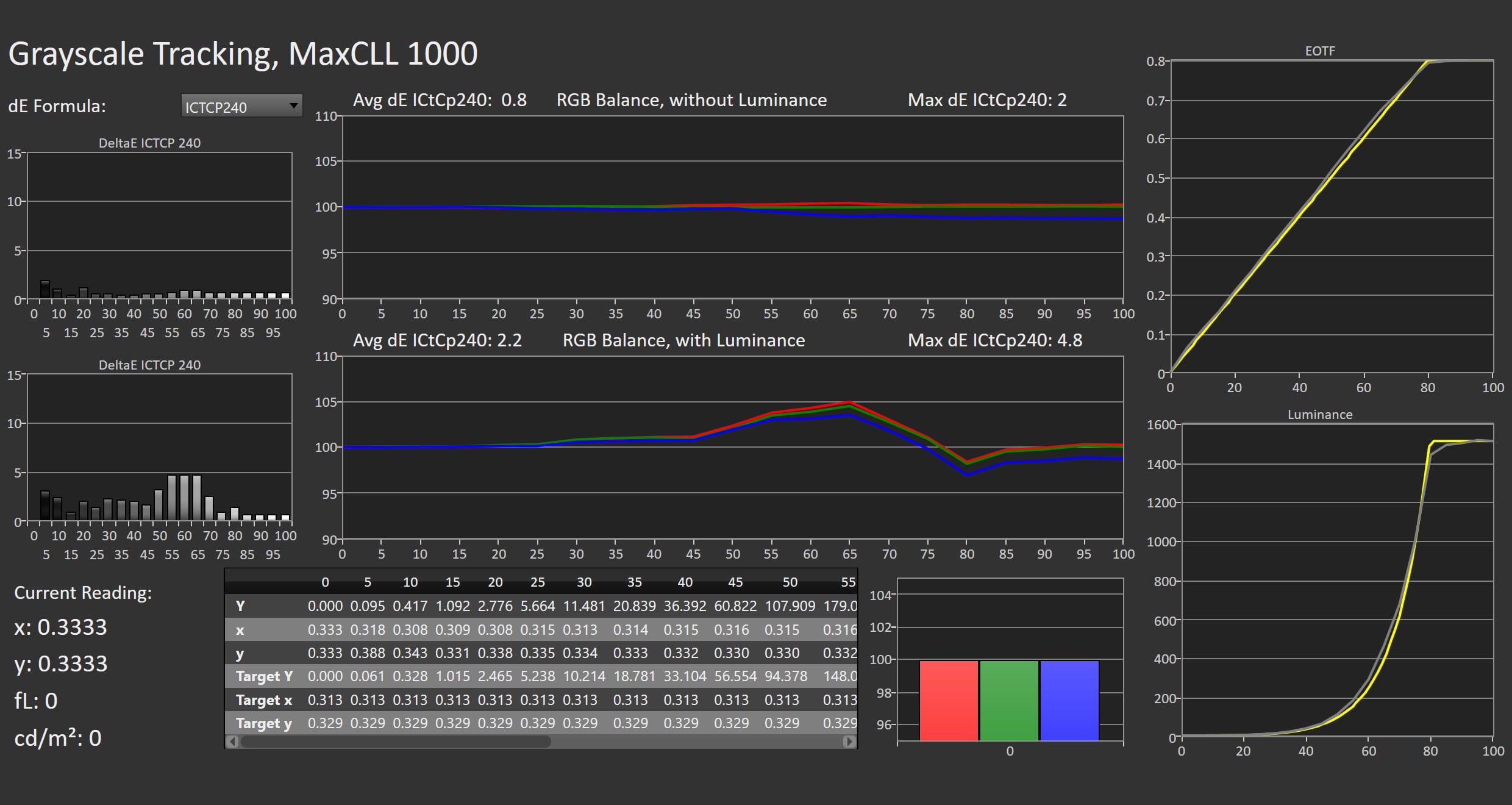
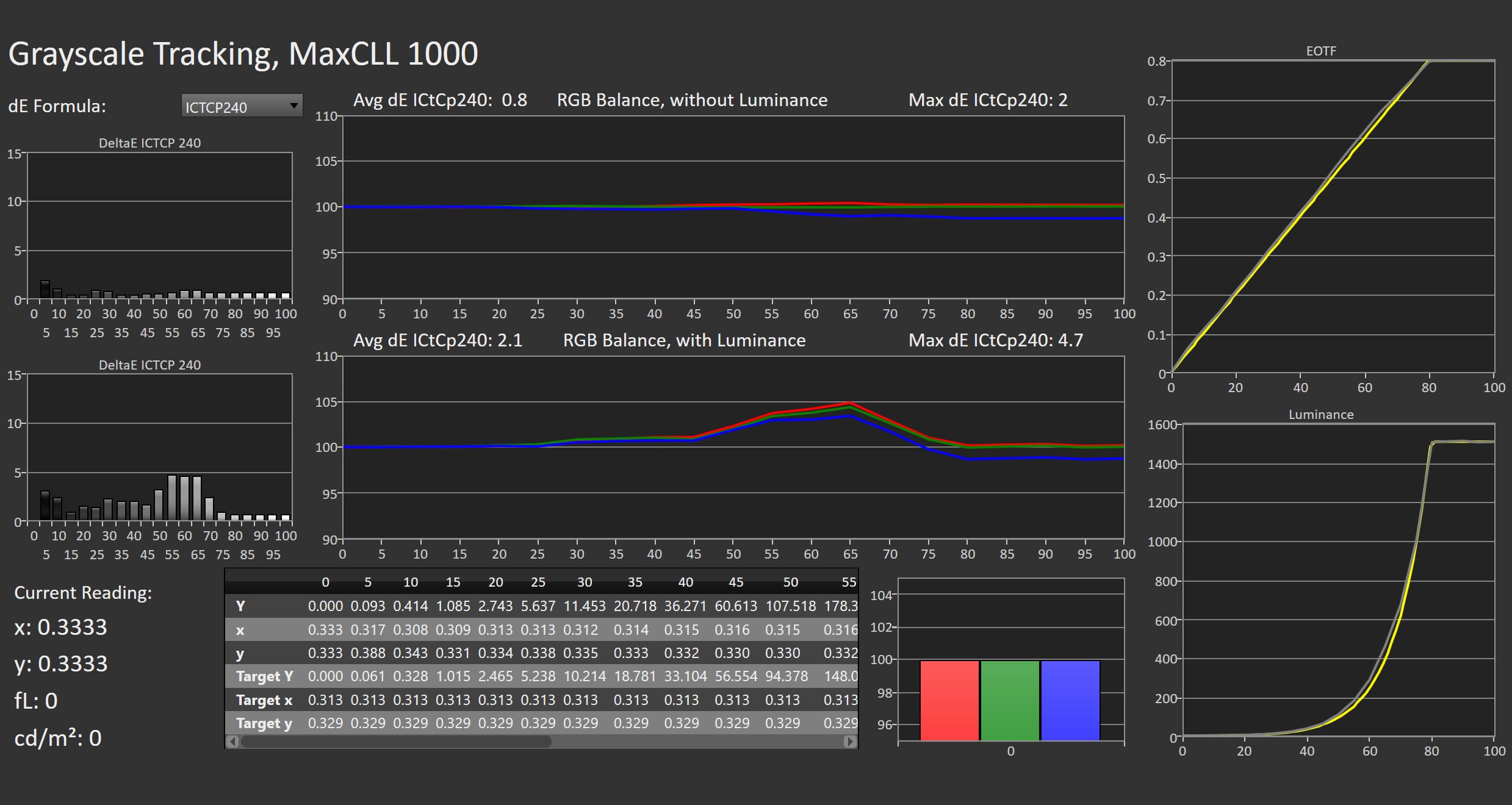
'Eco' serves as the default picture mode during the initial setup, Philips does not include a 'Standard' picture mode. It exhibits the familiar characteristics we often see from factory settings. The color temperature is somewhat too cool and colors are slightly oversaturated, although both issues remain relatively modest. The most noticeable drawback is the sharpness setting, which can appear overly aggressive, particularly with live TV broadcasts. Instead of a Filmmaker Mode, Philips now offers a Reference mode. The company has simply renamed Filmmaker Mode after finding that many consumers unfamiliar with the term found it confusing. The underlying settings remain unchanged. Later this year, when the TV receives support for Dolby Vision 2 Max via a firmware update, Philips will also introduce a dedicated Dolby Vision 2 Reference mode. Calibration in Reference mode is excellent. Grayscale tracking is highly accurate, color temperature is very close to the target, and overall color reproduction is excellent. Only the most saturated shades of green appear very slightly exaggerated, something that is virtually impossible to notice without a direct reference display. As with most OLED TVs, shadow detail is rendered a touch darker than reference, but never to the point where fine detail is lost. Philips offers a 'Viewing mode' setting, which allows you to choose whether the current source is Video, Game or Computer. In each mode, you can then select the Picture Style. That is a simple and straightforward way of doing this as it allows you to select the excellent Reference picture mode for gaming (or computer use). Philips OLED811 uses LG Display's latest OLED EX panel. In Reference mode, it reaches a peak brightness of 1570 nits on a 10% window (and smaller highlight windows), while sustaining 271 nits on a full-screen white pattern, which represents a significant improvement over 180-2025 nits we measured on last year's Philips OLED810. Color gamut performance remains largely unchanged, but with 99.2% DCI-P3 coverage OLED811 delivers excellent HDR color reproduction. Combined with its highly accurate HDR10 Reference picture mode, the TV produces consistently impressive HDR pictures.Measured picture modes
Click the picture mode to expand the view
Eco (SDR) Crystal Clear (SDR) Reference Mode (SDR) Game Mode (SDR) Eco (HDR) Crystal Clear (HDR) Reference Mode (HDR) Game Mode (HDR) Left: Eco picture mode. Right: Reference Mode. Photo: FlatpanelsMeasurements
In our "measurements" section we include all measurements and our suggested calibration settings. If you want to learn more about our test methodology click here. Note: In 2021, we implemented a new method for measurement of average power consumption in SDR and HDR, meaning that earlier measurements are not 1:1 comparable. The new method will be used in all TV reviews going forward.Note: We include calibration settings only for SDR, not HDR. For our calibration we have deactivated the ambient light sensor that automatically adjusts the backlight setting according to your environment. You may prefer to have it enabled.Picture quality
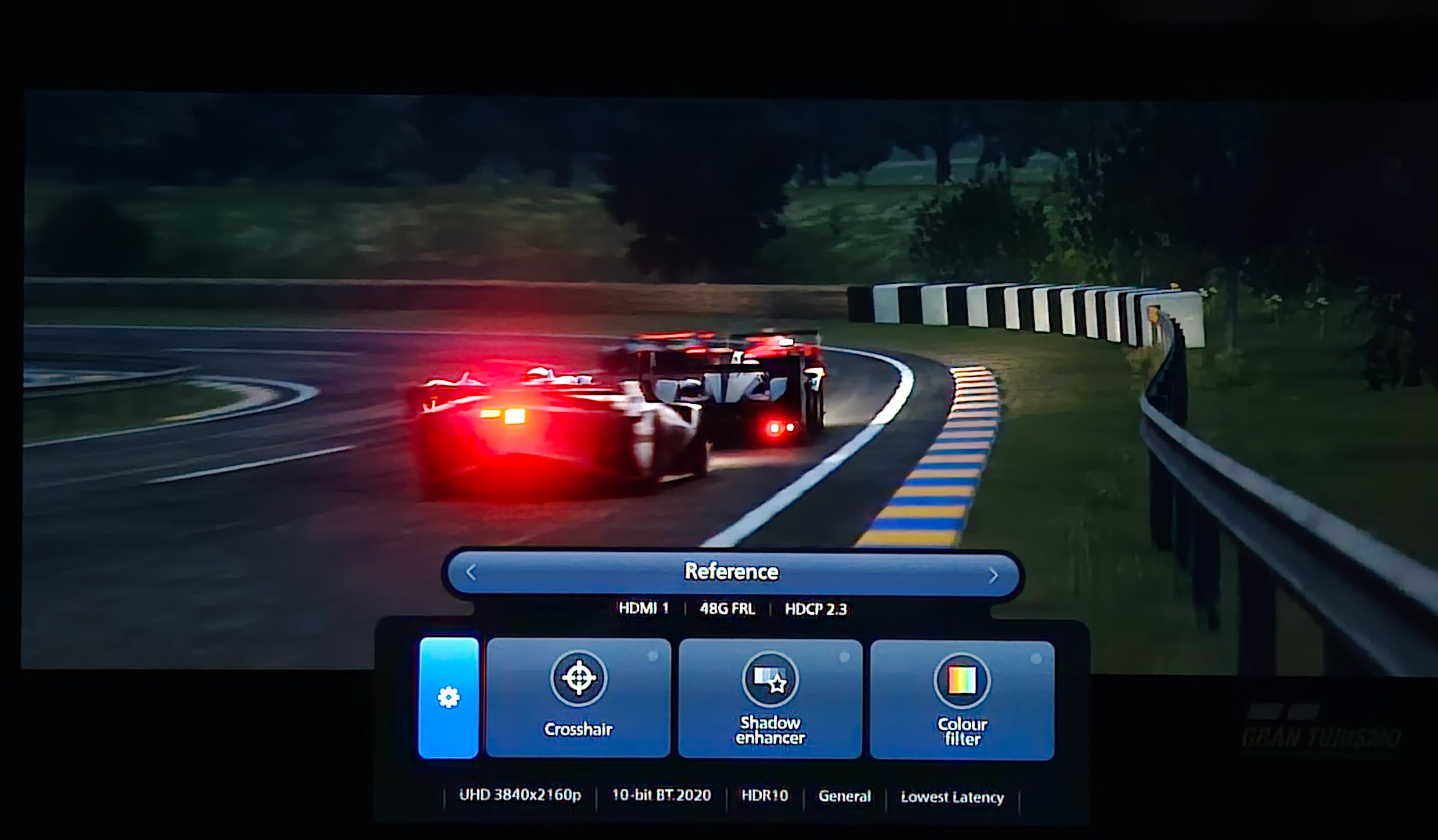
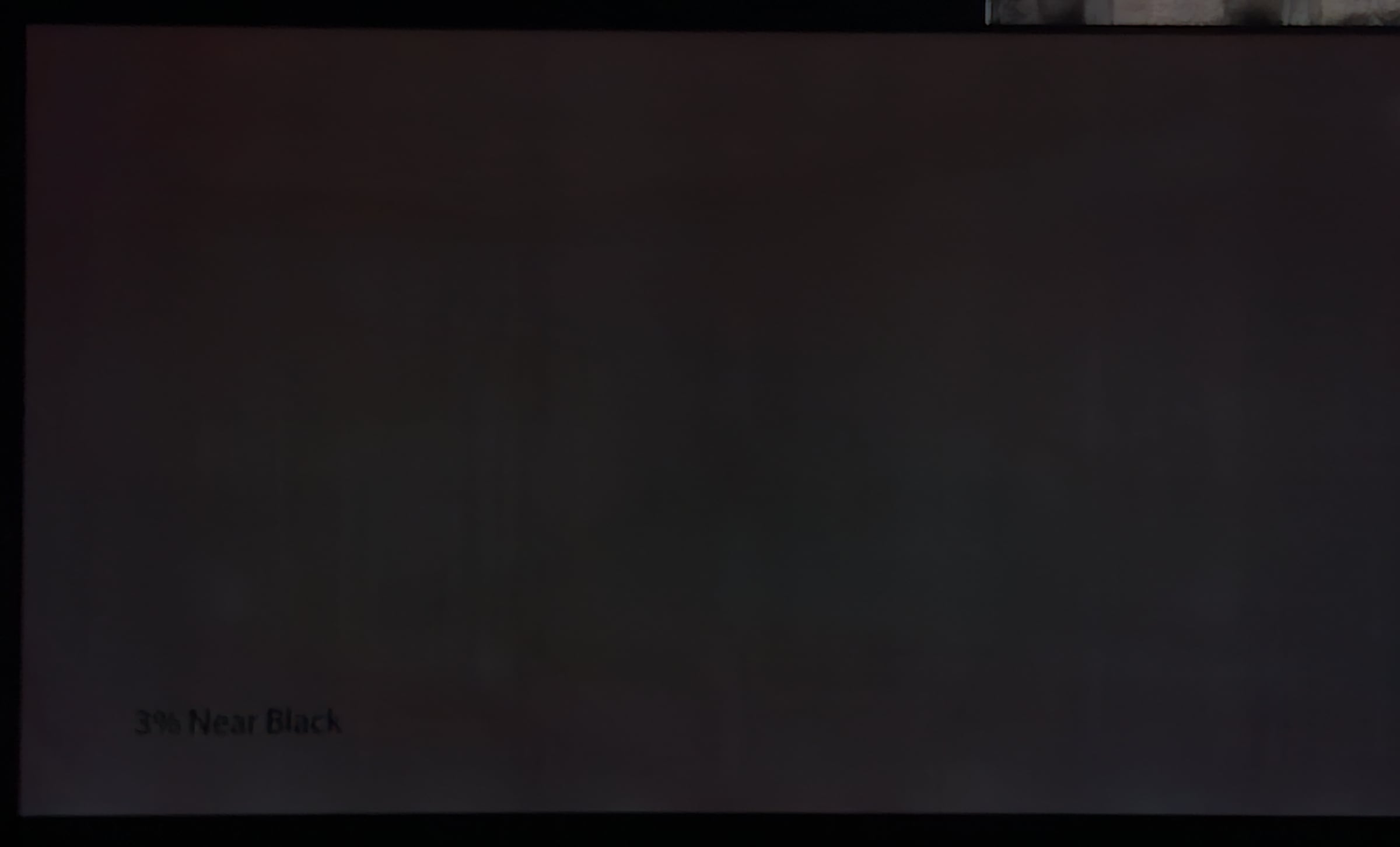
Project Hail Mary proved to be an excellent showcase for OLED811's capabilities. The dark scenes set in deep space accurately convey the vast emptiness of the universe, with stars rendered as crisp pinpoints of light. The alien spacecraft, with its intricate and unusual surface textures, reveals an impressive level of fine detail. For something more colorful, we turned to Avatar: The Last Airbender. Here, the Philips delivers natural colors while preserving the intensity needed for magical effects and vibrant landscapes. Overall, it is remarkably difficult to catch OLED811 making mistakes. Philips makes excellent use of the panel's wide color gamut, while the increased full-screen brightness significantly reduces the impact of aggressive Automatic Brightness Limiting (ABL). Peak brightness has increased to around 1600 nits in a 10% windows (or 2100 nits in a 2% window in CrystalClear picture mode – close to Philips' marketing claim of 2500 nits maximum). The OLED panel offers an excellent viewing angle, surpassed only by QD-OLED panels. Uniformity is equally impressive, with no obvious vertical banding visible on a dark test pattern. The only caveat is reflections: sharp light sources remain clearly visible on the glossy screen and can become distracting in bright viewing environments. Philips' P5 AI Processor continues to be an outstanding all-round image processor. One of its greatest strengths is motion processing, which reacts quickly and reliably to fast camera movement, making it particularly well suited for sports. At the same time, it introduces relatively few motion artifacts. Viewers who prefer the native look of 24fps films can select one of the lower motion settings, such as Movie, to reduce only the most noticeable judder while preserving a cinematic appearance. Beware though, thanks to OLED's near-instantaneous pixel response, judder tends to be more apparent than on slower display technologies, such as (miniLED) LCD TVs. Noise reduction performs very well, including minimizing visible banding in color gradients. In HDR content this is rarely an issue to begin with, but in SDR Philips handles subtle transitions well. Upscaling produces sharp, detailed images, while the Texture Enhancement setting can add a little extra perceived detail. With lower-quality live TV broadcasts (1080i), however, Texture Enhancement produced unwanted and clearly visible noise, particularly when Sharpness Enhancement is set too aggressively. Thanks to the new OLED EX panel, OLED811 supports gaming at 4K120 on current-generation consoles and up to 4K165 when connected to a compatible PC via all four HDMI 2.1 ports. The TV supports ALLM and VRR, including both NVIDIA G-Sync and AMD FreeSync. Input lag is very competitive, measuring 14.3ms at 4K60 and just 5.7ms at 2K120. Forgetting to enable Game mode has a significant impact, however, with input lag rising to 191ms at 4K60. Philips also includes several gaming-specific picture adjustments (Crosshair, Shadow Enhancer and Color Filter) that allow users to further fine-tune the image to their preferences.Philips' gaming menu offers info and useful gaming features. Photo: Eric Beeckmans / Flatpanels HDR is one of Philips' strongest selling points. OLED811 supports every major HDR format, including HDR10, HLG, HDR10+, and Dolby Vision. Later this year it will also gain support for Dolby Vision 2 Max, making it one of the most format-complete TVs on the market and the first OLED TV to support Dolby Vision 2. Philips complements this with an exceptionally well-calibrated HDR10 Reference picture mode. PQ EOTF tracking is excellent, with only the highlights rendered very slightly above reference, something that is virtually impossible to notice in real content. Color accuracy is equally strong. Green, yellow, and orange hues measure a touch darker than reference, but the deviation is subtle enough to remain invisible in normal viewing. Shadow detail is reproduced convincingly without excessive dithering; in the demanding beach sequence from House of the Dragon, OLED811 reveals dark nuances with ease. Static tone mapping already delivers an accurate HDR presentation, but Philips' AI Adaptive Tone Mapping is also highly effective. It manages to preserve maximum highlight brightness in aggressively mastered HDR content without sacrificing fine highlight detail.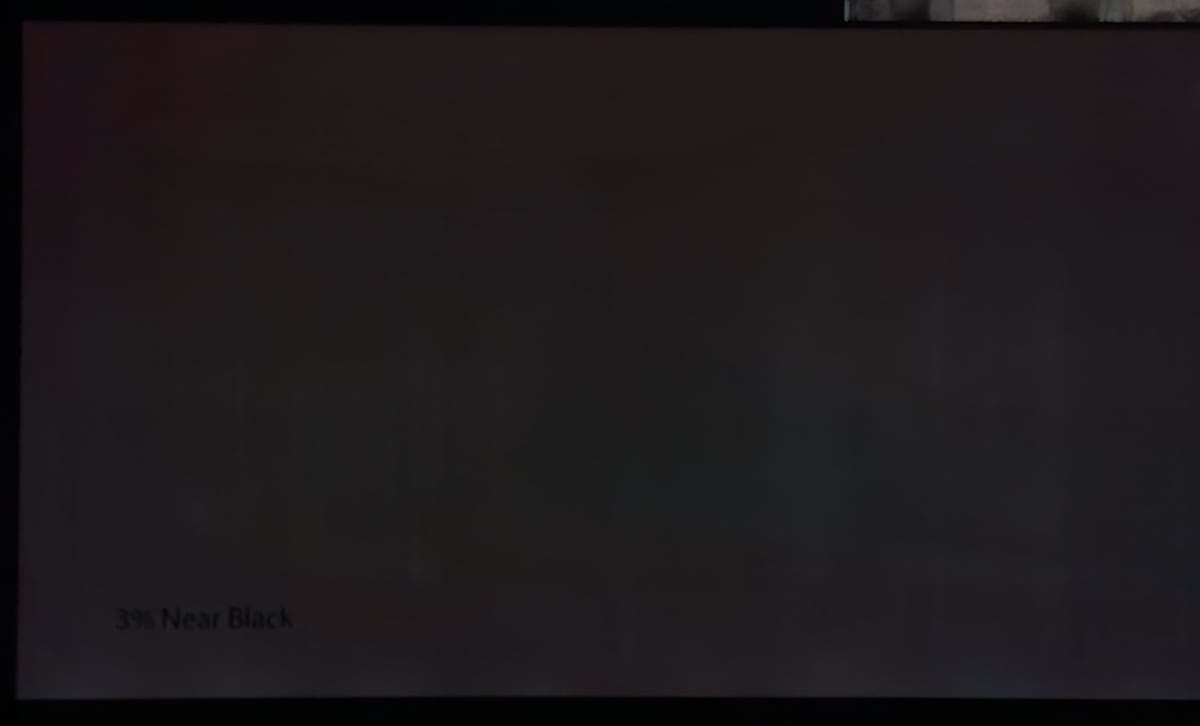 OLED811 has no noteworthy issues with banding or panel uniformity. Photo: Flatpanels
Conclusion
Ad:Philips OLED811 delivers excellent picture quality with a new OLED EX panel that significantly boosts brightness, up to 35% higher than OLED810 in full-screen, making it better suited for brighter living rooms while reducing the impact of Automatic Brightness Limiting (ABL). The new 'Reference' picture mode is exceptionally well calibrated in both SDR and HDR10, producing accurate colors, excellent shadow detail and impressive highlight detail. Philips also continues to support both Dolby Vision and HDR10+, with an firmware update to Dolby Vision 2 Max scheduled for later this year. It is unfortunate that TP Vision has moved this model to Titan OS. Although the app ecosystem has matured considerably, the smart TV experience still feels somewhat unfinished. Navigation is generally responsive but occasionally stumbles, the homescreen feels unnecessarily cluttered, and native Google Cast support is replaced by partial support via an app. Most disappointing, however, is the inclusion of non-content-related ads on the homescreen. We do not believe that belongs on any TV, let alone a premium model. Still, the OS in a TV can luckily be fully replaced and sidestepped easily by connecting, for example, Apple TV 4K or Google TV Streamer. Gamers will welcome the addition of 4 full-bandwidth 48Gbps HDMI 2.1 ports, making it easy to connect both a soundbar and multiple high-end game consoles or PCs without compromise. Philips OLED811 supports VRR, ALLM and refresh rates up to 4K165. 3-sided Ambilight remains one of Philips' defining features and can now be extended to compatible smart lighting throughout the home via Ambiscape for an even more immersive viewing experience. Combined with solid built-in audio performance, including support for Dolby Atmos and DTS:X, Philips's OLED811 stands out as a competitive option in the premium mid-range OLED and miniLED/RGB LCD segment, and a direct alternative to LG's popular C-series. It deserves our Highly Recommended Award.Price and retailers:
UK retailer
DE retailerPeak 1570 nits, full-screen 270 nits Beautiful pre-calibrated SDR & 4K HDR 4x HDMI 2.1 with gaming features Supports all HDR formats, soon Dolby Vision 2 Max 3-sided Ambilight
Ads in Titan OS Titan OS less user-friendly No native Google Cast (only 3rd party app)