An unannounced feature in the upcoming tvOS 17 update is the ability to enjoy spatial audio in two pairs of AirPods at the same time when playing content from Apple TV 4K.
Spatial audio on Apple TV 4K, which can take a 5.1, 7.1 or Dolby Atmos source and simulate a dynamic and immersive sound field in headphones, is currently limited to one pair of AirPods at a time. Connecting a second pair in tvOS 16 will make audio fall back to traditional stereo.
FlatpanelsHD has discovered that tvOS 17 will finally add the option to share spatial audio between two compatible pairs of AirPods and Beats, meaning that both pair of headphones deliver the spatial audio experience which is much better than what most built-in TV speakers and soundbars deliver.
Also read: Spatial audio on Apple TV 4K: What it is, how it works & supported apps/games
Shared spatial audio works with content sources in multichannel 5.1 and 7.1 as well as Dolby Atmos in apps that support spatial audio, including the Apple TV app and Netflix.
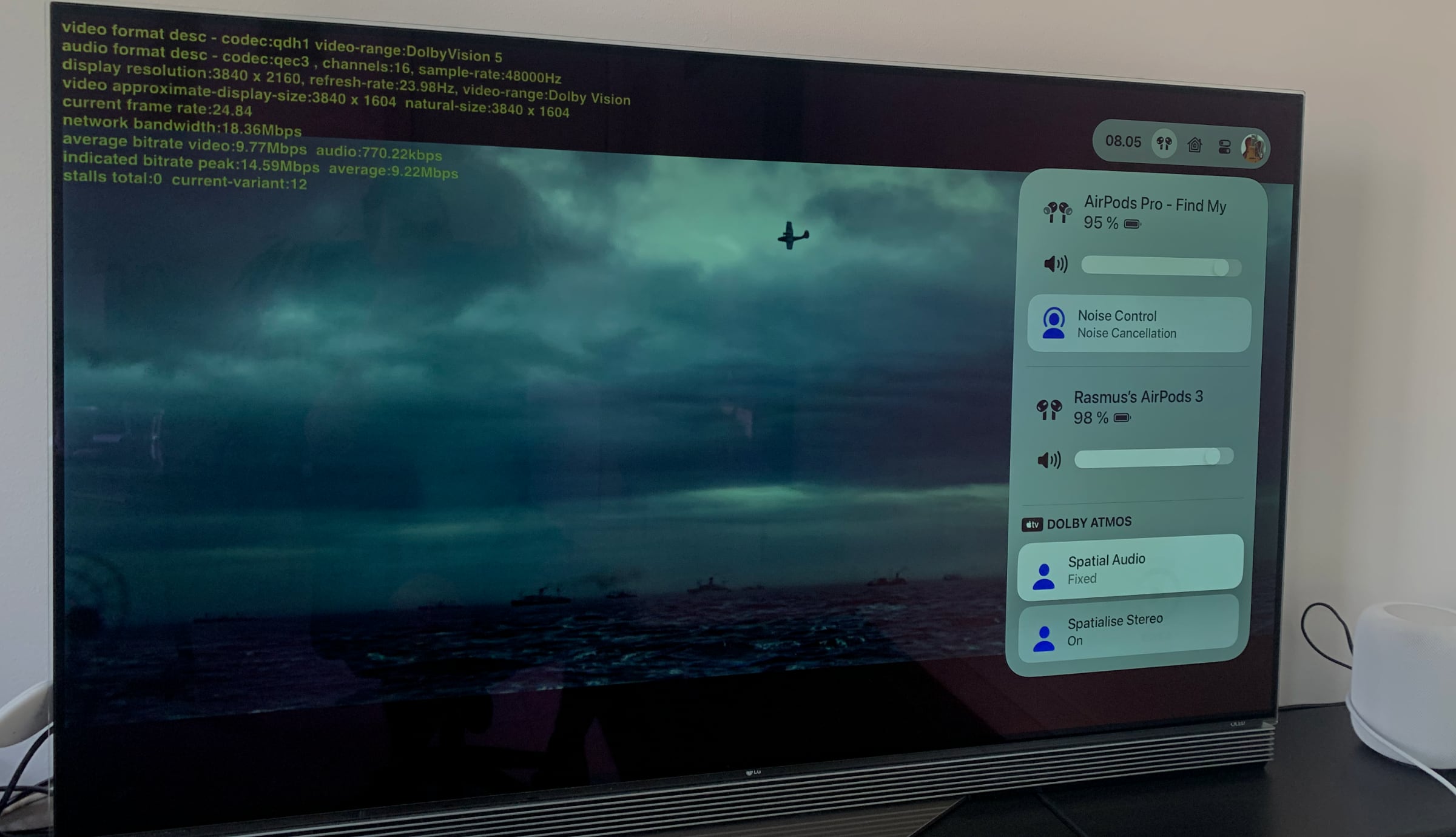
This can be confirmed in the photo below taken by FlatpanelsHD on an Apple TV 4K (2nd Gen) running the latest tvOS 17 public beta and playing Greyhound on Apple TV+. The debug menu confirms that a Dolby Atmos track is playing ('16 channels' and '760kbps') while the control center shows unified spatial audio controls that apply to both pairs of AirPods.
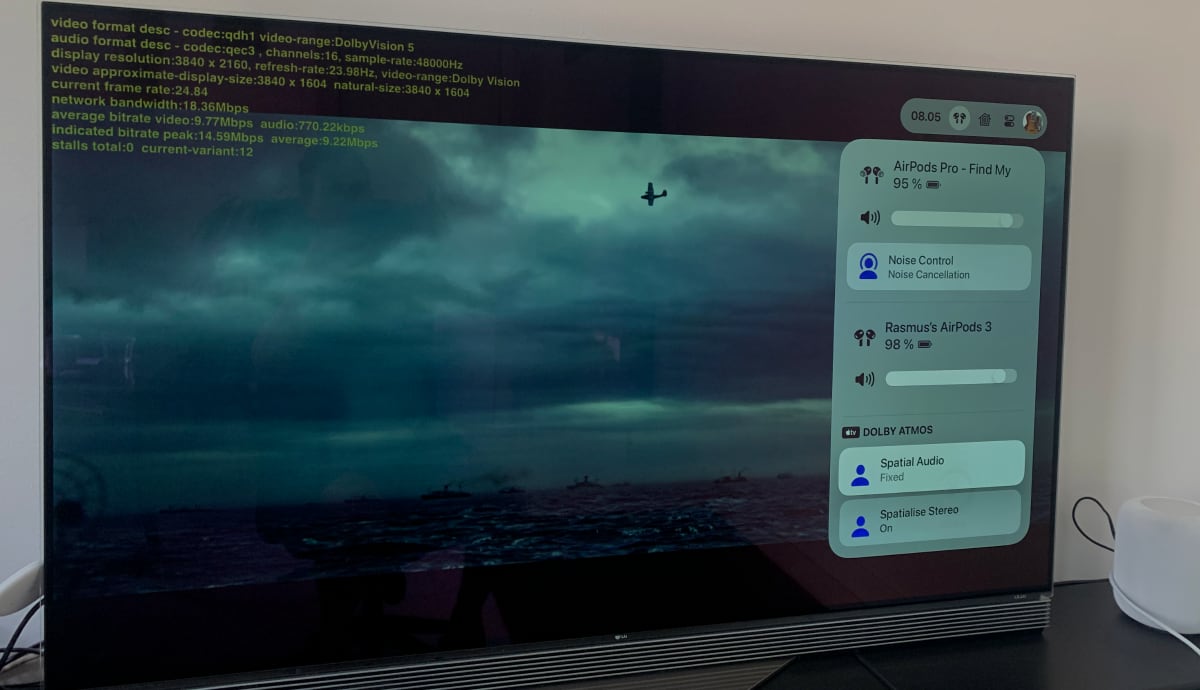
2 pairs of AirPods sharing spatial audio. Debug menu confirms Dolby Atmos. Don't mind the low video bitrate as the stream just hasn't reached the high tier yet. Photo: FlatpanelsHD
One limitation
There is still one limitation, though. When two pairs of AirPods are connected to Apple TV 4K at the same time it is no longer possible to enable dynamic head tracking to keep voices coming from the TV's location. Only the 'Fixed' option is available.
It is still possible to 'Spatialize Stereo' if the content you are watching is available in conventional stereo only.
To start sharing spatial audio you simply connect both pairs of AirPods or Beats headphones from the redesigned control center.
At first, we were not sure if shared spatial audio would make it to the public release of tvOS 17 but the feature has been expanded over time and has now made it to the public betas so at this point we are fairly certain that it is intended for official release.
Two bugs that remain in the latest public beta of tvOS 17 is that sometimes the first pair of AirPods disconnect after connecting a second pair, and sometimes the volume in one pair is extremely low after connecting a second pair – restarting Apple TV 4K fixes the issue.
Apple has announced that tvOS 17 will also add Facetime, Memories as screensavers, a redesigned Control Center, a 'Locate Siri Remote' feature, VPN support, and more. See our previous article for more details on what is new in tvOS 17.