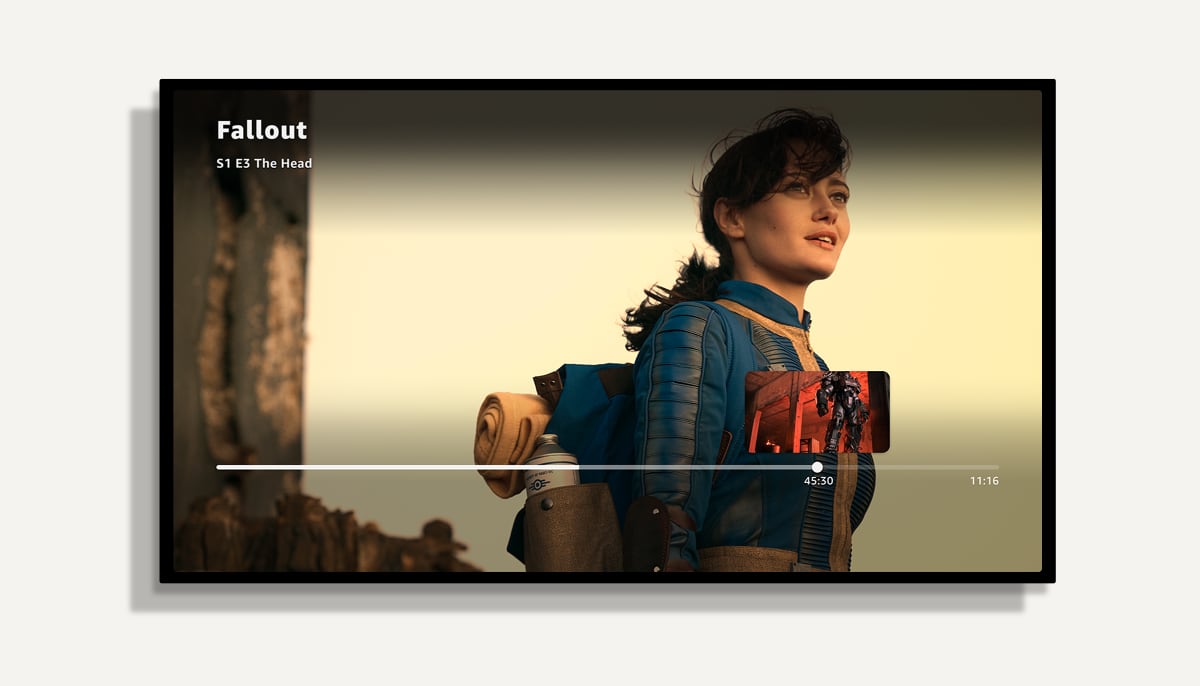
Amazon has released a significantly improved Prime Video app for Apple TV HD and Apple TV 4K, featuring faster navigation and support for the Apple remote's 'scrubbing'.
We have tested the new app and overall it is a good upgrade. While it is still not a fully native app and does not offer a buttery-smooth experience, it feels faster and more tvOS-like, as Amazon has started using more of tvOS' APIs to enhance performance.
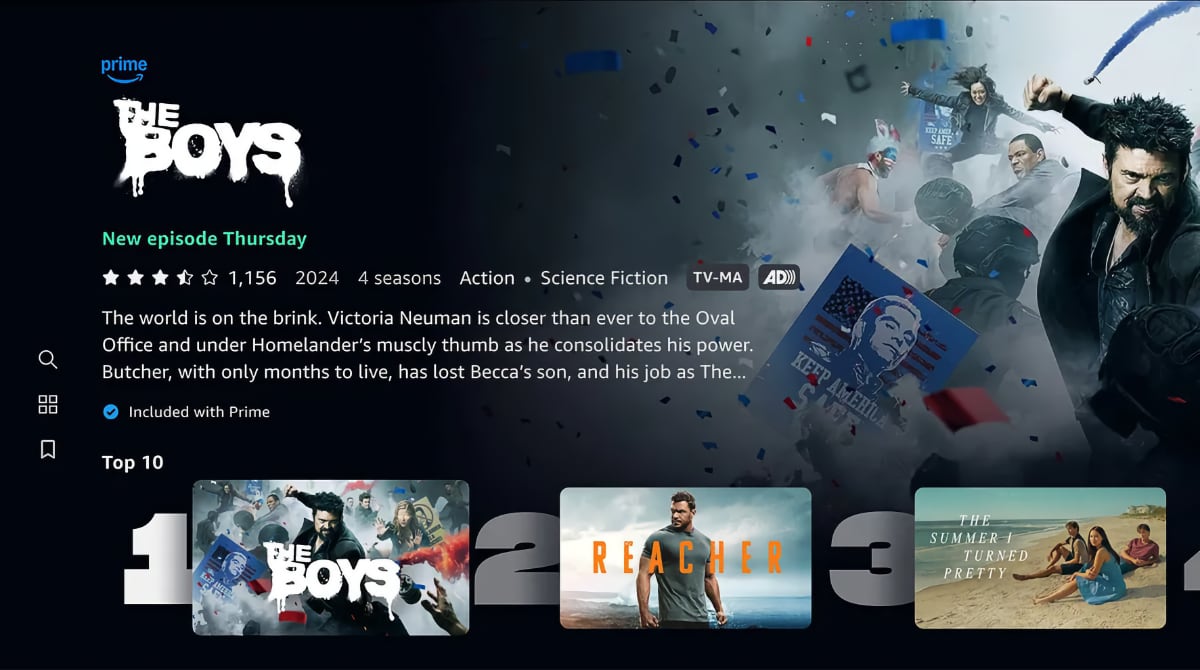
The Prime Video app for Apple TV
In addition, Amazon has significantly improved video playback controls. Although it still is not the default tvOS video player, you can now use the Apple remote's rewind and fast-forward scrubbing by pressing pause, holding your finger on the touch wheel for a moment, and then rotate.
This is in addition to fast-forward and rewind functionality by clicking left or right.
Content matching still works
In previous updates, Amazon's changes often temporarily broke key elements of the video player. Fortunately, the video player continues to support frame rate and dynamic range matching as well as playback up to 4K Dolby Vision and Dolby Atmos following this update.
Also read: Apple TV+ app now available on Android
The next step for Amazon should be to release a fully native tvOS app – and native apps for other TV operating systems – to also take advantage of Apple features like Enhanced Dialogue and picture-in-picture.
The update is available now from Apple TV's app store. Here's what's new, according to Amazon:
Prime Video app v. 1.8.20 – changelog
| Faster Scrolling: Leveraging Siri Remote, customers can now use common gestures to navigate around the app. With a simple swipe in any direction, users can quickly scroll through dozens of shows with a single motion to find the exact title they’re looking for.
New Touchpad Gestures: The touchpad gestures make fast forwarding and rewinding content a breeze. Customers can now simply swipe to their desired playback point.
Search: The in-app search function will now automatically populate search results as customers type each letter. Users can also leverage dictation to find results quickly with just their voice.
Motion and sound effects: For an even more cinematic experience, users can now enjoy sound effects when swiping through content and features like parallax effect for added visual depth.
Images: The Prime Video app on Apple TV now uses higher resolution images so customers can fully immerse themselves into their favorite movie or TV show.
Accessibility: Apple’s best-in-class suite of accessibility features, like VoiceOver, Hover Text and Bold Text, are now available to enhance the viewing experience. |
FlatpanelsHD