Review: Samsung S95F (QD-OLED)
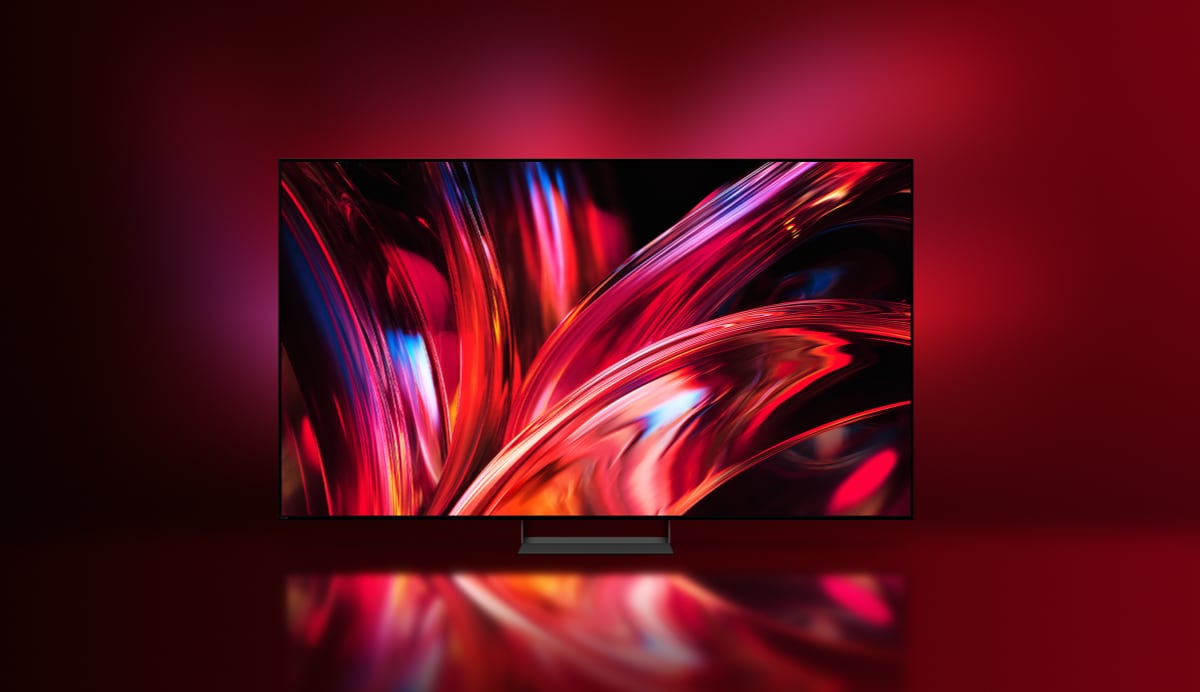
Samsung's latest upgrade to its high-end QD-OLED line-up has arrived, bringing a few improvements over last year's S95D, including a higher VRR refresh rate, Samsung's latest NQ4 AI processor, and higher peak brightness. The S95 series is particularly known for its external connection box (One Connect) and the matte screen coating. Samsung S95F is available in sizes ranging from 55" to 83", and we have reviewed the 65" model. Note that the 83" model uses a WOLED panel, so many of the observations in this review regarding picture quality will not apply to the 83" version. Also read: Samsung 2025 TV line-up (with TV compare tool)Price and retailers:
US retailerUK retailer
DE retailerFirst impressions
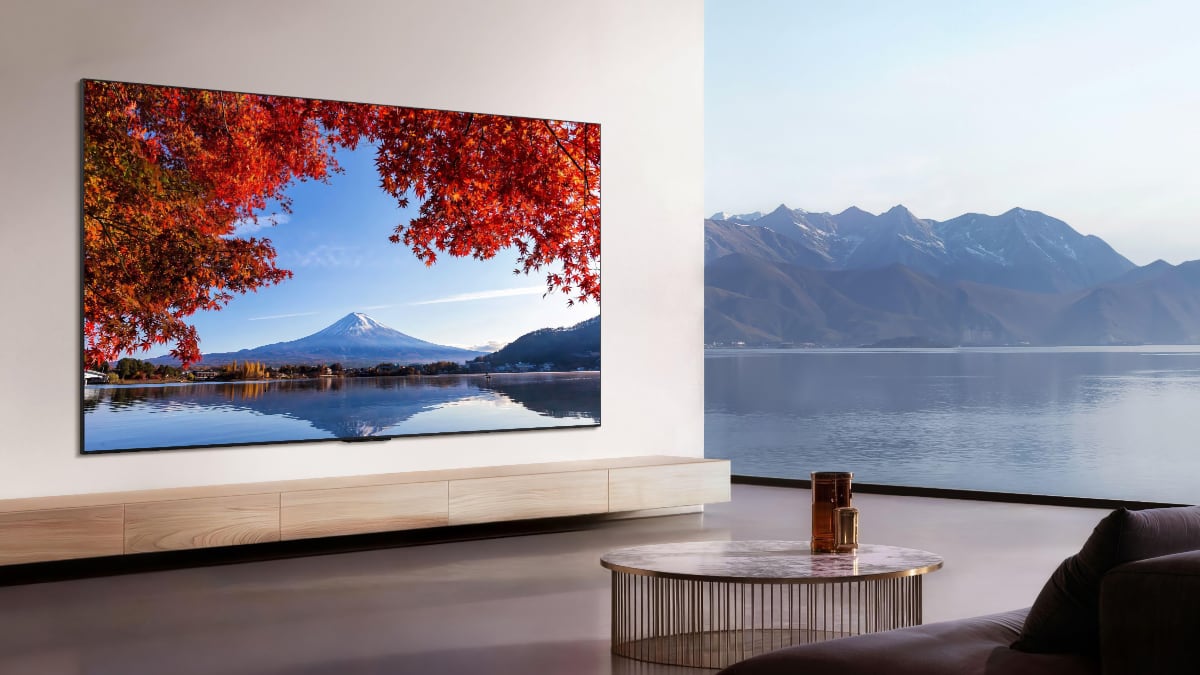
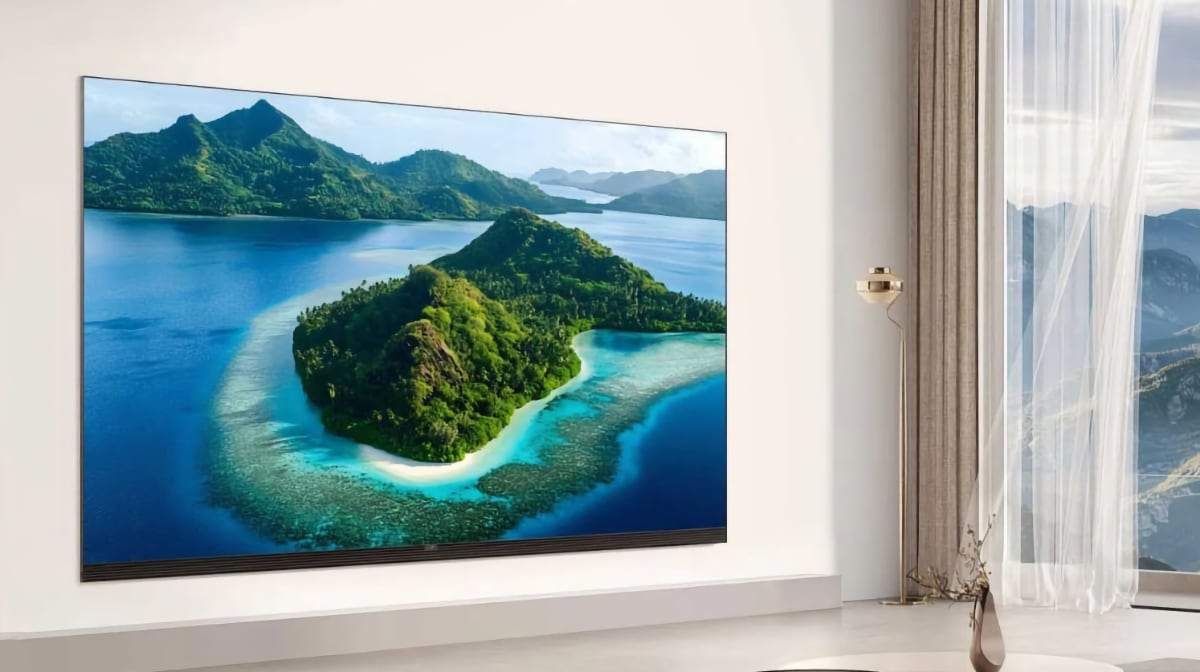
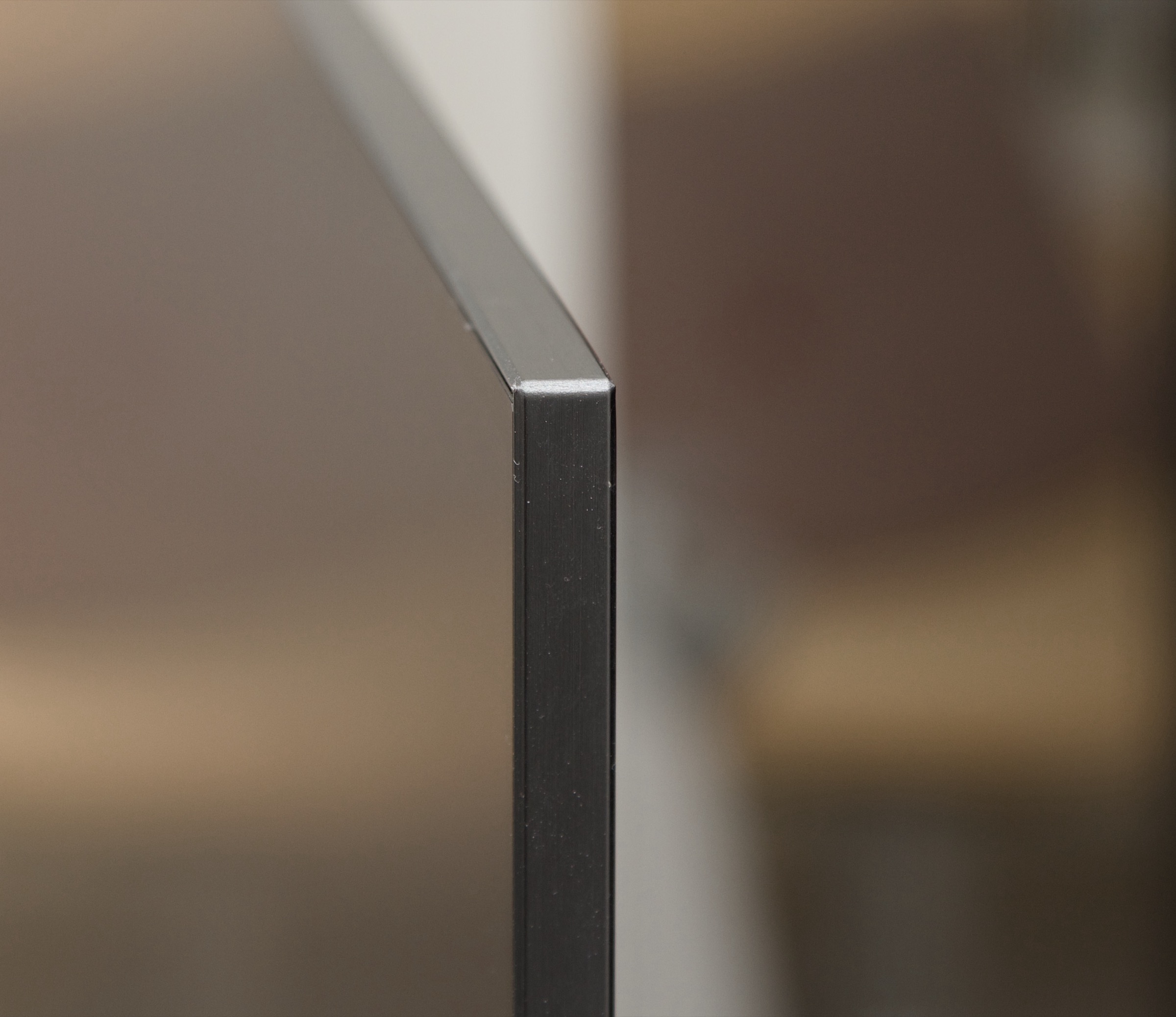
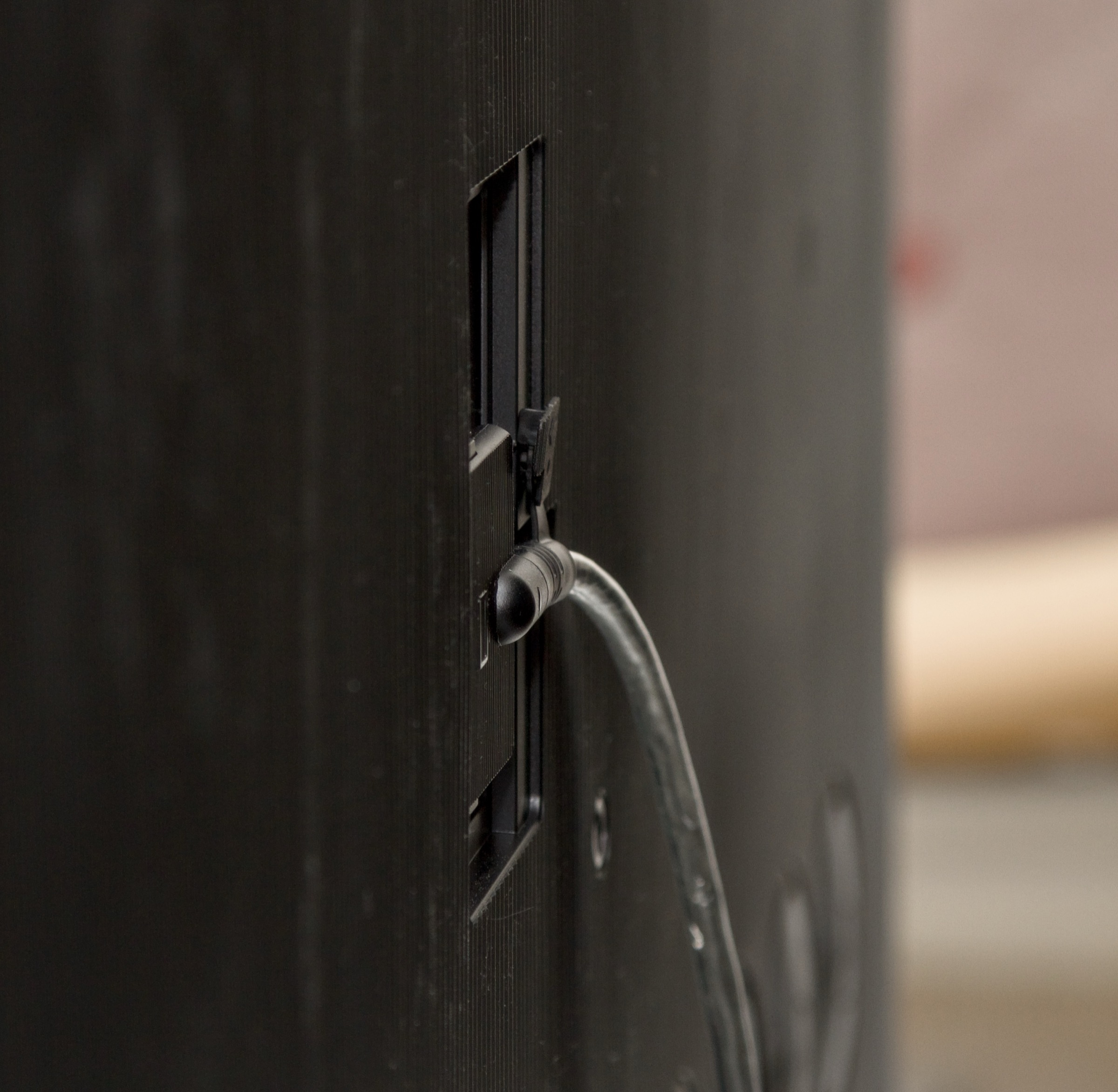
Samsung S95F is an extremely sleek-looking TV with its ultra-thin profile and metal frame. While LG's G-series also offers a flat and wall-mount-friendly design, Samsung's S95 series takes it one step further. In terms of design, you would have to look to LG's M-series to find something comparable. The design continues the style we saw with both the S95C and S95D – which is not a bad thing at all! The secret behind its slim profile lies in the external One Connect box, a long-standing hallmark of Samsung's premium TVs. This box houses all the bulky electronics – including the power supply and ports – and delivers both power and video signals to the screen panel through a single (relatively) thin cable. When a TV becomes as thin as a smartphone it looks great on the wall – and on its stand – but it presents a slight challenge during setup. The TV can be mounted on a wall bracket while still in its box, but it cannot be mounted on its stand without laying the TV face down, which feels rather inelegant. Once the stand is mounted, the One Connect box can be attached to the back of the stand or placed somewhere within the 2.5-meter range that the connection cable allows. A shorter version of the cable is included if the box is mounted on the stand. It is a very nice solution that offers a lot of flexibility for a clean look on a TV stand or on the wall. The box itself has not shrunk in size over the years, and it is likely that the number of ports would need to be reduced before its size can be minimized. In terms of space, it takes up about the same amount as a slightly crushed PlayStation 5. It is worth noting that while the One Connect cable is indeed just one cable, the plugs on each end are rather large – something to consider if you plan to thread it through conduits or holes in a TV cabinet. Also, even though both the One Connect cable and the TV are relatively slim, there is no built-in cable channel on the back of the TV to route the cable downward behind the TV. Your wall bracket will therefore need to accommodate the cable's thickness, which is just under one centimeter in diameter. There is just enough space for a Sonos Arc soundbar to fit underneath the TV when it is placed on the tabletop stand.User experience & features
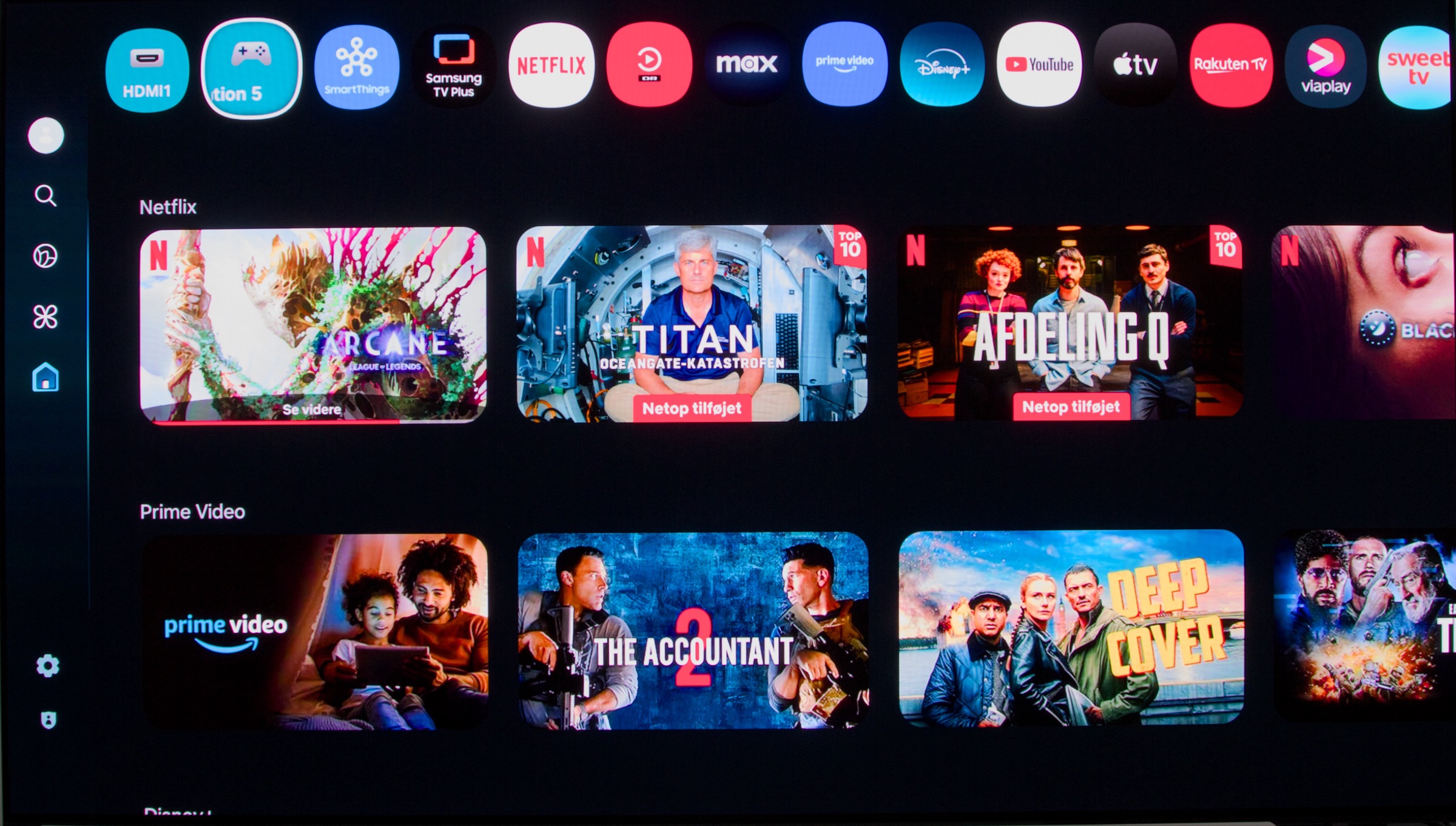
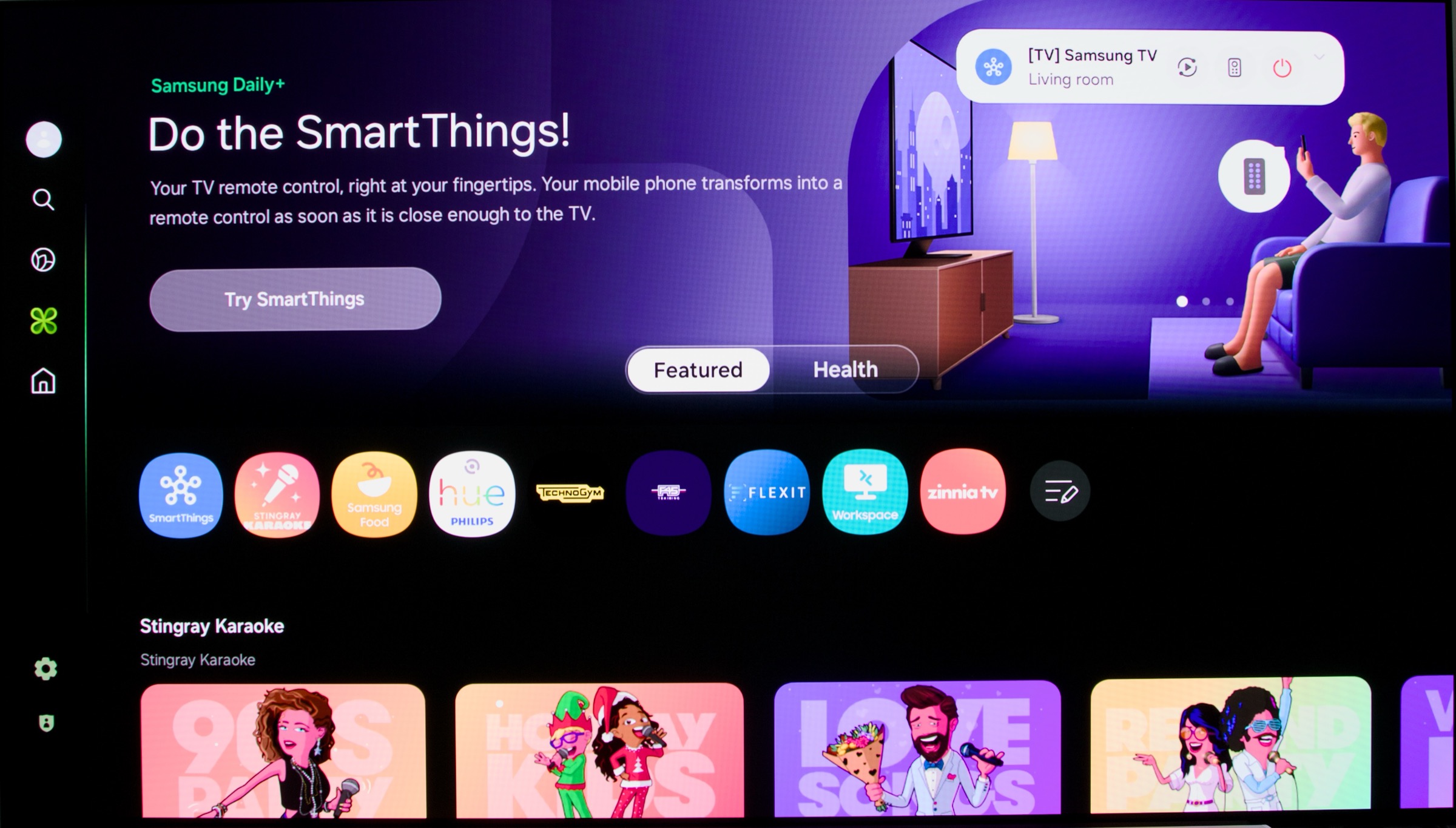
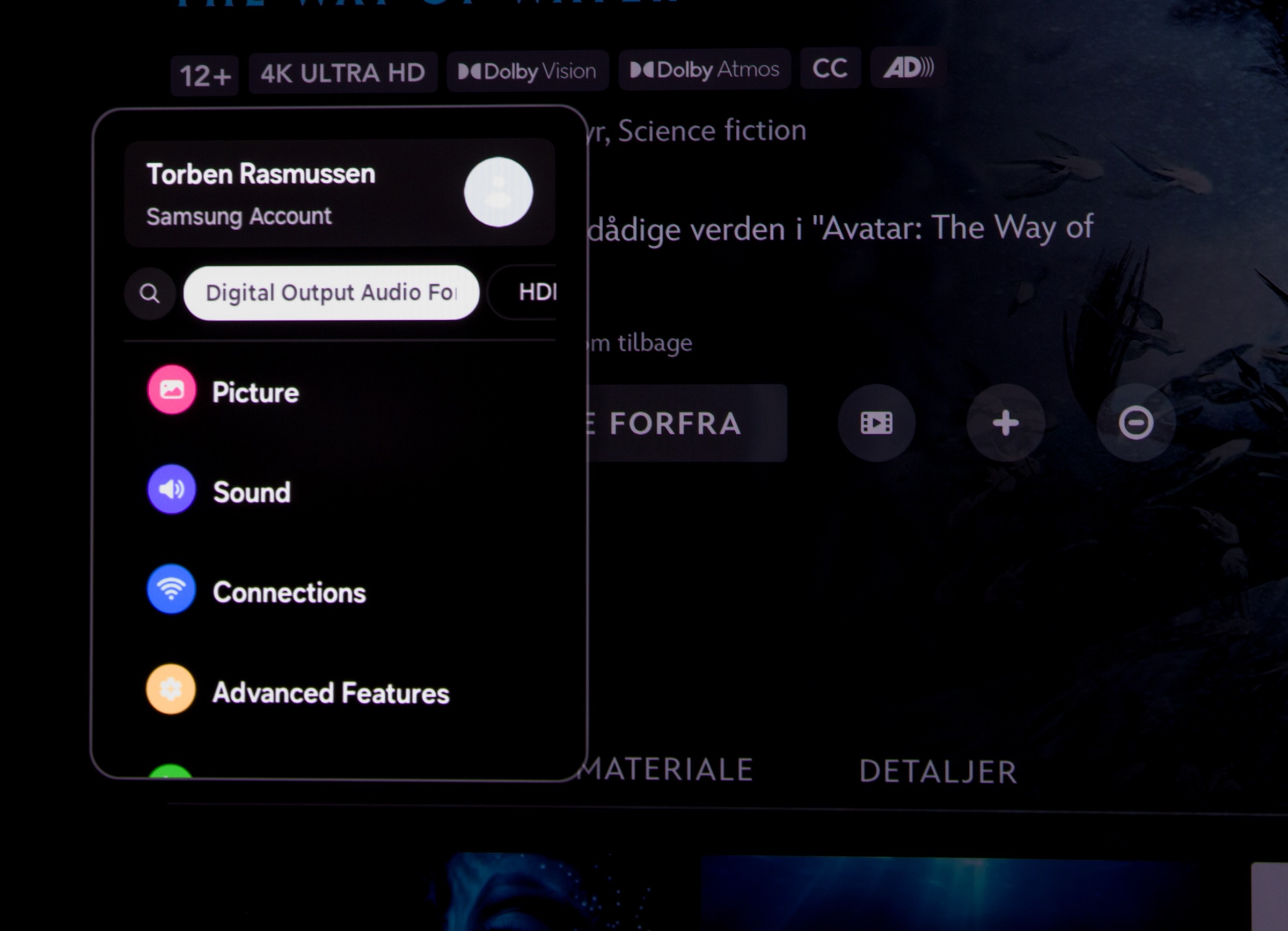
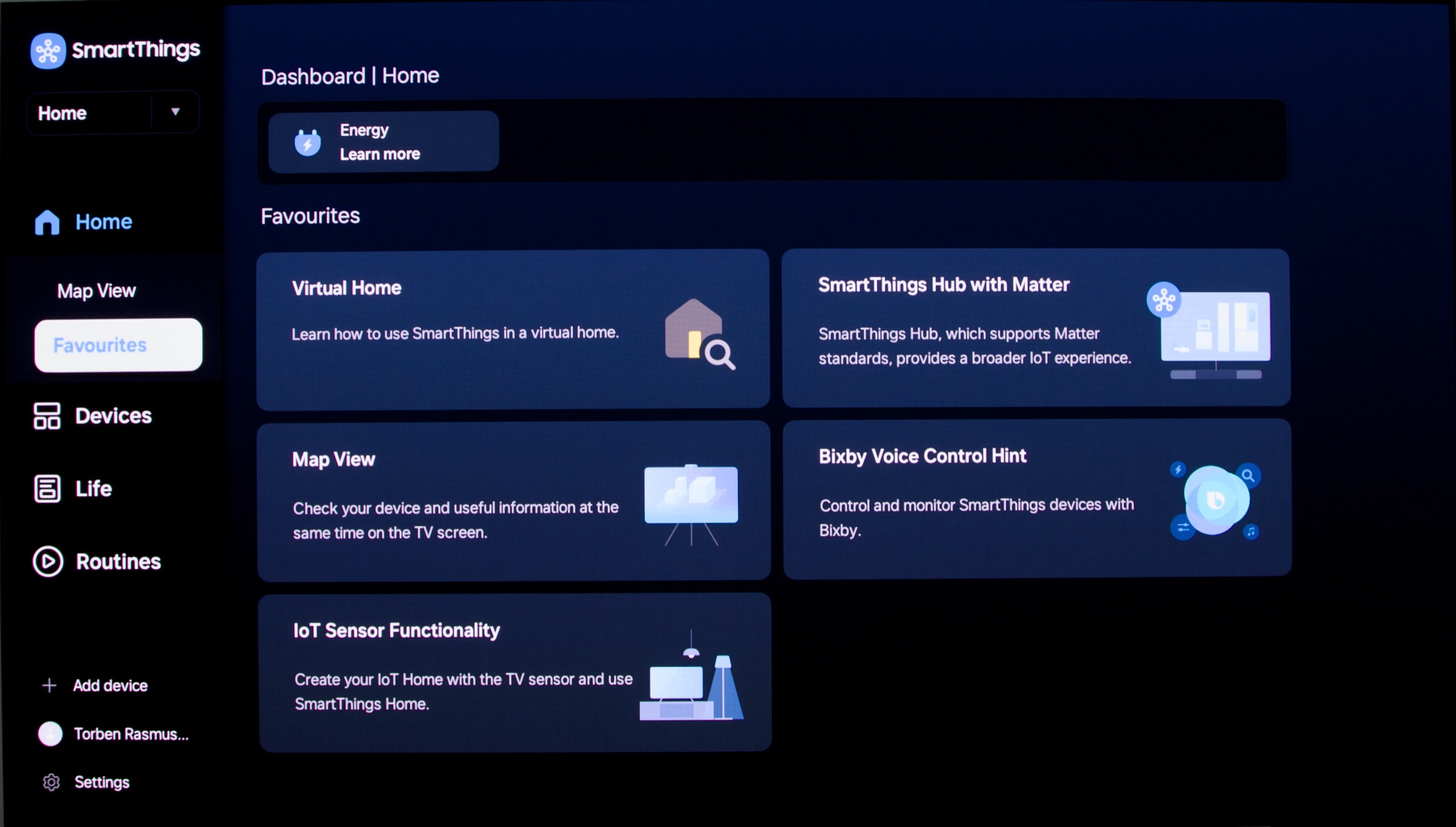
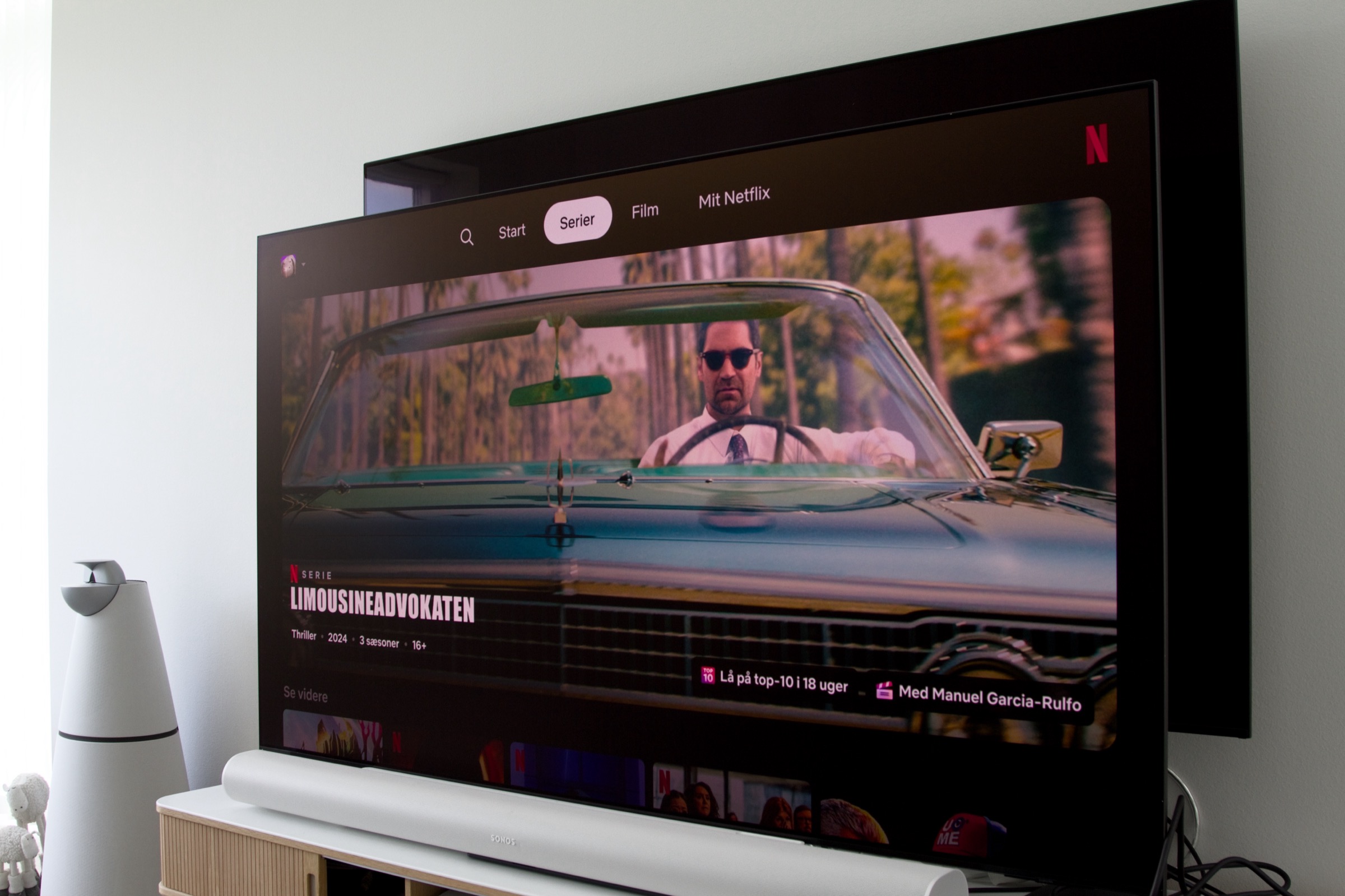
With the exception of Apple TV 4K, setting up a Samsung TV is typically the simplest and most streamlined experience. It is recommended to install Samsung's SmartThings app in advance and create a user profile. The setup process can be completed through the app, and the TV downloads updates in the background during this time. Unfortunately, we were not able to complete the setup process fully on S95F through the app, as an error occurred during the final steps, requiring us to complete the setup manually. It has worked fine in the past, so this is likely an outlier. The look and feel of Tizen, now version 9.0, has changed slightly compared to last year, adopting a more rounded appearance. Like most TV operating systems today, Tizen is heavily focused on presenting ads or content recommendations. This is evident on the homescreen, where more than half of the interface promotes content and apps. However, at the moment, the top section of the Tizen homescreen simply displays a welcome message. It is possible to opt out of targeted advertisements, but doing so causes the ads to become entirely random and even more irrelevant. The placement of UI elements has shifted slightly from year to year, but the clear trend is that anything resembling advertising is being pushed further and further to the front of the experience. We have previously reviewed Samsung's various "Hubs." Game Hub is still not available in our region, but you can install Xbox and GeForce Now as standalone apps and use them with a controller. Ambient Hub is also worth mentioning, although it does not function nearly as well as it does Samsung's The Frame TV. Additionally, it is generally not recommended to display static images on OLED panels for extended periods due to the risk of burn-in. Looking at some of the features Samsung highlights, one of them is Samsung Daily+, introduced last year. It is intended to give you access to all your smart home apps and devices – lights, cameras, air conditioners, etc. – in a centralized hub similar to LG's Home Hub. However, having to navigate to a specific smart home menu on your TV just to turn on the lights in the living room or control other smart devices is not particularly convenient, so it is hard to see who would benefit from it on a daily basis. Since Apple HomeKit is not supported, Daily+ and the SmartThings menu are as close as you will get to smart home control on this platform. Samsung has added a feature called "Daily Board", which provides access to various types of information after the TV has been turned off. What this means in practice is that the TV remains ready to power on when it detects nearby movement and can then display things like the time, notes, or weather information. You can also use the TV's voice assistant to control SmartThings-connected devices with your voice. There are not many features available in Daily Board at the moment, so its usefulness is still quite limited – but it is a fun little gimmick. You can configure how sensitive the motion detection should be and when it should be active. Samsung has clearly tried to simplify navigation in the menu system by hiding most settings, but this also means you have to dig deep into submenus to access the full range of adjustments. I am not entirely sure which manufacturer I prefer in this regard anymore, but my impression is that menus have become incrementally worse over the years, not better. The menus often respond slowly and take a while to open. When the TV is powered on after being in standby for a while, everything feels slightly sluggish, as if the TV needs to wake up first.Tizen 2025Most streaming apps you might need are available, and their look and feel depend, as always, on the individual app developer. Of the services I use, Netflix had the most modern interface. I would have liked a smoother app experience overall, as the sluggishness mentioned earlier is also noticeable when browsing content. That said, Tizen still feels slightly ahead of LG's webOS in terms of overall user experience. If you want to talk to the TV, there is a built-in microphone (which can be disabled), allowing you to use Samsung's own Bixby assistant with voice commands such as "Hi Bixby". However, it is quite sensitive and often activates unintentionally due to sounds from the TV. Anyone who has used one of the newer large language model-based chatbots knows they can handle fairly advanced conversations and that question phrasing is less restrictive. Samsung's current implementation of Bixby has not reached that point, and your questions and commands need to be fairly specific to get useful results. You can ask the TV to open Netflix, for example, but if you ask (in English) what you should watch on Netflix today or what is on TV tonight, you will most likely be shown YouTube links or redirected to a browser. Samsung's upcoming Copilot integration will only work in a few countries initially, but the expectation is that it will eventually provide more useful answers. How well it will integrate with Samsung's operating system and apps remains to be seen. A year ago, Samsung announced that they now offer 7 years Tizen OS upgrades, which was truly welcome news. The 2025 models are of course included in this commitment and since this has been one of our major criticisms of Samsung's models in the past, this is a feature worth highlighting again this year.Operation
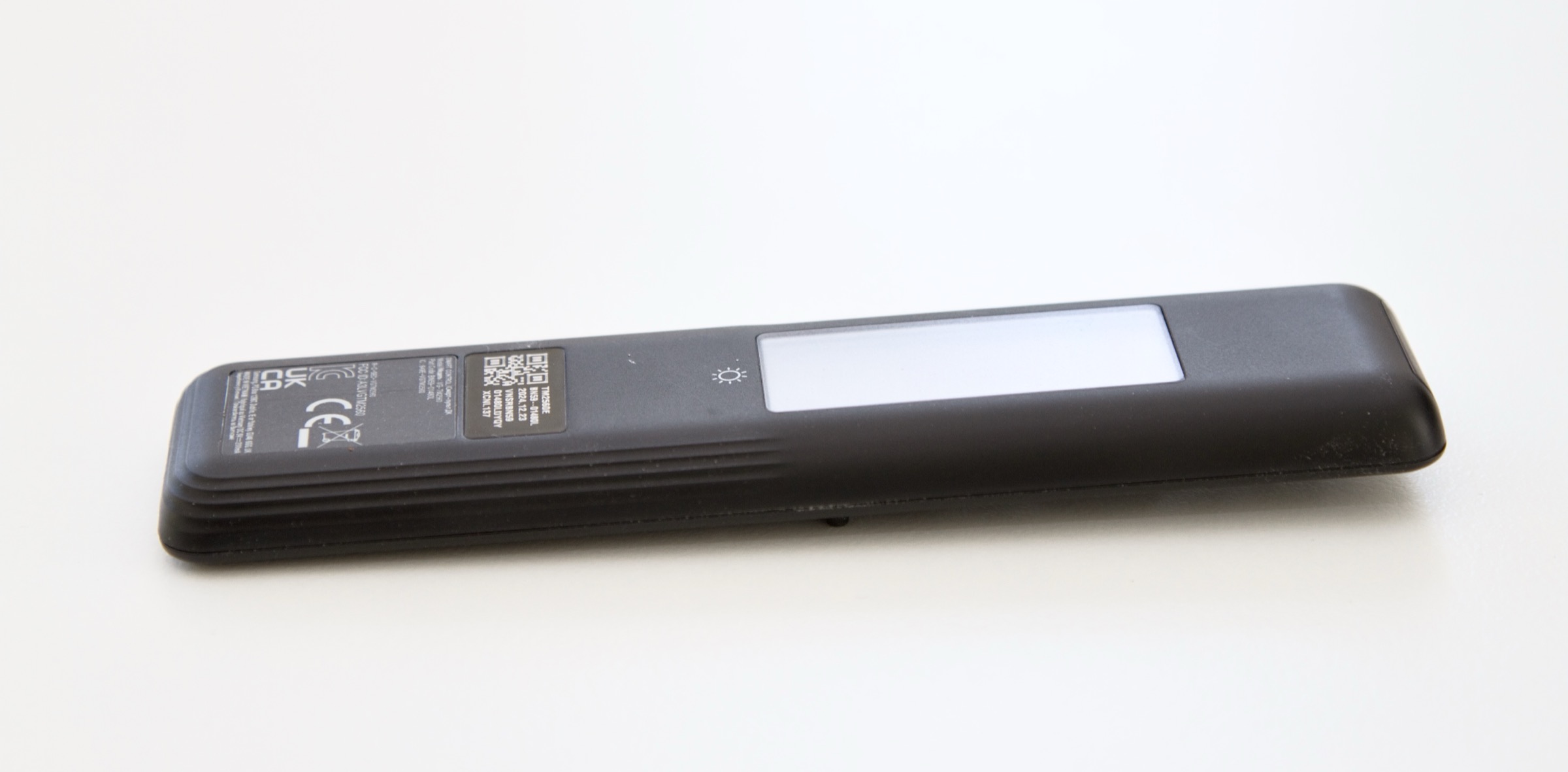
Samsung's remote control is pleasantly minimalist with only a few buttons. The volume and channel buttons have dual functionality and can be both pressed and pushed, which helps maintain a clean and simple look. This year, a search function has been added to a dedicated button, but unfortunately, the feature does not work in our region. Samsung has limited the remote to four sponsored app buttons at the bottom, one of which is their own Samsung TV Plus app. The chances of these four being your go-to apps are quite slim. Unfortunately, it is not possible to reassign these shortcuts. It has now been several years since Samsung removed the dedicated button for selecting input source, so to switch to an HDMI input for your game console or external media player, you have to go through the main menu. The material quality of the black plastic remote leaves much to be desired. It feels cheap and far too light. A TV in this high-end class deserves better. The buttons themselves feel decent, although button presses are not always picked up responsively by the TV. We know Samsung is capable of making something better. On the back, there is a small solar panel for charging the remote, which can also be charged manually via a USB-C port on the bottom. If you prefer to control the TV using an app on your phone, the SmartThings app is an option. You can also create a shortcut to control the TV directly from the phone's lockscreen. However, it is only a shortcut to open the app, not a full control interface like the one found in Apple's Apple TV remote app.TV speakers
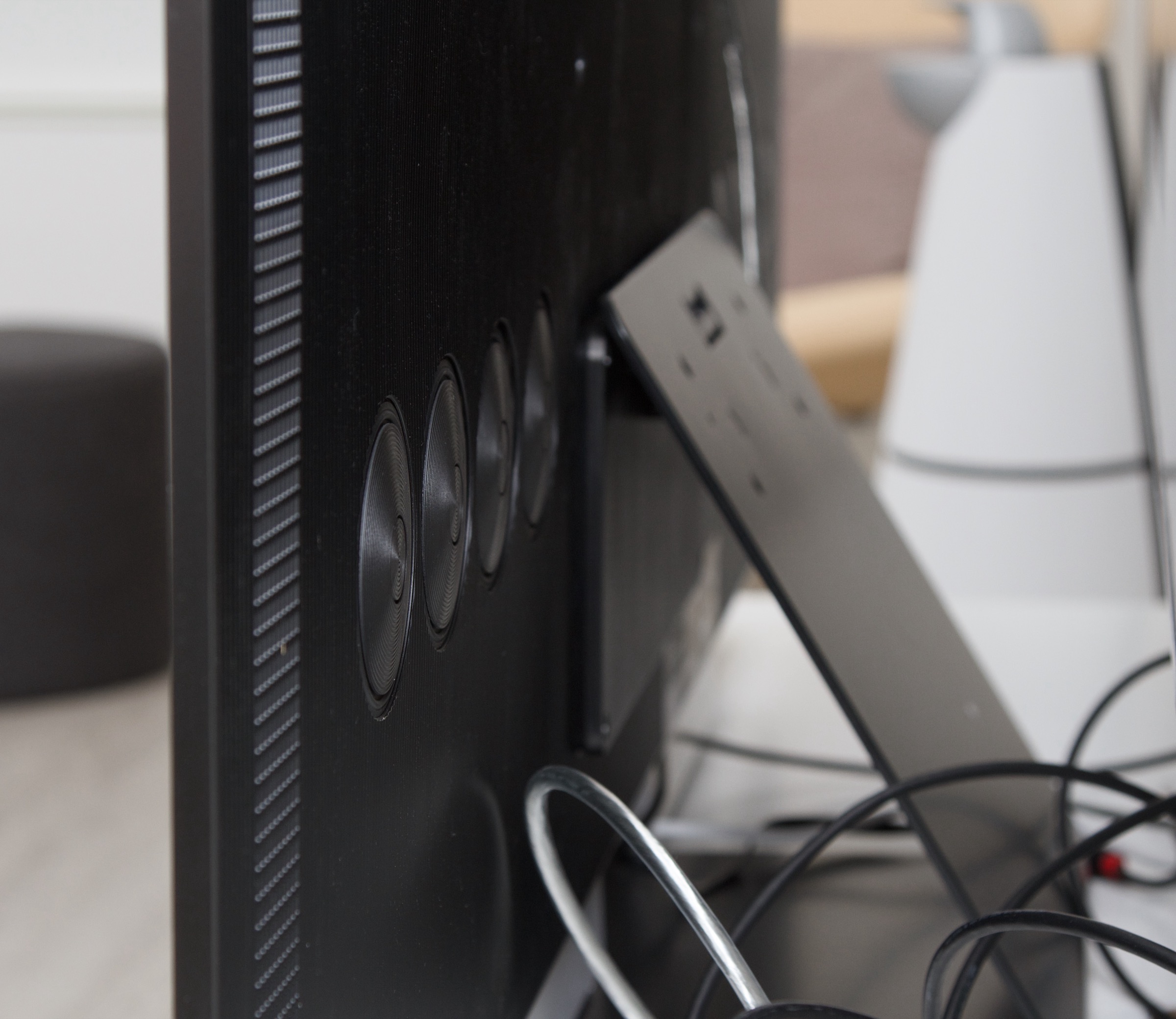
S95F is specified to feature a 70 W 4.2.2-channel Dolby Atmos sound system, with bass drivers distributed across the back of the TV. Side- and upward-firing speakers embedded in the rear of the screen are intended to enhance the sense of spatial audio when playing Atmos soundtracks.Despite the many speaker units, particularly the bass lacks punch, and the spatial effect is also largely absent. It is possible to do room calibration, but that cannot compensate for the lack of hardware to deliver bass. Since the speaker units are placed on the back, it is also noticeable that the sound is not projected from the front of the TV, which detracts from the overall listening experience. Activating Samsung's Amplify sound setting can help improve vocal clarity. You cannot increase the volume much before distortion becomes noticeable, though this is probably not something you would want anyway, as the speaker units are simply not designed for high output. If you want decent audio from a high-end OLED TV, Panasonic is still the benchmark. With S95F, you should definitely consider adding a soundbar – even a more affordable one. One of Samsung's own models would be an option, but our current recommendation would be the Sonos Arc Ultra. To get Atmos sound passed through to your soundbar, you may need to enable eARC and set the output format to "Automatic," as the TV otherwise sends only two-channel PCM. It is not enough to simply select the eARC port as the audio source. The experience may differ if you connect a Samsung soundbar, but we tested with the Sonos Arc Ultra, and Atmos only became available after these settings were applied. Samsung TVs support Dolby audio formats but not DTS audio, so if you enjoy watching movies on physical discs or were planning to enhjoy DTS sound on certain Disney+ titles with DTS:X, you may be disappointed.Calibration
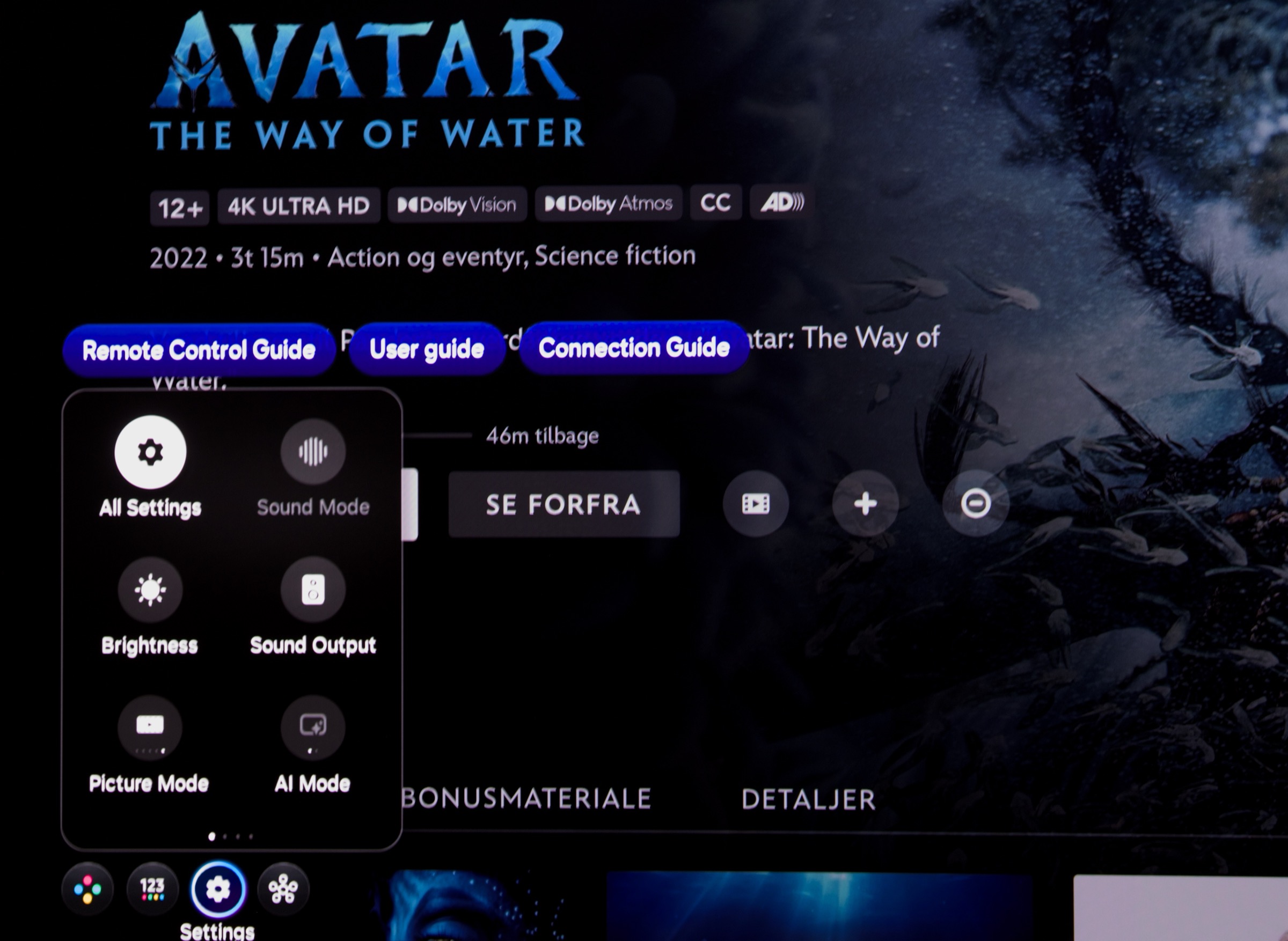
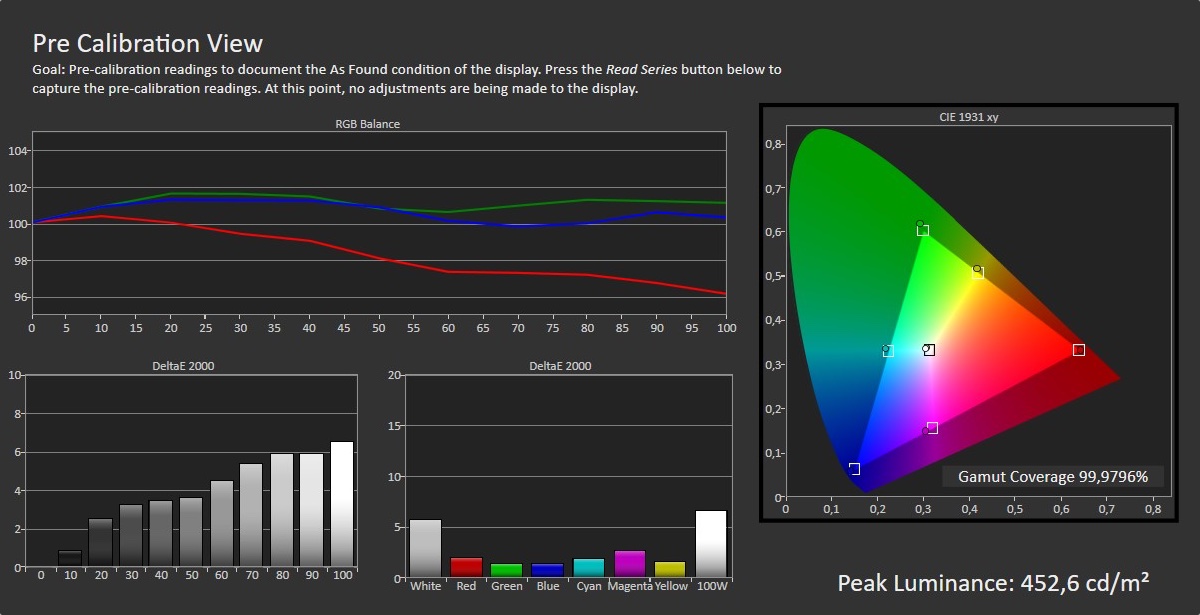
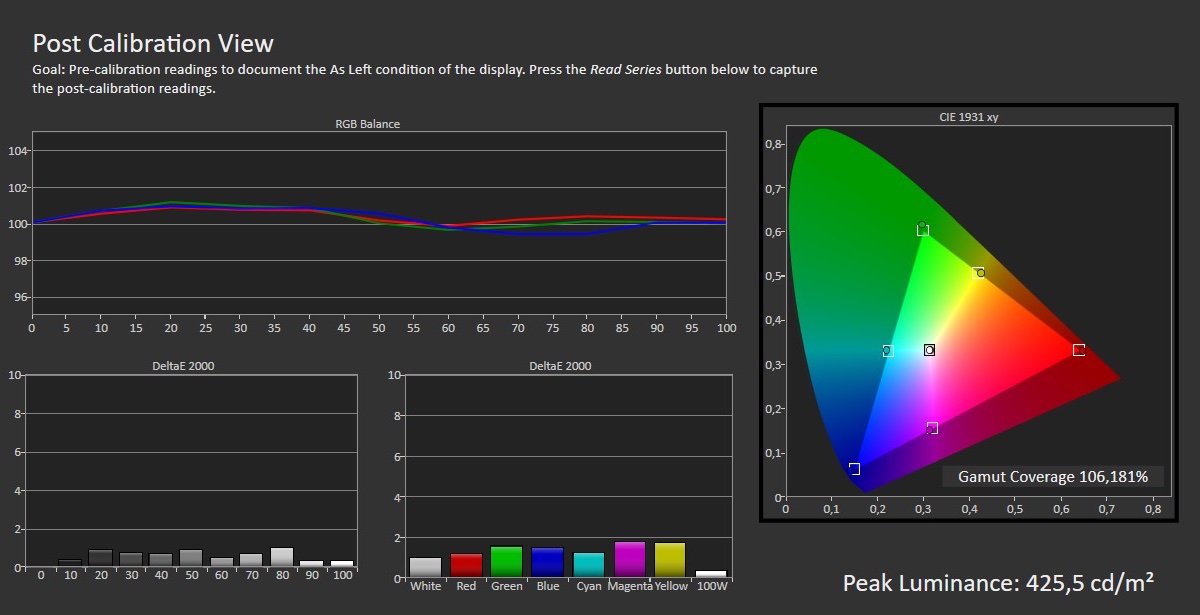
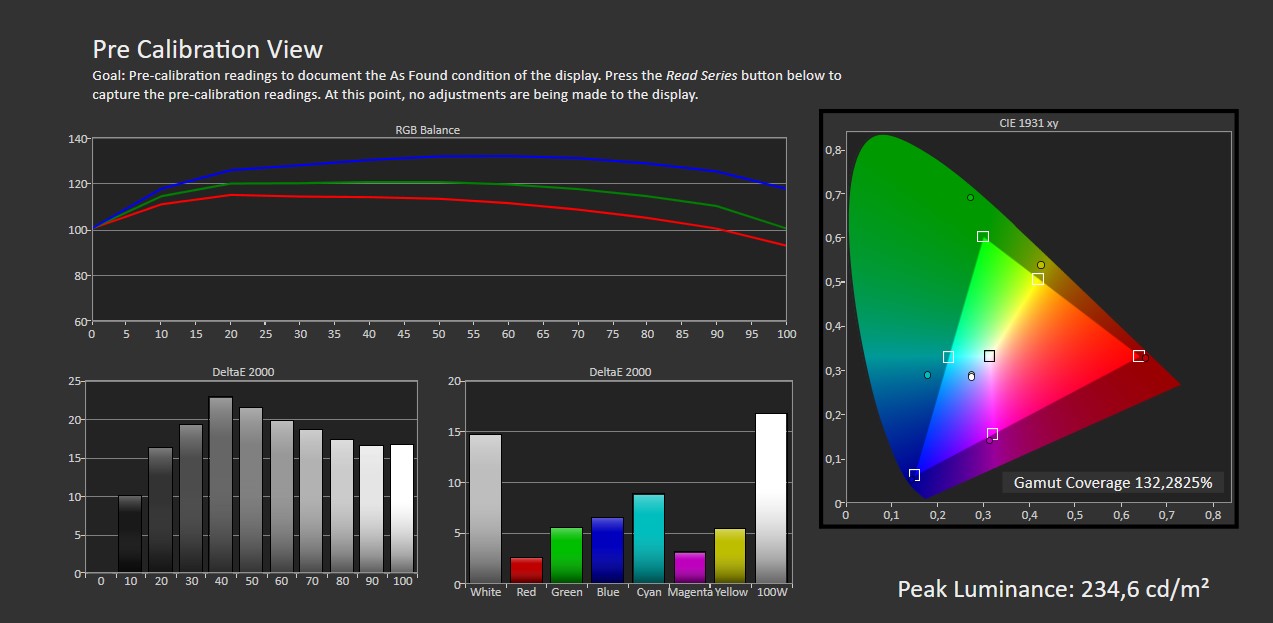
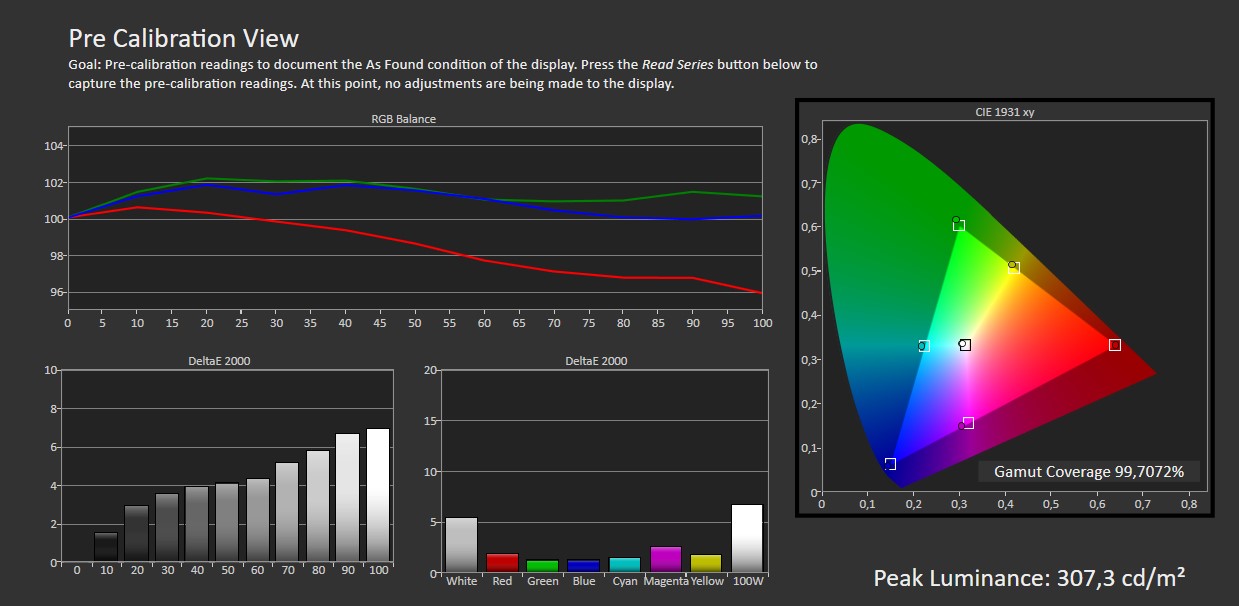
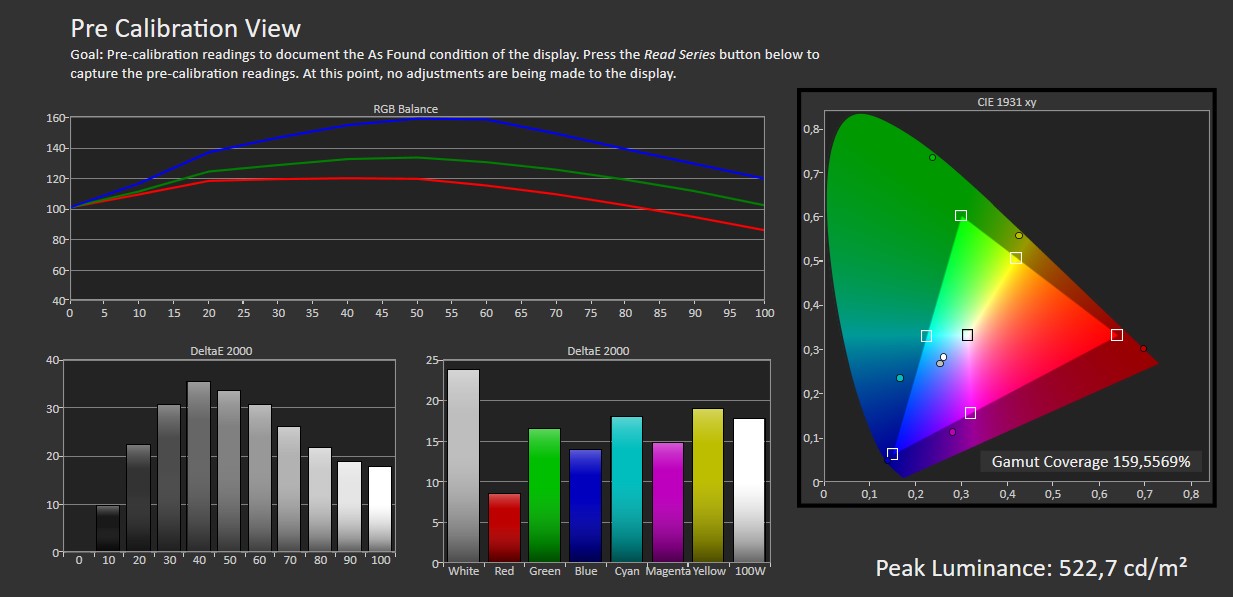
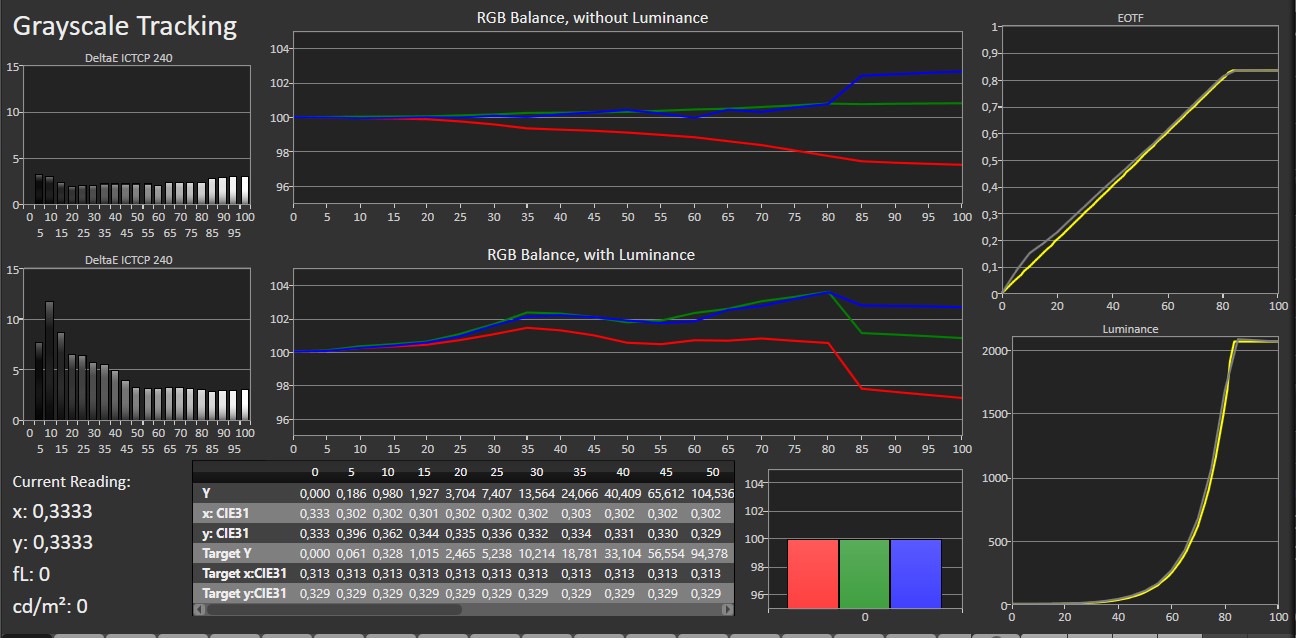
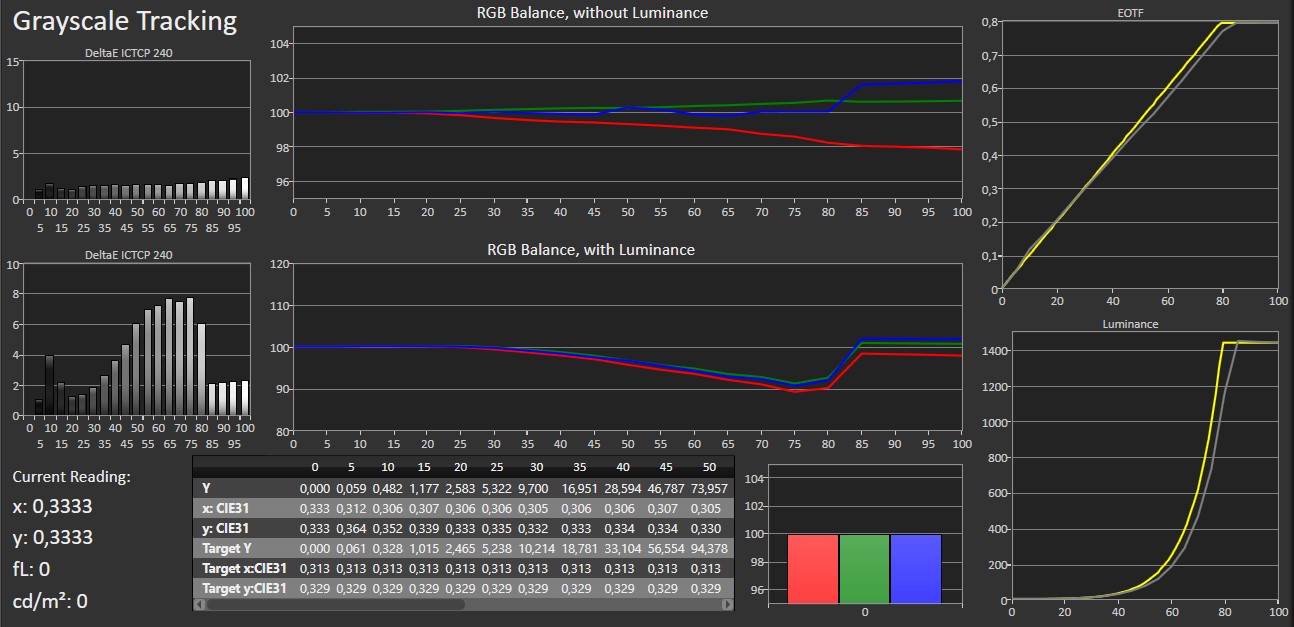
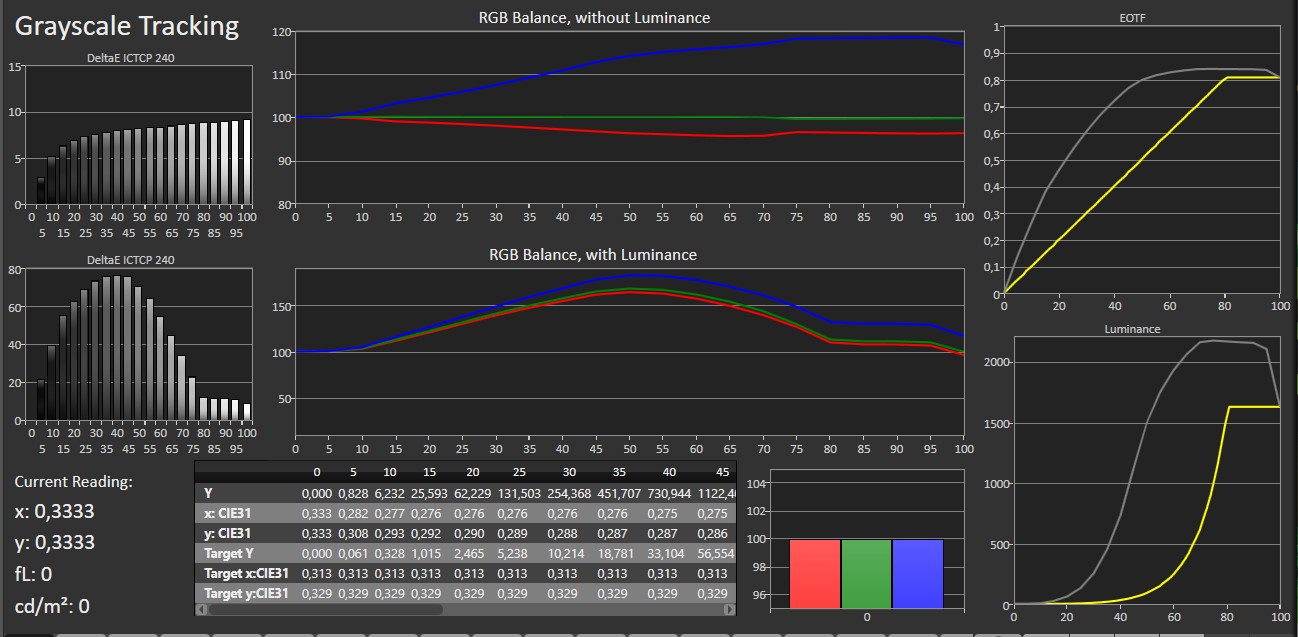
Samsung's selection of picture modes is modest, but not many are particularly close to reference accuracy. Game Mode is activated separately and does not appear in the main list. When Game Mode is enabled, you can choose from various sub-modes intended to modify the picture depending on the game genre. For the most accurate colors, you should choose the Game mode's "Original" preset, but since there is no option for fine-tuning, the result does not match competing TV maker's more accurate Game modes. Moreover, the somewhat more accurate Original preset does not reach the same peak brightness levels as the other presets, which is unfortunate. The Movie and Filmmaker picture modes in S95F are identical in terms of color accuracy, so you can safely use Filmmaker mode for all content and skip the rest. Traditionally, Samsung's QD-OLED TVs have lacked a little red even their most accurate picture mode, and this is still the case with S95F. Increasing red by about ten steps brings it so close to reference that the human eye cannot perceive any difference. As promised, S95F's luminance has been boosted in HDR. We measured around 1600 nits in calibrated mode on S95D last year and S95F now reaches 2000-2200 nits in Filmmaker mode. We typically measure much higher brightness in Dynamic mode – called 'Vivid' on S95F – and if S95F has has been idle for a while, it can momentarily peak at up to 3600 nits. However, this requires some trickery, such as letting the TV sit idle or go dark just before taking a measurement. Otherwise, the brightness quickly falls back to the same level as Filmmaker mode. The QD-OLED panel's color gamut is the same as last year but it is still noticeably wider than WOLED from LG Display. In calibrated mode, we measured 84% Rec.2020 color gamut coverage on S95F.Measured picture modes
Click to view the measurements
Standard (SDR) Eco (SDR) Movie (SDR) Dynamic (SDR) Filmmaker (HDR) Game Original (HDR) Game Standard (HDR) Measurements
In our "measurements" section we include all measurements and our suggested calibration settings. If you want to learn more about our test methodology click here. Note: In 2021, we implemented a new method for measurement of average power consumption in SDR and HDR, meaning that earlier measurements are not 1:1 comparable. The new method will be used in all TV reviews going forward.Note: We include calibration settings only for SDR, not HDR. For our calibration we have deactivated the ambient light sensor that automatically adjusts the backlight setting according to your environment. You may prefer to have it enabled.Picture quality
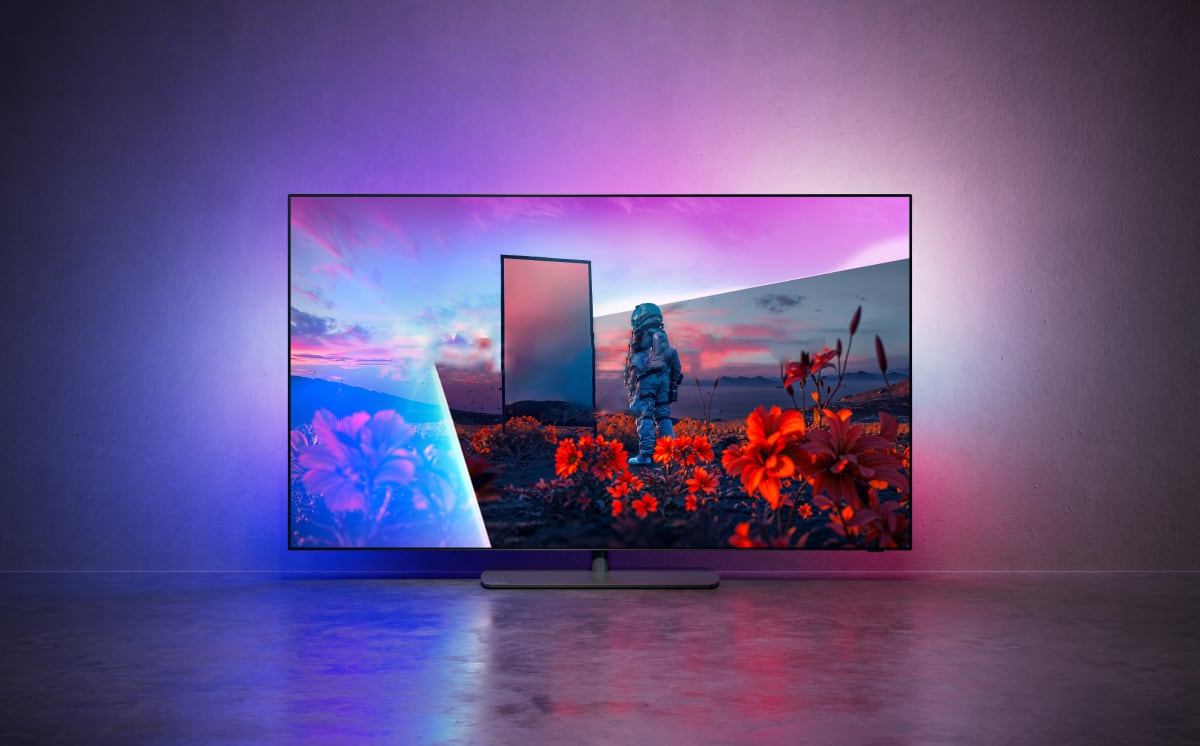
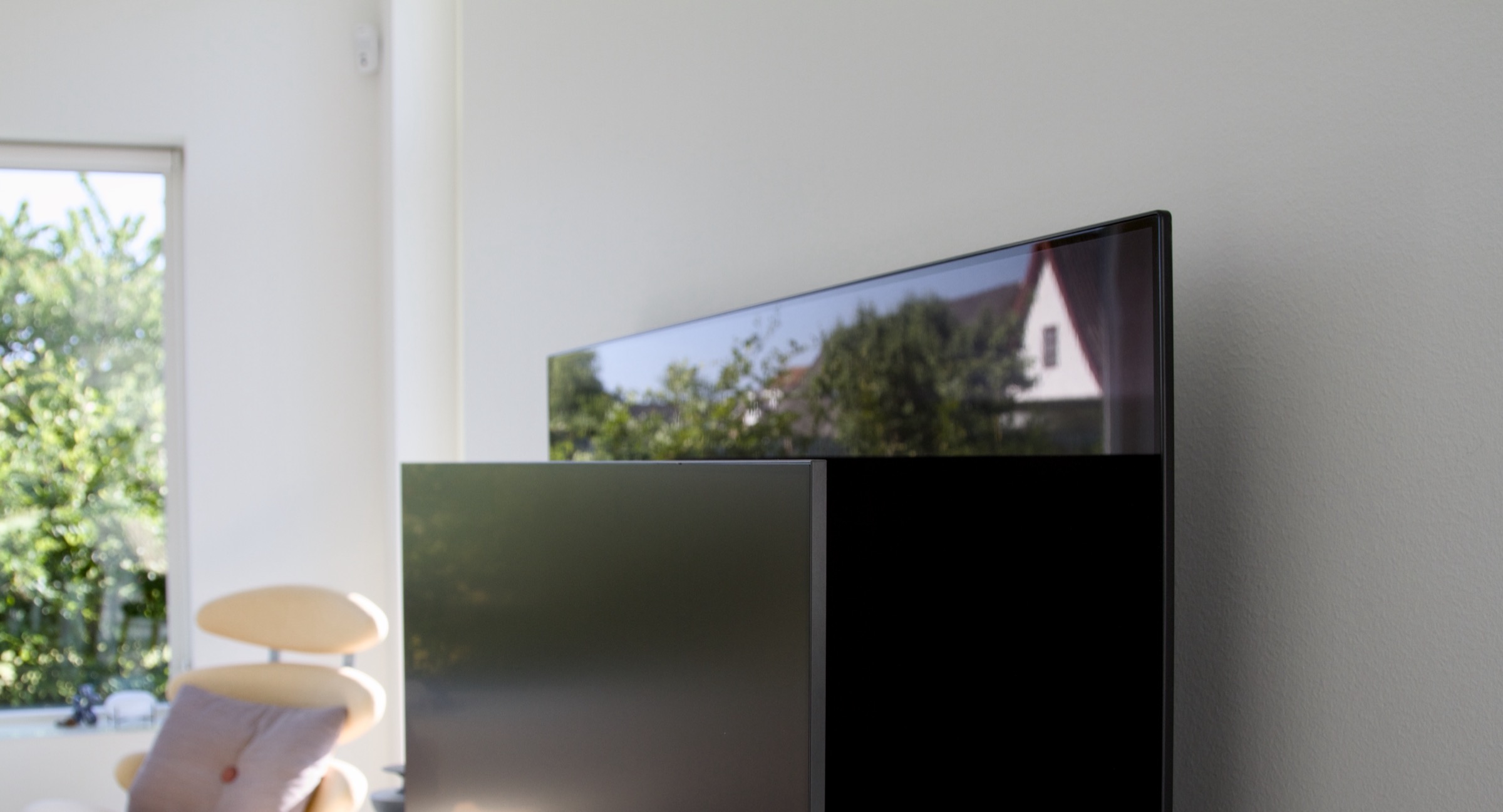
The HDR race is far from over. Just a few years ago, 1000 nits was the benchmark, with most OLED models falling slightly below that mark and only high-end variants exceeding it. In recent years, however, there has been a dramatic jump in peak brightness, with OLED TVs crossing 1500 nits last year and exceeding 2000 nits this year. Keep in mind that perceived brightness follows a logarithmic scale, so a 100% increase does not feel like a doubling of brightness. Still, Samsung's boost from last year's 1600 to this year's peak of over 2000 nits is an impressive result that matches LG's G5, which we recently reviewed, and is nearly double that of the 2023 QD-OLED, S95C. While matching the new generation of high-end WOLED panels in luminance, this year's QD-OLED panel continues to offer a wider color gamut, close to Rec.2020 coverage. It is worth noting, though, that most movies are still mastered to 1000 nits and DCI-P3 colors, which is noticeably narrower. Despite this, QD-OLED holds the advantage of delivering more saturated colors, as it avoids the use of a white subpixel (the "W" in WOLED), which LG employs. This is especially noticeable in red tones, making explosions look more vibrant in HDR. Overall, the more saturated color rendering gives HDR content a real boost – whether it is the vivid blue scenes of Avatar 2 or the dusty chaos of Mad Max: Fury Road. It is worth highlighting that Samsung still does not support Dolby Vision, instead promoting its own HDR10+. This format is not as widespread yet, but many streaming services – most recently Netflix, along with Apple TV+, Disney+ and Amazon Prime – now offer content in both Dolby Vision and HDR10+. Used properly, dynamic metadata from HDR10+ or Dolby Vision can improve picture quality, though the advantage is more subtle on OLED TVs since they already deliver higher dynamic range and color with pixel-level accuracy, as opposed to zone-dimming LCD TVs.Compared directly to LG G5, the peak brightness on S95F was less consistent. In Vivid mode, we briefly measured as high as 3600 nits, but just a second later, brightness dropped below 2000 nits. A similar pattern was observed in Filmmaker mode, where S95F quickly dialed back brightness. Dimming kicked in after about 25 seconds and brightness was halved after twice that time. On LG G5, the dimming algorithm waited more than 2 minutes to kick in and reduced brightness more gradually. In everyday use with normal content, the brightness typically will not be maxed out for long periods, and it only takes a few seconds of rest for S95F to again be able to deliver full brightness. However, if you are using the TV with a game console, you may occasionally notice this dimming behavior. In our measurements, peak brightness could vary by up to 25% if the panel did not have time to cool down, suggesting that the real-world peak may not consistently hit 2200 nits. LG G5 offered more consistent performance in terms of HDR brightness.As with LG G5, extremely high peak brightness can make white subtitles overly intense in some streaming apps. While this is not specific to Samsung, the problem remains: HDR can make subtitles uncomfortably bright. Also, in subtitles – which typically contrast sharply with backgrounds – the QD-OLED pixel structure can become visible. The unique pixel layout can occasionally produce colored fringes around objects, making this panel less ideal for displaying text. Samsung's matte screen coating, introduced last year, will likely divide opinion. There is no doubt that S95F is unmatched in its ability to suppress reflections – clearly visible in the comparison photos below. The downside is that even slight ambient light can make the screen look gray instead of black, a stark contrast to WOLED panels, which often appear more contrast-rich in lit environments. In other words, the environments where this coating works best are also where its drawbacks are most noticeable. Because the coating disperses light so effectively, it can also create a kind of blooming effect around bright elements, such as white text. This effect has improved since last year but has not been fully eliminated.Colored contours – fringing – can appear on high-contrast content – such as subtitlesOne area where Samsung still lags behind is motion handling. Samsung TVs handle 24 fps film content well, even with MotionPlus completely disabled, which means you can avoid the artifacts that this system often introduces. However, the occasional micro-stutter – a long-standing issue we have noted in past Samsung reviews – is still present in some scene transitions. It manifests as a single frame freeze between cuts – some viewers may notice it, others will not. Upscaling of sub-1080p content is not Samsung's main strength, though such sources are becoming rare. SD interlaced signals already look poor, but Sony and Panasonic generally do a better job with upscaling. On the upside, gradient handling is excellent – no visible banding in our testing – and if you do notice issues, tweaking the Noise Reduction settings may help. It is a bit unfortunate that Samsung does not separate gradient smoothing from noise reduction, unlike some competitors. So far, only Sony's A95L has done better. Switching S95F to Game mode by powering on a PS5 enables 120Hz VRR. With a PC, it can go to 165Hz. In VRR mode, you may notice some flicker in certain scenes – a general OLED quirk – but again, some people will notice it, others will not. Disabling VRR brings input lag down to around 10 ms, while enabling 120 Hz VRR reduces it to just 5 ms – the lowest S95F is capable of. Samsung also allows MotionPlus to be enabled in Game Mode. This might sound counterintuitive, but if you are playing a game that is locked at 30 fps, Game Mode can smooth out the image without introducing excessive input lag.Difference in reflections between Samsung S95F and Sony AF9 (WOLED). Reflections are reduced, but black appears grayer.As mentioned earlier, Samsung's Game Mode is a mixed bag. You can either get the same peak brightness as the calibrated mode but with inaccurate colors, or you can use the Game mode's "Original" preset with roughly 30% reduced brightness. That is a shame, as S95F is otherwise a fantastic TV for gaming, but the lack of a well-balanced color mode puts a slight damper on the experience. As a final note, long exposure of very dark greys revealed a bright spot in the middle of our S95F sample and a few faint lines. However, none of this was visible during normal use.Conclusion
The strengths of Samsung's QD-OLED display technology are undeniable, and S95F builds on the success of previous models, standing out as one of the brightest OLED panels we have tested. If you already own S95C, you can safely skip this year's model, as the differences are minor, but coming from older TVs, it is a good upgrade.Ad:Samsung S95F stands out as a premium TV on multiple fronts – not least the minimalist design and external One Connect box. The anti-reflective filter will be a selling point for some, but possibly a turn-off for others, as the downside is the grayish hue it gives the panel, impacting perceived contrast in rooms with some light. If Samsung had invested more in its remote control, all physical aspects of the TV would have been top-notch. When it comes to picture quality, S95F delivers amazing performance in Filmmaker Mode. In Game Node, however, you are forced to choose between color accuracy and peak brightness, which is not ideal. Motion handling remains a weak spot as it has been with Samsung TVs for years, though not everyone will notice. For those seeking the very best, personal preferences come into play. The top four contenders are LG G5, Sony A95L, Panasonic Z95A and Samsung S95F – with successors from Sony and Panasonic coming very soon. All perform at the highest level, and your final decision should be based on QD-OLED versus WOLED, followed by feature set and operating system. The differences are small and each model has its pros and cons, but S95F absolutely deserves a spot on your shortlist if your budget can stretch.Price and retailers:
US retailerUK retailer
DE retailerAmazing picture quality with +2000 nits
Sleek design
4x HDMI 2.1 ports and QMS
Effective anti-reflectionMatte panel gives blacks a greyish look in brighter environments
QD-OLED color fringing
Micro-stutter, poor motion smoothing
Raised blacks/flicker in VRR
Ads in Tizen